



Blog
How WCAG Compliance Impacts Core Web Vitals
Key Takeaways
- WCAG compliance and Core Web Vitals are closely linked because accessible pages naturally load faster, stay stable, and respond more smoothly.
- Following WCAG produces cleaner semantic HTML and lighter structures that browsers process quickly, directly improving Largest Contentful Paint scores.
- Proper alt text, compressed images, and native media controls reduce page weight and support faster loading, especially on mobile and slow connections.
- WCAG placement rules for images, headings, menus, and buttons reduce Cumulative Layout Shift and prevent jarring layout jumps.
- Accessible content improves user flow, lowers bounce rates, and sends positive signals that boost search engine visibility.
Websites shape how people read, move, and interact online. When a page is slow, unstable, or confusing, users leave quickly. Many of these issues happen when the site does not support people with different abilities. This is why accessibility and performance are closely linked. WCAG steps are not only helpful for people with disabilities. They also guide teams toward pages that load faster, move smoothly, and stay stable during use. When a site follows WCAG guidelines, the structure becomes cleaner, code becomes lighter, and content becomes easier for browsers to process. These improvements support better loading speed and stronger page stability, which are measured through Google’s Core Web Vitals.
What WCAG Compliance Means for Website Performance
WCAG, or Web Content Accessibility Guidelines, describes how to build content that works for people with visual, auditory, cognitive, or motor impairments. The guidelines focus on text, navigation, structure, images, media, and forms. WCAG does not change the design goal of a page. It simply sets rules that help the website behave in a clear and predictable way.
When a website follows WCAG, many performance improvements happen naturally. Accessible content often loads faster because it uses correct HTML tags, lighter structures, and simple elements. A predictable structure also helps browsers understand the page faster. Images load more smoothly. Text appears earlier. Interactive areas respond without delay. These steps improve how users experience the entire site.
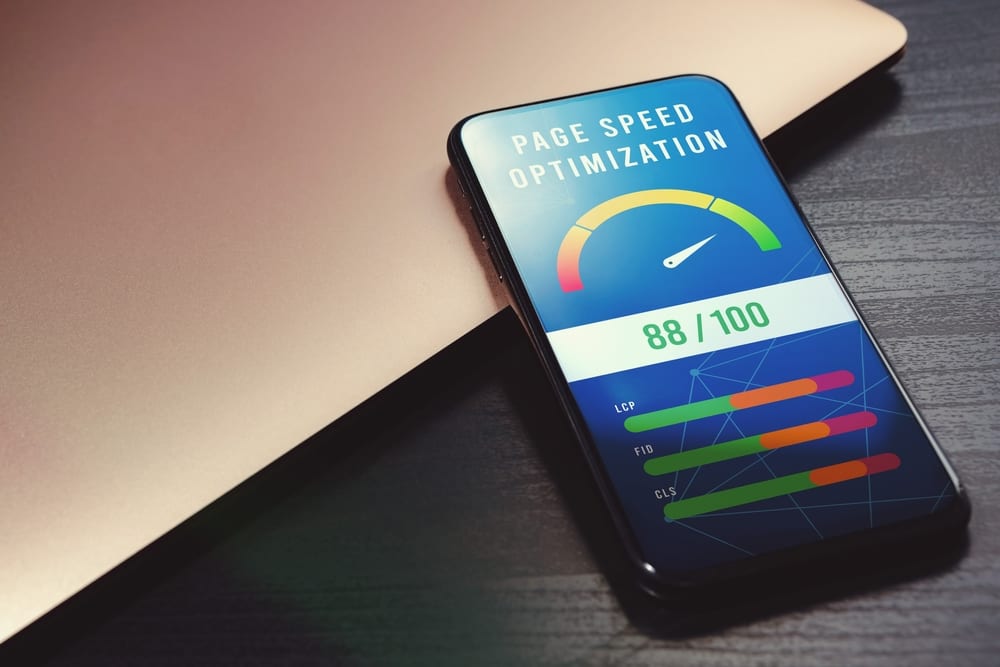
Core Web Vitals measure three elements: loading, interactivity, and visual stability. When WCAG supports these areas, real users have a better experience, so Google responds with stronger visibility. A WCAG-compliant site usually performs better on Core Web Vitals because the foundation is cleaner and easier for browsers to process.
Why Accessible Content Improves User Flow
Accessible content guides users from one point to another without confusion. Clear labels remove guesswork. Headings help people scan the page quickly. Keyboard navigation works for everyone, not only individuals with mobility limitations. When people understand where to go and what to do, they move through the site faster.
This also affects performance. Better flow lowers bounce rates and increases engagement. Search engines monitor these signals and treat them as signs of strong content. A site that loads well, stays stable, and supports easy movement sends a positive message to both users and search engines. Accessible content also avoids surprises that break the experience, such as sudden layout shifts, missing labels, or media that loads too slowly.
Connection Between WCAG and Core Web Vitals
WCAG and Core Web Vitals both aim to create predictable and smooth digital interactions. WCAG supports people with disabilities. Core Web Vitals measure the technical side of page experience. Even though they focus on different goals, many WCAG techniques produce better performance.
WCAG encourages clean code and meaningful structure. This supports Largest Contentful Paint (LCP). WCAG also highlights logical sequences and predictable interactions. These reduce delays that affect Interaction to Next Paint (INP). Layout stability is improved when images, headings, menus, and buttons follow WCAG placement rules, which directly reduces Cumulative Layout Shift (CLS). Accessibility audit helps identify these issues early and guides teams toward repairs that strengthen both WCAG compliance and Core Web Vitals performance. When both WCAG and Core Web Vitals are met, the site becomes smoother, faster, and easier to use.
WCAG Practices That Improve Loading Speed (LCP)
A strong LCP score means that the main content appears quickly. WCAG steps help this happen more consistently.
Proper Text and Image Alternatives
WCAG supports clear alt text and correct image formats. When images have clear descriptions, the browser understands how to process them. When the image file is compressed and sized correctly, it loads faster. This reduces the weight of the page, which improves LCP. A page that depends on heavy images or unclear tags often loads slowly, especially on mobile devices or slow connections. These steps also support search engine optimization because lighter and well-labeled images help search engines understand the content more easily.
Cleaner Code Through Semantic HTML
WCAG encourages headings, lists, paragraphs, and other HTML elements to be used in a clear order. This creates predictable code that browsers can read and render quickly. Semantic HTML reduces useless wrappers and script-heavy elements. Cleaner code reduces processing time, which supports good loading speed.
Accessible Media Controls
Audio and video components must be usable for everyone. WCAG encourages browsers to use native controls instead of heavy scripts that slow down performance. Proper captions and transcripts also reduce the need for additional code layers. When media loads in a light and predictable way, LCP improves.
WCAG Practices That Improve Interactivity (INP)
Interactivity measures how quickly the page responds when a user clicks, taps, or types. WCAG supports faster interactivity by removing layers that slow down the page.
Accessible Buttons and Links
WCAG promotes native HTML controls. Native buttons respond faster than custom scripts because browsers understand them immediately. When a site uses complicated controls, the browser must process extra instructions before responding. This creates delays for all users. Using native elements is also a smart web design choice because it keeps interactions predictable and reduces the need for complex scripts.
Logical Tab Order and Focus Management
WCAG requires a clear and predictable focus order. This helps people who use keyboards or assistive devices, but it also helps the browser track the next interactive step. Logical tab order reduces errors that slow down interaction. Clear focus states provide immediate feedback without unnecessary script calculations.
Better Form Structure
Forms often cause delays due to improper labels, unclear grouping, or excess input scripts. WCAG encourages simple and structured form fields. Labels, input states, and groupings help browsers process inputs quickly. When forms behave in predictable ways, the site responds faster, improving INP.
WCAG Practices That Reduce Layout Shifts (CLS)
Layout shifts happen when content moves while the user is viewing the page. These movements create confusion and frustration. WCAG supports stable content placement, which improves CLS.
Defined Image Dimensions
Setting image width and height is a performance practice rather than a WCAG requirement, but it pairs naturally with accessible image handling. When dimensions are defined, the browser reserves space before loading the file. This prevents sudden movement that disrupts the reading flow.
Stable Heading Structure
WCAG promotes consistent heading order. When headings follow the same pattern across pages, the structure no longer jumps or shifts. This improves stability for both text and media.
Predictable Navigation Patterns
WCAG highlights consistent menus and navigation bars. When navigation behaves the same way on every page, there are fewer layout surprises. Predictable placement removes instability that harms CLS scores.
WCAG Repairs That Support Better Core Web Vitals
Many WCAG repairs help both accessibility and performance. These improvements support clear reading, stable layouts, and faster processing.
Image Optimization With Alt Text and Proper Sizing
Images become lighter, faster, and more meaningful for assistive devices.
Fixing Color Contrast Without Heavy CSS Layers
Good contrast supports readability without extra code that slows down rendering.
Cleaning Up Unnecessary Code and ARIA Misuse
Excess ARIA attributes and complex elements slow down browsers. When the page uses only the needed attributes, it becomes easier to read and faster to load.
Get a FREE Audit
We'll perform a comprehensive SEO, AEO, GEO & CRO audit of your website — completely free — and show you exactly how to outrank your competitors.
Don't have a site yet? Get in touch →
Accessible Forms With Clear Labels and Fewer Script Delays
Simple form design reduces errors and supports fast interactions.
Improving Focus States to Support Smooth Navigation
Clean focus indicators allow quick movement for keyboard users and reduce processing delays.
Role of a Website Accessibility Audit
A website accessibility audit helps teams identify WCAG issues that impact both accessibility and performance. Manual testing checks navigation, forms, headings, media, colors, structure, and readability. These detailed reviews uncover barriers that harm both users and Core Web Vitals scores.
Custom repair guidance helps developers understand what to fix and how to fix it. Each repair supports better structure, faster loading, and stronger stability. An audit also prepares teams to keep accessible content consistent during future updates. This creates a long-term improvement in both accessibility and performance, rather than only short-term fixes.
Conclusion
WCAG compliance and Core Web Vitals share the same goal: a website that works for all users. When WCAG steps are followed, loading becomes faster, interactions become smoother, and page elements stay in place. This creates a stronger experience for people with disabilities and a more stable site for everyone else. Accessible content helps users stay longer and move through the website without confusion. By connecting WCAG with Core Web Vitals, businesses create a solid foundation for both accessibility and performance.
Frequently Asked Questions
What is WCAG compliance?
How does WCAG compliance improve Core Web Vitals?
Which WCAG practices improve loading speed?
How does accessible content affect user flow and SEO?
Does WCAG compliance help reduce layout shifts?
Put this into action with eSEOspace
We help businesses grow with maintenance & support that actually performs. Explore the services behind this guide:
Get a FREE GEO/AEO/SEO Audit
We'll analyze your site's SEO, GEO, AEO & CRO — completely free — and show you exactly how to get found across Google and AI answers.
Don't have a site yet? Get in touch →
Great — your audit is on the way!
We'll send your free SEO/GEO/AEO/CRO audit within the next few hours. Where should we send it?
You're all set! ✓
Your free audit is being prepared — check your inbox in the next few hours. Talk soon!


On this page
- Key Takeaways
- What WCAG Compliance Means for Website Performance
- Why Accessible Content Improves User Flow
- Connection Between WCAG and Core Web Vitals
- WCAG Practices That Improve Loading Speed (LCP)
- WCAG Practices That Improve Interactivity (INP)
- WCAG Practices That Reduce Layout Shifts (CLS)
- WCAG Repairs That Support Better Core Web Vitals
- Role of a Website Accessibility Audit
- Conclusion
- Frequently Asked Questions






