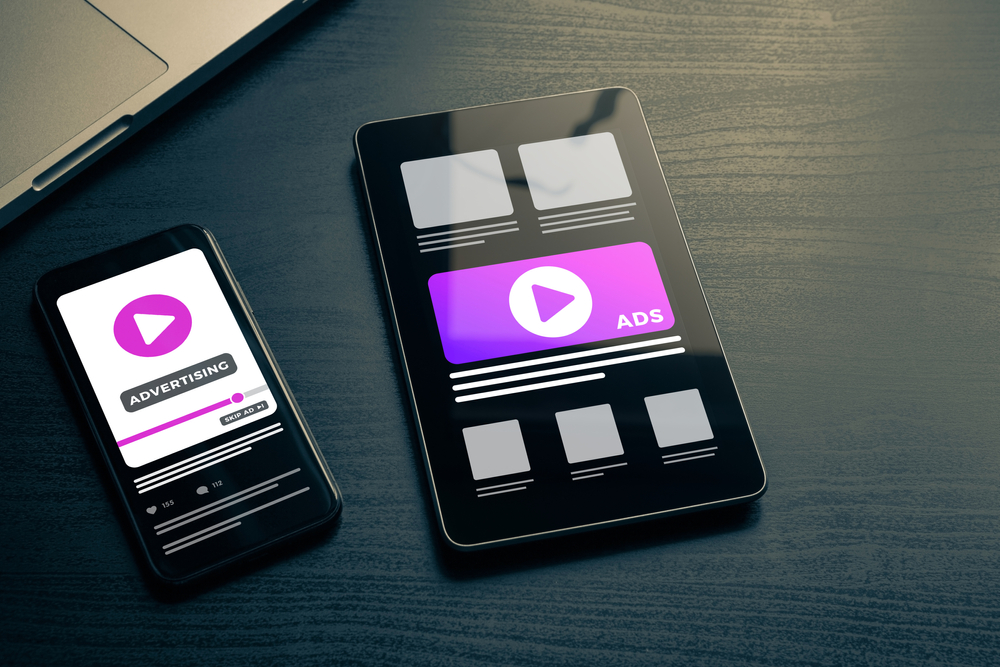
Video now dominates the internet. By 2026, online video accounts for over 82% of all consumer internet traffic, according to Cisco’s long-running forecast. Google displays video results for nearly 30% of search queries, and YouTube remains the world’s second-largest search engine. Yet most businesses still treat video as a “post and pray” channel — uploading content without a strategy and wondering why nobody watches.
This video SEO guide changes that. Whether you’re trying to figure out how to rank videos on Google, crack the YouTube algorithm, or turn your existing website videos into traffic magnets, we’ll walk you through every step. At eSEOspace, we’ve helped businesses across industries turn video content into a measurable growth engine, and this guide distills everything we know into one actionable resource.
Key Takeaways (TL;DR)
- Video SEO spans two ecosystems — YouTube search and Google search — and each has unique ranking factors.
- Optimizing titles, descriptions, tags, and thumbnails is table-stakes for YouTube SEO.
- Video rich results in Google require proper schema markup on your website.
- Embedding videos on your pages boosts dwell time, engagement, and organic rankings.
- A documented video content strategy aligned with keyword research delivers the best ROI.
- Tracking watch time, click-through rate, and video-driven conversions tells you what’s actually working.
Why Video Matters for SEO in 2026
If you’re still debating whether video is “worth the investment,” the data has already answered that question.
Google’s search results have evolved dramatically. Video carousels, video rich snippets, and dedicated video tabs now appear for everything from how-to queries to product comparisons. Pages that include embedded video are 53 times more likely to appear on the first page of Google, according to research from Forrester. That statistic has been cited for years because it continues to hold true — video signals engagement, and engagement signals relevance.
The YouTube Opportunity
YouTube processes over 500 hours of video uploads every minute, but here’s the opportunity most businesses miss: YouTube search intent is often highly commercial. People search YouTube for product reviews, tutorials, comparisons, and how-to content — all high-intent queries that map directly to your sales funnel. A well-optimized YouTube channel isn’t just a brand-awareness play. It’s a lead generation engine.
Video in Google’s AI-Driven Search
Google’s AI Overviews and Search Generative Experience increasingly pull video content into answers. Short, well-structured videos that answer specific questions are being surfaced at the top of search results more frequently than ever. If your competitors have video content and you don’t, you’re ceding valuable real estate in the search results.
The bottom line: video SEO isn’t a nice-to-have anymore. It’s a core pillar of any comprehensive search strategy. If you’re looking for a partner to help build that strategy, explore our
SEO packages designed for businesses at every stage.
YouTube SEO Fundamentals: The Foundation of Every Video SEO Guide
YouTube is a search engine, and like any search engine, it uses signals to decide which content to rank. This YouTube SEO guide section covers the four pillars of on-platform optimization that every video needs.
Optimizing Video Titles
Your video title is the single most important on-page ranking factor on YouTube. It tells the algorithm — and viewers — what the video is about.
Best practices for YouTube video titles:
- Front-load your target keyword. Place the most important keyword within the first 60 characters so it isn’t truncated in search results.
- Use numbers and specificity. Titles like “7 Ways to Improve Your Website Speed” outperform vague titles like “Website Speed Tips.”
- Add a benefit or curiosity hook. Tell the viewer what they’ll gain: “…in Under 10 Minutes” or “…That Actually Work.”
- Keep it under 70 characters. Longer titles get cut off on mobile and in suggested video feeds.
- Avoid clickbait. YouTube tracks whether viewers stay after clicking. Misleading titles tank your audience retention, which tanks your rankings.
A strong title might look like:
“Video SEO Guide: 5 Steps to Rank #1 on YouTube and Google (2026)”
Writing YouTube Descriptions
Your video description gives YouTube (and Google) context about your content. Most creators waste this space, but smart descriptions can significantly boost discoverability.
The ideal YouTube description structure:
- First 2 sentences (above the fold): Include your primary keyword and a compelling summary. This text appears in search results before viewers click “Show More.”
- Detailed overview (150-300 words): Expand on what the video covers. Use secondary keywords naturally. Include timestamps for key sections.
- Links and resources: Link to your website, related blog posts, and social profiles.
- Hashtags: Add 3-5 relevant hashtags at the end. YouTube uses these for categorization.
Don’t keyword-stuff. Write for humans first, then ensure your target terms appear naturally 2-3 times throughout.
Tags and Categorization
YouTube tags carry less weight than they did five years ago, but they still help with discoverability — particularly for misspellings and related terms the algorithm might not otherwise associate with your video.
Tag optimization tips:
- Use your exact target keyword as the first tag
- Include 5-10 variations and related terms
- Add broad category tags (e.g., “digital marketing,” “SEO”)
- Use tools like TubeBuddy or vidIQ to research competitor tags
- Don’t use irrelevant tags — YouTube penalizes tag spam
Designing Click-Worthy Thumbnails
Thumbnails are your video’s billboard. YouTube’s own Creator Academy has stated that 90% of the best-performing videos use custom thumbnails. Your click-through rate (CTR) is a direct ranking signal, and nothing influences CTR more than the thumbnail.
Thumbnail best practices:
- Use high-contrast colors that stand out against YouTube’s white background
- Include readable text — but limit it to 3-5 words maximum
- Show a human face with an expressive emotion when relevant
- Maintain brand consistency so viewers recognize your content in their feed
- Design at 1280 × 720 pixels (16:9 aspect ratio) for clarity across all devices
- A/B test thumbnails using YouTube’s built-in test feature to find what resonates
For a deeper dive into YouTube-specific optimization tactics, check out our full post on YouTube ranking factors and algorithm signals.
How to Rank Videos on Google: Earning Video Rich Results
Ranking videos on YouTube is only half the battle. The real multiplier is getting your videos to appear in Google’s search results — specifically as video rich results (the enhanced listings with thumbnails, duration, and upload dates).
What Are Video Rich Results?
Video rich results are enhanced search listings that display a video thumbnail alongside the standard blue link. They’re visually dominant, dramatically increase click-through rates, and can appear in several positions: dedicated video carousels, inline results, or featured snippets.
Not every video gets rich results. Google must be able to discover, crawl, and understand your video content. Here’s how to make that happen.
Steps to Earn Video Rich Results
- Host or embed video on a public, indexable page. Google needs to crawl the page where the video lives.
- Implement VideoObject schema markup on the page (see the next section for details).
- Provide a video sitemap or include video metadata in your existing XML sitemap.
- Ensure the video is the main content of the page. Google deprioritizes videos buried in footers or sidebars.
- Include a high-quality thumbnail URL in your structured data.
- Add a transcript or detailed description to help Google understand the video’s content.
Google’s documentation explicitly states that structured data is required for video rich result eligibility. Without
schema markup, your videos are invisible to Google’s rich result features.
For a step-by-step tutorial, read our guide on how to get video rich results in Google search.
Video Schema Markup Explained
Schema markup is the structured data vocabulary that tells search engines exactly what your content is. For video, the VideoObject schema type is essential. It’s how Google identifies your video’s title, description, thumbnail, duration, upload date, and more.
The Essential VideoObject Properties
Here are the properties Google requires or strongly recommends for video rich results:
| Property |
Required? |
Description |
| name |
Required |
Video title |
| description |
Required |
Video description (max ~300 characters for display) |
| thumbnailUrl |
Required |
URL to the video thumbnail image |
| uploadDate |
Required |
Date the video was published (ISO 8601 format) |
| contentUrl or embedUrl |
Required (one of) |
Direct URL to the video file or embeddable player URL |
| duration |
Recommended |
Length of the video (ISO 8601 duration format) |
| interactionStatistic |
Recommended |
View count for social proof |
| expires |
If applicable |
Expiration date for time-limited content |
Implementation Example
{
"@context": "https://schema.org",
"@type": "VideoObject",
"name": "How to Optimize Videos for SEO",
"description": "Learn the step-by-step process for optimizing your video content for search engines.",
"thumbnailUrl": "https://example.com/thumbnail.jpg",
"uploadDate": "2026-01-15",
"duration": "PT8M30S",
"contentUrl": "https://example.com/video.mp4",
"embedUrl": "https://www.youtube.com/embed/abc123"
}
Make Your Website Competitive.
Leverage our expertise in Website Design + SEO Marketing, and spend your time doing what you love to do!
Common Schema Mistakes to Avoid
- Missing required fields. Omitting thumbnailUrl or description disqualifies you from rich results entirely.
- Incorrect date formats. Use ISO 8601 (YYYY-MM-DD), not informal date strings.
- Pointing to inaccessible URLs. Google will attempt to fetch your contentUrl and thumbnailUrl. If they return 404s, your markup is useless.
- Not validating. Always test your markup with Google’s Rich Results Test before deploying.
If structured data feels overwhelming, our
schema markup service handles implementation end to end — we’ll make sure your video content is fully optimized for rich results.
For more on this topic, see our detailed walkthrough on video schema markup for beginners and our advanced guide on schema markup for video-heavy websites.
Embedding Videos on Your Website for SEO
Many businesses make the mistake of only hosting videos on YouTube without embedding them on their own websites. This is a missed opportunity. Embedded videos improve on-page engagement metrics — time on page, bounce rate, and pages per session — all of which send positive signals to Google.
Best Practices for Video Embeds
- Place the video above the fold or prominently within the page. Don’t hide it at the bottom.
- Use lazy loading to prevent embedded videos from slowing down page speed. A slow-loading page undermines any SEO benefit the video provides.
- Surround the video with relevant text content. Google reads the text around an embed to understand context. A 300-word minimum of supporting text is a good benchmark.
- Use responsive embed code so the video displays correctly on mobile devices. Since over 60% of web traffic is mobile, this is non-negotiable.
- Create a dedicated page for each important video rather than dumping multiple videos on a single page. One video per page makes schema markup cleaner and gives Google a clear topical signal.
YouTube Embed vs. Self-Hosting
| Factor |
YouTube Embed |
Self-Hosted |
| Page speed impact |
Moderate (lazy-loadable) |
Higher (your server bandwidth) |
| CDN & reliability |
YouTube’s global CDN |
Depends on your hosting |
| SEO juice destination |
Shared with YouTube |
Stays on your domain |
| Analytics |
YouTube Studio |
Your own analytics platform |
| Rich result eligibility |
Yes (with schema) |
Yes (with schema) |
For most businesses, YouTube embedding with proper schema markup offers the best balance of performance and SEO value. If your
web design includes a video-heavy content strategy, we recommend building embed templates that include schema markup by default.
Dive deeper in our post on embedding videos on your website the right way for SEO.
Video Content Strategy for Businesses
Knowing how to optimize a video is important. Knowing
which videos to create is what separates businesses that get results from those that waste budget. A strong video content strategy starts with keyword research and maps directly to your business goals.
Building Your Video Content Calendar
Step 1: Identify video-worthy keywords. Not every keyword deserves a video. Focus on queries where video results already appear in Google (search your target terms and look for video carousels) and where the intent aligns with visual or instructional content. “How to” queries, comparisons, reviews, and tutorials are natural fits.
Step 2: Map videos to your funnel.
- Top of funnel: Educational and awareness content (e.g., “What is video SEO?”)
- Middle of funnel: Comparison and consideration content (e.g., “Best video hosting platforms for SEO”)
- Bottom of funnel: Trust and conversion content (e.g., case studies, testimonials, demos)
Step 3: Plan supporting blog content. Every video should have a companion blog post (or vice versa). This gives you two assets ranking for the same keyword — one on YouTube and one on Google. The blog post embeds the video, and the video description links back to the blog. This cross-pollination strategy compounds your reach.
Step 4: Batch production. Filming one video at a time is inefficient. Plan batches of 4-8 videos around a theme, film them in one or two sessions, and edit and publish them on a consistent schedule. Consistency is a ranking factor on YouTube — channels that publish regularly get preferential algorithmic treatment.
Video Types That Drive Results
- How-to tutorials: High search volume, strong engagement, builds authority
- Product/service explainers: Converts warm traffic into leads
- FAQ videos: Easy to produce, great for long-tail keyword targeting
- Customer testimonials: Builds trust, supports bottom-of-funnel decisions
- Behind-the-scenes: Humanizes your brand, drives social sharing
For a full breakdown of building a strategy from scratch, read our guide on creating a video SEO strategy for your business.
Measuring Video SEO Performance
You can’t improve what you don’t measure. Video SEO performance tracking spans two platforms — YouTube Analytics and your website analytics — and requires attention to both.
YouTube Metrics That Matter
- Watch time: The total minutes viewers spend watching your videos. This is YouTube’s most important ranking signal. Videos with high total watch time rank higher in both search and suggested feeds.
- Audience retention: The percentage of a video viewers watch before leaving. Aim for 50%+ average retention. Drop-off points reveal where your content loses interest.
- Click-through rate (CTR): The percentage of people who click your video after seeing the thumbnail. Average YouTube CTR is around 4-5%. Above 8% is excellent.
- Subscriber conversion: How many viewers subscribe after watching. This signals to YouTube that your content is valuable.
Website Video Metrics
- Video play rate: What percentage of page visitors actually click play? Low play rates suggest poor video placement or irrelevant thumbnails.
- Engagement vs. bounce rate: Do pages with video have lower bounce rates and longer session durations than those without? They should.
- Conversion impact: Track whether visitors who watch a video convert at a higher rate than those who don’t. Use event tracking in Google Analytics 4 to measure this.
- Rich result impressions: In Google Search Console, filter by “Video” appearance type to see how often your pages earn video rich results and what CTR they generate.
Setting Up a Video SEO Dashboard
We recommend creating a simple dashboard that combines:
- YouTube Studio data (watch time, CTR, retention)
- Google Search Console video data (impressions, clicks, rich results)
- GA4 event data (video plays, engagement, conversions)
Review this dashboard monthly and use it to inform your content calendar. Double down on topics that drive watch time and conversions. Retire or update content that underperforms.
For a complete walkthrough of analytics setup, see our post on measuring and tracking video SEO performance.
Advanced Tips: Staying Ahead in Video SEO
The video SEO landscape evolves constantly. Here are strategies that will keep you ahead in 2026 and beyond:
- Optimize for voice and conversational search. As more searches come through voice assistants, creating video content that directly answers spoken questions gives you an edge.
- Create short-form video for YouTube Shorts and Google Discover. Short-form video (under 60 seconds) drives massive reach and can funnel viewers to your long-form content.
- Repurpose videos into multiple formats. A single 10-minute video can become a blog post, 5 social clips, an email newsletter, and a podcast episode. Maximize your content investment.
- Add chapters (timestamps) to every video. YouTube uses timestamps to create key moments that appear in search results. This improves both discoverability and user experience.
- Leverage video transcripts for accessibility and SEO. Transcripts give Google crawlable text content and make your videos accessible to hearing-impaired viewers. It’s a win on every front.
- Use YouTube cards and end screens strategically. Drive viewers deeper into your content ecosystem rather than letting them drift to a competitor’s video.
Also explore our posts on YouTube Shorts and video SEO for short-form content and how to repurpose video content across platforms for SEO for more actionable tactics.
Frequently Asked Questions
What is video SEO and why does it matter?
Video SEO is the practice of optimizing video content to rank higher in search results on both YouTube and Google. It matters because video results now appear for nearly a third of all Google searches, and pages with optimized video content see significantly higher engagement and click-through rates. Without video SEO, your content is missing a major source of organic traffic.
How do I rank videos on Google, not just YouTube?
To rank videos on Google, you need to go beyond YouTube optimization. Embed the video on a dedicated page of your website, implement VideoObject schema markup, submit a video sitemap, and surround the video with relevant text content. Google treats your website as a more authoritative source when the video is properly structured and embedded — this is how to rank videos on Google alongside your YouTube presence.
Do I need schema markup for video SEO?
Yes. Schema markup is required for your videos to be eligible for Google’s video rich results — the enhanced listings with thumbnails and duration that dominate search results. Without VideoObject structured data, Google may not even recognize that your page contains a video. Our
schema markup service can handle this implementation for you.
How long does it take to see results from video SEO?
On YouTube, well-optimized videos can start gaining traction within 2-4 weeks as the algorithm tests them with audiences. Google rich results typically appear within 1-3 weeks after schema markup is properly implemented and the page is re-indexed. However, significant organic traffic growth from a video content strategy usually takes 3-6 months of consistent publishing and optimization.
Ready to turn video into your strongest SEO channel? eSEOspace optimizes your video content for both Google and YouTube — from schema markup implementation to full video SEO strategy. Explore our SEO packages or contact eSEOspace today to get started.