




Blog
Remarketing 101: How to Bring Back Visitors Who Didn’t Convert
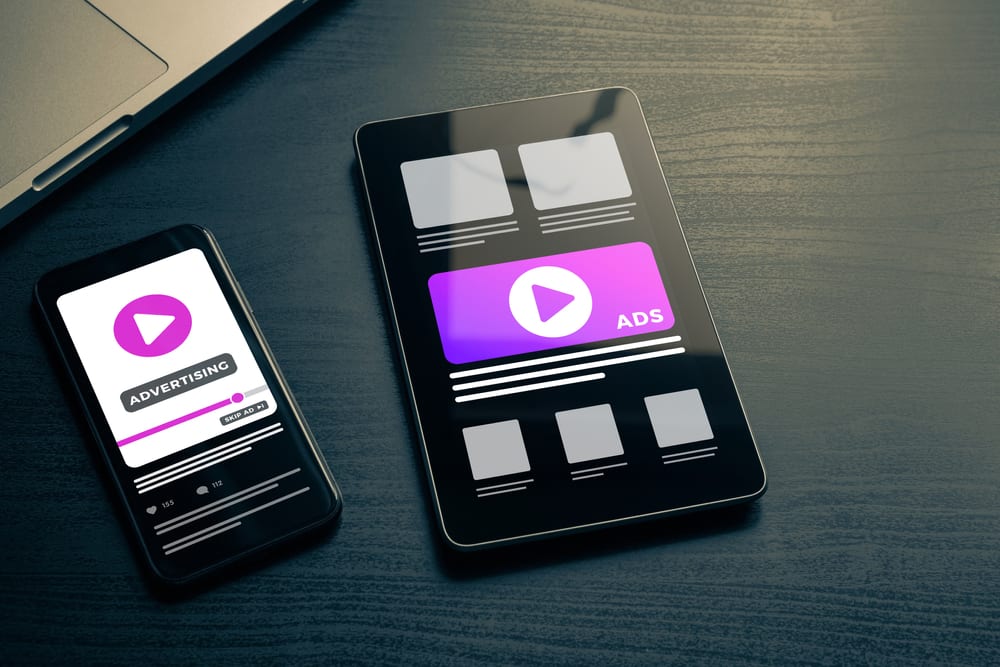
Key Takeaways
- Remarketing Google Ads campaigns show targeted ads to people who already visited your site but left without converting — keeping your brand top-of-mind.
- Only about 2–4% of website visitors convert on their first visit. Remarketing helps you recapture the other 96%.
- Types include display remarketing, RLSA, video remarketing, and dynamic remarketing — each suited to different goals.
- Frequency capping and privacy-conscious setup are essential to avoid ad fatigue and stay compliant.
- Remarketing typically delivers the highest ROI of any Google Ads campaign type, making it ideal for retargeting for small business budgets.
Get a FREE Audit
We'll perform a comprehensive SEO, AEO, GEO & CRO audit of your website — completely free — and show you exactly how to outrank your competitors.
Don't have a site yet? Get in touch →
What Is Remarketing (and Why Does It Matter)?
Remarketing — sometimes called retargeting — is a digital advertising strategy that shows ads to people who have already interacted with your website, app, or content. Instead of casting a wide net to cold audiences, you’re re-engaging warm leads who already know your brand. Think of it like this: a customer walks into your store, browses a few items, and leaves without buying. Remarketing is the equivalent of sending them a friendly postcard the next day with a reminder of what they looked at — maybe even a special offer. The reason remarketing is so powerful is simple: familiarity breeds trust. By the time someone sees your ad the second, third, or fourth time, your brand is no longer a stranger. According to Google, remarketing ads can increase conversion rates by up to 161% compared to standard display campaigns. That’s a dramatic jump, and it explains why remarketing consistently delivers the highest return on ad spend of virtually any campaign type.How Remarketing Works: The Technical Side
Understanding how remarketing works doesn’t require a computer science degree, but it helps to know the basics.Cookies and Tracking Pixels
When someone visits your website, a small piece of code (called a tag or pixel) drops a cookie in their browser. That cookie identifies them — anonymously — as a past visitor. When they later browse other websites in the Google Display Network or search on Google, your ads can appear because the system recognizes that cookie.Audience Lists
You define audience lists based on specific behaviors. For example:- Everyone who visited your site in the last 30 days
- People who viewed a specific product or service page
- Visitors who started a checkout but didn’t finish (cart abandoners)
- Users who spent more than two minutes on your site
Types of Remarketing in Google Ads
Not all remarketing is created equal. Google Ads offers several flavors, each suited to different goals.1. Display Remarketing
This is the most common type. Your ads appear as banners, images, or responsive ads across websites in the Google Display Network — which reaches over 90% of internet users worldwide. It’s ideal for brand recall and nudging people back to your site.2. Search Remarketing (RLSA)
Remarketing Lists for Search Ads (RLSA) let you customize your search campaigns for people who’ve already visited your site. If a past visitor searches for a related keyword again, you can bid more aggressively or show a different ad. This is incredibly effective because you’re reaching someone with both intent and familiarity.3. Video Remarketing
If you run YouTube ads, you can remarket to people who’ve watched your videos, visited your YouTube channel, or interacted with your content. Video remarketing is excellent for building deeper brand connections.4. Dynamic Remarketing
This is the gold standard for e-commerce and product-based businesses. Dynamic remarketing automatically generates ads featuring the exact products a visitor viewed on your site — complete with images, prices, and descriptions. It’s personalized at scale, and it drives some of the highest conversion rates in digital advertising.Setting Up Remarketing Audiences in GA4
With Google Analytics 4 (GA4), building remarketing audiences is more flexible than ever. Here’s how to get started:- Link GA4 to Google Ads. In your GA4 property, navigate to Admin > Google Ads Links and connect your accounts.
- Create audiences. Go to Admin > Audiences in GA4. Click “New audience” and define your criteria — page views, session duration, specific events, or purchase behavior.
- Set membership duration. Choose how long users stay in an audience (e.g., 7 days, 30 days, 90 days). Shorter windows work well for urgent purchases; longer windows suit considered purchases like web design services or major investments.
- Publish to Google Ads. Once your audiences are created in GA4, they automatically sync to your linked Google Ads account for use in campaigns.
Frequency Capping: Don’t Annoy Your Audience
Here’s the fine line with remarketing: there’s a difference between being persistent and being creepy. If someone sees your ad 40 times in a single day, you’re not building brand awareness — you’re building resentment. Ad fatigue is real, and it can actually hurt your brand perception. Best practices for frequency capping:- Set a cap of 3–5 impressions per user per day for display remarketing. This is enough to stay visible without becoming intrusive.
- Vary your creative. Rotate multiple ad designs so the same person isn’t seeing the exact same banner repeatedly.
- Shorten your audience window for products with short buying cycles. A user who browsed pizza delivery doesn’t need to see your ad 30 days later.
- Exclude converters. Once someone has completed the desired action, stop remarketing to them (or move them into a separate upsell audience).
Privacy Considerations and the Cookieless Future
Remarketing has traditionally relied heavily on third-party cookies, but the privacy landscape is shifting. Regulations like GDPR and CCPA, combined with browser-level changes, mean marketers need to adapt.What to Do Now
- Use first-party data. Collect email addresses, phone numbers, and CRM data (with consent) for Customer Match audiences in Google Ads.
- Implement consent management. Make sure your site has a clear cookie consent banner and that your tracking respects user choices.
- Lean into GA4. Google designed GA4 with a privacy-first approach. It uses machine learning to model conversions and fill gaps when cookies aren’t available.
- Explore server-side tagging. This gives you more control over data collection and reduces reliance on browser-based cookies.
Creative Best Practices for Remarketing Ads
Your remarketing audience already knows you. That means your ads need to go beyond basic awareness messaging and push toward conversion.Design Tips That Work
- Remind them what they saw. Reference the specific product, service, or page they visited. Generic “come back!” ads underperform targeted ones.
- Include a clear value proposition. Free shipping, a limited-time discount, a free consultation — give them a reason to return.
- Use strong CTAs. “Complete Your Order,” “Get Your Free Quote,” “Schedule a Call” — be specific about the next step.
- Keep it simple. Remarketing display ads have limited space. One message, one image, one CTA. Don’t clutter.
- Match your landing page. If your ad promotes a specific offer, the page they land on should deliver exactly that. Mismatched experiences kill conversions.
Ad Formats to Prioritize
- Responsive display ads automatically adjust size and format to fit available placements. They’re the easiest to scale.
- Static image ads in key sizes (300×250, 728×90, 160×600) give you more creative control.
- Video ads (15–30 seconds) work well for remarketing on YouTube and partner sites. Generating video ads for remarketing campaigns is something invideo Agent handles well, turning scripts and existing product media into ready-to-run ad clips without a production team.
Budget Allocation: Why Remarketing Has the Best ROI
If you’re running Google Ads on a tight budget, remarketing should be one of the first campaign types you invest in — not an afterthought. Here’s why: you’re targeting people who are already familiar with your business and have demonstrated interest. The cost per click on remarketing campaigns is typically 2–10x lower than prospecting campaigns, and the conversion rate is significantly higher. Budget guidelines for retargeting for small business:- Allocate 10–20% of your total Google Ads budget to remarketing. This is often enough to cover your past visitors without overspending.
- Start small and scale. Even $5–10 per day in remarketing spend can yield measurable results for local businesses.
- Monitor cost per acquisition (CPA). You’ll likely find that your remarketing CPA is a fraction of your search campaign CPA.
- Reinvest savings. As remarketing drives down your overall CPA, you can reinvest savings into prospecting campaigns to feed the top of the funnel.
Frequently Asked Questions
How long should I remarket to someone after they visit my site?
It depends on your sales cycle. For impulse purchases or local services, a 7–14 day window is usually sufficient. For higher-consideration products — like web design services or B2B solutions — a 30–90 day window works better. Test different durations and let your conversion data guide you.
Is remarketing worth it for small businesses with low traffic?
Yes, but with a caveat. Google Ads requires a minimum of 100 active users in a remarketing list for display campaigns and 1,000 for search (RLSA). If your site traffic is very low, focus on building traffic first through SEO packages or search campaigns, then layer in remarketing once your lists are large enough.
What’s the difference between remarketing and retargeting?
In practice, the terms are used interchangeably. Technically, “retargeting” often refers to cookie-based display ads, while “remarketing” is Google’s term that also includes email-based re-engagement. For Google Ads purposes, remarketing covers all forms of reaching past visitors.
How do I know if my remarketing campaign is working?
Track key metrics: click-through rate (CTR), conversion rate, cost per conversion, and view-through conversions (people who saw your ad but converted later through another channel). Compare these to your non-remarketing campaigns — you should see a noticeably higher conversion rate and lower CPA.
Ready to Recover Lost Leads?
Most of your website visitors leave without converting. That’s not a failure — it’s an opportunity. With a well-built remarketing strategy, you can bring those visitors back at the right moment with the right message and turn missed opportunities into paying customers. eSEOspace builds remarketing campaigns that recover lost leads and boost your ROI. Whether you need help setting up your first remarketing audience or optimizing an existing campaign, we’re here to make it happen. Contact eSEOspace today to start turning your traffic into results.Put this into action with eSEOspace
We help businesses grow with website development that actually performs. Explore the services behind this guide:
Get a FREE GEO/AEO/SEO Audit
We'll analyze your site's SEO, GEO, AEO & CRO — completely free — and show you exactly how to get found across Google and AI answers.
Don't have a site yet? Get in touch →
Great — your audit is on the way!
We'll send your free SEO/GEO/AEO/CRO audit within the next few hours. Where should we send it?
You're all set! ✓
Your free audit is being prepared — check your inbox in the next few hours. Talk soon!


On this page
- Key Takeaways
- What Is Remarketing (and Why Does It Matter)?
- How Remarketing Works: The Technical Side
- Types of Remarketing in Google Ads
- Setting Up Remarketing Audiences in GA4
- Frequency Capping: Don’t Annoy Your Audience
- Privacy Considerations and the Cookieless Future
- Creative Best Practices for Remarketing Ads
- Budget Allocation: Why Remarketing Has the Best ROI
- Frequently Asked Questions
- Ready to Recover Lost Leads?






