



JAMstack vs WordPress: The Business Case for Modern Architecture
JAMstack vs WordPress: The Business Case for Modern Architecture
Key Takeaways
- JAMstack pre-builds pages into static files served from a CDN, while WordPress assembles every page from a database and PHP on each request.
- JAMstack typically delivers far faster Core Web Vitals and edge-level TTFB, which directly improves SEO rankings and conversion rates.
- WordPress carries a large plugin attack surface and ongoing patching burden; JAMstack removes the live server and database from the request path, shrinking security risk dramatically.
- WordPress has lower upfront cost and instant publishing, but JAMstack wins on recurring hosting and maintenance cost as traffic and time horizon grow.
- Choose based on fit — or run headless WordPress to combine the familiar Gutenberg editor with a fast JAMstack front end.
Choosing between JAMstack and WordPress is not a religious debate about frameworks. It is a business decision about how much you will pay in hosting, how fast your pages load, how often you get hacked, and how well your site converts. The two architectures solve the same problem — publishing content and capturing leads — in fundamentally different ways, and the right answer depends on your traffic, your team, and your growth plans.
WordPress powers roughly 40% of the web because it is flexible and familiar. But that flexibility comes from a database-driven, plugin-heavy runtime that assembles every page on every request. JAMstack (JavaScript, APIs, and Markup) flips that model: pages are pre-built into static files and served from a global CDN, with dynamic behavior handled by APIs and serverless functions. This companion guide breaks down the trade-offs in plain business terms so you can decide with evidence rather than hype.
Below we compare the two on architecture, performance, security, cost, SEO, and editorial workflow, then give you a decision framework and a migration checklist you can act on today.
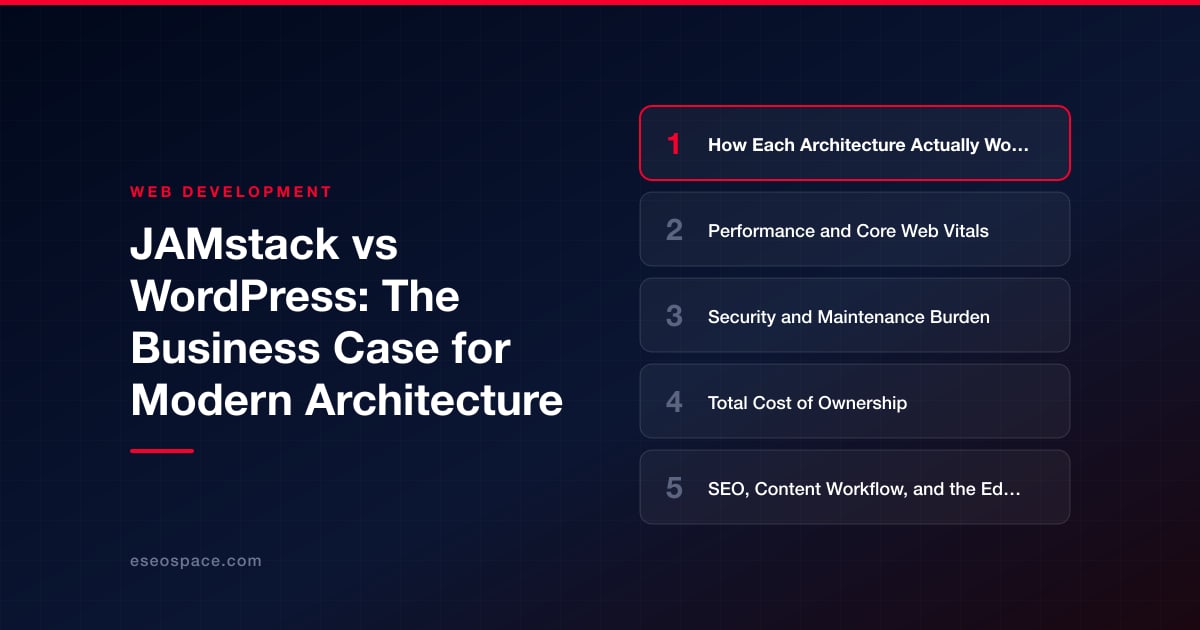
How Each Architecture Actually Works
WordPress is a monolithic, server-rendered application. When a visitor requests a page, PHP queries a MySQL database, loads active plugins and the theme, assembles the HTML, and returns it. Caching plugins (WP Rocket, W3 Total Cache) and a CDN can front this process, but the origin is always a live server that must stay patched, provisioned, and online.
JAMstack decouples the front end from the back end. Content lives in a headless CMS or Markdown files, a build step (Next.js, Astro, Hugo, Eleventy) compiles everything into static HTML/CSS/JS, and those files deploy to a CDN edge network. There is no origin server to compromise at request time. Dynamic needs — forms, search, e-commerce, auth — are handled by serverless functions and third-party APIs that run only when called. If your business relies on tightly integrated dynamic behavior, a modern custom website and CRM development approach can wire those APIs into the static front end without reintroducing a fragile monolith.
- WordPress: database + PHP runtime + plugins, rendered per request
- JAMstack: pre-rendered static files on a CDN + APIs/functions for dynamic bits
- Key difference: WordPress builds pages at request time; JAMstack builds them at deploy time
Performance and Core Web Vitals
Speed is where JAMstack wins most decisively, and it matters to your bottom line: Google uses Core Web Vitals as a ranking signal, and added latency can measurably reduce conversions. Because JAMstack serves finished HTML from an edge node physically close to the visitor, Time to First Byte is typically low worldwide, with no database round-trip and no PHP execution in the critical path.
Many WordPress sites load dozens of HTTP requests of plugin CSS/JS, render-blocking scripts, and uncached database calls. You can tune this with caching, image optimization, and a lean theme, but you are fighting the architecture. JAMstack sites start fast by default and stay fast under traffic spikes because the CDN absorbs load that would flatten a single WordPress origin.
- TTFB: JAMstack serves from the CDN edge vs WordPress assembling pages at the origin on a cache miss
- Scaling: CDN absorbs traffic spikes with no config; WordPress needs bigger servers or aggressive caching
- LCP/CLS: Easier to hit "good" thresholds when you control the build output
Security and Maintenance Burden
WordPress is the single most attacked platform on the web, not because the core is insecure but because its plugin ecosystem is a massive attack surface. Every plugin and theme is third-party code running on your live server, and outdated plugins are the leading cause of site compromise. Keeping WordPress safe means constant updates, security plugins, firewalls, and backups — real ongoing labor.
JAMstack has a dramatically smaller attack surface. There is no live database or PHP admin panel exposed at the URL, so entire categories of attacks — SQL injection, plugin backdoors, brute-force admin logins — simply do not apply to the served pages. The CMS lives elsewhere behind its own auth, and the public site is just static files. This is one of the strongest arguments teams make when they pursue a professional website migration off a repeatedly-hacked WordPress install.
- WordPress: patch core + plugins weekly, run WAF, monitor for malware
- JAMstack: no server-side runtime to exploit; rebuild-and-redeploy replaces "patch and pray"
- Recovery: a compromised static deploy is fixed by redeploying the last good build
Total Cost of Ownership
Sticker price and true cost diverge sharply here. WordPress hosting looks cheap at $10–$40/month on shared hosting, but managed WordPress that actually performs (Kinsta, WP Engine) runs $30–$300+/month, and you layer on premium plugin licenses, security tooling, and developer hours for updates and break-fixes. Those recurring maintenance hours are the hidden cost.
JAMstack hosting is often free or low-cost at the CDN layer (Netlify, Vercel, Cloudflare Pages) because serving static files is cheap and scales predictably, though free tiers carry limits (Vercel's free Hobby plan, for example, is for personal, non-commercial use only). You may pay for a headless CMS and serverless function usage, but there is no per-server maintenance tax. The trade-off is a higher upfront build investment: JAMstack usually requires developer involvement to set up, whereas WordPress can be assembled by a non-developer with a page builder.
- Upfront: WordPress lower (page builders); JAMstack higher (developer build)
- Recurring: JAMstack much lower (hosting + maintenance)
- Breakeven: the more traffic and the longer the horizon, the more JAMstack pays off
SEO, Content Workflow, and the Editor Experience
Both platforms can rank well, but JAMstack removes technical-SEO friction: clean semantic HTML, fast Core Web Vitals, easy control over metadata and structured data, and no plugin bloat injecting extra markup. WordPress gives you Yoast/Rank Math out of the box, which non-technical editors love, but the plugin approach can add weight and occasional conflicts.
The honest disadvantage of JAMstack is the editor experience. WordPress’s Gutenberg editor and instant "publish" are hard to beat for marketing teams that want to change a headline right now. JAMstack introduces a build step — content changes trigger a rebuild that takes seconds to a couple of minutes before going live — and requires a headless CMS to give editors a comfortable UI. Modern platforms have narrowed this gap with instant previews and incremental builds, and a well-architected website development setup can make publishing feel nearly as immediate as WordPress.
- WordPress strength: familiar editor, instant publish, huge plugin marketplace
- JAMstack strength: faster pages, cleaner markup, better default Core Web Vitals
- Bridge the gap: pair JAMstack with a headless CMS (Sanity, Contentful, Storyblok) for editor comfort
A Decision Framework: Which Should You Choose?
There is no universal winner — there is a right fit for your situation. Use these signals to decide rather than defaulting to what you already know.
- Choose JAMstack when: speed and SEO drive revenue, you get meaningful traffic, security incidents have hurt you before, content changes are frequent-but-not-hourly, and you have (or can hire) developer support.
- Choose WordPress when: non-technical staff must publish constantly and instantly, you depend on a specific plugin ecosystem (membership, LMS, complex WooCommerce), budget for a custom build is tight, or the site is small and rarely trafficked.
- Consider a hybrid: run headless WordPress — keep the Gutenberg editor your team loves as the CMS, but serve a JAMstack front end via the WordPress REST or GraphQL API. You get editorial familiarity plus edge performance.
If the analysis points toward moving off a traditional WordPress stack, treat migration as a project, not a switch. A disciplined migration plan preserves your SEO equity while you modernize the architecture. A practical checklist:
- 1. Audit: inventory every URL, redirect, form, and plugin-driven feature currently in use.
- 2. Map content: export posts/pages and pick a headless CMS or Markdown workflow.
- 3. Preserve URLs: mirror the URL structure and set 301 redirects for anything that changes.
- 4. Rebuild dynamic features: replace plugins with serverless functions and APIs for forms, search, and commerce.
- 5. Validate: crawl for broken links, verify Core Web Vitals, and confirm structured data before cutover.
- 6. Cut over on staging first: deploy to a staging domain, QA thoroughly, then switch DNS.
The bottom line: WordPress is the pragmatic default for simple, edit-heavy sites run by non-developers. JAMstack is the performance-and-security play for businesses where site speed, uptime under load, and low maintenance overhead translate directly into revenue — and for most growth-focused companies, that case gets stronger every year.
Get a FREE Audit
We'll perform a comprehensive SEO, AEO, GEO & CRO audit of your website — completely free — and show you exactly how to outrank your competitors.
Don't have a site yet? Get in touch →
Put this into action with eSEOspace
We help businesses grow with website development that actually performs. Explore the services behind this guide:
Frequently Asked Questions
Is JAMstack always faster than WordPress?
Can non-technical staff still publish content on JAMstack?
What is headless WordPress and when should I use it?
Will migrating from WordPress to JAMstack hurt my SEO?
Is JAMstack more expensive than WordPress?
Get a FREE GEO/AEO/SEO Audit
We'll analyze your site's SEO, GEO, AEO & CRO — completely free — and show you exactly how to get found across Google and AI answers.
Don't have a site yet? Get in touch →
Great — your audit is on the way!
We'll send your free SEO/GEO/AEO/CRO audit within the next few hours. Where should we send it?
You're all set! ✓
Your free audit is being prepared — check your inbox in the next few hours. Talk soon!








