



Squarespace vs Custom Website: When to Outgrow Your Template
Squarespace vs Custom Website: When to Outgrow Your Template
Key Takeaways
- Squarespace wins on time-to-launch and low predictable cost, making it ideal for early-stage brochure and portfolio sites.
- Custom websites win on page speed, technical SEO control, flexibility, and system integration, which matter most as you scale.
- Squarespace covers basic SEO well but has a hard ceiling on custom schema, rendered HTML control, and Core Web Vitals performance.
- The clearest sign you have outgrown a template is stacking third-party plugins and embeds to force features the platform was not built for.
- A properly executed migration with 301 redirects and preserved metadata lets you switch to custom without losing rankings or traffic.
Squarespace is one of the best decisions a brand-new business can make. In an afternoon you can pick a template, drop in your logo, connect a domain, and be live with a site that looks credible on every screen. For a solo consultant, a restaurant, or a portfolio, that speed-to-launch is genuinely hard to beat, and the flat monthly fee keeps the accounting simple.
But the same guardrails that make Squarespace easy at the start eventually become the walls that box you in. Templates constrain your layout, the platform decides what markup ships to the browser, and anything the built-in feature set does not offer is either impossible or bolted on with fragile third-party embeds. The question is not whether Squarespace is good or bad — it is whether your business has outgrown what a template can do.
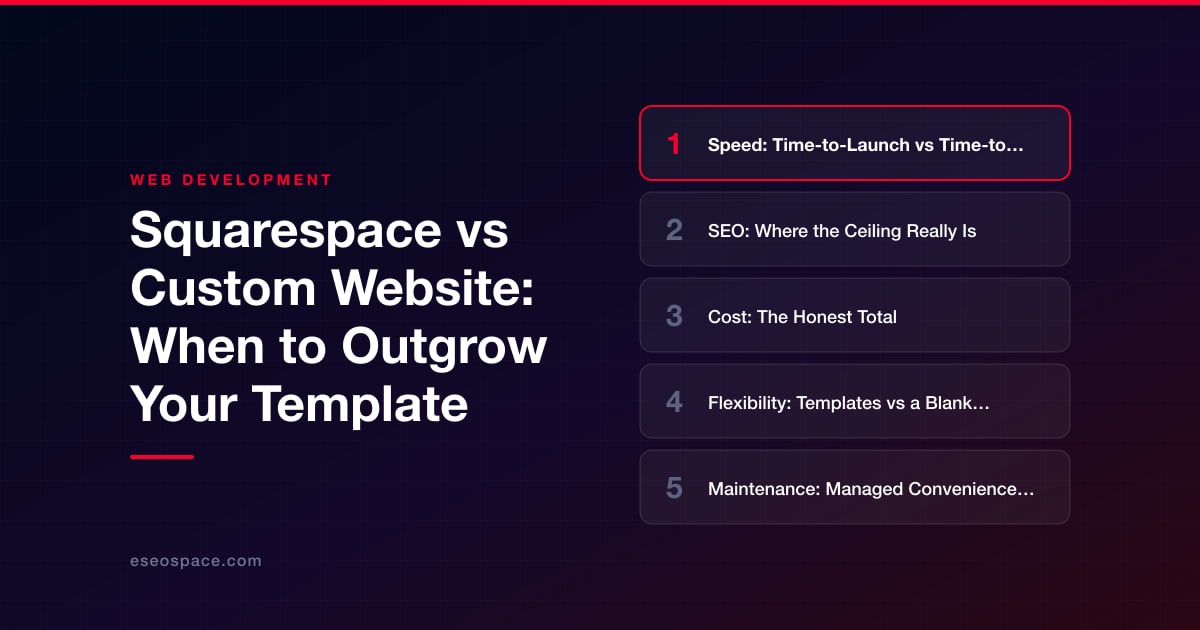
This guide compares Squarespace against a custom-built website head-to-head across the five factors that actually drive the decision: speed, SEO, cost, flexibility, and maintenance. Then it gives you a clear framework for which one to choose and, if you decide to switch, where to go next.
Speed: Time-to-Launch vs Time-to-Load
There are two kinds of speed, and Squarespace wins one of them decisively while losing the other.
Time-to-launch is where Squarespace shines. A template site can be designed, populated, and published in days by one non-technical person. A custom website is a project: discovery, design, development, content, QA, and launch typically span four to twelve weeks depending on scope. If you need to be live next week, that gap is the whole story.
Time-to-load is a different picture. Squarespace ships a heavy, shared JavaScript and CSS bundle to every visitor because the same runtime has to power every possible template feature whether your page uses it or not. You cannot remove that overhead. On real-world Core Web Vitals — Largest Contentful Paint, Interaction to Next Paint, Cumulative Layout Shift — template sites frequently sit in the “needs improvement” band on mobile. A custom site built on a modern framework like Next.js can ship server-rendered HTML, defer or eliminate unused JavaScript, serve images in AVIF/WebP from a CDN, and routinely hit sub-2-second LCP. When page speed is a ranking and conversion input, that difference compounds every single day.
SEO: Where the Ceiling Really Is
Squarespace covers the SEO basics competently. You get editable title tags and meta descriptions, clean-ish URLs, automatic sitemaps, SSL, mobile responsiveness, and native support for basic structured data on some content types. For a local business or a small content site, that is often enough to rank.
The ceiling appears when you need technical SEO beyond the defaults. You cannot fully control the rendered HTML, so you are stuck with the platform’s heading structure and DOM. Custom JSON-LD schema for complex entities — products with reviews, FAQ blocks, how-to steps, service-area businesses, breadcrumbs — is awkward or requires code injection that the platform can break on update. Page speed, as noted above, is capped. Advanced internal-linking architecture, faceted navigation, programmatic landing pages, and fine-grained control over crawl budget are effectively off the table.
- Squarespace SEO: great for the 80% case, hard ceiling on the technical 20% that separates page-one from position-one.
- Custom SEO: total control over markup, schema, performance, and site architecture — the difference matters most for competitive keywords and content-heavy sites.
If organic search is your primary growth channel and you are fighting for competitive terms, the technical headroom of a custom build is one of the strongest arguments for making the switch.
Cost: The Honest Total
On sticker price, Squarespace is obviously cheaper. Plans run roughly $16–$52 per month, and that includes hosting, security, updates, and the template. There is no upfront build cost. For a business doing under a few hundred thousand in revenue where the website is a brochure, that math is almost impossible to beat.
A custom website is a capital investment. A professional marketing site typically lands somewhere between a few thousand and low-five-figures depending on page count, integrations, and design complexity, plus modest ongoing hosting (often $0–$20/month on modern platforms). The honest way to evaluate it is not sticker price but return: if a faster, better-ranking, higher-converting site adds even a few percentage points to revenue, a custom build pays for itself and then keeps paying. The trap is spending custom-build money before your traffic or conversion volume can justify it — and equally, staying on a template long after every extra point of conversion is worth far more than the rebuild.
Flexibility: Templates vs a Blank Canvas
This is usually the factor that forces the decision. Squarespace gives you a curated set of blocks and layouts. Inside those lines you can make an attractive site quickly. Outside them, you hit a wall: no custom database logic, no gated member content beyond the basic offering, no bespoke booking or quoting flows, no deep integration with your CRM, ERP, or inventory system, and no ability to build a genuinely unique interface that does not look like every other Squarespace site.
A custom website is a blank canvas. You can build exactly the user flows your business needs, connect directly to the systems you already run, and add application-like functionality — customer portals, calculators, dashboards, multi-step forms, dynamic pricing. When your website needs to do things rather than just display things, this is where teams invest in custom website and CRM development so the site becomes an operational tool wired into sales and delivery, not just a marketing page.
- Choose a template when your needs fit inside standard blocks and are unlikely to change.
- Choose custom when your differentiator lives in functionality — anything the platform cannot natively do.
Maintenance: Managed Convenience vs Owned Control
Squarespace handles hosting, security patches, uptime, backups, and platform updates for you. That is real value: you will never wake up to a hacked site or a broken plugin, and there is no server to babysit. The flip side is total dependence — a platform pricing change, a policy shift, or a discontinued feature is simply something you absorb, and your content and design live inside their walls.
A custom site puts maintenance on you or your agency. You own the code, the hosting choice, the data, and the roadmap. Modern stacks make this lighter than it used to be — a static or server-rendered Next.js site on a managed host has almost no attack surface and near-zero routine upkeep — but you are responsible for updates and monitoring. The trade is autonomy: nobody can raise your rent, sunset your feature, or throttle your growth.
How to Decide: Choose X If…
Strip away the nuance and the choice comes down to fit. Use this directly.
- Choose Squarespace if you are early-stage or need to launch fast; your site is primarily a brochure or portfolio; your needs fit standard blocks; SEO is a secondary channel; and predictable low monthly cost matters more than a performance edge.
- Choose a custom website if organic search is a core growth channel and you are fighting competitive keywords; you need functionality the template cannot do; you must integrate with a CRM, ERP, or other business systems; page speed and Core Web Vitals materially affect revenue; your brand needs a distinctive interface; or you have simply hit the template’s ceiling and every workaround now costs more than it saves.
A useful signal: if you are paying for multiple third-party plugins and embeds to force Squarespace to do things it was not built for, and still fighting the template on layout and speed, you have already outgrown it. The workarounds are the symptom.
If You Decide to Switch
Moving off a template does not mean losing your rankings or your content — not if the migration is handled correctly. The risks that actually hurt businesses are avoidable: broken URLs that drop 404s into Google’s index, missing 301 redirects that vaporize link equity, lost meta data, and content that does not carry over cleanly. A disciplined migration preserves your URL structure (or maps old paths to new ones with permanent redirects), transfers every title, description, and image, and validates the whole site before and after cutover so your organic traffic holds or improves.
If the comparison above points you toward a custom build, the next step is planning the move carefully. Our website migration services cover exactly that path — auditing your existing Squarespace pages, mapping redirects, rebuilding on a fast modern stack, and protecting the SEO equity you have already earned so the upgrade is a step forward, not a setback.
Get a FREE Audit
We'll perform a comprehensive SEO, AEO, GEO & CRO audit of your website — completely free — and show you exactly how to outrank your competitors.
Don't have a site yet? Get in touch →
Put this into action with eSEOspace
We help businesses grow with website development that actually performs. Explore the services behind this guide:
Frequently Asked Questions
Is Squarespace good for SEO?
When should I switch from Squarespace to a custom website?
How much does a custom website cost versus Squarespace?
Will I lose my Google rankings if I migrate off Squarespace?
Can a custom website integrate with my CRM and other tools?
Get a FREE GEO/AEO/SEO Audit
We'll analyze your site's SEO, GEO, AEO & CRO — completely free — and show you exactly how to get found across Google and AI answers.
Don't have a site yet? Get in touch →
Great — your audit is on the way!
We'll send your free SEO/GEO/AEO/CRO audit within the next few hours. Where should we send it?
You're all set! ✓
Your free audit is being prepared — check your inbox in the next few hours. Talk soon!








