



Drupal to Astro Migration Guide
Drupal to Astro Migration Guide
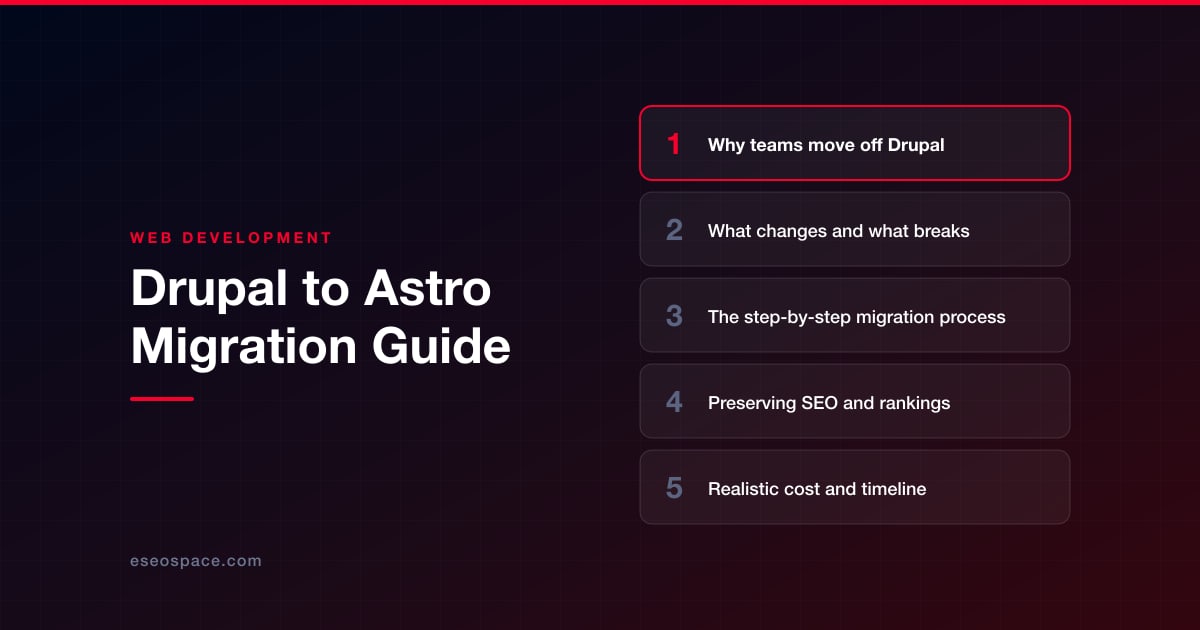
Key Takeaways
- Teams leave Drupal to escape upgrade churn, slow PHP rendering, security patching, and high managed-hosting costs that Astro's static output eliminates.
- Content models, Views listings, Twig themes, forms, and contributed modules do not carry over automatically and must be rebuilt or replaced with services.
- A safe migration follows a fixed sequence: audit URLs, export content to Markdown or a headless CMS, rebuild components, map redirects, then stage and launch.
- Protecting rankings depends on 301-redirecting every changed URL, preserving title tags and schema, and regenerating the sitemap before cutover.
- Cost ranges from about $6,000 for a small blog to $50,000-plus for a complex site, usually paying for itself within a year in saved hosting and upgrades.
Drupal built the web's most complex content platforms for over two decades, but the maintenance tax has become hard to justify. Every Drupal 7-to-9-to-10 jump has forced painful rewrites, contributed modules lag core, and PHP-plus-database rendering makes even a brochure site feel heavy. Teams that once needed Drupal's editorial workflows now find themselves paying for a content management engine they barely use, while their Core Web Vitals scores quietly sink.
Astro is the increasingly common landing spot. It ships zero JavaScript by default, renders to static HTML or server output, and lets you keep a headless CMS if editors still need one. The result is a site that loads in a fraction of the time, costs almost nothing to host on a CDN, and stops demanding quarterly security patches. This guide walks through why teams leave Drupal, what genuinely changes in the move, a concrete step-by-step process, and how to protect the SEO equity you have spent years building.
Why teams move off Drupal
The decision to leave Drupal is rarely about one feature. It is the accumulation of operational drag that pushes teams toward a modern static or hybrid stack:
- Upgrade churn. Major version jumps break contributed modules and custom themes, turning routine upgrades into multi-week projects that require a Drupal specialist.
- Performance overhead. Dynamic PHP rendering, database queries, and heavy theme layers make first-byte and largest-contentful-paint times slow without aggressive caching layers like Varnish or a CDN in front.
- Security surface. A public login, PHP execution, and a database mean regular security advisories and a constant patching obligation, even for sites that publish rarely.
- Hosting cost. Drupal needs PHP, a database, and often managed hosting like Acquia or Pantheon. Astro output is static files that deploy to a CDN for a fraction of the cost.
- Developer availability. The talent pool fluent in modern component frameworks is far larger and cheaper than the pool of senior Drupal engineers.
Astro answers most of these directly. It compiles your pages ahead of time, ships HTML with only the JavaScript you explicitly opt into via its islands architecture, and removes the runtime attack surface entirely for static builds. If you are still weighing options, our guide on how to choose a JavaScript framework for your website compares Astro against Next.js and others by use case.
What changes and what breaks
Understanding the delta between Drupal and Astro prevents nasty surprises mid-project. The architecture is fundamentally different, and some Drupal conveniences simply do not exist on the other side.
- Content model. Drupal nodes, taxonomy terms, and fields do not map one-to-one to Astro. You either export content into Markdown/MDX collections or connect Astro to a headless CMS (Storyblok, Contentful, Sanity) that mirrors your content types.
- Views and dynamic listings. Anything built with the Views module becomes build-time queries or content-collection filtering in Astro. Dynamic, per-request listings need Astro's server mode or an API call.
- Theme layer. Twig templates and Drupal's render arrays are replaced by Astro components (
.astrofiles) and standard HTML/CSS. Preprocess functions and theme hooks have no equivalent and must be rebuilt. - Forms and authentication. Webform submissions, user logins, and comment systems break. These move to third-party services (form endpoints, auth providers) or custom serverless functions.
- Contributed modules. There is no module ecosystem. Every module's functionality must be re-evaluated: keep it, replace it with a service, or drop it.
What you gain is a codebase that is far easier to reason about, version-control cleanly, and deploy anywhere. What you lose is the batteries-included admin experience, so plan editorial workflows deliberately. For sites with heavy interactive or logged-in functionality, a hybrid approach that pairs Astro's front end with custom application and CRM development often makes more sense than forcing everything static.
The step-by-step migration process
A disciplined sequence keeps the migration predictable. Skipping the audit or the redirect mapping is where most projects lose rankings.
- 1. Audit and inventory. Crawl the live Drupal site to produce a complete URL list, then export every content type, field, taxonomy, and media asset. Identify which pages drive traffic and which are dead weight you can retire.
- 2. Choose your content source. Decide between file-based content collections (best for developer-managed or low-frequency sites) and a headless CMS (best when non-technical editors publish regularly). This choice shapes the entire build.
- 3. Export the content. Use Drupal's JSON:API or a custom migration script to pull nodes into structured JSON, then transform them into Markdown/MDX front matter or push them into your chosen CMS.
- 4. Rebuild templates as Astro components. Recreate layouts, page types, and reusable UI as
.astrocomponents. Add interactive islands only where genuinely needed, using React, Svelte, or vanilla JS. - 5. Wire up dynamic behavior. Replace Views listings with content-collection queries, and route forms and search to services or serverless endpoints.
- 6. Build the redirect map. Map every old Drupal URL to its new counterpart before launch. Our 301 redirect map guide covers how to handle path changes, node IDs, and aliases without breaking equity.
- 7. Stage, QA, and validate. Deploy to a staging environment, run visual regression checks, validate structured data, and confirm every redirect resolves with a single 301 hop.
- 8. Launch and monitor. Cut over DNS, submit the new sitemap, and watch crawl stats and rankings closely for the first several weeks.
Because content transformation is the slowest phase, teams with thousands of nodes should script the export aggressively rather than migrating manually. This is a core part of our website migration services, where we automate node-to-Markdown pipelines to move large Drupal sites without manual re-entry.
Preserving SEO and rankings
A platform change should be invisible to Google. The single biggest risk in any Drupal migration is URL loss, so redirects come first and everything else supports them.
- Preserve URLs where possible. If your Drupal path aliases are clean, keep the exact same slugs in Astro so no redirect is even needed.
- 301 everything that changes. Every URL that shifts, including Drupal's default
/node/123paths, needs a permanent redirect to its new location. Chains and 302s leak equity. - Match on-page signals. Carry over title tags, meta descriptions, canonical tags, heading structure, and image alt text exactly. Astro makes this easy through layout props and front matter.
- Rebuild structured data. Re-implement JSON-LD schema (Article, Organization, Breadcrumb) that Drupal modules generated, since none of it carries over automatically.
- Regenerate the sitemap and robots. Astro's sitemap integration produces a fresh XML sitemap; submit it in Search Console immediately after launch.
Work through a complete pre-launch pass using our website migration SEO checklist so nothing slips. Astro's static output actually helps rankings post-launch: dramatically faster load times and clean HTML tend to improve Core Web Vitals, which can lift positions once Google recrawls.
Realistic cost and timeline
Pricing depends almost entirely on content volume and how much dynamic functionality you rebuild. A rough picture by project size:
- Small brochure or blog (10-50 pages): two to four weeks, roughly $6,000 to $14,000. Content exports cleanly, and the build is mostly templating and redirects.
- Mid-size site (a few hundred pages, one CMS integration): five to eight weeks, roughly $18,000 to $35,000. Content transformation scripting and editor training add time.
- Large or complex site (thousands of nodes, custom Views, forms, auth): two to four months and $50,000-plus, especially when interactive features move to serverless functions or a headless CMS.
The variables that push cost up are the number of distinct content types, heavy use of the Views module, logged-in functionality, and multilingual content. The variable that pushes it down is clean, consistent Drupal data. Nearly every migration pays for itself within a year through reduced hosting bills and the elimination of ongoing Drupal upgrade projects.
The confident close
Migrating from Drupal to Astro is not a lateral move; it is a genuine upgrade in speed, security, and long-term maintainability. You trade a heavy, patch-hungry PHP platform for a lean codebase that deploys as static files, loads almost instantly, and stops demanding a specialist every time core releases a new version. The migration is well-understood, the tooling is mature, and the SEO risk is fully manageable when redirects and on-page signals are handled with care.
The teams that succeed treat it as a content and redirect project first and a code project second. Audit thoroughly, script the export, map every URL, and validate before you cut over. Do that, and you emerge with a faster site, lower bills, and years of freedom from upgrade churn. If you would rather hand the heavy lifting to a team that has run these migrations end to end, that is exactly what we do.
Get a FREE Audit
We'll perform a comprehensive SEO, AEO, GEO & CRO audit of your website — completely free — and show you exactly how to outrank your competitors.
Don't have a site yet? Get in touch →
Put this into action with eSEOspace
We help businesses grow with website development that actually performs. Explore the services behind this guide:
Frequently Asked Questions
Why migrate from Drupal to Astro instead of upgrading Drupal?
What breaks when you move from Drupal to Astro?
Will migrating to Astro hurt my search rankings?
How long does a Drupal to Astro migration take?
Can I keep a CMS after moving to Astro?
Get a FREE GEO/AEO/SEO Audit
We'll analyze your site's SEO, GEO, AEO & CRO — completely free — and show you exactly how to get found across Google and AI answers.
Don't have a site yet? Get in touch →
Great — your audit is on the way!
We'll send your free SEO/GEO/AEO/CRO audit within the next few hours. Where should we send it?
You're all set! ✓
Your free audit is being prepared — check your inbox in the next few hours. Talk soon!








