



Website Migration SEO Checklist: Don't Lose Your Rankings
Website Migration SEO Checklist: Don't Lose Your Rankings
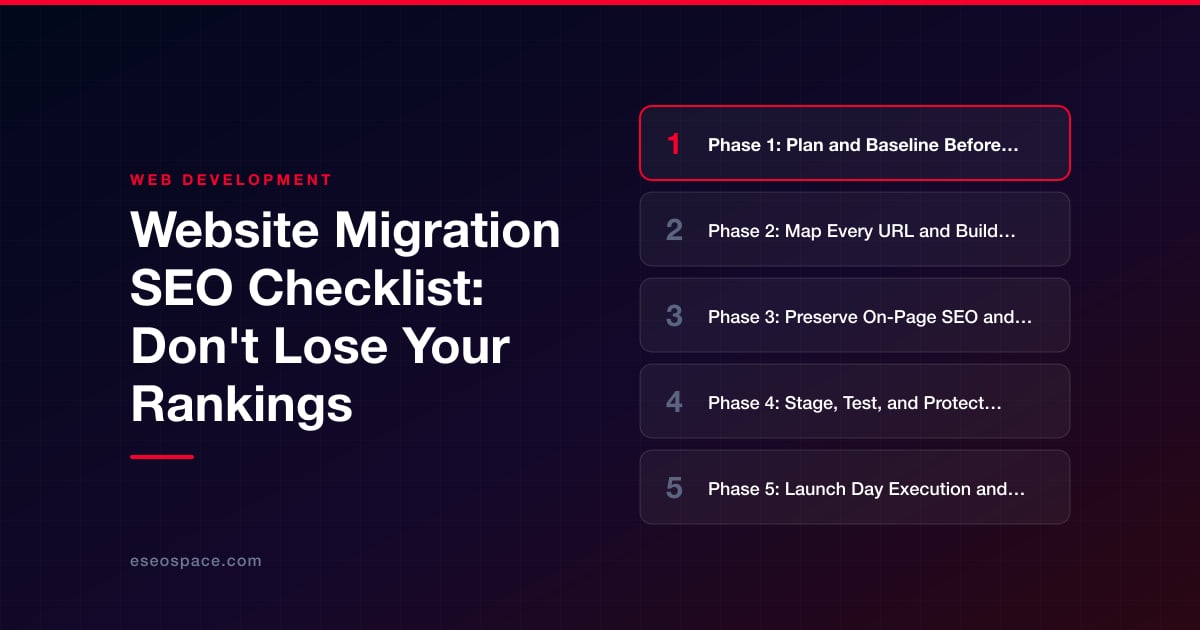
Key Takeaways
- Capture a complete pre-migration baseline of crawl data, rankings, analytics, and backlinks before making any changes so you can measure impact and diagnose problems.
- Map every old URL to its closest new equivalent with single-hop 301 redirects, avoiding chains, loops, and lazy homepage redirects that destroy link equity.
- Preserve on-page signals during replatforming, including titles, headings, canonicals, structured data, and internal links updated to point directly at new URLs.
- The most catastrophic migration failure is a staging robots.txt Disallow or noindex tag carrying over to production, so verify crawl directives before and after launch.
- Expect one to two weeks of normal volatility, monitor Search Console daily post-launch, keep redirects live long term, and confirm recovery to baseline within four to eight weeks.
A website migration is one of the highest-risk projects in all of SEO. Whether you are switching domains, moving to HTTPS, changing your URL structure, replatforming a CMS, or consolidating multiple sites, you are asking Google to re-evaluate everything it already knows about your pages. Done carefully, a migration is invisible to search engines and users alike. Done carelessly, it can wipe out years of accumulated authority in a single deployment and take months to recover.
The good news is that almost every migration disaster traces back to a short list of preventable mistakes: missing redirects, changed URLs with no mapping, blocked crawling, lost metadata, or an XML sitemap that was never updated. This checklist walks through the full lifecycle of a migration in the order the work actually happens, so you can protect your rankings before, during, and after launch. Treat it as a working document and tick off each item as your team completes it.
Below you will find phase-by-phase steps, decision tables, and QA lists you can hand directly to developers. If you would rather have specialists own the process end to end, our website migration services team runs this exact playbook for clients every week.
Phase 1: Plan and Baseline Before You Touch Anything
You cannot measure what you did not record. The single most common reason teams argue for weeks after a migration is that nobody captured a clean pre-migration baseline. Before any code changes ship, freeze a snapshot of your current performance and inventory so you have something to compare against.
- Full-site crawl: Run Screaming Frog or Sitebulb on the live site and export every indexable URL, its status code, title, meta description, canonical, H1, and word count.
- Analytics export: Pull 12 months of Google Analytics 4 sessions and conversions by landing page so seasonality is visible.
- Search Console export: Save 16 months of Performance data (queries, pages, clicks, impressions, average position) and the current Index Coverage report.
- Top pages and links: Identify your top 100 pages by traffic and your most-linked pages via Ahrefs or Semrush. These are your protect-at-all-costs URLs.
- Backlink profile: Export referring domains so you know which external links point at which old URLs.
- Rank tracking: Lock in current rankings for your priority keyword set in a rank tracker the day before launch.
Decide the scope of change explicitly. A migration that changes only the CMS but keeps identical URLs is far lower risk than one that simultaneously changes the domain, the URL structure, and the design. Whenever possible, change one variable at a time. If business needs force multiple changes at once, budget extra QA and expect a longer recovery window.
Phase 2: Map Every URL and Build the Redirect Plan
The redirect map is the heart of any migration. Every old URL that has value or existing links must resolve to the most relevant new URL with a permanent 301 redirect. Skipping this step, or lazily redirecting everything to the homepage, is the fastest way to destroy rankings.
Build a spreadsheet with one row per old URL. At minimum, capture the columns below.
- Old URL — the full existing path.
- New URL — the exact destination on the new site.
- Redirect type — 301 permanent for anything that is moving; avoid 302 for permanent moves.
- Priority — flag your top-traffic and top-linked pages for manual review.
- Notes — merges, splits, or retired pages.
Use this quick reference to choose the right status code for each situation:
| Scenario | Correct response |
|---|---|
| Page moved to a new URL | 301 permanent redirect |
| Page permanently removed, no equivalent | 410 Gone (or 404 if unavoidable) |
| Temporary A/B test or maintenance | 302 temporary redirect |
| Two pages merged into one | 301 both old URLs to the survivor |
| HTTP to HTTPS or non-www to www | 301 at the server level |
Three rules save the most rankings. First, redirect to the closest topical equivalent, not the homepage, so link equity flows to a relevant page. Second, avoid redirect chains and loops; every redirect should reach its final destination in a single hop. Chains dilute equity and slow crawling. Third, do not forget non-HTML assets, images, PDFs, and old parameterized URLs that still earn traffic. For complex catalogs or app-driven URLs, pattern-based regex redirects are more maintainable than thousands of one-to-one rules, but always spot-check that patterns do not accidentally collapse distinct pages.
Phase 3: Preserve On-Page SEO and Technical Signals
Redirects protect equity at the URL level, but rankings also depend on the on-page signals that live inside each page. During a replatform it is dangerously easy to lose these in the template rebuild. Verify that every element below carries over to the new site.
- Title tags and meta descriptions transferred verbatim or intentionally improved, never blanked.
- Heading structure preserved, with one clear H1 per page.
- Body copy and images migrated in full, including alt text.
- Canonical tags pointing to the correct new self-referencing URLs.
- Structured data (schema markup) re-implemented and validated in the Rich Results Test.
- Internal links updated to point directly at new URLs rather than relying on redirects.
- Hreflang tags rebuilt if you run international or multilingual pages.
- Open Graph and Twitter cards retained so social sharing is not broken.
Internal linking deserves special attention. After launch, crawl the new site and replace any internal links that still point at old URLs so users and bots reach destinations in one hop. If your project involves rebuilding templates or a custom application layer, our website development team bakes these preservation checks into the build rather than bolting them on afterward. For data-driven sites, product catalogs, or membership portals, the interplay between database records and URLs is complex enough that dedicated custom website and CRM development planning prevents orphaned records and broken dynamic pages.
Phase 4: Stage, Test, and Protect Your Environment
Build and validate everything on a staging environment first, but protect that environment from being indexed. A staging site that Google crawls creates duplicate content and can even outrank your production pages.
- Block the staging site with HTTP authentication, not just a robots.txt disallow, since disallowed URLs can still be indexed if linked.
- Before launch, confirm the production robots.txt does not carry over a blanket
Disallow: /from staging. This single mistake causes the most catastrophic migration losses. - Ensure no accidental
noindexmeta tags orX-Robots-Tagheaders remain on production templates. - Verify HTTPS is enforced site-wide with a valid certificate and no mixed-content warnings.
- Confirm the new XML sitemap lists only canonical, indexable new URLs and is referenced in robots.txt.
- Run a full staging crawl and fix broken links, 4xx/5xx errors, and orphan pages before go-live.
Phase 5: Launch Day Execution and QA
Time the launch for a lower-traffic window and treat go-live as a checklist, not an event. Have the redirect map, a crawler, and Search Console open simultaneously so you can validate in real time.
- Deploy redirects first and immediately test a sample of high-priority old URLs to confirm they return a single 301 to the correct destination.
- Crawl the list of old URLs from your baseline to confirm every one redirects, none 404s, and there are no chains.
- Flip robots.txt to allow crawling and remove any staging noindex directives.
- Submit the new XML sitemap in Google Search Console and, if you changed domains, use the Change of Address tool.
- Verify analytics and tag manager are firing on the new pages so you keep measuring without a data gap.
- Spot-check rendering, forms, checkout, and search on real devices.
Phase 6: Monitor, Diagnose, and Recover
The work is not finished at launch. Expect a short period of ranking volatility as Google recrawls and reprocesses your site; a modest dip for a week or two is normal. What matters is catching genuine problems early and confirming a return to baseline within roughly four to eight weeks.
- Daily for the first two weeks: watch Search Console Index Coverage for spikes in crawl errors, excluded pages, or soft 404s, and fix root causes fast.
- Weekly: compare organic traffic and rankings against your baseline, segmenting by your protected top-100 pages.
- Monitor crawl stats to confirm Googlebot is discovering the new URLs and not wasting budget on redirects.
- Recheck your backlink profile and, where feasible, ask high-value referring sites to update links to the new URLs directly.
- Keep the old redirects live for at least a year, ideally permanently, since equity continues to pass through them.
If traffic does not recover after eight weeks, work backward through this same checklist: confirm redirects still resolve, check that no noindex or robots block slipped in, validate canonicals, and compare on-page elements against your baseline export. Most delayed recoveries come down to one overlooked directive rather than an algorithmic penalty, which is exactly why a documented baseline is worth the upfront effort.
Get a FREE Audit
We'll perform a comprehensive SEO, AEO, GEO & CRO audit of your website — completely free — and show you exactly how to outrank your competitors.
Don't have a site yet? Get in touch →
Put this into action with eSEOspace
We help businesses grow with website development that actually performs. Explore the services behind this guide:
Frequently Asked Questions
How long does it take to recover rankings after a website migration?
Should I redirect old URLs to the homepage during a migration?
What is the single most common website migration SEO mistake?
How long should I keep 301 redirects live after migrating?
Do I need to submit anything in Google Search Console after a migration?
Get a FREE GEO/AEO/SEO Audit
We'll analyze your site's SEO, GEO, AEO & CRO — completely free — and show you exactly how to get found across Google and AI answers.
Don't have a site yet? Get in touch →
Great — your audit is on the way!
We'll send your free SEO/GEO/AEO/CRO audit within the next few hours. Where should we send it?
You're all set! ✓
Your free audit is being prepared — check your inbox in the next few hours. Talk soon!


On this page






