



WooCommerce to Headless Commerce Migration
WooCommerce to Headless Commerce Migration
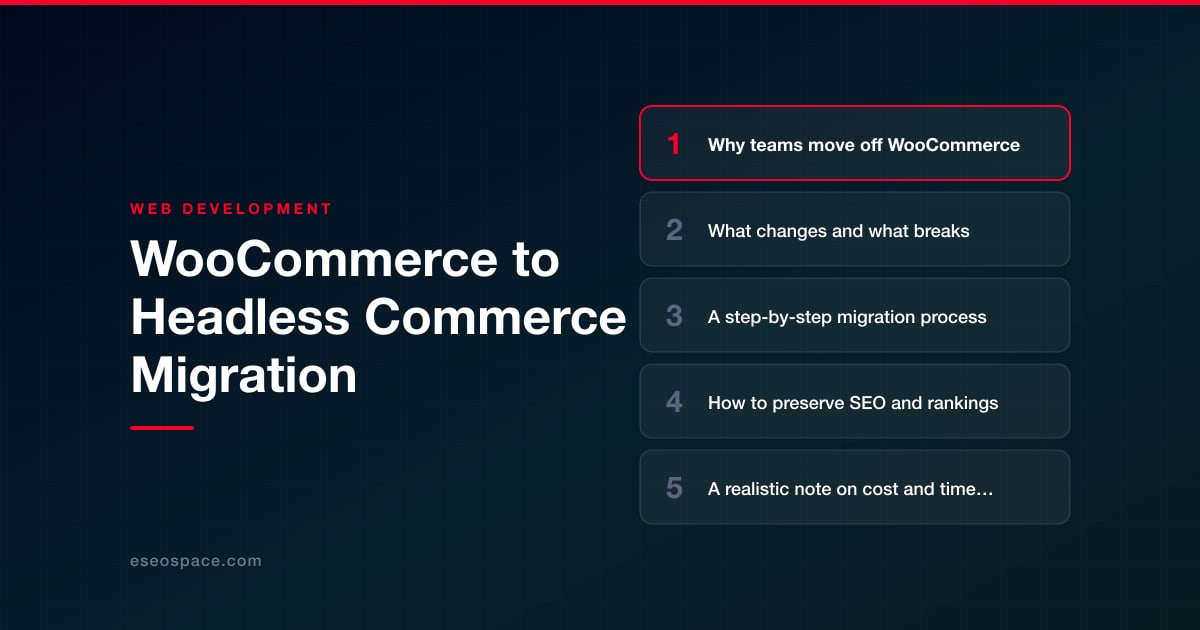
Key Takeaways
- Headless commerce separates the storefront from the commerce engine, letting you keep WooCommerce as a backend while a modern framework delivers a faster, API-driven frontend.
- Teams move off WooCommerce for performance, frontend flexibility, omnichannel reach, developer velocity, and a smaller security surface, not for novelty.
- The hardest parts to migrate are checkout, payments, and any feature that a WordPress plugin rendered directly on the frontend, all of which must be rebuilt against APIs.
- Preserving SEO hinges on matching URLs, server-rendering meaningful HTML, porting all meta and schema, and mapping any changed slugs with permanent 301 redirects.
- A backend-preserving migration typically runs 6 to 12 weeks, while complex checkout, multi-currency, or heavy custom functionality can extend it to 3 to 5 months.
WooCommerce is one of the most popular ways to sell online, and for good reason. It turns any WordPress site into a store, it is inexpensive to start, and there is a plugin for nearly everything. But as catalogs grow past a few thousand SKUs and traffic scales, the same monolith that made launch easy starts to fight you. Page speed drops under plugin bloat, the PHP-rendered theme layer becomes a bottleneck, and every new sales channel means bending WordPress to do something it was never designed for.
Headless commerce separates the storefront (the frontend your customers see) from the commerce engine (products, carts, checkout, orders). Instead of WooCommerce rendering pages directly, a modern framework like Next.js, Nuxt, or Astro fetches data over an API and delivers a fast, statically-optimized experience. The commerce logic can stay in WooCommerce via its REST/Store API, or move to a dedicated backend entirely.
This guide walks through why teams make the move, what genuinely changes and breaks, a concrete migration sequence, and how to protect the organic rankings you have spent years earning. It is written for teams that treat their store as revenue infrastructure, not a hobby project.
Why teams move off WooCommerce
The decision to go headless is almost never about fashion. It is driven by concrete ceilings teams hit as they scale. The most common triggers we see:
- Performance under load. WooCommerce renders every page through PHP and WordPress hooks. Heavy plugin stacks, uncached cart/account pages, and admin-ajax calls create latency that caching plugins only partly mask. Headless frontends serve pre-rendered or edge-cached HTML, so Core Web Vitals improve dramatically.
- Frontend flexibility. Themes and page builders (Elementor, Divi) impose structure and DOM bloat. A component-based framework gives designers and developers full control over markup, interactions, and animation without wrestling a theme.
- Omnichannel needs. When the same catalog must feed a web store, a mobile app, a kiosk, and a marketplace, an API-first backend is the only sane architecture. The monolith cannot cleanly serve multiple frontends.
- Developer velocity and reliability. Modern Git-based workflows, type-safe code, preview deployments, and CI/CD are native to headless stacks and awkward in WordPress. Plugin conflicts and surprise auto-updates that break checkout become a thing of the past.
- Security surface. A public WordPress admin, XML-RPC, and dozens of plugins are a large attack surface. Decoupling the storefront lets you lock down wp-admin and XML-RPC so they are no longer exposed on the customer-facing domain, though the WooCommerce APIs the storefront calls must stay reachable.
What changes and what breaks
Going headless is not a theme swap; it is an architectural change, and being honest about what breaks prevents ugly surprises. The biggest reality is that anything a plugin rendered on the frontend must be rebuilt in the new stack. WooCommerce extensions that only expose functionality through PHP hooks and shortcodes will not carry over.
- Themes and page builders are gone. Your Elementor layouts, theme templates, and shortcode-driven content must be recreated as framework components. Budget real design and development time for this.
- Plugin-rendered features need replacements. Product filters, wishlists, reviews, upsell widgets, currency switchers, and cookie banners either need an API-driven rebuild or a third-party service (Yotpo for reviews, Algolia for search and filtering).
- Checkout is the hardest piece. WooCommerce checkout, payment gateways, and tax/shipping calculation are deeply tied to PHP. Teams either call the WooCommerce Store API from the headless frontend, or move checkout to a dedicated processor like Stripe. This is where most projects spend the most engineering effort.
- Admin workflow may shift. Content editors used to the WordPress editor need a plan. Keeping WooCommerce as the backend preserves the familiar wp-admin; moving to a headless CMS means retraining.
- What stays. Product data, orders, customers, and inventory can remain in WooCommerce and be consumed over the API, which is the lowest-risk path. You keep your data and your fulfillment integrations while replacing only the presentation layer.
A step-by-step migration process
A disciplined sequence keeps the project shippable at every stage. This is the process we follow on headless commerce migration projects.
- 1. Audit and inventory. Catalog every URL, template type, plugin, and integration. Export product data, note custom fields and taxonomies, and record every third-party service (payment, tax, email, analytics). Crawl the live site to capture the full URL set.
- 2. Choose the architecture. Decide whether WooCommerce stays as a headless backend (fastest, lowest risk) or the commerce engine moves too. Then pick the frontend framework and hosting. Our guide on how to choose the right JavaScript framework covers the Next.js vs. Nuxt vs. Astro tradeoffs.
- 3. Build the data layer. Connect the frontend to the WooCommerce Store/REST API (or GraphQL via WPGraphQL + WooGraphQL). Map products, categories, variations, and inventory into the frontend's data model, and set caching and revalidation strategy (ISR/on-demand revalidation).
- 4. Rebuild templates as components. Recreate home, category, product, cart, search, and content pages as framework components. Match the existing design closely so returning customers are not disoriented, and preserve on-page SEO elements verbatim.
- 5. Wire up checkout and payments. Implement cart and checkout against the Store API or a dedicated processor. Test tax, shipping, discount codes, and every payment method against real gateway sandboxes before going near production.
- 6. Preserve URLs and redirects. Keep slugs identical wherever possible. Where they must change, build a complete redirect map (covered below). This step protects rankings and is not optional.
- 7. Stage, QA, and load-test. Deploy to a staging environment behind auth. Test on real devices, run Lighthouse, validate structured data, and confirm orders flow into fulfillment correctly.
- 8. Cut over and monitor. Launch during a low-traffic window, submit the new sitemap, and watch crawl stats, error logs, and conversion rates closely for the first two to four weeks.
How to preserve SEO and rankings
The single biggest risk in any replatform is losing the organic traffic that drives revenue. Headless done right is neutral-to-positive for SEO because it improves speed, but only if the fundamentals are handled deliberately. Work through a formal website migration SEO checklist rather than trusting the launch to go smoothly.
- Preserve URLs above all. Matching URLs means Google carries authority forward with zero redirect dilution. Treat changed slugs as a last resort, and when they change, always map old to new with a permanent redirect using a complete 301 redirect map.
- Render meaningful HTML on the server. Headless frameworks can render client-side only, which starves crawlers. Use SSR or static generation so product content, titles, and structured data appear in the initial HTML response.
- Migrate every meta detail. Titles, meta descriptions, canonical tags, Open Graph data, and Product/BreadcrumbList/Review JSON-LD schema must all be ported. Do not let Yoast-generated tags silently disappear.
- Keep the sitemap and robots correct. Generate a fresh XML sitemap, ensure staging is noindexed, and confirm production is crawlable before cutover.
- Benchmark and monitor. Record rankings, indexed pages, and Core Web Vitals before launch. After cutover, watch Search Console coverage and the crawl stats report to catch redirect or rendering issues within days, not months.
A realistic note on cost and timeline
Headless is a genuine engineering project, and pretending otherwise leads to blown budgets. A straightforward store that keeps WooCommerce as the backend and rebuilds a clean frontend typically runs 6 to 12 weeks and a mid-four to low-five figure budget. Stores with heavy custom plugin functionality, complex checkout, multi-currency, or thousands of variable products push toward 3 to 5 months and higher.
The main cost drivers are the number of unique template types, the complexity of checkout and payment integration, and how much plugin-rendered functionality must be rebuilt from scratch. Ongoing costs also shift: you trade a stack of paid plugins and managed WordPress hosting for framework hosting (often cheaper at scale) plus any SaaS services you adopt for search or reviews. Teams that also want to consolidate customer data or fulfillment logic often pair the migration with custom CRM and backend development so the new architecture serves the whole business, not just the storefront.
Making the move with confidence
Migrating from WooCommerce to headless commerce is one of the highest-leverage decisions a growing store can make. Done carelessly, it torches rankings and stalls sales for a quarter. Done deliberately, with URLs preserved, server-rendered HTML, a complete redirect map, and thorough checkout testing, it delivers a materially faster store, a happier development team, and a foundation that scales across every channel you will ever add. The teams that succeed are not the ones with the biggest budgets; they are the ones who treat the migration as an engineering discipline with a clear plan and measurable checkpoints. Approach it that way and headless becomes not a risk to manage, but a competitive advantage you keep compounding.
Get a FREE Audit
We'll perform a comprehensive SEO, AEO, GEO & CRO audit of your website — completely free — and show you exactly how to outrank your competitors.
Don't have a site yet? Get in touch →
Put this into action with eSEOspace
We help businesses grow with website development that actually performs. Explore the services behind this guide:
Frequently Asked Questions
Do I have to abandon WooCommerce completely to go headless?
Will going headless hurt my search rankings?
What breaks when I migrate from WooCommerce to headless?
How long does a WooCommerce-to-headless migration take?
Which frontend framework is best for headless WooCommerce?
Get a FREE GEO/AEO/SEO Audit
We'll analyze your site's SEO, GEO, AEO & CRO — completely free — and show you exactly how to get found across Google and AI answers.
Don't have a site yet? Get in touch →
Great — your audit is on the way!
We'll send your free SEO/GEO/AEO/CRO audit within the next few hours. Where should we send it?
You're all set! ✓
Your free audit is being prepared — check your inbox in the next few hours. Talk soon!








