



How to Migrate from Magento to BigCommerce
How to Migrate from Magento to BigCommerce
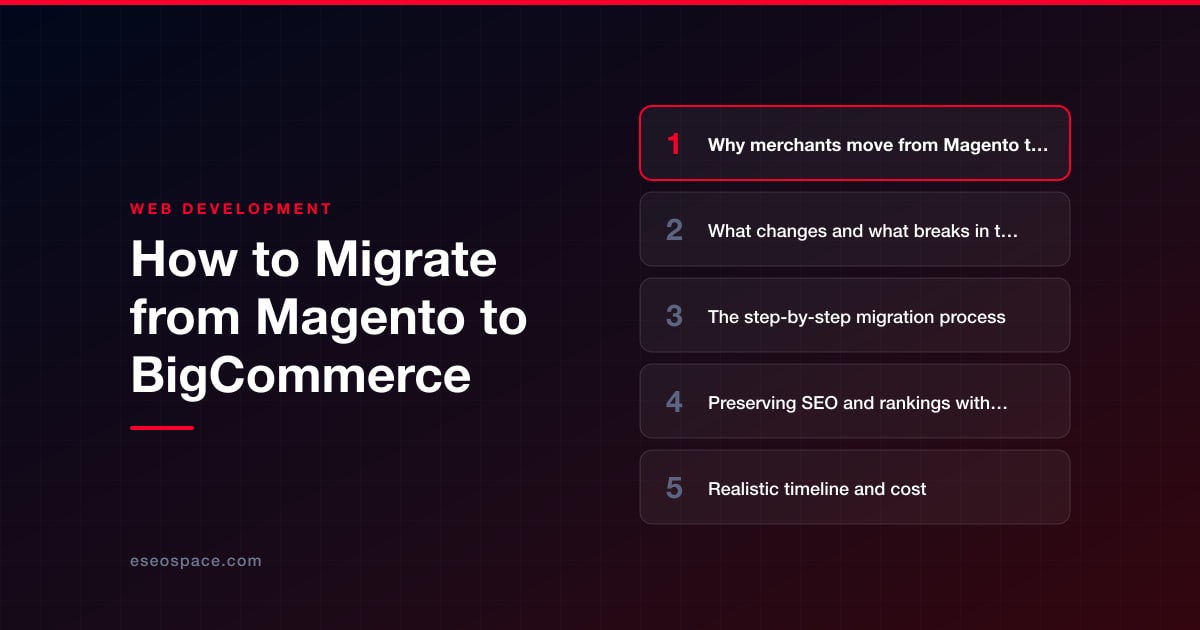
Key Takeaways
- Merchants leave Magento for BigCommerce mainly to cut total cost of ownership, escape server and security maintenance, and empower non-developers to edit the store.
- Magento and BigCommerce use different data models, so configurable products, extensions, themes, and URLs must be translated or rebuilt rather than simply transferred.
- URL structure changes are the biggest SEO risk in a Magento-to-BigCommerce move, making a complete 301 redirect map essential to protect rankings.
- A safe migration follows a strict sequence: audit and export, crawl URLs, configure BigCommerce, import the catalog, map redirects, test on staging, then switch DNS.
- Timelines run from about 3 weeks for small catalogs to several months for large B2B stores, with cost driven by catalog size, integrations, and design scope.
Magento (now Adobe Commerce) is powerful, but that power comes with a bill. Between hosting a resource-hungry PHP application, patching security releases, paying developers for every catalog tweak, and staring down Adobe's steep licensing tiers, many merchants reach a point where the total cost of ownership no longer matches the value they get back. BigCommerce flips that equation: it is a fully hosted SaaS platform that removes server management, ships PCI-compliant checkout out of the box, and lets marketing teams edit the store without filing a developer ticket for every change.
But moving an established store from Magento to BigCommerce is not a copy-paste job. Your product catalog, customer accounts, order history, URL structure, theme, and every third-party extension have to be exported, translated, and rebuilt inside a completely different data model. Do it carelessly and you can tank the organic traffic that took years to earn. Do it methodically and you keep your rankings while shedding the maintenance overhead.
This guide walks through why merchants make the switch, what actually breaks in transit, and the exact sequence to migrate safely, preserve SEO, and launch with confidence.
Why merchants move from Magento to BigCommerce
The decision usually comes down to cost, speed, and staffing. Magento's open-source flexibility is unmatched, but realizing it requires a dedicated developer or agency on retainer. BigCommerce trades some of that flexibility for predictability. Common drivers include:
- Lower total cost of ownership. No separate hosting, no server patching, no surprise Adobe Commerce license renewal. BigCommerce bundles hosting, CDN, and security into a flat monthly plan.
- No forced re-platforming. Merchants stuck on Magento 1 (end-of-life since June 2020) or facing a painful Magento 1-to-2 rebuild often decide that if they must rebuild anyway, they might as well move to SaaS.
- Faster, more reliable performance. BigCommerce's managed infrastructure and global CDN typically deliver better Core Web Vitals than a self-tuned Magento stack without a dedicated ops team.
- Marketer-friendly editing. The Page Builder and native catalog tools let non-developers change content, prices, and promotions without deploying code.
- Built-in features that were extensions in Magento. Multi-currency, faceted search, coupons, and abandoned-cart recovery ship natively, reducing the plugin sprawl typical of a mature Magento install.
What changes and what breaks in the move
Magento and BigCommerce model commerce differently, so expect real translation work rather than a clean transfer. Know these gaps before you start:
- Data model differences. Magento's EAV structure, attribute sets, and configurable/bundle products don't map one-to-one to BigCommerce's product options and variants. Complex configurable products often need to be rebuilt as variant matrices.
- Extensions become apps. Every Magento extension (subscriptions, reviews, ERP connectors, custom shipping logic) has to be re-sourced from the BigCommerce App Marketplace or rebuilt. There is no automatic equivalent, so audit your extensions early and confirm each has a replacement.
- Theme and design. Magento themes (Luma, Hyva, or custom) do not carry over. You will select or build a BigCommerce Stencil/Catalyst theme and rebuild the design. This is a good moment to consider a website redesign rather than a pixel-for-pixel copy.
- URL structure. Magento URLs often include suffixes like .html and category paths (/category/product.html). BigCommerce uses a different default URL scheme, so nearly every product, category, and CMS URL will change unless you configure custom URLs. This is the single biggest SEO risk.
- Customer passwords. Hashed passwords generally cannot be migrated between platforms. Plan a password-reset email flow at launch so customers can regain access without friction.
- Custom code and integrations. Anything built against Magento's API or database (a PIM feed, a custom CRM sync, a headless frontend) must be re-pointed to BigCommerce's REST/GraphQL APIs. If you rely on deep back-office integrations, factor in custom development and CRM work to rebuild those connections.
The step-by-step migration process
A disciplined sequence keeps the project from spiraling. Work through these phases in order and never point DNS at the new store until testing is complete.
- 1. Audit and export. Inventory your full catalog, customer list, order history, CMS pages, and every active extension. Export products, categories, and customers from Magento via its native export tool, a CSV extract, or the REST API. Pull order data separately since BigCommerce imports orders differently.
- 2. Crawl your current URLs. Run Screaming Frog or a similar crawler against the live Magento site and export every indexed URL. This list is the backbone of your redirect map and your safety net for SEO.
- 3. Provision and configure BigCommerce. Create the store, set up tax and shipping zones, payment gateways, and store settings. Choose and customize your theme before importing data so you can preview real products in context.
- 4. Import the catalog. Bring in products, categories, and customers using BigCommerce's CSV import, its API, or a migration tool like Cart2Cart or LiteExtension. Rebuild configurable products as variant options, re-map attributes, and re-upload or transfer product images.
- 5. Recreate content and apps. Rebuild CMS/blog pages in Page Builder, install replacement apps for each Magento extension, and reconfigure promotions, gift cards, and shipping rules.
- 6. Build the redirect map. Match every old Magento URL to its new BigCommerce equivalent (covered in detail below).
- 7. Test on staging. Place test orders end to end, verify tax and shipping math, check every payment method, test on mobile, and validate that analytics and pixels fire correctly.
- 8. Launch and monitor. Point DNS to BigCommerce, submit the new sitemap to Google Search Console, and monitor crawl errors, redirects, and revenue daily for the first few weeks.
Because the sequence has so many interdependent moving parts, many merchants bring in a partner for the heavy lifting. Our website migration services handle the export, catalog rebuild, redirect mapping, and launch so nothing slips through the cracks.
Preserving SEO and rankings with 301 redirects
Because your URLs will change, 301 redirects are non-negotiable. A 301 tells Google that a page has permanently moved and passes the accumulated ranking signals to the new URL. Skip them and you effectively reset the SEO equity of your entire catalog to zero.
- Map every URL, not just products. Include category pages, CMS pages, blog posts, filtered/layered-navigation pages that earned links, and any legacy .html URLs. Prioritize the pages driving the most traffic and revenue.
- Use BigCommerce's redirect tools. The platform supports 301 redirects natively (bulk-uploadable via CSV), and you can also manage redirects at the DNS/CDN layer for large catalogs.
- Preserve on-page SEO. Carry over title tags, meta descriptions, H1s, image alt text, and canonical tags exactly. Migrating URLs while also rewriting metadata compounds the risk, so keep content stable during the move.
- Regenerate and submit a sitemap. Publish the new XML sitemap and submit it in Google Search Console the day you launch so Google recrawls quickly.
- Watch for redirect chains. Every redirect should hit the final destination in one hop; chained or looping redirects waste crawl budget and dilute link equity.
For the full field-tested process, follow our 301 redirect map guide and run through the website migration SEO checklist before and after go-live.
Realistic timeline and cost
Every migration is scoped by catalog size, integration complexity, and how much design work you fold in. As rough guidance:
- Small catalog (under ~500 SKUs), light integrations: typically 3 to 6 weeks.
- Mid-size store with a custom theme and several apps: 6 to 10 weeks.
- Large or B2B catalog with ERP/CRM integrations and complex product configurations: 3 to 5 months.
Cost tracks with that scope. A straightforward migration typically lands in the low four figures, while a full rebuild with a redesign, custom app work, and back-office integrations runs meaningfully higher. On top of agency time, budget for your BigCommerce plan and any paid replacement apps. Whatever the size, the money is best spent on catalog accuracy, redirect completeness, and thorough testing, the three areas where a rushed migration bleeds revenue. If you are rebuilding significant functionality along the way, our website development team can handle both the migration and the new build in one engagement.
Get a FREE Audit
We'll perform a comprehensive SEO, AEO, GEO & CRO audit of your website — completely free — and show you exactly how to outrank your competitors.
Don't have a site yet? Get in touch →
Put this into action with eSEOspace
We help businesses grow with website development that actually performs. Explore the services behind this guide:
Frequently Asked Questions
Will I lose my Google rankings when I move from Magento to BigCommerce?
Can I migrate my Magento customer accounts and order history?
Do my Magento extensions work on BigCommerce?
How long does a Magento to BigCommerce migration take?
Should I redesign my store during the migration?
Get a FREE GEO/AEO/SEO Audit
We'll analyze your site's SEO, GEO, AEO & CRO — completely free — and show you exactly how to get found across Google and AI answers.
Don't have a site yet? Get in touch →
Great — your audit is on the way!
We'll send your free SEO/GEO/AEO/CRO audit within the next few hours. Where should we send it?
You're all set! ✓
Your free audit is being prepared — check your inbox in the next few hours. Talk soon!








