



Framer to Next.js: From Design Tool to Production Code
Framer to Next.js: From Design Tool to Production Code
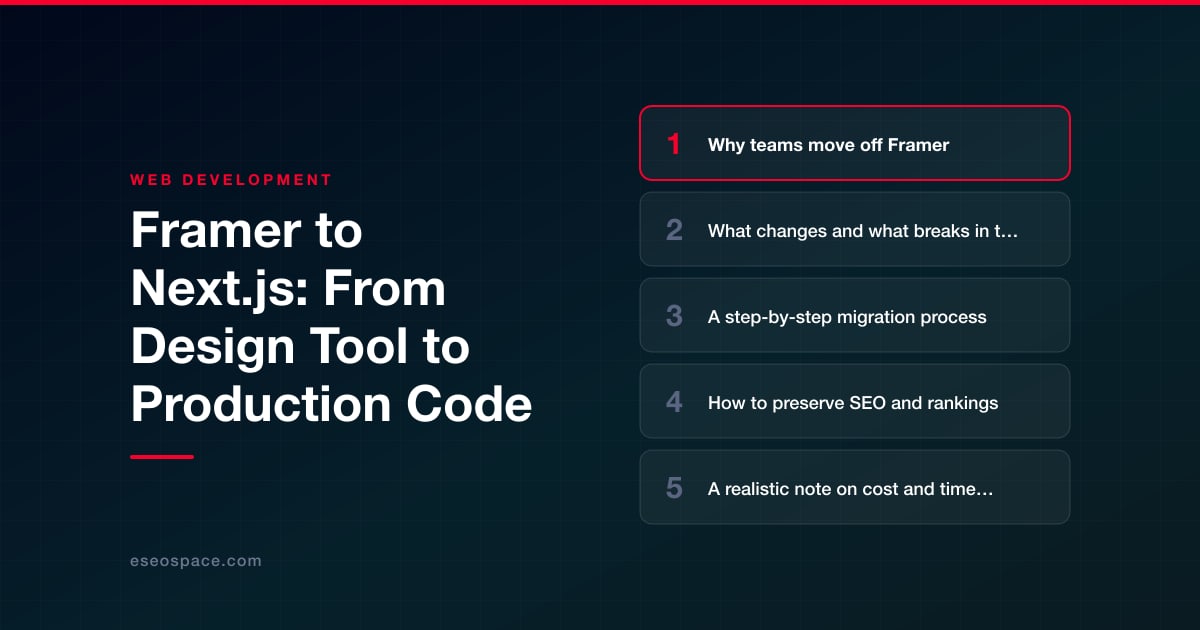
Key Takeaways
- Framer is ideal for fast, design-led marketing sites, but teams outgrow it once they need custom functionality, deep integrations, backend logic, or full ownership of their code.
- Framer does not export a maintainable Next.js project — a real migration means rebuilding the front end in React while using the Framer design as a visual reference.
- The core work that must be rebuilt includes layout and styling, animations, the CMS, forms, and SEO metadata; content and URLs carry over only if you map them deliberately.
- Preserving rankings depends on keeping URLs identical where possible, building a complete 301 redirect map, and carrying over titles, metadata, and structured data.
- Cost scales with page count, animation complexity, and added custom features; a simple brochure-site migration often runs $3,000–$8,000 over 2–4 weeks.
Framer is a superb place to design and ship a marketing site fast. Its canvas-first workflow, built-in CMS, and one-click publishing let a small team go from idea to live in days. But as a business grows, the same qualities that made Framer fast start to feel like walls. You want a custom checkout, an authenticated dashboard, deep integrations with your CRM, or fine control over Core Web Vitals — and Framer's hosted, closed model does not bend that far. That is usually the moment teams start asking how to move their site into real, ownable code.
Next.js is the most common destination, and for good reason. It is an open-source React framework that gives you server-side rendering, static generation, a file-based router, API routes, and first-class control over performance and SEO — while keeping the door open to any database, auth provider, or third-party service you need. Migrating from Framer to Next.js is less a "port" and more a rebuild of the front end on a foundation you fully control.
This guide walks through why teams make the move, what genuinely changes and breaks, a clear step-by-step migration process, how to protect the rankings you have already earned, and what the effort realistically costs.
Why teams move off Framer
Framer is excellent until you hit its ceiling. The reasons teams migrate cluster into a few predictable categories:
- Custom functionality. Framer's code components and overrides are powerful for a design tool, but they are not a full application platform. Once you need gated content, complex forms, user accounts, e-commerce logic, or a real backend, you are fighting the tool.
- Integrations and data. Connecting a live inventory feed, a headless CMS your editors already use, or a custom CRM and business system is either impossible or hacky inside Framer's sandbox.
- Performance ceilings. Framer injects its own runtime and animation engine on every page. For content-heavy or conversion-critical sites, teams want granular control over bundle size, image handling, and hydration that Next.js provides natively.
- Ownership and lock-in. Your site lives on Framer's infrastructure with Framer's pricing. Moving to Next.js means the code is yours, deployable anywhere — Vercel, Netlify, AWS, or your own servers.
- Team scale. Once multiple engineers need version control, pull requests, staging environments, and automated tests, a git-based codebase beats a visual canvas.
If none of these apply, staying on Framer is often the right call. Migrate when the constraints are actively costing you, not because Next.js sounds more "serious."
What changes and what breaks in the move
The most important thing to understand is that Framer does not export a Next.js project. There is no clean button that turns your canvas into a maintainable React app. Framer's HTML/CSS export produces machine-generated markup tied to its own class names, absolute positioning, and runtime — it is a dead end for a codebase you intend to maintain. In practice, a real migration means rebuilding the front end in Next.js while treating Framer as the visual reference.
Here is what typically changes or needs rebuilding:
- Layout and styling. Framer's pixel-positioned, breakpoint-based layouts get re-implemented as responsive CSS — usually Tailwind, CSS Modules, or styled-components — with proper flow layout rather than absolute coordinates.
- Animations and interactions. Framer's built-in scroll effects, page transitions, and component variants have no direct equivalent. They are rebuilt with Framer Motion (the open-source library, same author), CSS animations, or view transitions.
- The CMS. Framer's native CMS does not come with you. Content moves to a headless CMS (Sanity, Contentful, Payload) or into MDX/local data, and you build the rendering layer.
- Forms and logic. Framer form submissions and any interactive logic are re-implemented with Next.js API routes or server actions wired to your email or CRM provider.
- Fonts, assets, and SEO tags. These transfer conceptually but are re-authored — next/font for typography, next/image for optimized media, and the Metadata API for titles, descriptions, Open Graph, and structured data.
What does not break, if you plan for it, is your content, your URLs, and your search visibility — provided you map them deliberately rather than starting from a blank slate.
A step-by-step migration process
A disciplined migration follows a repeatable sequence. Rushing any step tends to surface as broken links or lost rankings weeks later.
- 1. Audit and inventory. Crawl the existing Framer site (Screaming Frog or Sitebulb) to capture every URL, page title, meta description, heading structure, and internal link. Export the Framer CMS content. This inventory is your source of truth.
- 2. Scaffold the Next.js app. Create the project with the App Router, set up your styling system, configure next/font and next/image, and establish the folder structure. Decide on your CMS or content source now.
- 3. Rebuild page by page. Recreate templates and components to match the Framer design, starting with shared layout (header, footer, nav) then the highest-traffic pages. Reuse components aggressively rather than duplicating markup.
- 4. Migrate content. Move CMS entries into your new content layer and render them through your templates. Verify every field, image, and rich-text block came across intact.
- 5. Preserve URLs and redirects. Match new routes to old paths exactly where possible, and build a redirect map for anything that changed (covered below).
- 6. Wire up forms and integrations. Connect form endpoints, analytics, and any CRM or email services through API routes or server actions.
- 7. QA and Core Web Vitals. Test across devices, run Lighthouse, check accessibility, and validate structured data before cutover.
- 8. Deploy and cut over DNS. Ship to your host, deploy to a staging URL, verify, then point DNS. Submit the new sitemap to Google Search Console immediately.
If you would rather not run this yourself, our website migration services handle the audit, rebuild, redirect mapping, and cutover as a single managed project, so nothing gets dropped between steps.
How to preserve SEO and rankings
The biggest risk in any platform migration is losing hard-won organic traffic. Search engines have indexed your existing URLs, and any that break or shift without guidance leak ranking authority. Protecting rankings comes down to a few non-negotiables.
- Keep URLs identical where you can. The safest migration changes the platform but not the paths. If
/pricingand/blog/post-slugstay exactly the same, Google barely notices the switch. - Build a complete 301 redirect map. For any URL that must change, a permanent 301 redirect passes authority to the new location. Our guide to building a 301 redirect map shows how to do this without creating chains or loops.
- Preserve on-page signals. Carry over titles, meta descriptions, H1s, image alt text, and internal linking. Next.js's Metadata API makes this explicit and version-controlled instead of hidden in a visual editor.
- Re-implement structured data. Any schema markup Framer generated must be rebuilt as JSON-LD so rich results survive.
- Match or beat performance. Google weighs Core Web Vitals. Next.js's image optimization and static generation usually improve LCP and CLS versus a Framer runtime, which helps rankings rather than hurting them.
Work through a full website migration SEO checklist before and after cutover, and monitor Search Console coverage and rankings for at least a month afterward to catch any regression early.
A realistic note on cost and timeline
Framer-to-Next.js is a front-end rebuild, so the honest range is wide and depends almost entirely on page count, design complexity, and how much custom functionality you are adding on top of the migration itself.
- Small marketing site (5–15 pages, mostly static): roughly 2–4 weeks and a few thousand dollars. A straightforward brochure-site migration often lands in the $3,000–$8,000 range.
- Mid-size site with a CMS (20–60 pages, blog, dynamic templates): 4–8 weeks, with cost driven by CMS setup and content migration.
- Complex build (custom app features, auth, e-commerce, CRM integration): this is no longer just a migration — it is product development, and timeline scales with scope.
The variable that moves the number most is animation fidelity. Recreating elaborate Framer scroll choreography pixel-for-pixel takes real engineering time; simplifying it saves budget. Content volume is the second lever — a hundred blog posts need a migration script, not manual copy-paste. If custom functionality is the real reason you are moving, budget for it as its own line item rather than assuming it comes free with the rebuild.
The bottom line
Moving from Framer to Next.js is a step up in ownership, flexibility, and performance ceiling — not a lateral swap. You trade a fast, closed design tool for an open, code-first foundation that can grow into anything your business needs, from a headless CMS to a full custom application. The migration is very achievable, but it rewards discipline: inventory everything, rebuild deliberately, map every redirect, and guard your SEO at every step. Teams still weighing the destination should read our take on how to choose a JavaScript framework before committing. Do the move right and you keep your rankings, sharpen your performance, and finally own the code your business runs on.
Get a FREE Audit
We'll perform a comprehensive SEO, AEO, GEO & CRO audit of your website — completely free — and show you exactly how to outrank your competitors.
Don't have a site yet? Get in touch →
Put this into action with eSEOspace
We help businesses grow with website development that actually performs. Explore the services behind this guide:
Frequently Asked Questions
Can I export my Framer site directly to Next.js?
Will migrating from Framer to Next.js hurt my Google rankings?
What happens to my Framer CMS content?
How long does a Framer to Next.js migration take?
Do I need to rebuild my Framer animations in Next.js?
Get a FREE GEO/AEO/SEO Audit
We'll analyze your site's SEO, GEO, AEO & CRO — completely free — and show you exactly how to get found across Google and AI answers.
Don't have a site yet? Get in touch →
Great — your audit is on the way!
We'll send your free SEO/GEO/AEO/CRO audit within the next few hours. Where should we send it?
You're all set! ✓
Your free audit is being prepared — check your inbox in the next few hours. Talk soon!








