



WordPress to Prismic Migration Guide
WordPress to Prismic Migration Guide
Key Takeaways
- Migrating from WordPress to Prismic decouples content from presentation, replacing a monolithic PHP theme with a structured API that can feed any front end or channel.
- The core mental shift is modeling content as reusable Custom Types and Slices rather than pages and templates, which pays off in editor flexibility and developer control.
- Content modeling comes first: audit existing WordPress types, map fields deliberately to Prismic Rich Text and Slices, and express taxonomies as Content Relationship fields.
- The actual migration should be scripted, using the WordPress REST API to export and Prismic's Migration API to import documents, relationships, and media into a staging repo first.
- SEO preservation is non-negotiable: reproduce exact URLs or build a complete 301 redirect map, migrate metadata into dedicated fields, and regenerate sitemaps and structured data before cutover.
WordPress has powered content-driven sites for two decades, but its coupled architecture increasingly collides with the demands of modern web teams. When your marketing site needs to feed a React storefront, a mobile app, and a set of static landing pages simultaneously, a monolithic PHP theme becomes a bottleneck. That is the moment teams start looking at Prismic, a headless content management system that treats content as structured data delivered over an API rather than HTML rendered by a template.
Migrating from WordPress to Prismic is not a plugin swap. You are separating the content repository from the presentation layer, rebuilding your content types as reusable components, and pointing a new front end at a query API. Done carelessly, it fractures your SEO and orphans years of posts. Done deliberately, it gives you faster pages, cleaner content models, and a publishing workflow your developers and editors both enjoy. This guide walks through the architecture shift, the modeling work, and the exact migration sequence we use on client projects.
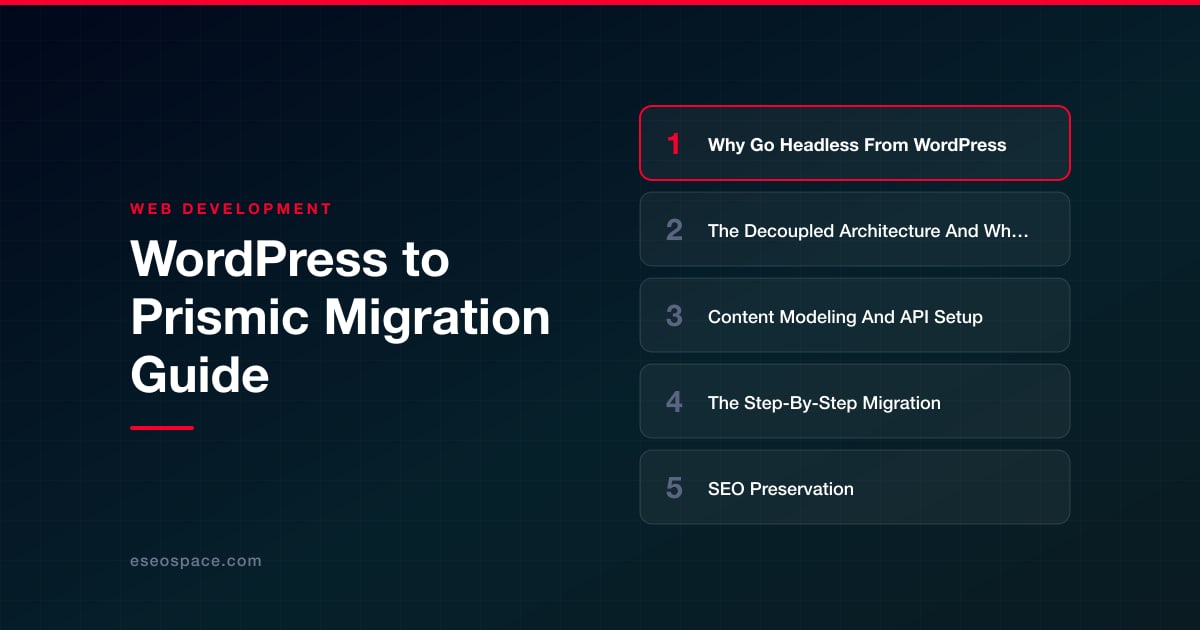
Why Go Headless From WordPress
WordPress bundles everything into one runtime: your database, your admin, your themes, your plugins, and your rendering all live in the same PHP process. That tight coupling is convenient until it is not. Plugin conflicts break the front end, theme updates threaten content, and every page render hits the database unless you bolt on aggressive caching. Performance and security both suffer as the plugin count climbs.
Going headless decouples the concerns. Prismic stores and versions your content; your front end (Next.js, Nuxt, Astro, SvelteKit) fetches it and renders however you like. The benefits compound: static or edge-rendered pages load in milliseconds, the attack surface shrinks because there is no public PHP admin to exploit, and the same content feeds any number of channels. If you are still weighing the trade-offs, our breakdown of headless CMS versus traditional CMS covers where each model wins. The short version: choose headless when you have real front-end ambitions and a developer to support them, and choose to stay on WordPress when a single templated site is genuinely all you need.
The Decoupled Architecture And What Changes
In a WordPress site, a browser request hits the server, PHP queries MySQL, the active theme assembles HTML, and the response ships. With Prismic, that single pipeline splits into two independent systems that communicate over HTTPS.
- The content layer (Prismic): your content lives in a hosted repository as JSON documents. Editors work in the Prismic Page Builder, and every document is versioned and available through a read-only Content API and a GraphQL endpoint.
- The presentation layer (your front end): a JavaScript framework queries Prismic at build time or request time, maps the JSON to components, and renders the page. Prismic's global CDN serves the API responses, so queries are fast worldwide.
- The connection: the official
@prismicio/clientlibrary handles authentication and querying, while@prismicio/reactrenders rich text and Slices into JSX.
The mental shift is the hardest part. You stop thinking in pages and templates and start thinking in content types and Slices. A Slice is a reusable, editor-configurable content block, and Slice Machine, Prismic's local development tool, lets you define Slices as code and sync their models to the repository. This is a genuine architecture change, so if your team is new to decoupled builds, our custom website and CRM development team can stand up the front end and wiring alongside your content migration.
Content Modeling And API Setup
Before you move a single post, model your content. This is where WordPress habits either help or hurt. WordPress lumps everything into posts, pages, and a pile of custom fields; Prismic rewards a cleaner taxonomy. Start by auditing your existing content types: blog posts, authors, categories, landing pages, case studies, and so on. Each becomes a Prismic Custom Type, either Repeatable (many documents, like blog posts) or Single (one document, like a homepage).
- Map fields deliberately. A WordPress post title becomes a Key Text or Title field. The body becomes Rich Text, or better, a set of Slices so editors can compose flexible layouts. Featured images become Image fields with responsive variants built in.
- Model relationships explicitly. WordPress categories and author meta become Content Relationship fields pointing to dedicated Category and Author documents, giving you clean, queryable links instead of taxonomy tables.
- Build a Slice library. Recurring patterns (hero, call to action, image gallery, quote, feature grid) become Slices in Slice Machine. Define them once, reuse them everywhere.
For API setup, create your repository, generate a Content API access token for private queries, and configure your route resolver so Prismic document types map to real URLs. Preserving your existing URL structure here is critical for SEO, which we cover next. Install @prismicio/client and @prismicio/next if you are on Next.js, and wire the Prismic webhook to trigger rebuilds or on-demand revalidation whenever an editor publishes.
The Step-By-Step Migration
With models defined, the actual content move is a scripted, repeatable process. Do not copy and paste; automate it so you can run it repeatedly against a staging repository until it is clean.
- Export from WordPress. Use the WordPress REST API (
/wp-json/wp/v2/posts) or WP All Export to pull every post, page, author, category, and media reference as JSON. The REST API is usually cleaner than the legacy XML export because it gives you structured, paginated data. - Transform the data. Write a Node script that maps WordPress fields to your Prismic Custom Type structure. The trickiest part is converting WordPress HTML body content into Prismic's Rich Text format (a structured JSON array), and, where appropriate, splitting long HTML into Slices. Libraries and the Prismic migration API help here.
- Migrate media. Download every image and upload it to Prismic's media library via the Migration API, then rewrite the URLs in your content to point at the new asset library rather than
wp-content/uploads. - Import via the Migration API. Prismic's Migration API lets you create documents programmatically, including relationships between them. Run imports against a staging repo first, validate a sample of documents in the Page Builder, then promote.
- Build and connect the front end. Render your Custom Types and Slices, wire live preview, and test every template against migrated content before cutover.
This is the phase where a partner earns their keep. Our website migration services handle the export scripting, HTML-to-Rich-Text transformation, and media transfer so nothing gets dropped between the two systems.
SEO Preservation
The fastest way to tank a migration is to change URLs and lose rankings. WordPress and Prismic generate URLs differently, so your route resolver must reproduce the exact paths WordPress used, including trailing slashes and category prefixes, or you must issue redirects for every path that changes. Build a complete 301 redirect map that pairs each old URL with its new destination, and implement those redirects at the edge or in your framework's config before launch.
- Rebuild metadata as fields. WordPress plugins like Yoast store SEO titles, meta descriptions, and canonical tags in post meta. Add dedicated SEO fields to your Prismic Custom Types and migrate those values so no page ships without its title and description.
- Regenerate structured data and sitemaps. Reimplement JSON-LD schema in your front-end components and generate a fresh XML sitemap from Prismic content, then resubmit it in Google Search Console.
- Preserve internal links and image alt text. Rewrite in-body links to new paths and carry alt attributes across so accessibility and image SEO survive.
Work through a full website migration SEO checklist before and after cutover, and keep the old site crawlable in staging so you can diff the two. Monitor Search Console closely for the first few weeks; a small temporary dip is normal, but 404 spikes mean a redirect was missed.
Launch And Beyond
Cut over during a low-traffic window. Point DNS or your reverse proxy at the new front end, confirm redirects resolve, and validate that live preview and webhook-driven rebuilds fire correctly. Keep the WordPress instance running in read-only mode for a few weeks as a fallback and reference, then decommission it once analytics and rankings hold steady.
What you gain is durable. Editors get a clean, structured writing experience with reusable Slices instead of a wall of custom fields. Developers get a typed API and a front end they fully control. Visitors get a faster, more secure site. The migration is real engineering work, but the payoff is a content platform that scales with your ambitions rather than fighting them, and one that will not need another rescue migration in three years.
Get a FREE Audit
We'll perform a comprehensive SEO, AEO, GEO & CRO audit of your website — completely free — and show you exactly how to outrank your competitors.
Don't have a site yet? Get in touch →
Put this into action with eSEOspace
We help businesses grow with website development that actually performs. Explore the services behind this guide:
Frequently Asked Questions
Is Prismic a good replacement for WordPress?
Will migrating from WordPress to Prismic hurt my SEO?
How do I move WordPress content into Prismic?
What is a Slice in Prismic?
Do I need a developer to migrate to Prismic?
Get a FREE GEO/AEO/SEO Audit
We'll analyze your site's SEO, GEO, AEO & CRO — completely free — and show you exactly how to get found across Google and AI answers.
Don't have a site yet? Get in touch →
Great — your audit is on the way!
We'll send your free SEO/GEO/AEO/CRO audit within the next few hours. Where should we send it?
You're all set! ✓
Your free audit is being prepared — check your inbox in the next few hours. Talk soon!








