



Magento to React Storefront Migration
Magento to React Storefront Migration
Key Takeaways
- Migrating from Magento to a React storefront decouples a fast, component-driven front end from the commerce backend, cutting load times and licensing costs while widening your hiring pool.
- In headless React, Magento becomes an API — you must add server-side or static rendering, and rebuild checkout, extensions, and CMS content that Magento previously handled invisibly.
- A safe migration is incremental: audit and baseline every URL, expose the GraphQL data layer, build high-traffic templates in slices, and cut over with the redirect map already live.
- Protecting SEO is the make-or-break step — every ranked URL must survive or 301-redirect, and titles, canonicals, and Product structured data must port over exactly.
- Timelines run from 6 weeks for a hybrid build to 6+ months for large Adobe Commerce stores, and the audit and redirect mapping are the highest-value early spend.
Magento built the modern ecommerce era, but a growing number of merchants are quietly walking away from it. The monolith that once felt powerful now feels heavy: slow Time to First Byte, a Zend/Symfony-era PHP stack, expensive Adobe Commerce licensing, and front-end changes that require a Luma theme rebuild and a full-page cache purge to ship. Meanwhile shoppers expect app-like speed, and Google grades you on it through Core Web Vitals.
Migrating to a React storefront — whether that is Next.js, Remix, or a custom Vite build talking to a headless commerce API — decouples your customer-facing experience from the commerce backend. You keep a catalog, cart, and checkout engine, but the pixels a shopper sees are rendered by a fast, component-driven front end you fully control. Done carefully, the move can cut load times in half and free your team to ship weekly. Done carelessly, it can vaporize years of organic rankings overnight.
This guide walks through why teams leave Magento, exactly what changes and what breaks in the transition, a disciplined step-by-step migration process, and how to protect the SEO equity you have already paid for.
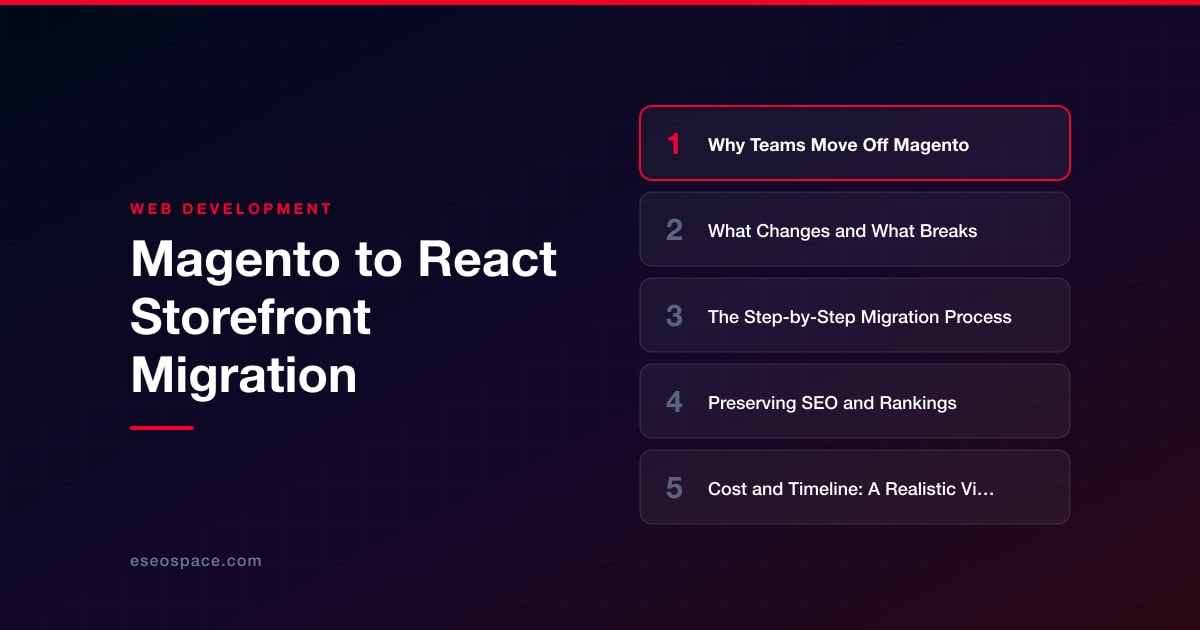
Why Teams Move Off Magento
The reasons cluster around performance, cost, and developer velocity. Magento's server-rendered Luma theme ships heavy jQuery, Knockout.js, and RequireJS bundles, and its full-page cache is fragile the moment you introduce personalization. Even well-tuned stores struggle to keep Largest Contentful Paint under the 2.5-second threshold on mobile.
- Total cost of ownership. Adobe Commerce licensing runs into five and six figures annually, and Magento Open Source still demands senior PHP specialists, dedicated hosting, and constant security patching.
- Front-end rigidity. A design change means editing PHTML templates, LESS, and XML layout files, then clearing caches and reindexing — slow, error-prone, and hard to preview.
- Hiring reality. The pool of React developers is an order of magnitude larger than the pool of certified Magento engineers, so a modern stack lowers long-term staffing risk.
- End-of-life pressure. Magento 1 is dead, and each Magento 2 major upgrade is effectively a re-platform, which makes teams question whether the monolith is worth keeping at all.
Headless React answers all four: a small, fast client bundle, no license tax on the presentation layer, and a talent market that is deep and affordable. If you are still weighing options, our guide on how to choose the right JavaScript framework lays out the trade-offs between Next.js, Remix, and a custom Vite SPA for commerce.
What Changes and What Breaks
The biggest conceptual shift is that Magento stops being your website and becomes an API. You will typically expose the catalog through GraphQL (Magento's native API), REST, or a headless connector, and React consumes that data. That decoupling is powerful, but several things that Magento handled invisibly now become your responsibility.
- Rendering strategy. Magento server-renders every page. A naive React SPA renders client-side, which is death for SEO and perceived speed. You must adopt server-side rendering (SSR) or static generation (SSG) so crawlers and first paint get real HTML.
- URL structure. Magento URL keys, category paths, and layered-navigation query strings rarely map one-to-one to a React router. Every URL that changes needs a redirect, or you lose the ranking.
- Checkout and payment. Magento's native checkout, tax rules, and payment integrations do not come along for free. You either keep Magento's checkout in a hybrid setup or rebuild the flow against the commerce API and a payment provider like Stripe or Braintree.
- Extensions. Every marketplace module — reviews, search, wishlist, subscriptions — was PHP running inside Magento. In headless, each becomes a separate API or a React component you build or buy.
- CMS content. Magento CMS blocks and widgets do not render in React. Content usually migrates to a headless CMS (Contentful, Sanity, Storyblok) or stays in Magento and is pulled via GraphQL.
The single most common failure is treating this as a pure front-end swap and forgetting that admin workflows, indexing, and third-party pixels all assumed the old page structure. Map those dependencies before you write a line of React.
The Step-by-Step Migration Process
A safe migration is incremental and evidence-driven, not a big-bang cutover. Here is the sequence we use on ecommerce migration projects.
- 1. Audit and inventory. Crawl the live Magento store, export every indexed URL, and record traffic and rankings per page. This baseline is what you will measure the migration against.
- 2. Choose the architecture. Decide between full headless (React owns everything) or hybrid (React storefront, Magento checkout). Pick a rendering model — Next.js App Router with SSR/ISR is the common default for commerce.
- 3. Expose the data layer. Stand up Magento's GraphQL endpoint, or add a headless connector, and confirm you can fetch catalog, categories, prices, inventory, and customer data reliably.
- 4. Build the storefront in slices. Start with the highest-traffic templates — product detail, category listing, home, cart — as React components. Wire real data, not mocks, so edge cases surface early.
- 5. Rebuild integrations. Re-implement search (Algolia or Elasticsearch), reviews, analytics, and the payment/checkout flow. This is where a partner experienced in custom development and API integration saves weeks of trial and error.
- 6. Stage and QA. Deploy to a password-protected staging environment. Validate structured data, canonical tags, pricing accuracy, tax, and the full checkout on real devices.
- 7. Cut over with redirects live. Ship the 301 redirect map at the moment of DNS switch, submit the new sitemap, and monitor server logs and Search Console daily for the first few weeks.
Run the new stack in parallel as long as you can. Being able to A/B a template or roll back one route without touching the whole site is the difference between a calm launch and a fire drill.
Preserving SEO and Rankings
SEO is where most re-platforms lose money, and it is entirely preventable. The core principle: every URL that earned a ranking must either survive unchanged or 301-redirect to its closest equivalent. Follow a disciplined checklist rather than improvising.
- Build the redirect map first. Match old Magento URL keys to new React routes one-to-one. Our 301 redirect map guide shows how to handle category paths, faceted URLs, and retired SKUs without redirect chains.
- Render real HTML. Confirm that SSR/SSG output contains the full product content, not an empty
<div id="root">. Fetch pages as Googlebot and verify the rendered DOM. - Preserve on-page signals. Port titles, meta descriptions, H1s, canonical tags, hreflang, and Product/Breadcrumb structured data exactly. Missing JSON-LD is a silent ranking leak.
- Protect Core Web Vitals. The performance gain is the whole point — lazy-load images, ship a lean bundle, and keep LCP and CLS in the green so you gain rankings, not just hold them.
- Verify before and after. Work through a full website migration SEO checklist on staging, then re-run it post-launch. Keep the old sitemap accessible so Google can discover the redirects quickly.
Expect a temporary ranking wobble in the first two to four weeks as Google recrawls and re-renders. If the redirect map is complete and content parity is real, positions typically recover and often improve on the back of faster page speed.
Cost and Timeline: A Realistic View
A React storefront migration is a serious engineering project, and honest scoping prevents painful surprises. Timeline is driven by catalog size, the number of unique templates, and how many custom Magento extensions must be rebuilt — not by the raw product count.
- Small catalog, standard templates: roughly 6 to 10 weeks for a hybrid build that keeps Magento checkout.
- Mid-size store with custom features: 3 to 5 months, including search, reviews, and a rebuilt or heavily integrated checkout.
- Large or heavily customized Adobe Commerce store: 6 months or more, often phased template-by-template behind a proxy.
A focused hybrid migration is far more affordable than an annual Adobe Commerce license, and the ongoing savings compound because presentation changes no longer require Magento specialists. The highest-value early spend is the audit and redirect mapping — a few thousand dollars there protects the organic traffic that funds everything else. As a Clutch 5.0-rated agency, we scope migrations against your actual URL inventory and integration list, not a generic template, so the estimate reflects your store.
Making the Move With Confidence
Leaving Magento is not about chasing a trend — it is about owning a storefront that is fast, cheap to evolve, and staffable for the next decade. React gives you an app-quality shopping experience, Core Web Vitals headroom, and a front end your team can iterate on weekly instead of quarterly. The risk lives almost entirely in the SEO transition, and that risk is controllable with a complete redirect map, true content parity, and server-rendered HTML.
Approach it as an incremental, measured project rather than a big-bang rewrite, keep the old and new stacks running in parallel, and validate against a baseline you captured before you started. Do that, and you emerge with a modern storefront and your rankings intact. If you want a partner who has done this cutover before, our website migration team can map the path from Magento to React end to end.
Get a FREE Audit
We'll perform a comprehensive SEO, AEO, GEO & CRO audit of your website — completely free — and show you exactly how to outrank your competitors.
Don't have a site yet? Get in touch →
Put this into action with eSEOspace
We help businesses grow with website development that actually performs. Explore the services behind this guide:
Frequently Asked Questions
Why migrate from Magento to a React storefront?
Will migrating to React hurt my Google rankings?
Do I have to replace Magento's checkout and payments?
How long does a Magento to React migration take?
What breaks when Magento becomes headless?
Get a FREE GEO/AEO/SEO Audit
We'll analyze your site's SEO, GEO, AEO & CRO — completely free — and show you exactly how to get found across Google and AI answers.
Don't have a site yet? Get in touch →
Great — your audit is on the way!
We'll send your free SEO/GEO/AEO/CRO audit within the next few hours. Where should we send it?
You're all set! ✓
Your free audit is being prepared — check your inbox in the next few hours. Talk soon!








