



WordPress to Ruby on Rails: When to Consider It
WordPress to Ruby on Rails: When to Consider It
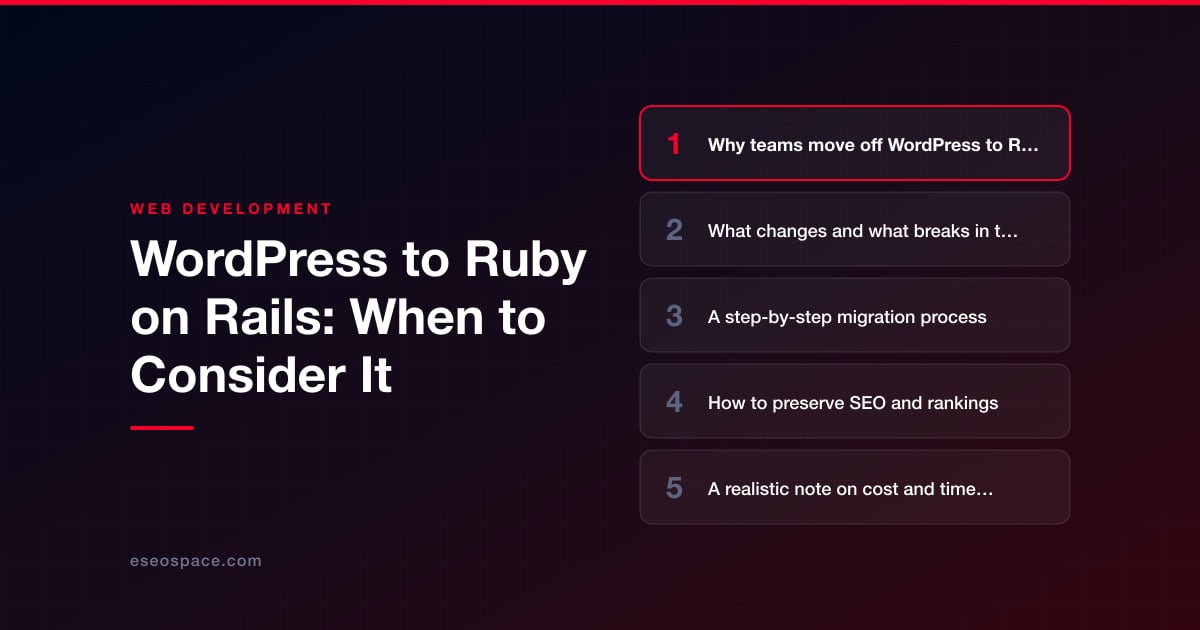
Key Takeaways
- Migrate from WordPress to Ruby on Rails when your site has outgrown a CMS and become a custom application with real business logic, user accounts, and integrations.
- Rails is an application framework, not a CMS, so plugins, themes, shortcodes, and wp-admin do not carry over and must be replaced with code or chosen tools.
- The migration is a phased software project: audit URLs, model data, build the app, import content, redirect, QA on staging, then cut over and monitor.
- SEO is preserved by keeping URLs identical where possible, building a complete 301 redirect map, porting all metadata, and matching or beating performance.
- Expect a marketing site in four to eight weeks and an application-heavy site in three to six months, with cost driven by custom functionality, not content volume.
WordPress powers a huge share of the web because it is fast to launch and easy to edit. But there is a point where a content management system stops being an asset and starts being a ceiling. When your product logic outgrows posts and pages, when plugin sprawl becomes a security liability, and when every new feature requires fighting the framework instead of building on it, teams start looking at Ruby on Rails. Rails is not a CMS. It is an application framework built for custom, database-driven products with real business logic, user accounts, workflows, and integrations.
Moving from WordPress to Rails is a genuine re-platforming, not a theme swap. You are trading a plugin ecosystem for code you own, and a PHP CMS for a Ruby application with a strict, opinionated structure. Done well, the payoff is a faster, more secure, more maintainable codebase that can evolve for years. Done carelessly, it can tank your search rankings and stall your roadmap. This guide walks through when the move makes sense, what changes, how to migrate step by step, and how to protect the SEO equity you have already earned.
Why teams move off WordPress to Rails
The most common driver is that the site has quietly become an application. You started with a marketing site and a blog, then added membership logins, a booking system, a quoting tool, a dashboard, or a two-sided marketplace. In WordPress, each of those is a plugin or a pile of custom post types glued together with hooks. The result is fragile: an update to one plugin breaks another, performance degrades under concurrent users, and no single developer fully understands how the pieces interact.
- Custom business logic: Rails gives you clean models, controllers, service objects, and background jobs. Complex rules that feel like a hack in WordPress become first-class, testable code.
- Security and maintenance: Plugins are where most WordPress vulnerabilities are found: 91% of the new ones reported in 2025, according to Patchstack. A Rails app has far fewer moving parts you did not write, and dependency updates are managed through Bundler with a real test suite guarding you.
- Performance at scale: A well-built Rails app with proper caching and a tuned Postgres database handles heavy, dynamic traffic and API load more predictably than a plugin-heavy WordPress install.
- Developer velocity: Rails conventions, migrations, and automated testing let a team ship features confidently. You stop being limited by what a plugin author decided to expose.
If your needs are genuinely still content and a contact form, Rails is overkill and WordPress is the right tool. The move pays off specifically when you are building a product, not just publishing pages. Our custom website and CRM development work almost always lands on a framework like Rails for exactly this reason.
What changes and what breaks in the move
The biggest mental shift is that WordPress mixes content and code, while Rails separates them. In WordPress, editors log into wp-admin and change anything. In Rails, content lives in your database and is served by views you control, so you must consciously decide how non-technical staff will edit it going forward.
- The admin and editing experience breaks: There is no wp-admin. You either build a custom admin (tools like ActiveAdmin or Avo), integrate a headless CMS, or use Rails' ActionText for rich content. This is a design decision, not an afterthought.
- Plugins do not carry over: Every plugin becomes either a Ruby gem, a third-party API, or custom code. Forms, SEO settings, caching, memberships, and e-commerce all need a deliberate replacement chosen up front.
- Themes and shortcodes disappear: WordPress themes and shortcodes have no equivalent. Front-end templates are rebuilt as Rails views (ERB or ViewComponent), often with Hotwire/Turbo for interactivity instead of jQuery-heavy plugins.
- URLs and permalinks change unless you plan for them: WordPress permalink structures rarely map one-to-one to Rails routes, which is the single biggest SEO risk in the whole project.
- Hosting changes: You leave cheap shared PHP hosting for an app platform (Render, Fly.io, Heroku, or your own servers) with a Postgres database, background workers, and a deploy pipeline.
Content itself is portable. Your posts, pages, media, and metadata can be exported from the WordPress database or the REST API and imported into Rails models. The engineering, not the data, is where the effort concentrates.
A step-by-step migration process
Treat this as a software project with a content pipeline attached, and run it in a clear sequence rather than all at once.
- 1. Audit and inventory. Catalog every URL, template, plugin, form, and integration. Pull analytics to identify your top-traffic and top-converting pages. Map which plugins represent real features versus cruft you can drop. This inventory drives scope and your redirect plan.
- 2. Model the data. Translate WordPress post types, taxonomies, and custom fields into Rails models and Postgres tables. A blog post becomes a Post model; categories and tags become associations. Decide where structured content that lived in plugin tables now belongs.
- 3. Build the Rails application. Set up the app, models, controllers, and views. Recreate templates with your chosen front-end approach and implement the features that replace critical plugins. Write tests as you go so future changes stay safe.
- 4. Migrate the content. Write an importer that reads the WordPress database or REST API and populates your Rails models, including media files, publish dates, authors, and metadata. Run it repeatedly against staging until it is clean and idempotent.
- 5. Preserve URLs and build redirects. Map every old permalink to its new Rails route and implement 301 redirects. This step is non-negotiable and deserves its own attention, covered below.
- 6. QA on staging. Compare page-for-page against the live WordPress site: content parity, metadata, internal links, forms, and load times. Crawl the staging site to catch broken links and orphaned pages before launch.
- 7. Cut over and monitor. Launch during low traffic, submit the new sitemap to Google Search Console, and watch crawl stats, index coverage, and rankings daily for the first few weeks.
Because this is involved and unforgiving of shortcuts, many teams bring in help for the cutover; our website migration services exist specifically to run this sequence without a traffic drop.
How to preserve SEO and rankings
Rankings live at the URL level, and a re-platform is where they are most often lost. The good news is that Google does not care whether a page is served by PHP or Ruby. It cares whether the same content is reachable at the same address, loads fast, and keeps its signals. Protecting that comes down to discipline.
- Keep URLs identical where you can. Configure Rails routes to match your existing permalink structure so high-value pages never move. When a URL must change, a permanent 301 redirect passes the accumulated link equity to the new location.
- Build a complete redirect map. Every old URL needs a destination, with no chains and no loops. A thorough 301 redirect map for a website migration is the backbone of retained rankings.
- Preserve on-page metadata. Port title tags, meta descriptions, canonical tags, heading structure, image alt text, and structured data. Whatever Yoast or Rank Math managed in WordPress must be reimplemented in your Rails views.
- Match or beat performance. Core Web Vitals are ranking signals. Use fragment caching, a CDN, and optimized images so the Rails site is at least as fast as before.
- Regenerate the XML sitemap and robots rules, then submit the sitemap in Search Console at launch to accelerate recrawling of the new structure.
Work through a full website migration SEO checklist before and after cutover so nothing slips. If you are still weighing your target stack, our guide on how to choose the right framework for a website can help you confirm Rails versus a JavaScript-first alternative.
A realistic note on cost and timeline
Be honest with yourself: this is a rebuild, not a migration in the WordPress-to-WordPress sense. A straightforward marketing site with a blog might take four to eight weeks. An application-heavy site with memberships, dashboards, e-commerce, or integrations commonly runs three to six months or more. The variable is not content volume; it is how much custom functionality has to be rebuilt from scratch.
- Discovery and data modeling is where good projects invest early. Skipping it is the top cause of overruns.
- Custom admin tooling is often underestimated. If editors need self-service publishing, budget real time for it.
- Hosting costs rise from a few dollars of shared PHP hosting to app-platform and database pricing, but you gain performance and control.
- Ongoing maintenance shifts from clicking plugin updates to managed dependency upgrades and deploys, which is cheaper and safer over the long run.
The way to control cost is to scope tightly, migrate in phases, and avoid gold-plating features that plugins used to fake. A phased approach also de-risks the launch, letting you validate the content migration and redirects before rebuilding the heaviest interactive features.
Making the call with confidence
Migrating from WordPress to Ruby on Rails is the right move when your site has become a product and WordPress has become the thing slowing you down. You gain a codebase you own, stronger security, better performance under load, and the freedom to build exactly what your business needs. You give up the plugin ecosystem and the familiar wp-admin, and you take on a real engineering project. Handled with a disciplined process, a complete redirect map, and careful SEO preservation, you can make that trade without sacrificing the rankings and traffic you have already built. If the ceiling is real, Rails is a durable place to build the next several years of your product.
Get a FREE Audit
We'll perform a comprehensive SEO, AEO, GEO & CRO audit of your website — completely free — and show you exactly how to outrank your competitors.
Don't have a site yet? Get in touch →
Put this into action with eSEOspace
We help businesses grow with website development that actually performs. Explore the services behind this guide:
Frequently Asked Questions
When should I move from WordPress to Ruby on Rails?
Will migrating to Rails hurt my Google rankings?
Can my content and media transfer from WordPress to Rails?
How will editors update the site without wp-admin?
How much does a WordPress-to-Rails migration cost and take?
Get a FREE GEO/AEO/SEO Audit
We'll analyze your site's SEO, GEO, AEO & CRO — completely free — and show you exactly how to get found across Google and AI answers.
Don't have a site yet? Get in touch →
Great — your audit is on the way!
We'll send your free SEO/GEO/AEO/CRO audit within the next few hours. Where should we send it?
You're all set! ✓
Your free audit is being prepared — check your inbox in the next few hours. Talk soon!








