



Joomla to Next.js Migration Guide
Joomla to Next.js Migration Guide
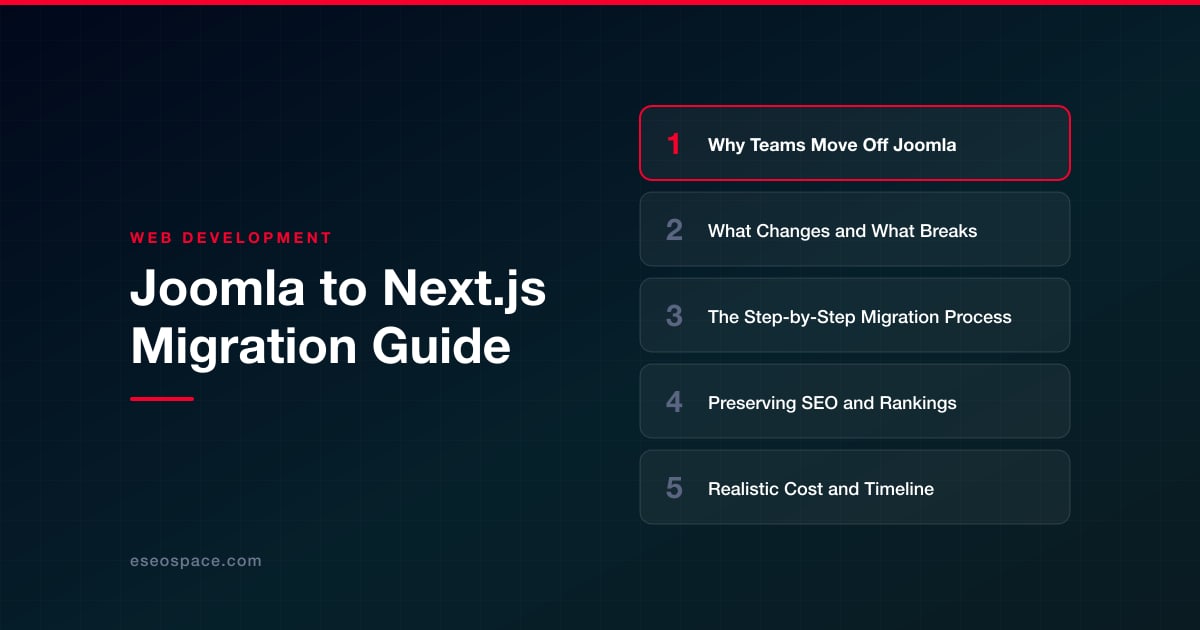
Key Takeaways
- Teams leave Joomla to escape extension bloat, security exposure, developer scarcity, and poor Core Web Vitals that a modern framework like Next.js solves natively.
- Nothing from Joomla's extension ecosystem ports over — forms, galleries, module positions, and SEF URLs must all be rebuilt in React and mapped deliberately.
- A disciplined migration follows seven phases: audit, choose a content backend, export content, build the frontend, map 301 redirects, stage and QA, then launch and monitor.
- SEO survival depends on 301 redirects for every legacy URL, ported metadata and structured data, and identical or improved content at each address.
- Cost scales with content volume and custom functionality, not page count alone; most small-to-mid migrations pay for themselves within a year.
Joomla powered a generation of content-heavy websites, but many teams now find it holding them back. Extension bloat, PHP version headaches, slow Time to First Byte, and a shrinking pool of developers who know the platform all add friction to what should be simple updates. When the CMS starts dictating what your marketing team can and cannot ship, it is usually time to look at a modern JavaScript framework instead.
Migrating from Joomla to Next.js is a meaningful architectural shift, not a theme swap. You move from a monolithic PHP application that renders pages on a shared server to a React-based framework that pre-renders static HTML, streams server components, and deploys to a global edge network. Done well, the result is a faster, more secure, more flexible site. Done carelessly, it can vaporize years of hard-won search rankings.
This guide walks through why teams leave Joomla, what actually changes and breaks in the move, a repeatable step-by-step process, and how to protect your SEO throughout. It closes with a candid look at cost and timeline so you can plan the project with clear eyes.
Why Teams Move Off Joomla
The most common driver is performance and maintenance fatigue. A typical Joomla install stacks a template framework, a page builder, SEF-URL plugins, caching extensions, and a dozen third-party components. Each has its own update cycle, and a single incompatible extension can break the whole site after a Joomla core update. Teams grow tired of testing upgrades in staging just to keep the lights on.
Other frequent motivations include:
- Security exposure. Joomla's plugin ecosystem is a large attack surface, and unpatched extensions are a leading cause of compromised sites.
- Developer scarcity. Hiring React and Next.js engineers is far easier in 2026 than finding senior Joomla specialists, which affects long-term cost and velocity.
- Core Web Vitals. Server-rendered PHP with heavy templates struggles to hit good LCP and INP scores without aggressive tuning.
- Composability. Modern teams want a headless architecture where content, commerce, and marketing tools connect through APIs rather than living inside one monolith.
Next.js answers these directly with static generation, incremental static regeneration, image optimization, and first-class support for headless CMS backends. If you are still weighing platforms, our guide on how to choose a JavaScript framework for your website compares the leading options in more depth.
What Changes and What Breaks
The biggest conceptual change is the split between content and presentation. In Joomla, articles, categories, menus, and modules all live in one MySQL database and render through PHP templates. In a Next.js build, your content typically moves to a headless CMS (such as Sanity, Contentful, or Strapi) or to Markdown/MDX files, and the frontend consumes it over an API at build time.
Expect these things to break or require rebuilding:
- Extensions and modules. Nothing from the Joomla Extensions Directory carries over. Contact forms, galleries, sliders, and membership components must be re-implemented with React libraries or third-party services.
- SEF URL structures. Joomla's SEF plugins often produce URLs like /index.php?option=com_content&view=article&id=42 or category-prefixed paths. Your new clean URLs will differ and must be mapped.
- Server-side forms and logic. PHP form handlers become Next.js API routes, serverless functions, or Server Actions.
- Template overrides and positions. Module positions and template overrides have no equivalent; layout is rebuilt in React components.
- User accounts and gated content. Joomla's ACL and login system must be replaced with a modern auth provider if you have registered users.
What carries over cleanly is your content itself — the words, images, and media — and your information architecture, provided you plan the URL mapping deliberately. Because so much is rebuilt rather than ported, many teams use the migration as a chance to prune stale content and consolidate thin pages.
The Step-by-Step Migration Process
A disciplined migration follows a predictable sequence. Rushing any phase, especially content export and redirect mapping, is where projects go wrong.
- 1. Audit and inventory. Crawl the live Joomla site with Screaming Frog to capture every URL, title, meta description, canonical, and status code. Export your top pages by organic traffic and backlinks from Google Search Console and Ahrefs so you know what must be protected.
- 2. Choose your content backend. Decide between a headless CMS for editor-friendly workflows or Git-based MDX for developer-centric sites. Model your content types (articles, authors, categories) to mirror your Joomla structure.
- 3. Export the content. Pull articles from the Joomla database (the #__content table) via a script, the REST API, or a CSV export, then transform the HTML into your target format, rewriting internal links and image paths as you go.
- 4. Build the Next.js frontend. Scaffold the app with the App Router, rebuild templates as components, wire up dynamic routes for articles and categories, and implement forms as API routes. Recreate SEO metadata using the Next.js Metadata API.
- 5. Map redirects. Create a one-to-one 301 redirect from every old Joomla URL to its new counterpart. Our walkthrough on building a 301 redirect map for a website migration covers how to structure this without gaps.
- 6. Stage and QA. Deploy to a preview environment, validate rendering, run Lighthouse, check every redirect, and confirm structured data and canonicals are intact.
- 7. Launch and monitor. Cut over DNS, submit the new sitemap in Search Console, and watch crawl stats and rankings daily for the first few weeks.
For teams without in-house React capacity, our website migration services handle this full sequence end to end, and complex apps often pair it with custom website and CRM development to integrate lead flows and internal tooling.
Preserving SEO and Rankings
SEO preservation is the single highest-stakes part of the project. Search engines have years of trust invested in your existing URLs, and losing that mapping causes traffic to crater. The non-negotiables are 301 redirects, preserved metadata, and identical or improved content.
Follow these principles:
- Keep URLs identical where possible. If a Joomla page ranks at /services/web-design, replicate that exact path in Next.js so no redirect is even needed.
- Redirect everything else with 301s, never 302s. Temporary redirects do not pass full link equity. Map every legacy SEF URL and every index.php query-string variant.
- Port all on-page metadata. Titles, meta descriptions, canonical tags, Open Graph data, and heading hierarchy should transfer verbatim unless you are deliberately improving them.
- Rebuild structured data. Re-implement JSON-LD schema (Article, Organization, Breadcrumb) using Next.js so rich results are not lost.
- Regenerate and submit sitemaps. Produce a fresh XML sitemap and resubmit it in Google Search Console at launch.
Work through our website migration SEO checklist before and after cutover to make sure nothing slips. Expect a small, temporary ranking fluctuation in the first two to four weeks as Google recrawls; if redirects and content are solid, rankings typically recover and then improve thanks to better Core Web Vitals.
Realistic Cost and Timeline
A Joomla to Next.js migration is priced by scope, not by page count alone. A small brochure site of 15 to 30 pages with a headless CMS and standard forms generally runs a few weeks and a modest budget. A large content site with thousands of articles, custom components, gated membership, and integrations can span two to four months.
The cost drivers to weigh are:
- Content volume and cleanliness. Well-structured Joomla content scripts easily; years of inconsistent inline HTML require manual cleanup.
- Custom functionality. Every bespoke Joomla component (directories, calculators, member areas) must be rebuilt in React.
- Integrations. CRMs, payment gateways, and marketing tools add engineering time.
- Design decisions. A verbatim visual mirror is faster than a full redesign done alongside the migration.
Most small-to-mid migrations land in a predictable, transparent range, and we scope every project up front so there are no surprises. Rather than fixating on the sticker price, weigh it against the ongoing cost of Joomla maintenance, security patching, and lost conversions from a slow site — the migration usually pays for itself within a year.
Moving Forward with Confidence
Leaving Joomla is not about chasing trends; it is about removing the operational drag that keeps your team firefighting instead of growing. Next.js gives you a faster, safer, more maintainable foundation, and with a disciplined redirect strategy your search equity comes along for the ride. The teams that migrate successfully are the ones that treat SEO preservation and content mapping as first-class deliverables rather than afterthoughts. Plan the sequence carefully, protect every ranking URL, and the move from Joomla to a modern framework becomes one of the highest-return investments your site can make.
Get a FREE Audit
We'll perform a comprehensive SEO, AEO, GEO & CRO audit of your website — completely free — and show you exactly how to outrank your competitors.
Don't have a site yet? Get in touch →
Put this into action with eSEOspace
We help businesses grow with website development that actually performs. Explore the services behind this guide:
Frequently Asked Questions
Will migrating from Joomla to Next.js hurt my Google rankings?
Can I keep my existing Joomla content when moving to Next.js?
How long does a Joomla to Next.js migration take?
What Joomla features do not carry over to Next.js?
Do I need a headless CMS after migrating to Next.js?
Get a FREE GEO/AEO/SEO Audit
We'll analyze your site's SEO, GEO, AEO & CRO — completely free — and show you exactly how to get found across Google and AI answers.
Don't have a site yet? Get in touch →
Great — your audit is on the way!
We'll send your free SEO/GEO/AEO/CRO audit within the next few hours. Where should we send it?
You're all set! ✓
Your free audit is being prepared — check your inbox in the next few hours. Talk soon!








