



Joomla to React Migration Guide
Joomla to React Migration Guide
Key Takeaways
- Migrating from Joomla to React is an architectural rebuild, not a plugin swap — React has no built-in CMS, template system, or extensions, so each of those must be replaced deliberately.
- Pair React with server-side rendering or static generation (typically Next.js) so search engines receive fully rendered HTML instead of an empty JavaScript shell.
- A complete 301 redirect map from every old Joomla SEF URL to its new counterpart is the single most important step for preserving rankings.
- Your content survives the move cleanly, but forms, search, memberships, and e-commerce all get re-engineered as API-driven React components.
- Timelines range from 4-8 weeks for small content sites to 16-plus weeks for large or e-commerce migrations, with content scripting and QA driving most of the cost.
Joomla powered a generation of content-heavy websites, but many teams now find themselves fighting the platform instead of building with it. Extension conflicts after core updates, an aging template ecosystem, PHP version headaches, and a shrinking pool of developers who actually know Joomla all push organizations toward a modern, component-based stack. Migrating from Joomla to React (typically paired with Next.js or a headless CMS) is one of the most common paths teams take when they want speed, flexibility, and a maintainable long-term codebase.
This guide walks through why teams leave Joomla, what actually changes and what breaks in the move, a realistic step-by-step migration process, and how to protect the SEO equity you have spent years building. React is not a like-for-like replacement for Joomla; it is a fundamentally different architecture, and treating the migration as a straight port is the fastest way to lose rankings and blow your budget.
If you are weighing this move, the goal is to arrive at a faster, decoupled site without dropping a single indexed URL or breaking a single form. That takes planning, and it starts with understanding exactly what you are trading away and gaining.
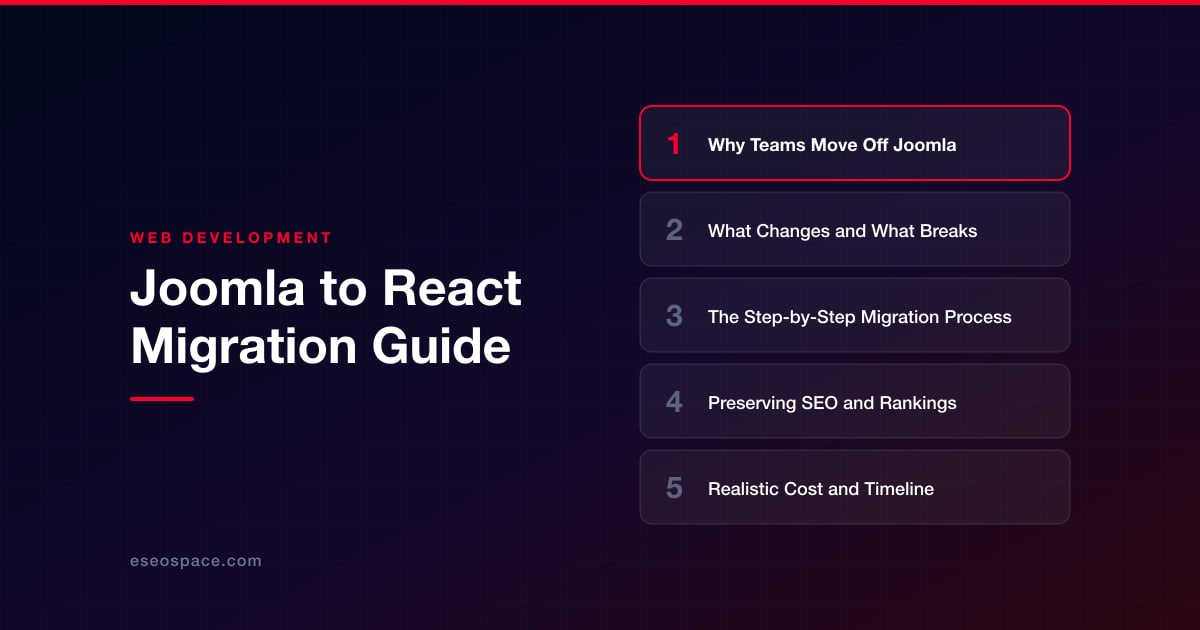
Why Teams Move Off Joomla
The decision to leave Joomla is rarely about a single feature. It is usually the accumulation of maintenance friction. Joomla's monolithic architecture couples content, presentation, and logic tightly together through its template and extension system, which means a single bad extension update can take down the whole site. Teams commonly cite these drivers:
- Extension fragility. Third-party extensions frequently lag behind Joomla core releases, forcing you to choose between security patches and a working site.
- Developer scarcity. The talent pool for Joomla has thinned considerably, making hiring and support expensive and slow.
- Performance ceilings. Server-rendered PHP with heavy extensions and database queries struggles to hit modern Core Web Vitals targets without aggressive caching workarounds.
- Front-end limitations. Building rich, app-like interactions inside Joomla's template system is painful compared to a modern component model.
- Headless flexibility. Teams want to serve the same content to a website, a mobile app, and third-party channels from one API, which a decoupled React front end enables naturally.
React solves these by decoupling the presentation layer entirely. Your content can live in a headless CMS or be exported to a database, and React consumes it through APIs. If you are still deciding on the exact stack, our guide on how to choose a JavaScript framework for your website compares the realistic options for content sites versus web applications.
What Changes and What Breaks
The most important mental shift is that React does not have a built-in CMS, template system, or admin panel the way Joomla does. Everything Joomla gave you out of the box becomes a decision you now make explicitly. Understanding these gaps up front prevents nasty surprises mid-project.
- Content management. Joomla's article and category system does not exist in React. You will pair React with a headless CMS (Strapi, Contentful, Sanity, or WordPress-as-headless) or a framework like Next.js with a content layer.
- Extensions and modules. Every Joomla extension — galleries, forms, SEO tools, membership plugins — must be replaced with a React library, a third-party SaaS, or custom code. There is no direct equivalent.
- URL structure. Joomla's SEF URLs, often shaped by extensions like sh404SEF, rarely map cleanly to React routing. This is the single biggest SEO risk and requires a redirect strategy.
- Forms and dynamic features. Contact forms, search, logins, and e-commerce all move from server-side PHP to API-driven React components, often needing a backend or serverless functions.
- Rendering model. A plain React SPA renders in the browser, which is bad for SEO. Serious content migrations use server-side rendering or static generation via Next.js so crawlers receive fully rendered HTML.
What survives cleanly is your actual content — the text, images, and media. The database export from Joomla becomes your migration payload, and the engineering work is mapping that content into a new model and rebuilding the features around it.
The Step-by-Step Migration Process
A disciplined migration follows a predictable sequence. Skipping steps here is where projects go sideways.
- 1. Audit and inventory. Crawl the existing Joomla site to catalog every URL, template, extension, form, and content type. Export analytics to identify your highest-traffic and highest-value pages.
- 2. Choose the architecture. Decide between Next.js with static generation, a headless CMS plus React, or a fully custom build. Content-heavy sites almost always benefit from Next.js for its SEO-friendly rendering.
- 3. Extract the content. Pull articles, categories, and media from the Joomla database (via the API, a SQL export, or a migration script) and transform it into a clean, structured format your new CMS can ingest.
- 4. Rebuild the front end. Recreate templates as reusable React components, matching the existing design closely enough that users and search engines see continuity.
- 5. Rebuild dynamic features. Replace forms, search, and any membership or e-commerce logic with React components backed by APIs or serverless functions. This is often where custom development and CRM integration work lives.
- 6. Build the redirect map. Map every old Joomla URL to its new counterpart before launch. This is non-negotiable for SEO.
- 7. Stage, test, and launch. Deploy to a staging environment, QA every template and redirect, then cut over DNS and monitor closely.
Because the process spans content, design, and infrastructure, many teams bring in a partner for the heavy lifting. Our website migration services handle the extraction, rebuild, and redirect mapping as a single coordinated project so nothing falls through the cracks between phases.
Preserving SEO and Rankings
SEO is where Joomla-to-React migrations most often go wrong, because React changes both your URLs and your rendering model simultaneously. Protecting rankings requires deliberate work on both fronts. Follow a structured website migration SEO checklist and treat these as mandatory:
- Preserve URLs where possible. If your new routing can keep the same paths as the old SEF URLs, keep them. Every unnecessary URL change is a small risk.
- Build a complete 301 redirect map. Where URLs must change, every old URL needs a permanent redirect to its closest new equivalent. Our guide to building a 301 redirect map for a website migration covers how to do this at scale without orphaning pages.
- Render HTML on the server. Use SSR or static generation so Googlebot receives complete markup, not an empty div waiting for JavaScript. This is the technical heart of SEO-safe React.
- Migrate metadata faithfully. Title tags, meta descriptions, canonical tags, structured data, and Open Graph tags must carry over per page, not as generic defaults.
- Preserve internal linking and sitemaps. Regenerate an XML sitemap for the new URLs and submit it, and keep internal link structures intact to maintain crawl equity.
After launch, monitor Google Search Console for crawl errors, indexation drops, and ranking movement daily for the first few weeks. A temporary dip is normal as Google recrawls; a sustained drop signals a broken redirect or a rendering problem that needs immediate attention.
Realistic Cost and Timeline
A Joomla to React migration is a rebuild, not a plugin swap, and the budget should reflect that. The cost scales with the number of content templates, the complexity of dynamic features, and how much of the design is being preserved versus redesigned. A straightforward brochure-style Joomla site with a handful of templates and a contact form typically lands in the lower range, while a large content library with memberships, search, and e-commerce sits considerably higher.
- Small content site (under ~50 pages, few features): often 4 to 8 weeks.
- Mid-size site (hundreds of pages, several dynamic features): typically 8 to 16 weeks.
- Large or e-commerce site (thousands of URLs, complex integrations): 16 weeks and up, often phased.
The biggest cost drivers are content migration scripting, feature re-engineering, and thorough redirect and QA work — not the React front end itself, which is comparatively fast to build once the architecture is set. Budgeting for a proper staging-and-testing phase is where teams either protect their investment or pay for it later in lost traffic.
Making the Move With Confidence
Moving from Joomla to React is a significant step, but it is a well-trodden one. Done properly, you come out with a faster, more secure, and far more maintainable site that your team can actually extend — free from extension conflicts and the shrinking Joomla talent pool. The keys are treating it as an architectural rebuild rather than a port, rendering HTML on the server for SEO, and obsessing over your redirect map so no ranking is left behind.
The projects that succeed are the ones that plan the content extraction, feature replacement, and SEO preservation as a single coordinated effort rather than three separate afterthoughts. With the right process and an experienced team, a Joomla to React migration is not a gamble — it is an upgrade you can measure in load times, security posture, and the freedom to build whatever comes next.
Get a FREE Audit
We'll perform a comprehensive SEO, AEO, GEO & CRO audit of your website — completely free — and show you exactly how to outrank your competitors.
Don't have a site yet? Get in touch →
Put this into action with eSEOspace
We help businesses grow with website development that actually performs. Explore the services behind this guide:
Frequently Asked Questions
Can React replace Joomla directly?
Will migrating from Joomla to React hurt my SEO?
How long does a Joomla to React migration take?
What happens to my Joomla extensions in React?
Should I use Next.js or plain React for the migration?
Get a FREE GEO/AEO/SEO Audit
We'll analyze your site's SEO, GEO, AEO & CRO — completely free — and show you exactly how to get found across Google and AI answers.
Don't have a site yet? Get in touch →
Great — your audit is on the way!
We'll send your free SEO/GEO/AEO/CRO audit within the next few hours. Where should we send it?
You're all set! ✓
Your free audit is being prepared — check your inbox in the next few hours. Talk soon!








