



Squarespace to Sanity + Next.js Migration
Squarespace to Sanity + Next.js Migration
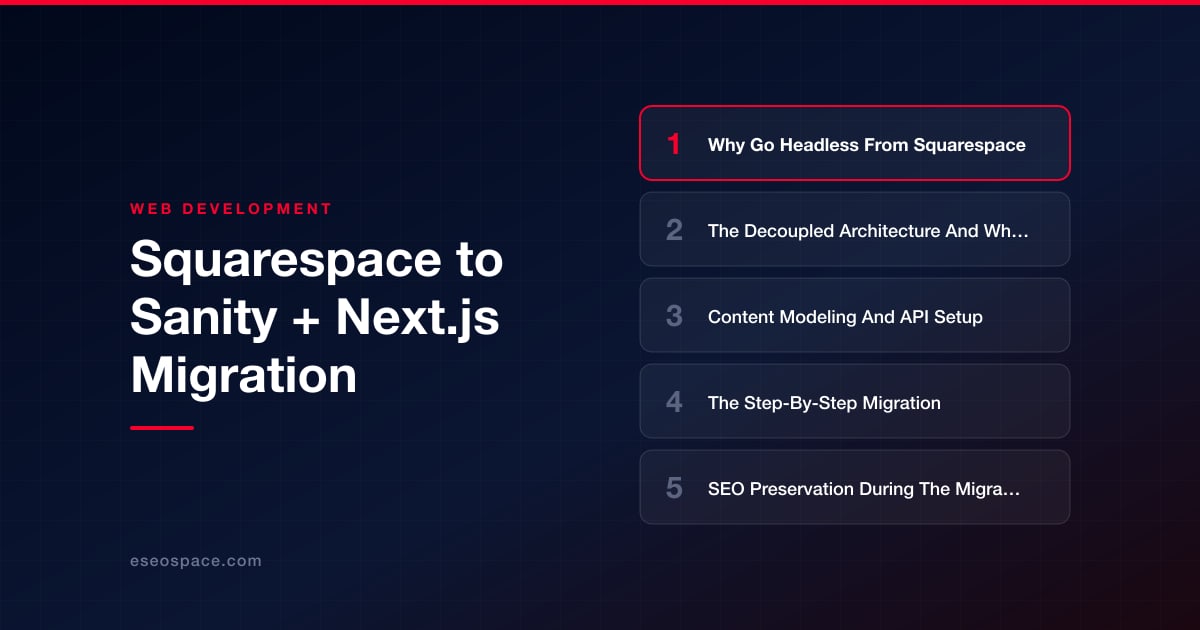
Key Takeaways
- Going headless from Squarespace separates your content layer (Sanity) from your presentation layer (Next.js), unlocking faster performance, content reuse across channels, and full developer control.
- The decoupled architecture means editors work in Sanity Studio while developers build the Next.js front end, with the two connected only through Sanity's GROQ or GraphQL API.
- Success depends on content modeling: define reusable document types, use references instead of duplication, store rich text as Portable Text, and bake in SEO fields from the start.
- The migration follows a clear sequence: export Squarespace XML, transform HTML into Portable Text with a Node script, import to Sanity, rebuild templates as Next.js components, and QA in staging.
- Preserve SEO by crawling the old site, building a 301 redirect map, porting all metadata into Sanity fields, and regenerating sitemaps and structured data before launch.
Squarespace is a fantastic on-ramp for launching a website quickly, but growing brands eventually hit its ceiling: rigid templates, sluggish Core Web Vitals, no real content API, and a design system you cannot fully control. When your marketing team wants reusable content across a web app, a mobile app, and email, or your developers want to ship components instead of wrestling with block editors, it is time to go headless. Migrating from Squarespace to Sanity (a structured-content CMS) paired with Next.js (a React framework) gives you a decoupled architecture that is faster, more flexible, and far more scalable.
This guide walks through why the move makes sense, how the decoupled architecture changes your mental model, how to model content and wire up Sanity's API, the actual step-by-step migration, and how to preserve every ounce of SEO equity you have built. It is written for teams who want a durable foundation, not a lateral move to another closed platform.
Why Go Headless From Squarespace
Squarespace couples your content, presentation, and hosting into a single locked box. That coupling is exactly what makes it easy to start and hard to scale. When you go headless, you separate the content layer (Sanity) from the presentation layer (Next.js), and each can evolve independently. The payoffs are concrete:
- Performance. Next.js pre-renders pages as static HTML or streams them from the edge, so you routinely hit sub-second Largest Contentful Paint numbers that Squarespace's bloated template runtime cannot match.
- Content reuse. Sanity stores content as structured JSON, not HTML blobs. The same author bio or product spec can feed your website, a native app, and a newsletter through one API.
- Developer freedom. You own the codebase. No plugin marketplace, no injection hacks, no fighting the block editor to place a custom component.
- Cost and lock-in. You are no longer paying escalating platform fees for features you outgrow, and your content is portable.
If you are weighing the tradeoffs more broadly, our breakdown of headless CMS versus traditional CMS covers where each model wins. The short version: if content structure, performance, and multi-channel delivery matter, headless is the right call.
The Decoupled Architecture And What Changes
In Squarespace, a single request hits their servers and returns a fully rendered page. In a headless setup, that responsibility splits in two. Sanity holds your content in a hosted Content Lake and exposes it through a query API. Next.js fetches that content at build time or on request, renders React components, and deploys to a CDN like Vercel or Netlify.
The most important mental shift is that content and design are no longer entangled. Editors work in Sanity Studio, an open-source React application you customize and host yourself. Developers build the front end in Next.js and query content using GROQ, Sanity's query language, or GraphQL. Because the two systems talk only through an API, you can redesign the entire front end without touching a single piece of content, and vice versa.
Rendering strategy also becomes a deliberate choice. Next.js lets you mix Static Site Generation for marketing pages, Incremental Static Regeneration to refresh content on a schedule, and Server-Side Rendering for personalized routes. This is a level of control Squarespace simply does not offer, and it is central to the kind of custom website and application development that ties your site into CRMs, commerce, and internal tools.
Content Modeling And API Setup
Headless success lives or dies on your content model. Instead of thinking in pages and blocks, you think in schemas: reusable document types with typed fields. Spend time here before you write front-end code.
- Define document types. Typical types include
post,author,category,page, andsiteSettings. Each is a JavaScript schema file in your Sanity Studio project. - Use references, not duplication. A post references an author document rather than embedding the author's name and bio. Change the bio once and it updates everywhere.
- Model rich text as Portable Text. Sanity stores formatted content as structured Portable Text, an array of typed blocks, instead of raw HTML. This is what makes content portable and renderable in any framework.
- Plan for SEO fields. Add
metaTitle,metaDescription,ogImage, and aslugto every routable type so nothing is an afterthought.
To set up the API, create a Sanity project with npm create sanity@latest, which scaffolds the Studio and gives you a project ID and dataset name. In your Next.js app, install @sanity/client and next-sanity, then configure a client with your project ID, dataset, API version, and a read token for draft content. You write GROQ queries like *[_type == "post" && slug.current == $slug][0] to fetch exactly the fields you need, no over-fetching. Sanity's webhooks can then trigger Next.js revalidation whenever an editor publishes, so pages stay fresh without a full rebuild.
The Step-By-Step Migration
With the model in place, the migration itself is methodical. Rushing this phase is where teams lose content and rankings, so treat it as a project with clear stages. Our full website migration services team runs this exact playbook, but here is the sequence:
- Export from Squarespace. Squarespace exports a WordPress-format XML file containing pages, blog posts, and images. Pull it from Settings, Import and Export. Note that galleries, product pages, and some block types do not export cleanly and need manual handling.
- Parse and transform. Write a Node script that reads the XML, converts each post's HTML body into Portable Text using
@sanity/block-tools, and maps fields to your schema. This is the heart of the migration and where structured modeling pays off. - Import to Sanity. Use the Sanity CLI's
sanity dataset importwith an NDJSON file, or stream documents through the client'screateOrReplacemutations. Upload images as Sanity assets so they are served from the global CDN. - Build the front end. Create Next.js routes that mirror your Squarespace URL structure, wire up GROQ queries, and render Portable Text with
@portabletext/react. Rebuild templates as components: header, footer, blog list, article, and landing pages. - QA in staging. Deploy to a preview URL, spot-check every content type, verify images and internal links resolve, and validate rendered metadata against the originals.
Do not delete your Squarespace site until the new site is live and verified. Keep it running in parallel so you have a fallback and a reference during QA.
SEO Preservation During The Migration
The single biggest risk in any platform move is losing search rankings, and it is entirely avoidable with discipline. Squarespace often uses URL patterns like /blog/post-title that you can either replicate exactly or redirect. The rule is simple: every old URL must resolve to the right new URL with a 301 redirect.
- Crawl the old site first. Use Screaming Frog or a similar tool to capture every live URL, title, meta description, and canonical tag before you touch anything. This is your baseline.
- Build a redirect map. Match each old URL to its new destination. In Next.js, implement these as permanent redirects in
next.config.jsor middleware. Our guide to building a 301 redirect map for a website migration covers the edge cases that trip people up. - Preserve metadata. Port every title, meta description, canonical, and Open Graph tag into your Sanity SEO fields and render them with the Next.js Metadata API.
- Regenerate sitemaps and structured data. Produce a fresh
sitemap.xml, keep yourrobots.txtpermissive, re-implement JSON-LD schema, and submit the new sitemap in Google Search Console.
Work through a complete website migration SEO checklist before and after launch so nothing slips. Monitor Search Console coverage and rankings closely for the first month; a well-executed headless migration typically holds or improves organic traffic thanks to the performance gains.
A Confident Path Forward
Moving from Squarespace to Sanity and Next.js is a genuine architectural upgrade, not a cosmetic change. You trade a convenient but constrained platform for a fast, structured, developer-owned foundation that scales with your ambitions. The work is real: modeling content properly, transforming exported data, rebuilding templates as components, and preserving every redirect. But the result is a site that loads in milliseconds, feeds content to any channel, and never forces you to fight your CMS again.
Approach it in stages, verify relentlessly in staging, and protect your SEO equity with a thorough redirect map. Do that, and the migration becomes a launchpad rather than a gamble. When you are ready to make the move without risking your rankings or your timeline, the eSEOspace team can architect, build, and cut over the whole thing for you.
Get a FREE Audit
We'll perform a comprehensive SEO, AEO, GEO & CRO audit of your website — completely free — and show you exactly how to outrank your competitors.
Don't have a site yet? Get in touch →
Put this into action with eSEOspace
We help businesses grow with website development that actually performs. Explore the services behind this guide:
Frequently Asked Questions
Can I export all my content from Squarespace automatically?
Will migrating to Sanity and Next.js hurt my search rankings?
What is the difference between Sanity Studio and the Sanity Content Lake?
How does content stay fresh without rebuilding the whole site?
Do I need a developer to run a Squarespace-to-Sanity migration?
Get a FREE GEO/AEO/SEO Audit
We'll analyze your site's SEO, GEO, AEO & CRO — completely free — and show you exactly how to get found across Google and AI answers.
Don't have a site yet? Get in touch →
Great — your audit is on the way!
We'll send your free SEO/GEO/AEO/CRO audit within the next few hours. Where should we send it?
You're all set! ✓
Your free audit is being prepared — check your inbox in the next few hours. Talk soon!








