



Wix to Next.js: From Website Builder to Custom Code
Wix to Next.js: From Website Builder to Custom Code
Key Takeaways
- Migrating from Wix to Next.js is a full rebuild, not an export, because Wix offers no meaningful path to export your site as portable code.
- Teams leave Wix for better performance, full code and data control, easier hiring, and freedom from platform lock-in that Next.js delivers.
- A 301 redirect map covering every changed URL is the single most important task for preserving rankings through the migration.
- Preserve titles, meta tags, structured data, and content while matching or beating Wix's page speed to defend and improve SEO.
- Cost and timeline scale with template count, CMS volume, and dynamic features; most small-business migrations take a few weeks.
Wix is an excellent place to launch a first website. Its drag-and-drop editor gets a business online in an afternoon, and the hosting, SSL, and templates are all handled for you. But the same abstractions that make Wix easy also become the ceiling that ambitious teams eventually hit. When you need faster page loads, granular control over markup, a real content pipeline, or integrations that Wix's Velo sandbox simply won't allow, the platform starts fighting you instead of helping you.
Migrating from Wix to Next.js is a jump from a closed website builder to an open, code-first React framework. You trade a walled garden for full ownership of your HTML, your data, your rendering strategy, and your hosting. Done carelessly, that jump can vaporize years of accumulated search rankings. Done deliberately, it can improve Core Web Vitals, unlock server-side rendering, and give your developers a codebase they can actually extend. This guide walks through why teams leave Wix, what genuinely breaks in the move, and how to migrate without losing the SEO equity you have built.
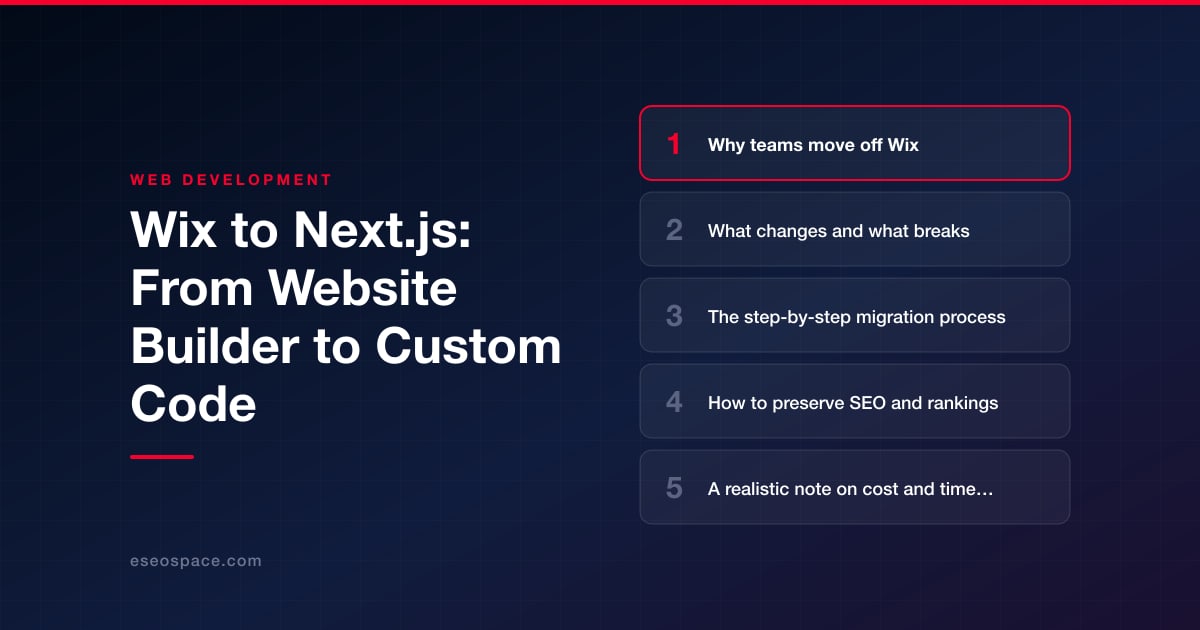
Why teams move off Wix
The decision to leave Wix is rarely about a single missing feature. It is the accumulation of constraints that only become visible as a business grows. The most common drivers we hear from clients are:
- Performance ceilings. Wix ships a heavy runtime, render-blocking scripts, and DOM structures you cannot trim. Even a well-built Wix site struggles to consistently hit green Core Web Vitals, especially Largest Contentful Paint and Interaction to Next Paint on mobile.
- Limited code control. Velo gives you a scripting layer, but you never touch the real server, the routing, or the generated markup. Custom schema, edge logic, and third-party integrations are all filtered through Wix's sandbox.
- Data portability. Content lives in Wix's proprietary CMS. There is no clean database export, no version control, and no way to treat content as code.
- Cost at scale. Business and enterprise Wix plans plus app-market add-ons add up, and you are still renting a platform you cannot own.
- Developer hiring. React and Next.js have an enormous talent pool. Velo specialists are scarce, which makes every future change slower and more expensive.
Next.js answers these directly with server-side rendering and static generation, a real filesystem-based router, unrestricted access to markup and headers, and deployment on infrastructure you control. If you are weighing options beyond Next.js, our guide on how to choose the right JavaScript framework for your website compares the realistic trade-offs.
What changes and what breaks
The single most important thing to understand before you start is that this is a rebuild, not an export. Wix has no meaningful "export to code" path. Your pages, styles, and interactions must be reconstructed in React components. Here is what that means in practice:
- URLs may change. Wix uses patterns like
/post/my-articleand appends query strings and hash fragments in ways you may not want to keep. Every URL that changes needs a redirect, or you lose its ranking. - The Wix CMS content must be extracted. You will pull content through the Wix Data and Blog APIs, scrape rendered pages, or copy manually, then load it into a headless CMS, Markdown files, or a database.
- Forms and dynamic features break. Wix Forms, bookings, members areas, and stores are platform features with no direct equivalent. Each needs a replacement, whether a form service, a headless commerce backend, or custom endpoints.
- Third-party embeds and pixels move. Analytics, chat widgets, and marketing tags that Wix injected must be re-added, ideally through a tag manager or Next.js script components.
- Design becomes intentional. Instead of a template, you get a component system, which is more work up front but eliminates the bloat.
What you gain is total control: semantic HTML, server-rendered metadata, image optimization through next/image, and the ability to build genuinely custom functionality. For teams that need bespoke logic, connecting Next.js to a real backend through custom website and CRM development is where the platform truly outgrows anything Wix could offer.
The step-by-step migration process
A disciplined migration follows a predictable sequence. Rushing any stage is where rankings get lost.
- 1. Crawl and inventory the existing site. Use Screaming Frog or Sitebulb to export every URL, title, meta description, canonical, and status code. Pull your top pages from Google Search Console and Analytics so you know exactly which URLs drive traffic and must be preserved.
- 2. Extract content and assets. Retrieve CMS entries, images, and copy. Store content in a structured format such as MDX or a headless CMS so it is portable and version-controlled going forward.
- 3. Scaffold the Next.js project. Set up the App Router, a component library, and your rendering strategy: static generation for marketing pages, incremental static regeneration for blogs, and server-side rendering for anything personalized.
- 4. Rebuild templates and pages. Recreate each page type as reusable components. Match the layout closely enough that users and search engines see continuity, and improve performance while you are in there.
- 5. Reimplement dynamic features. Wire up forms, search, bookings, or commerce using appropriate services or custom API routes.
- 6. Build the redirect map. Map every old Wix URL to its new destination. This is the single highest-leverage SEO task in the entire project; our 301 redirect map guide covers how to build one that holds.
- 7. Stage, QA, and validate. Deploy to a staging URL, block it from indexing, and test every template, redirect, form, and metadata tag before go-live.
- 8. Cut over DNS and monitor. Point the domain, submit the new sitemap, and watch Search Console daily for crawl errors and coverage changes.
If you would rather hand this off, our website migration services run this exact playbook end to end, and we maintain a dedicated Wix to Next.js migration path for platform-specific pitfalls.
How to preserve SEO and rankings
Search engines reward continuity. The goal of the migration is to change your technology while keeping every signal Google already trusts intact. The non-negotiables are:
- 301 redirects for every changed URL. A permanent redirect passes the vast majority of link equity. Missing redirects produce 404s, and 404s on ranked pages are how migrations tank.
- Preserve on-page signals. Carry over title tags, meta descriptions, H1s, structured data, canonical tags, and body content. If you improve them, do so gradually rather than rewriting everything at cutover.
- Match or beat performance. Use static generation and
next/imageso your new site loads faster than the Wix original. Faster pages defend rankings; slower ones erode them. - Rebuild structured data. Reimplement JSON-LD for articles, products, breadcrumbs, and organization markup, which Wix generated automatically.
- Regenerate and submit the sitemap. Publish an accurate
sitemap.xml, updaterobots.txt, and submit both in Search Console immediately after launch.
Work through a complete website migration SEO checklist before and after cutover so nothing slips. Expect a short, shallow ranking dip in the first two to four weeks as Google recrawls; a clean migration recovers and usually surpasses prior performance once the faster infrastructure is fully indexed.
A realistic note on cost and timeline
Because a Wix to Next.js move is a rebuild, budget and schedule scale with the size and complexity of your site rather than with page count alone. A focused marketing site of ten to twenty pages with standard forms typically runs a few weeks. A content-heavy site with hundreds of blog posts, a members area, or a store is a multi-month engagement. In practice, most small-business migrations land in the low-to-mid four figures, while complex builds with custom backends run higher.
The biggest cost drivers are the number of unique page templates, the volume of CMS content to migrate, the dynamic features that need reimplementation, and the redirect map's size. The best way to control cost is to inventory ruthlessly up front, retire dead pages instead of migrating them, and prioritize your revenue-driving templates first. Treat the migration as an investment: you are trading recurring platform fees and a performance ceiling for an asset you own outright and can extend indefinitely.
Making the move with confidence
Leaving Wix feels like a big step because it is one. You are moving from a system that hides complexity to one that hands you the controls. But the payoff is real: faster pages, cleaner markup, full data ownership, and a codebase your team can build on for years. The risk in a migration is almost never the technology; it is the SEO discipline around it. Handle the crawl, the redirects, and the metadata with care, and your rankings come through the transition intact. Rebuild thoughtfully on Next.js, and you end up with a site that is not just off Wix, but measurably better than what you left behind.
Get a FREE Audit
We'll perform a comprehensive SEO, AEO, GEO & CRO audit of your website — completely free — and show you exactly how to outrank your competitors.
Don't have a site yet? Get in touch →
Put this into action with eSEOspace
We help businesses grow with website development that actually performs. Explore the services behind this guide:
Frequently Asked Questions
Can I export my Wix site directly to Next.js?
Will I lose my Google rankings when migrating off Wix?
How long does a Wix to Next.js migration take?
What breaks when moving from Wix to Next.js?
Is Next.js worth it compared to staying on Wix?
Get a FREE GEO/AEO/SEO Audit
We'll analyze your site's SEO, GEO, AEO & CRO — completely free — and show you exactly how to get found across Google and AI answers.
Don't have a site yet? Get in touch →
Great — your audit is on the way!
We'll send your free SEO/GEO/AEO/CRO audit within the next few hours. Where should we send it?
You're all set! ✓
Your free audit is being prepared — check your inbox in the next few hours. Talk soon!








