



WordPress to React: Complete Migration Guide
WordPress to React: Complete Migration Guide
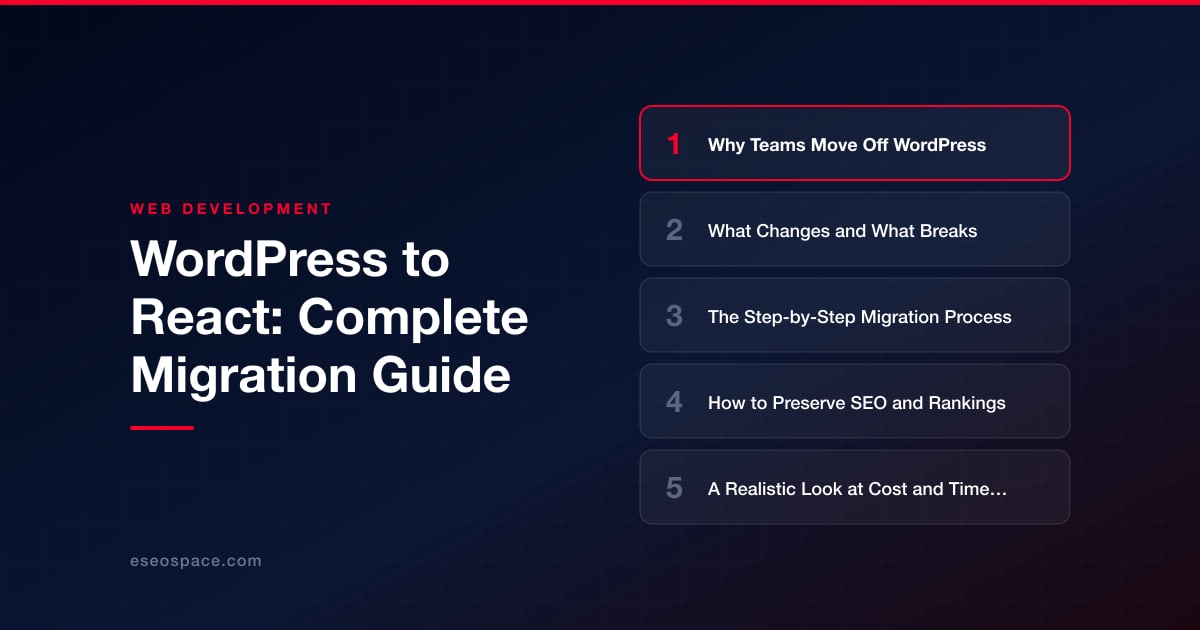
Key Takeaways
- Teams leave WordPress for performance ceilings, security and maintenance overhead, faster developer workflows, and app-like functionality that PHP templating struggles to deliver.
- PHP rendering, plugins, page builders, and the visual editor do not carry over and must be re-implemented as React components with replacement services for forms, commerce, and content authoring.
- A reliable migration follows a fixed sequence: audit, extract content, build a component system, rebuild pages, map redirects, QA on staging, then launch and monitor.
- SEO survives the move only with one-to-one URL matching, 301 redirects, preserved on-page signals, and server-side or static rendering so crawlers see real content.
- Budget a React migration like a rebuild: page count, template variety, and custom functionality drive a 3-week to 6-month timeline, with redirect mapping and QA consuming most effort.
WordPress still powers a huge share of the web, and for good reason: it is fast to launch and easy to edit. But as sites grow, teams increasingly hit its ceiling. Plugin bloat slows page loads, security patches become a treadmill, and the templating model fights against the interactive, app-like experiences that modern users expect. Moving to React (typically via Next.js, React Router (the framework formerly called Remix), or Astro with React islands) is how many organizations escape that ceiling without rebuilding their brand from scratch.
This guide walks through the full journey: the real reasons teams leave WordPress, what genuinely changes and what breaks in the move, a concrete step-by-step migration process, how to protect the SEO equity you have spent years earning, and an honest look at cost and timeline. The goal is not to sell you on React for its own sake, but to give you a clear, technical picture of what a disciplined migration actually looks like.
Why Teams Move Off WordPress
The decision to leave WordPress is rarely about a single frustration. It is usually the accumulation of several. The most common drivers we see are:
- Performance ceilings. A typical WordPress theme loads jQuery, multiple CSS files, and a stack of plugin scripts on every request. React frameworks ship server-rendered HTML with hydration and code-splitting, so users download only what a page needs. Core Web Vitals scores frequently jump from failing to passing after a well-built migration.
- Security and maintenance overhead. Every plugin is an attack surface and a dependency you must patch. A decoupled React front end has no public
wp-admin, no PHP execution on the edge, and a dramatically smaller surface for automated exploits. - Developer experience and velocity. Component-based architecture, TypeScript, Git-based workflows, and a real CI/CD pipeline let engineering teams ship confidently. Reusable components replace copy-pasted PHP templates.
- Custom, app-like functionality. Dashboards, configurators, gated portals, and real-time features are awkward in WordPress but native to React. When a marketing site needs to behave like software, React wins.
If your pain is mostly editorial convenience, a headless approach (keep WordPress as the content API, render with React) may be the answer. If your pain is structural, a full rebuild onto a custom stack is usually the better long-term investment. Choosing the right target is itself a decision worth deliberating; our guide to choosing a JavaScript framework for your website breaks down the trade-offs between Next.js, React Router (formerly Remix), and Astro.
What Changes and What Breaks
Being clear-eyed about what breaks prevents nasty surprises mid-project. The biggest structural change is that PHP rendering disappears. WordPress themes, shortcodes, and template hierarchy do not carry over; they must be re-implemented as React components. That is expected work, not a defect.
The items that most often catch teams off guard:
- Plugins with no React equivalent. Contact forms, membership gating, e-commerce, and SEO plugins (Yoast, Rank Math) all need replacements. Forms move to serverless functions or a form API; e-commerce often shifts to a headless commerce backend or a service like Shopify or Stripe.
- The visual editor. Gutenberg blocks and page builders like Elementor or Divi produce markup that does not exist in React. Content editors will need a new authoring path, whether that is a headless CMS (Sanity, Contentful, Payload) or Markdown/MDX in the repo.
- URL structures and permalinks. Any change to slugs, date-based paths, or category prefixes will break inbound links and rankings unless mapped. This is the single most important thing to get right.
- Media and uploads. The
wp-content/uploadsdirectory must be migrated to a CDN or object storage, with references rewritten. WordPress's automatic image sizing is replaced by framework image components (for examplenext/image). - Comments, search, and RSS. Built-in WordPress features become explicit integrations: a third-party comment service, a search index (Algolia, Pagefind), and a generated feed.
The Step-by-Step Migration Process
A reliable migration follows a predictable sequence. Skipping steps is where projects go wrong.
- 1. Audit and inventory. Crawl the existing site to capture every URL, template type, plugin, form, and integration. Export analytics to identify your highest-traffic and highest-value pages so you protect them first.
- 2. Extract content. Pull content out of WordPress via the REST API or WPGraphQL, or export the database. Decide whether WordPress stays as a headless CMS or whether content moves into a new system entirely.
- 3. Design the component system. Map each WordPress template (home, post, archive, landing page) to a React component. Build a shared design system so pages are composed, not hand-coded.
- 4. Rebuild pages and wire data. Implement routing, fetch content at build time (SSG) or request time (SSR) as appropriate, and reconnect forms, search, and any dynamic features. Complex data-driven features often justify pairing the front end with custom website and CRM development so leads and content flow into the systems your team already uses.
- 5. Build the redirect map. Create a one-to-one mapping from every old URL to its new location. This is non-negotiable and deserves its own careful pass, covered in our 301 redirect map guide.
- 6. Stage, QA, and test. Deploy to a staging environment. Run accessibility, performance, cross-browser, and link-integrity checks. Compare rendered content against the old site page by page.
- 7. Launch and monitor. Cut over DNS, submit the new sitemap, and watch crawl stats, error logs, and rankings daily for the first few weeks.
Because so much can go wrong between staging and launch, many teams bring in a partner for the cutover. Our website migration services exist specifically to run this sequence without downtime or ranking loss.
How to Preserve SEO and Rankings
SEO preservation is where migrations succeed or fail in the eyes of the business. React sites can rank every bit as well as WordPress, but only if you carry the equity across deliberately. The core disciplines:
- Match URLs one-to-one. Wherever possible, keep the exact same paths. Where you cannot, issue a permanent 301 redirect from old to new so link authority transfers. Avoid redirect chains; each should hop directly to the final destination.
- Preserve on-page signals. Titles, meta descriptions, canonical tags, heading structure, and structured data (JSON-LD) must be reproduced. In React frameworks this lives in metadata APIs rather than a plugin, but the output must be identical or improved.
- Ensure crawlable rendering. Use server-side rendering or static generation for content pages. A purely client-rendered SPA can leave Googlebot with an empty shell. Verify with the URL Inspection tool that the rendered HTML contains your real content.
- Keep the sitemap and robots directives. Generate an accurate XML sitemap, submit it in Search Console, and confirm robots rules do not accidentally block key sections.
- Maintain performance. Faster pages are a ranking and conversion win, so protect the Core Web Vitals gains the rebuild gives you.
Running a structured pre-launch review catches the small omissions that cost rankings. Our website migration SEO checklist is the exact list we work through before any cutover.
A Realistic Look at Cost and Timeline
Honesty here saves relationships. A WordPress-to-React migration is a rebuild, not a plugin swap, and it should be budgeted like one. The variables that drive cost are page count, the number of unique templates, custom functionality (portals, e-commerce, calculators), and how much content restructuring is required.
- Small brochure sites (10-25 pages, few templates): often 3-6 weeks and a few hundred developer hours.
- Mid-size content or lead-gen sites (50-200 pages, blog, forms, integrations): commonly 8-14 weeks.
- Large or application-like sites (hundreds of pages, gated content, commerce, custom data): 4-6 months and ongoing iteration.
A typical mid-size migration lands in the low-to-mid five figures, with the redirect mapping, QA, and content migration accounting for more of the effort than the visual build itself. The mistake teams make is under-budgeting the unglamorous work: link mapping, data extraction, and testing are where quality is won or lost.
The Bottom Line
Migrating from WordPress to React is a significant project, but it is a well-understood one. Teams that plan the content extraction, rebuild pages as reusable components, map every URL, and QA relentlessly come out the other side with a faster, more secure, more capable site and rankings fully intact. The horror stories almost always trace back to a skipped redirect map or a client-rendered site that Google could not read, both of which are entirely avoidable. Treat the migration as a disciplined engineering effort rather than a design refresh, protect your SEO equity at every step, and React will give your site room to grow for years instead of another plugin patch cycle.
Get a FREE Audit
We'll perform a comprehensive SEO, AEO, GEO & CRO audit of your website — completely free — and show you exactly how to outrank your competitors.
Don't have a site yet? Get in touch →
Put this into action with eSEOspace
We help businesses grow with website development that actually performs. Explore the services behind this guide:
Frequently Asked Questions
Will migrating from WordPress to React hurt my Google rankings?
Can I keep WordPress as a CMS after moving to React?
How long does a WordPress to React migration take?
What breaks when I move from WordPress to React?
Is React more expensive to maintain than WordPress?
Get a FREE GEO/AEO/SEO Audit
We'll analyze your site's SEO, GEO, AEO & CRO — completely free — and show you exactly how to get found across Google and AI answers.
Don't have a site yet? Get in touch →
Great — your audit is on the way!
We'll send your free SEO/GEO/AEO/CRO audit within the next few hours. Where should we send it?
You're all set! ✓
Your free audit is being prepared — check your inbox in the next few hours. Talk soon!








