



Squarespace to Next.js Migration Guide
Squarespace to Next.js Migration Guide
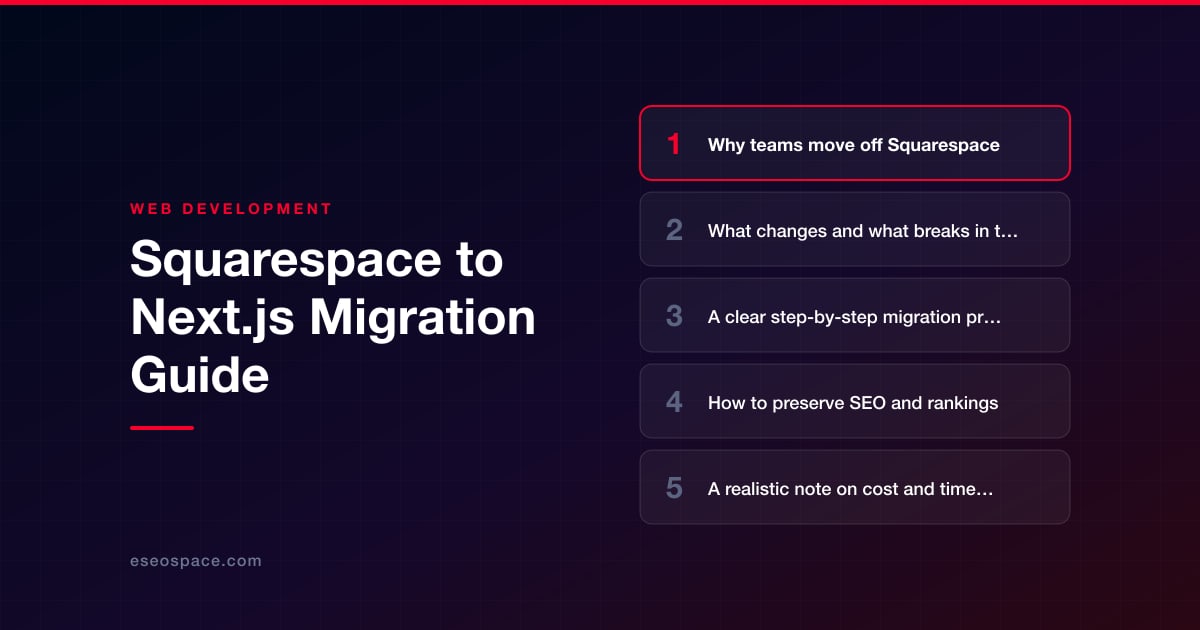
Key Takeaways
- Teams leave Squarespace for better Core Web Vitals, full code ownership, deeper design freedom, and advanced technical-SEO control that a closed template platform can't provide.
- The biggest breakages are content export (only blog XML is clean), forms, commerce, and Squarespace's forced URL prefixes, all of which must be deliberately rebuilt in Next.js.
- A safe migration follows a fixed sequence: crawl and inventory, export and re-model content, scaffold the app, rebuild pages and features, then build and QA a redirect map before cutover.
- SEO is preserved by keeping URLs identical where possible, implementing one-to-one server-side 301 redirects, matching metadata, rendering content server-side, and monitoring Search Console after launch.
- A small marketing-site migration runs two to four weeks in the low thousands, while a large CMS-and-commerce site takes four to eight weeks and a higher budget.
Squarespace is an excellent starting point. It gets a brand online quickly with polished templates, hosted infrastructure, and no code to maintain. But growing companies eventually hit its ceiling: template constraints you can't override, sluggish page speeds that drag down Core Web Vitals, no real access to the underlying markup, and a monthly bill that keeps climbing while you own none of the code. When your marketing team wants custom landing-page logic, your developers want a component library, or your SEO lead is fighting Squarespace's rigid URL and schema handling, it's time to move to a framework you actually control.
Migrating from Squarespace to Next.js gives you a modern React foundation with server-side rendering, granular control over performance, and the freedom to integrate any CMS, CRM, or headless commerce backend you like. Done carefully, the move preserves your rankings and traffic while unlocking a codebase your team can extend for years. Done carelessly, it can tank organic visibility overnight. This guide walks through why teams leave Squarespace, what actually breaks in the transition, the exact migration sequence we use, and how to protect every hard-won ranking along the way.
Why teams move off Squarespace
The reasons are consistent across the clients we migrate. Performance is usually first: Squarespace's shared rendering, heavy template JavaScript, and blocking scripts make it hard to pass Core Web Vitals, and Google now treats those metrics as ranking signals. Next.js lets you ship static or server-rendered HTML, optimize images through the built-in next/image pipeline, and lazy-load everything else, routinely cutting Largest Contentful Paint in half.
- Design and functionality limits: Squarespace templates resist deep customization. Custom booking flows, gated content, multi-step forms, or dynamic pricing tables often require CSS hacks and code injection that break on platform updates.
- No code ownership: You rent your site. You can't version-control it, run it locally, or move it elsewhere without a rebuild. Next.js lives in your Git repository and deploys anywhere.
- SEO ceilings: Limited control over URL structure, canonical tags, structured data, and rendering makes advanced technical SEO awkward. A framework gives you full control of the
<head>, JSON-LD schema, and sitemap generation. - Integration friction: Connecting a real CRM, marketing automation, or a headless CMS is far cleaner when you own the application layer. Our custom website and CRM development work almost always starts with a framework migration for exactly this reason.
What changes and what breaks in the move
The biggest conceptual shift is that Squarespace bundles hosting, CMS, and rendering into one closed system, while Next.js separates those concerns. You gain flexibility but inherit responsibilities Squarespace handled invisibly. Knowing what breaks up front prevents nasty surprises.
- Content storage: There is no native database to export cleanly. Blog posts export as WordPress-format XML, but pages, product data, and custom blocks do not. Content typically has to be re-modeled into your chosen headless CMS (Sanity, Contentful, Payload) or into markdown/MDX files.
- Forms and commerce: Squarespace Forms, Scheduling, and Commerce stop working the moment you leave. You'll rewire forms to an API route or a service like Formspree, and replatform any store to Shopify's Storefront API, Stripe, or a headless commerce layer.
- URLs: Squarespace enforces prefixes like
/blog/post-slugfor collection items. If your new information architecture differs, those paths change and every old URL needs a redirect. - Built-in features you now own: Image resizing, AMP, RSS feeds, search, and 301 handling become your responsibility. Most are a small amount of code, but they must be deliberately rebuilt rather than assumed.
- Analytics and pixels: Code-injection snippets for GA4, Meta, and tag managers have to be re-added, ideally through a proper script-loading strategy rather than raw injection.
A clear step-by-step migration process
We treat a Squarespace-to-Next.js move as a repeatable engineering project, not an ad-hoc rebuild. This is the sequence we follow on our website migration services engagements, and it's the same order we'd recommend for an in-house team.
- 1. Full crawl and inventory. Crawl the live Squarespace site with Screaming Frog to capture every URL, title, meta description, canonical, and status code. This becomes your source of truth and the basis of the redirect map.
- 2. Export and re-model content. Pull the WordPress-format XML for blog content, then decide where content lives in Next.js: MDX files for a small marketing site, or a headless CMS for anything a non-developer will edit. Map each Squarespace collection to a content type.
- 3. Scaffold the Next.js app. Stand up the App Router, define your routing structure, and build a shared component library that mirrors the existing design (or improves it). Rebuild the design system as reusable React components.
- 4. Rebuild pages and templates. Recreate each page, wiring dynamic routes (
[slug]) to your content source withgenerateStaticParamsfor static generation. Port copy verbatim so on-page SEO signals stay intact. - 5. Rewire dynamic features. Reconnect forms via API routes, integrate the CMS, hook up commerce and search, and re-add analytics through
next/script. - 6. Build the redirect map. Map every old URL to its new destination. Our 301 redirect map guide covers how to build and QA this without gaps.
- 7. Stage, QA, and launch. Deploy to a staging URL with
noindex, validate rendering and metadata, then cut over DNS and flip redirects live.
How to preserve SEO and rankings
This is where migrations succeed or fail. Rankings are attached to URLs and the signals Google has associated with them, so the entire goal is continuity. If you're weighing platforms before committing, our guide on how to choose a JavaScript framework covers the rendering trade-offs that most affect SEO.
- Preserve URLs wherever possible. Every changed URL costs a little link equity through the redirect. Keep slugs identical unless there's a strong reason to change them.
- Implement server-side 301 redirects for every URL that does change, one-to-one, never a mass redirect to the homepage. Confirm each returns a real
301, not a client-side or302. - Match metadata exactly. Titles, meta descriptions, canonicals, and Open Graph tags should carry over. Use the Next.js Metadata API to generate them per route.
- Render content server-side. Use static generation or SSR so crawlers see full HTML, not a client-rendered shell. This is a common regression when teams over-rely on client components.
- Rebuild structured data. Re-add JSON-LD for articles, products, breadcrumbs, and organization schema, which is far easier to control in Next.js than in Squarespace.
- Regenerate the XML sitemap and robots.txt, resubmit in Google Search Console, and monitor coverage and rankings daily for the first few weeks. Work the full website migration SEO checklist before and after launch.
A realistic note on cost and timeline
A Squarespace-to-Next.js migration is a genuine development project, and pricing reflects scope. A small marketing site of five to fifteen pages with a blog typically lands in the low thousands and ships in two to four weeks. A larger site with a headless CMS, hundreds of blog posts, custom forms, and commerce integration is more involved and usually runs four to eight weeks with a correspondingly higher budget.
The variables that move the number most are content volume, the number of dynamic features being rewired, and how much the design is changing versus being reproduced faithfully. Reproducing the existing look is cheaper than a redesign. Migrating commerce is the single biggest cost driver because it touches payments, inventory, and checkout. The honest guidance: budget for QA and post-launch monitoring, not just the build. Cutting those corners is where traffic gets lost, and recovering lost rankings costs far more than doing the migration right the first time.
The bottom line
Moving from Squarespace to Next.js is one of the highest-leverage upgrades a growing business can make. You trade a rented, capped platform for a fast, fully owned codebase that your team can extend indefinitely, and you gain the performance and technical-SEO control that Squarespace simply can't offer. The risk is real but entirely manageable: with a complete URL inventory, one-to-one 301 redirects, server-rendered content, and disciplined post-launch monitoring, rankings hold and often improve as Core Web Vitals climb. If you want it handled end to end, our team runs Squarespace-to-Next.js migrations with SEO preservation built into every step. Done right, this isn't a gamble on your traffic. It's an investment in a foundation that finally keeps up with your business.
Get a FREE Audit
We'll perform a comprehensive SEO, AEO, GEO & CRO audit of your website — completely free — and show you exactly how to outrank your competitors.
Don't have a site yet? Get in touch →
Put this into action with eSEOspace
We help businesses grow with website development that actually performs. Explore the services behind this guide:
Frequently Asked Questions
Will migrating from Squarespace to Next.js hurt my Google rankings?
Can I export my content from Squarespace into Next.js?
What breaks when I leave Squarespace?
How long does a Squarespace to Next.js migration take?
Is Next.js better than Squarespace for SEO?
Get a FREE GEO/AEO/SEO Audit
We'll analyze your site's SEO, GEO, AEO & CRO — completely free — and show you exactly how to get found across Google and AI answers.
Don't have a site yet? Get in touch →
Great — your audit is on the way!
We'll send your free SEO/GEO/AEO/CRO audit within the next few hours. Where should we send it?
You're all set! ✓
Your free audit is being prepared — check your inbox in the next few hours. Talk soon!








