



WordPress to Contentful Migration Guide
WordPress to Contentful Migration Guide
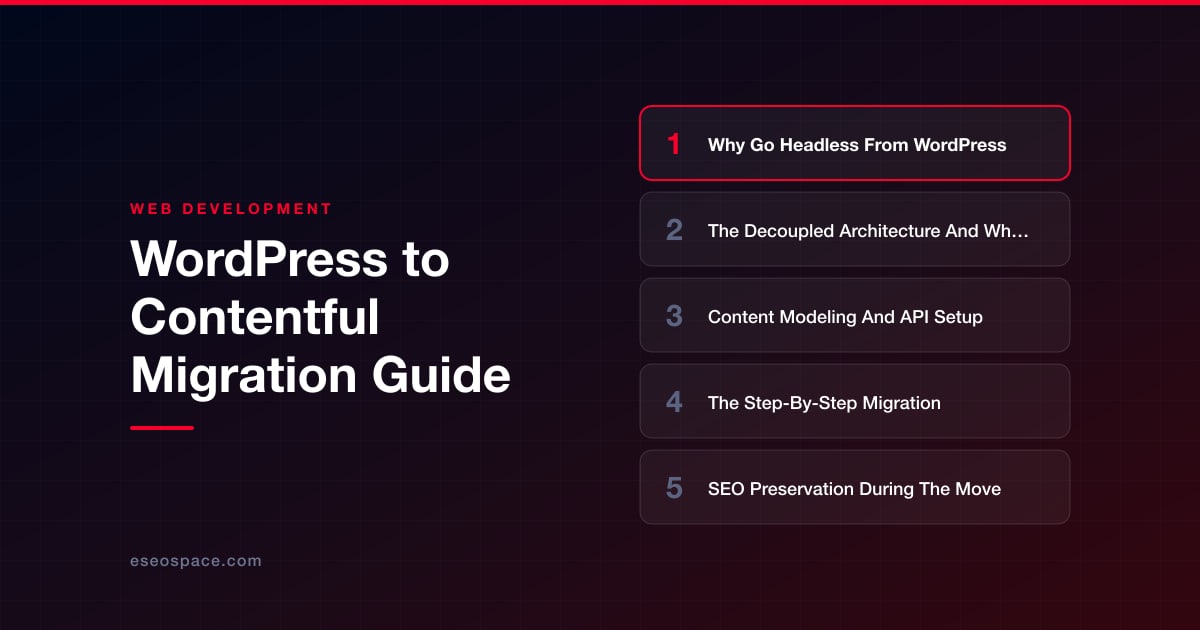
Key Takeaways
- Contentful is an API-first headless CMS that decouples content from presentation, letting one structured content source feed websites, apps, and any other channel over HTTP.
- The hardest part of the migration is content modeling: WordPress's loose HTML blobs must be mapped to strict, typed Contentful content types with references and Rich Text fields.
- Export WordPress content through the REST API, transform HTML to Rich Text, re-upload media as Assets, and import via the Content Management API with proper batching and reference ordering.
- SEO preservation is non-negotiable: keep slugs identical, build a complete 301 redirect map, carry over metadata, and regenerate sitemaps and structured data.
- Stage on a preview domain, crawl-test every link and redirect, cut over DNS with a low TTL, and keep WordPress read-only as a fallback until metrics stabilize.
WordPress powers a huge share of the web, but the monolithic model that made it popular is exactly what starts to hurt at scale. Your content, presentation, and delivery are fused together in one PHP application, which means every theme tweak, plugin conflict, or traffic spike touches the same database. Teams that need to publish to a website, a mobile app, a kiosk, and an email platform from one source find themselves fighting the CMS instead of using it.
Contentful takes a fundamentally different approach. It is an API-first headless CMS: content lives as structured, typed data, and any front end you can imagine pulls it over HTTP. This guide walks through why teams move from WordPress to Contentful, how the decoupled architecture reshapes your stack, and the concrete steps to migrate your content, URLs, and search rankings without losing ground.
The migration is very achievable, but it is not a plugin you click to install. It is a modeling and data exercise. Do it deliberately and you end up with a faster, more flexible, more secure platform your developers and editors both prefer.
Why Go Headless From WordPress
The case for leaving WordPress rarely comes down to a single flaw. It is the accumulation of trade-offs baked into a coupled system. As sites grow, the pain becomes structural rather than cosmetic.
- Performance ceilings: Server-rendered PHP plus a stack of plugins produces heavy pages and unpredictable response times. A headless front end deployed to a CDN edge serves static or incrementally rendered pages in milliseconds.
- Security surface: WordPress and its plugin ecosystem are the most-attacked target on the web. Contentful exposes only a read API to the public, so there is no login page, no PHP execution, and no plugin vulnerabilities to patch.
- Omnichannel delivery: The moment you need the same content in a native app or a partner integration, WordPress's page-centric model breaks down. Contentful serves clean JSON to any client.
- Developer experience: Front-end teams get to use React, Next.js, Vue, or Astro instead of the PHP template hierarchy, with modern tooling and version control.
If you are still weighing the two models, our breakdown of headless CMS versus traditional CMS lays out the trade-offs in detail. The short version: choose headless when flexibility, performance, and multi-channel reach outweigh the convenience of an all-in-one dashboard.
The Decoupled Architecture And What Changes
In WordPress, the CMS is the website. In a Contentful setup, the CMS is one service among several. Understanding this separation is the key to everything that follows.
Contentful stores your content and exposes it through two primary read APIs: the Content Delivery API (CDA) for published content and the Content Preview API (CPA) for drafts. A separate Content Management API (CMA) handles writes and is what your migration scripts will use. Your front-end application, built in a framework like Next.js, calls the CDA at build time or request time, renders HTML, and deploys to a hosting platform such as Vercel or Netlify.
The practical changes are significant. There is no more wp-admin generating pages; editors work in Contentful's web app, and a separate deployment renders the site. Themes disappear entirely, replaced by your own components. Plugins are replaced by services and code: forms go to a form service or serverless function, and if you need dynamic user features you may pair Contentful with a custom CRM or application layer. This is more moving parts, but each part is independently scalable and replaceable.
Content Modeling And API Setup
This is the most important phase, and the one teams underestimate. WordPress content is loosely structured, a giant blob of HTML in the post_content column with metadata scattered across custom fields. Contentful demands the opposite: every content type is a strict, typed schema defined up front.
Start by auditing your WordPress content types: posts, pages, and any custom post types or ACF field groups. Map each to a Contentful content model. A blog post might become a content type with fields for title, slug, excerpt, body (as Rich Text), hero image (a linked Asset), author (a reference to an Author content type), categories (references), and SEO fields for meta title and description.
- Use references, not duplication: Authors, categories, and reusable components should be their own content types linked by reference, mirroring relational structure rather than flattening it.
- Rich Text over raw HTML: Contentful's Rich Text field is a structured JSON document, not an HTML string. Converting WordPress HTML into this format is the single hardest technical task in the migration.
- Model your media as Assets: Images and files become Contentful Assets with their own metadata, so plan how you will re-upload the WordPress uploads directory.
For setup, create a Contentful space and generate API keys: a CMA token for the import scripts and CDA/CPA tokens for the front end. Define your content models either in the web UI or, better for repeatability, as code using the Contentful CLI and migration scripts so the schema is version-controlled.
The Step-By-Step Migration
With models defined, the actual data move follows a clear sequence. Scripting it keeps the process repeatable, because you will almost certainly run it several times before it is clean.
- Export from WordPress: Pull content through the WordPress REST API (
/wp-json/wp/v2/) rather than the XML export, which gives you clean JSON for posts, pages, media, authors, and taxonomies with pagination. - Transform the data: Write a script that maps each WordPress record to your Contentful schema. Convert post HTML to Rich Text using Contentful's
rich-text-from-markdownor an HTML-to-Rich-Text parser, resolve author and category IDs into reference links, and normalize slugs. - Migrate assets: Download each image from the WordPress uploads directory and upload it to Contentful via the CMA, keeping a map of old URL to new Asset ID so body content can be rewritten to point at the new media.
- Import with the CMA: Use the
contentful-importtool or a custom script against the Management API. Respect rate limits by batching and throttling requests, and import referenced types (authors, categories) before the entries that link to them. - Validate and publish: Spot-check entries in the Contentful web app, confirm references and images resolved, then publish. Wire up your Next.js front end to the CDA and build.
Because a migration this involved touches every URL and every asset, many teams bring in help. Our website migration services handle the export scripting, Rich Text conversion, and QA so nothing is silently dropped between platforms.
SEO Preservation During The Move
The fastest way to turn a good migration into a business problem is to lose search rankings. When URLs, metadata, or content structure change, you must actively protect the equity your WordPress site has built. Treat SEO as a first-class deliverable, not a cleanup task.
- Preserve URL structure: Keep slugs identical wherever possible. If your Contentful front end uses different paths, you must map every old URL to its new destination with a 301 redirect. Our 301 redirect map guide shows how to build and verify that mapping at scale.
- Carry over metadata: Migrate Yoast or Rank Math title tags, meta descriptions, and canonical URLs into your Contentful SEO fields so nothing regresses. Do not let default templates overwrite hand-tuned metadata.
- Rebuild technical signals: Regenerate your XML sitemap from the new front end, keep
robots.txtpermissive, and re-implement structured data (Article, Breadcrumb, Organization) in your components. - Match content and performance: Ensure body copy, headings, and internal links transfer verbatim, and use the CDN-backed rendering to improve Core Web Vitals, which reinforces rankings rather than risking them.
Run the full website migration SEO checklist before and after cutover, then monitor Search Console for crawl errors and coverage drops in the weeks that follow so you can catch any missed redirect fast.
Cutover, Testing, And Launch
Never flip DNS on launch day and hope. Stage the new Contentful-backed site on a preview domain and test exhaustively before switching traffic. Crawl the staging build with a tool like Screaming Frog to confirm every internal link resolves, every image loads, and every redirect fires correctly.
Sequence the go-live so you can roll back: deploy the front end, verify the redirect map against a list of your top-traffic and top-ranking URLs, then update DNS with a low TTL so propagation is quick and reversible. Keep the WordPress instance running in read-only mode for a few weeks as a reference and a fallback. After launch, watch analytics, Search Console, and error logs daily until the numbers stabilize, then decommission WordPress with confidence.
Conclusion
Migrating from WordPress to Contentful is a deliberate re-platforming, not a one-click transfer, and that is precisely why it pays off. You trade a coupled, plugin-dependent monolith for a structured, API-first content platform that feeds any channel, renders at the edge, and shrinks your security surface to almost nothing. The work concentrates in two places: modeling your content properly and preserving every URL and ranking signal on the way over. Get those right and you launch a faster, more flexible, more maintainable site with your SEO fully intact. With careful planning and the right migration partner, headless is well within reach for teams of any size.
Get a FREE Audit
We'll perform a comprehensive SEO, AEO, GEO & CRO audit of your website — completely free — and show you exactly how to outrank your competitors.
Don't have a site yet? Get in touch →
Put this into action with eSEOspace
We help businesses grow with website development that actually performs. Explore the services behind this guide:
Frequently Asked Questions
Is there a plugin that automatically migrates WordPress to Contentful?
Will I lose my Google rankings when moving to Contentful?
How is Contentful Rich Text different from WordPress HTML?
Do I still need a developer after migrating to Contentful?
How long does a WordPress to Contentful migration take?
Get a FREE GEO/AEO/SEO Audit
We'll analyze your site's SEO, GEO, AEO & CRO — completely free — and show you exactly how to get found across Google and AI answers.
Don't have a site yet? Get in touch →
Great — your audit is on the way!
We'll send your free SEO/GEO/AEO/CRO audit within the next few hours. Where should we send it?
You're all set! ✓
Your free audit is being prepared — check your inbox in the next few hours. Talk soon!








