



WordPress to Headless CMS: Why & How to Make the Switch
WordPress to Headless CMS: Why & How to Make the Switch
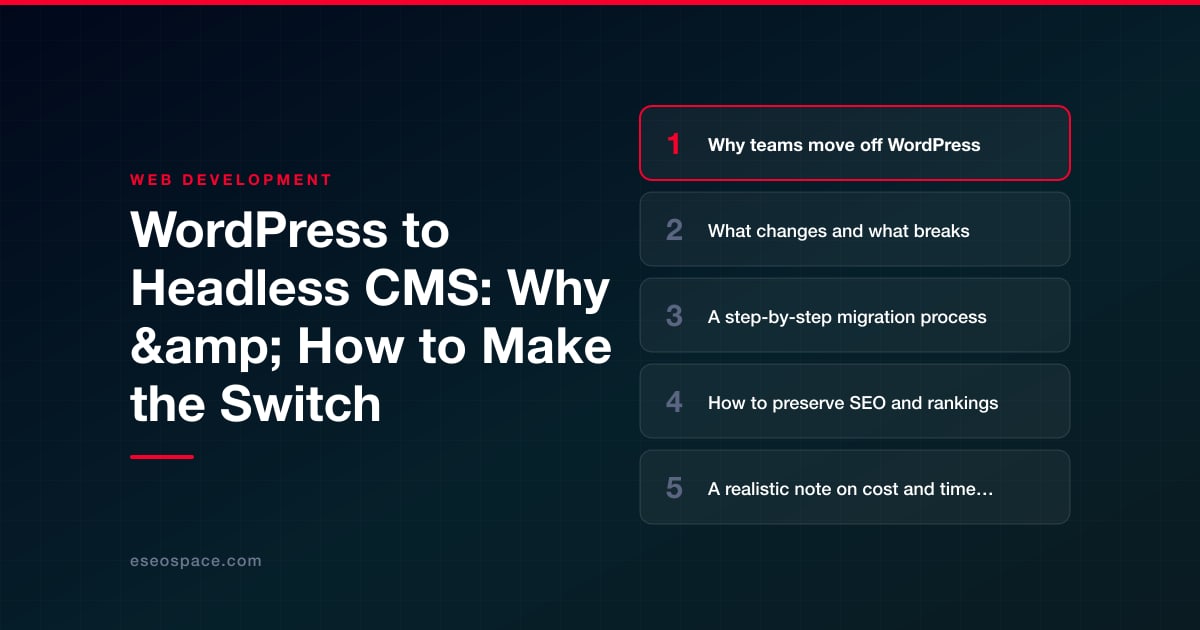
Key Takeaways
- Teams move off WordPress for better performance, a smaller security surface, modern developer workflows, and omnichannel content delivery from a single API.
- Going headless breaks themes, page builders, and most plugins, but your content, media, and taxonomies migrate intact.
- A disciplined eight-step process, from content audit to post-launch monitoring, keeps a replatform predictable and low-risk.
- Preserving SEO hinges on one-to-one 301 redirects, carried-over on-page signals, content parity, and server-side or static rendering.
- Budget realistically: small sites take six to ten weeks, while large content sites can run three to six months and higher five figures.
WordPress still powers a huge share of the web, and for good reason. But as sites scale and teams demand faster performance, tighter security, and cleaner developer workflows, the monolithic model starts to strain. A headless CMS separates content management from presentation, letting your editors keep a familiar authoring experience while your front end is built with a modern framework like Next.js, Astro, or SvelteKit.
The payoff is real: sub-second page loads, a smaller attack surface, and the freedom to publish the same content to a website, a mobile app, and a kiosk from one source. The cost is real too. Going headless is an architectural decision, not a plugin install. This guide walks through why teams make the move, what genuinely breaks along the way, a concrete migration sequence, and how to hold onto the rankings you have worked years to earn.
If you are weighing this shift, treat it as a migration project with defined phases, not a weekend experiment. Done right, the switch is one of the highest-leverage upgrades a mature site can make.
Why teams move off WordPress
Most migrations start with a specific pain, not an abstract desire for something modern. The common triggers are:
- Performance ceilings. A typical WordPress install stacks a theme, a page builder, and a dozen plugins, each injecting CSS and JavaScript. Even with aggressive caching, Core Web Vitals suffer. A statically generated or server-rendered front end ships only the code a page needs.
- Security and maintenance load. Plugins are the number-one WordPress attack vector. A decoupled front end has no PHP execution surface and no plugin dependency tree to patch every week.
- Developer experience. Engineers want Git-based workflows, component libraries, TypeScript, and CI/CD. Editing PHP templates through a theme editor does not scale for a modern product team.
- Omnichannel content. When the same content must feed a website, an app, and third-party surfaces, an API-first CMS becomes the single source of truth instead of copy-paste.
If your reasons map to these, headless is a strong fit. If your only complaint is a slow host or a bloated theme, a lighter WordPress build or a managed rebuild may solve it for far less. Match the solution to the actual bottleneck before committing.
What changes and what breaks
The biggest mental shift is that your CMS no longer renders your pages. WordPress becomes (or is replaced by) a content API, and a separate application queries that API to build the front end. That decoupling breaks several things you may take for granted:
- Themes and page builders stop working. Divi, Elementor, and classic themes render HTML on the WordPress side. In a headless setup that layer disappears entirely and must be rebuilt as front-end components.
- Most plugins lose their front-end effect. Contact forms, sliders, related-posts widgets, and SEO output plugins either need an API-exposed equivalent or a fresh implementation in the new stack.
- Preview and editing UX changes. Live preview requires wiring the CMS to your front end. Editors will notice if you skip it.
- Shortcodes and embedded HTML need parsing. Legacy post content full of shortcodes must be transformed or the raw content will render as plain text.
What stays intact is your content itself: posts, pages, media, taxonomies, and custom fields all migrate. You can even keep WordPress as the back end (the "decoupled WordPress" pattern) and expose content via the REST or WPGraphQL API, which shortens the learning curve for editors. The other path is a full switch to a purpose-built headless CMS such as Sanity, Contentful, or Strapi. Our breakdown of going from WordPress to a headless CMS covers how to choose between those routes.
A step-by-step migration process
A disciplined sequence keeps the project predictable and protects your SEO. Here is the path we follow on client engagements:
- 1. Audit and inventory. Export a full list of URLs, content types, custom fields, media, and active plugin functionality. This inventory becomes your migration checklist and your redirect source of truth.
- 2. Choose the stack. Decide on the CMS (decoupled WordPress vs. a dedicated headless platform) and the front-end framework. Our guide to choosing a JavaScript framework can help weigh Next.js against Astro and others based on your rendering and content needs.
- 3. Model the content. Recreate post types, taxonomies, and custom fields as schemas in the new CMS. Clean up years of accumulated cruft here rather than migrating it forward.
- 4. Migrate content programmatically. Use the WordPress REST API or a database export to script the transfer. Parse shortcodes, rewrite internal links, and move media to your new asset pipeline or CDN.
- 5. Build the front end. Develop components, templates, and dynamic features. Wire data fetching, on-demand revalidation, and editor preview.
- 6. Rebuild interactive features. Forms, search, comments, and any commerce logic need new implementations, often as serverless functions or via custom development and CRM integration.
- 7. Map redirects and test. Generate a complete redirect map, validate every template, and run performance and accessibility checks before launch.
- 8. Launch and monitor. Cut over DNS, submit the new sitemap, and watch crawl and ranking data closely for the first few weeks.
Running these phases in parallel where possible, with staging environments throughout, keeps the site fully functional until the day you switch. For a hands-on partner across all eight steps, our website migration services handle the technical execution end to end.
How to preserve SEO and rankings
The single fastest way to lose traffic in a replatform is to break URLs. Search engines have equity tied to every ranking page, and that equity does not follow content automatically. Protect it deliberately:
- Preserve URL structure wherever you can. If slugs must change, build a one-to-one 301 redirect for every old URL. Our 301 redirect map guide shows how to assemble and QA that file at scale.
- Match on-page signals. Title tags, meta descriptions, canonical tags, heading structure, and structured data must carry over. Headless removes your SEO plugin, so these become the front end's explicit responsibility.
- Keep content parity. Do not quietly drop or thin pages during the move. Ranking pages should launch with the same substance.
- Handle rendering carefully. Use static generation or server-side rendering so crawlers get full HTML, not an empty client-rendered shell.
- Regenerate technical assets. Ship an accurate XML sitemap, a clean robots.txt, and valid schema markup on day one.
Work through a complete website migration SEO checklist before and after launch, then monitor Google Search Console for crawl errors and coverage drops so you can react within days, not months.
A realistic note on cost and timeline
Headless is an investment. A straightforward blog or brochure site might run six to ten weeks and a modest five-figure budget. A large content site with custom post types, integrations, and hundreds of URLs can span three to six months and cost considerably more, because the front end is effectively bespoke software.
Budget for line items that surprise first-timers: content modeling, shortcode parsing, form and search rebuilds, editor preview wiring, and thorough redirect QA. Factor in ongoing costs too, such as a hosting or CMS subscription and developer availability for updates, since you no longer have a plugin marketplace for every new feature. The upside is lower breach risk, faster pages, and a codebase your team controls. For many high-traffic or product-led sites, better conversion and reduced maintenance drag help that tradeoff pay back over time.
Making the switch with confidence
Moving from WordPress to a headless CMS is a meaningful step up in performance, security, and flexibility, and it rewards teams that plan the transition properly. The projects that go smoothly share the same traits: a clear inventory, a deliberate content model, a complete redirect strategy, and relentless attention to SEO parity. The ones that stumble skip those steps and treat a replatform like a redesign.
If your site has outgrown the monolith, the path forward is well worn and repeatable. Scope it as a migration, protect your rankings at every phase, and lean on experienced hands for the technical lift. Done with discipline, going headless is not a gamble. It is a durable upgrade to the foundation your business runs on.
Get a FREE Audit
We'll perform a comprehensive SEO, AEO, GEO & CRO audit of your website — completely free — and show you exactly how to outrank your competitors.
Don't have a site yet? Get in touch →
Put this into action with eSEOspace
We help businesses grow with website development that actually performs. Explore the services behind this guide:
Frequently Asked Questions
What is a headless CMS?
Can I keep WordPress as the back end?
Will migrating to headless hurt my SEO?
How much does a WordPress to headless migration cost?
What breaks when I go headless?
Get a FREE GEO/AEO/SEO Audit
We'll analyze your site's SEO, GEO, AEO & CRO — completely free — and show you exactly how to get found across Google and AI answers.
Don't have a site yet? Get in touch →
Great — your audit is on the way!
We'll send your free SEO/GEO/AEO/CRO audit within the next few hours. Where should we send it?
You're all set! ✓
Your free audit is being prepared — check your inbox in the next few hours. Talk soon!








