



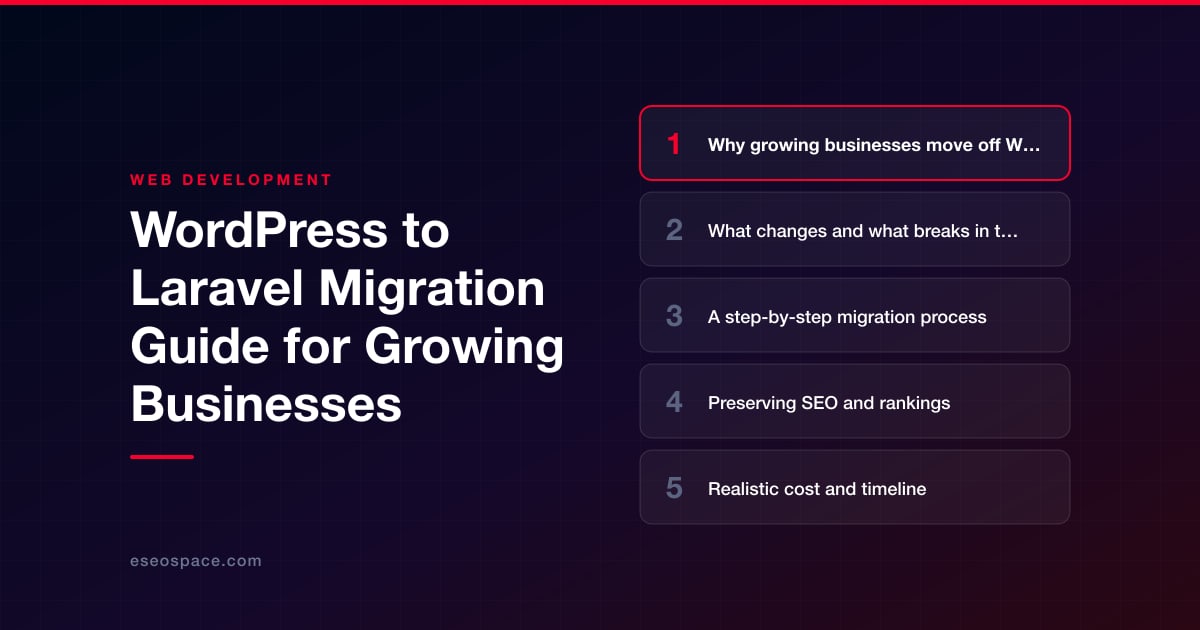
WordPress to Laravel Migration Guide for Growing Businesses
WordPress to Laravel Migration Guide for Growing Businesses
Key Takeaways
- Businesses move from WordPress to Laravel when their site becomes a real application and plugin sprawl, custom-logic friction, and performance ceilings outweigh the CMS's convenience.
- Laravel is a framework, not a CMS, so themes, plugins, and the built-in editor all disappear and must be rebuilt as application code, Blade templates, or Composer packages.
- A reliable migration follows a gated sequence: audit, model the data, build the foundation, migrate content, rebuild features, QA on staging, then redirect and cut over.
- Rankings survive only if you preserve URLs, carry over title tags and meta from wp_postmeta, ship a complete 301 redirect map, and noindex staging.
- Most business migrations are a two-to-four month rebuild priced like one, and should be weighed against the ongoing cost of fighting an ill-fitting platform.
WordPress is an excellent place to start, but growing businesses often outgrow it. When your site becomes a real application — customer portals, booking engines, quoting tools, complex integrations — the plugin-and-theme model starts to fight you. Every new feature means another dependency, another update to babysit, and another potential security hole. At some point the question stops being which plugin and becomes should we own our code outright.
Laravel is one of the most popular destinations for that move. It is a mature, well-documented PHP framework with first-class tooling for authentication, queues, background jobs, APIs, and testing. Because it is still PHP, a Laravel rebuild can often reuse server infrastructure and developer familiarity while giving you a clean, maintainable codebase you fully control. This guide walks through why teams migrate, what actually changes, a concrete step-by-step process, and how to protect the SEO equity you have spent years building.
Migrating is a serious project, not a weekend plugin swap. Done carelessly it tanks rankings and breaks logins; done deliberately it becomes the foundation for the next five years of growth. Here is how to do it deliberately.
Why growing businesses move off WordPress
The reasons are rarely about WordPress being “bad.” They are about fit. As a site matures into a business-critical application, the tradeoffs shift:
- Custom logic gets awkward. Bending WordPress into a quoting tool, multi-step onboarding flow, or role-based dashboard usually means fighting the CMS. In Laravel, that logic is just application code.
- Plugin sprawl becomes risk. Business sites often run dozens of plugins from different authors on different release cadences. Each is attack surface and each update can break another.
- Performance ceilings. Heavy plugin stacks and uncached database queries make WordPress slow under real traffic. Laravel gives you granular control over caching, queues, and query optimization.
- Team velocity. With migrations, seeders, automated tests, and a real dependency manager (Composer), engineers ship features with confidence instead of clicking around wp-admin.
If you are still weighing the decision itself, our deeper comparison of WordPress vs Laravel lays out where each platform wins. The short version: choose Laravel when your site is becoming software, and stay on WordPress when it is primarily content.
What changes and what breaks in the move
The single biggest mental shift is that Laravel is a framework, not a CMS. WordPress ships with an admin panel, a media library, a comment system, and a page editor out of the box. Laravel ships with none of that — you build (or install packages for) exactly what you need. That is the source of both its power and its cost.
Expect these concrete changes:
- Content editing. The Gutenberg/Classic editor disappears. You will replace it with a headless CMS, a package like Filament or Statamic, or a custom admin. Editors need retraining.
- Themes and plugins stop working. There is no theme marketplace. Your design is rebuilt as Blade templates (or a React/Vue front end); plugin functionality is re-implemented or replaced with Composer packages and third-party APIs.
- URL structure. WordPress permalinks, category archives, and query strings are replaced by explicit Laravel routes. This is where SEO risk concentrates — more on that below.
- Forms and email. Contact Form 7, Gravity Forms, and WooCommerce checkout logic must be rebuilt with validation, spam protection, and mail drivers.
- Data. Your posts, pages, users, custom fields, and media all live in the WordPress MySQL schema. That data migrates, but the schema is redesigned to fit your new models.
What does not have to break: your domain, your hosting environment (both are PHP/MySQL friendly), your Google Analytics history, and — if you plan it — your search rankings.
A step-by-step migration process
A reliable migration follows a repeatable sequence. Treat each step as a gate you fully clear before moving on.
- 1. Audit and inventory. Crawl the existing site. Catalog every URL, template type, custom post type, custom field, form, integration, and plugin-driven feature. Export analytics to identify your highest-traffic and highest-converting pages — these get the most testing.
- 2. Model your data. Map the WordPress tables (
wp_posts,wp_postmeta,wp_users, taxonomies) to clean Laravel Eloquent models and migrations. Custom fields (ACF) usually become proper columns or related tables. - 3. Build the foundation. Scaffold routes, controllers, models, and an admin interface. Rebuild the design as Blade or a JS front end. If you are choosing a front-end approach, our guide to choosing a JavaScript framework helps decide between Blade, Livewire, Vue, or React.
- 4. Migrate content. Write import scripts that read the WordPress database and populate your new models, preserving titles, bodies, authors, dates, media references, and — critically — the original slugs where you intend to keep URLs.
- 5. Rebuild features. Re-implement forms, search, memberships, e-commerce, and integrations. This is often where a custom CRM or application build replaces a stack of disparate plugins with one coherent system.
- 6. Stage and QA. Deploy to a private staging environment. Test every template type, form submission, and edge case. Run automated tests. Verify page-by-page against the old site.
- 7. Redirect, cut over, monitor. Publish the redirect map, switch DNS/traffic, submit the new sitemap, and watch crawl stats and error logs closely for the first two weeks.
Preserving SEO and rankings
This is where migrations succeed or fail commercially. Google does not care that you rebuilt in Laravel — it cares whether the same content lives at the same URLs with the same signals. Protect that, and rankings hold. Ignore it, and you can lose months of traffic.
- Keep URLs identical where possible. Map your Laravel routes to the exact existing permalinks. Every URL you can preserve is a URL you do not have to redirect.
- Build a complete 301 redirect map. For every URL that must change, add a permanent 301 to its closest equivalent. Our guide to building a 301 redirect map covers how to do this at scale without redirect chains.
- Preserve on-page signals. Migrate title tags, meta descriptions, canonical tags, H1s, structured data, and image alt text. If you used Yoast or RankMath, that SEO metadata is in
wp_postmetaand must be carried over. - Regenerate technical assets. Produce a fresh XML sitemap, a correct robots.txt, and clean canonical tags. Confirm the staging site is noindexed so Google never sees the duplicate.
Work through a full website migration SEO checklist before and after launch, and lean on professional website migration services if search traffic is a meaningful revenue channel — the cost of doing this wrong dwarfs the cost of doing it right.
Realistic cost and timeline
Be honest with your stakeholders: a WordPress-to-Laravel migration is a rebuild, and it is priced like one. A straightforward marketing site with a modest blog might run a few weeks of engineering. A content-heavy site with custom post types, memberships, or e-commerce is typically a two-to-four month engagement, sometimes longer when complex integrations are involved.
- Discovery and data modeling: 1–2 weeks.
- Core build and design implementation: 3–8 weeks.
- Content migration and feature parity: 2–4 weeks.
- QA, redirects, and cutover: 1–2 weeks, plus post-launch monitoring.
Most business migrations land in a predictable band once scope is defined — and the ongoing savings are real: fewer plugin licenses, dramatically less security patching, and faster feature delivery. The right way to budget is to price the migration against the cost of staying on a platform you are actively fighting.
The bottom line
Moving from WordPress to Laravel is not about chasing a trend — it is about matching your platform to what your business has become. When your site is really an application, a framework you own beats a CMS you patch. The migration is demanding, but the process is well understood: inventory carefully, model your data cleanly, preserve every URL and SEO signal you can, redirect the rest, and monitor after launch. Do it in that order and you emerge with a faster, more secure, fully custom codebase — and your hard-won rankings intact. If you want that outcome without the guesswork, that is exactly the kind of migration our team runs every week.
Get a FREE Audit
We'll perform a comprehensive SEO, AEO, GEO & CRO audit of your website — completely free — and show you exactly how to outrank your competitors.
Don't have a site yet? Get in touch →
Put this into action with eSEOspace
We help businesses grow with website development that actually performs. Explore the services behind this guide:
Frequently Asked Questions
Is Laravel better than WordPress?
Will migrating to Laravel hurt my Google rankings?
How long does a WordPress to Laravel migration take?
Can I keep my existing content and URLs?
What happens to my WordPress plugins in Laravel?
Get a FREE GEO/AEO/SEO Audit
We'll analyze your site's SEO, GEO, AEO & CRO — completely free — and show you exactly how to get found across Google and AI answers.
Don't have a site yet? Get in touch →
Great — your audit is on the way!
We'll send your free SEO/GEO/AEO/CRO audit within the next few hours. Where should we send it?
You're all set! ✓
Your free audit is being prepared — check your inbox in the next few hours. Talk soon!








