



How to Embed Videos on Your Website for Maximum SEO Impact
How to Embed Videos on Your Website for Maximum SEO Impact
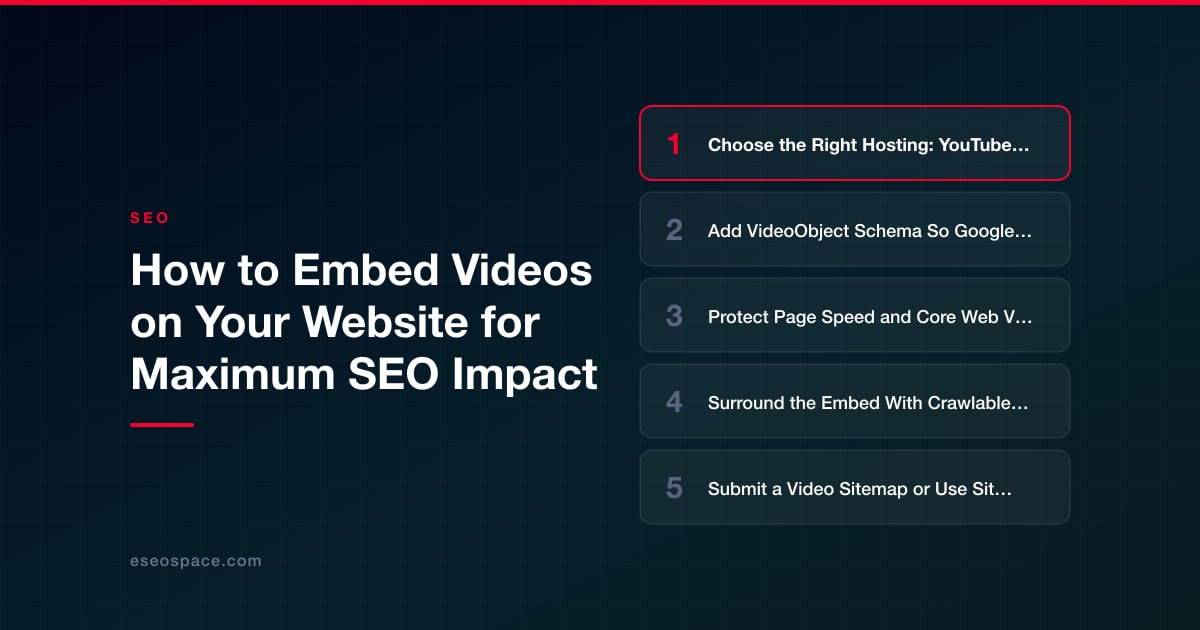
Key Takeaways
- Where a video is hosted determines who captures the SEO benefit: YouTube maximizes reach, Vimeo maximizes on-page experience, and self-hosting keeps every ranking signal on your own domain.
- VideoObject structured data with a crawlable thumbnail, duration, and content URL is the single most important step for earning a video rich result in Google.
- Lazy-load embeds with a facade or lite-embed, loading="lazy", and a reserved aspect-ratio container so the video does not damage Largest Contentful Paint or cause layout shift.
- Surround every embed with crawlable text, a transcript, and captions so search engines can understand what the video covers and rank the page for those terms.
- Submit a video sitemap and use Search Console's Video indexing report to get videos found faster and to debug exactly why one is not indexed.
Embedding a video is easy. Embedding a video so that it actually helps your rankings, loads fast, and earns rich results in Google is a different discipline entirely. Most sites paste a YouTube iframe into a page, cross their fingers, and wonder why the video never appears in search or why the page suddenly fails Core Web Vitals. The gap between "there is a video on the page" and "this video drives organic traffic" comes down to a handful of technical decisions you make at embed time.
The phrase embed video website SEO covers three distinct problems: choosing where the video is hosted, wiring up the structured data and metadata that search engines read, and doing it all without wrecking your page speed. Get those three right and a single embedded video can win a video thumbnail in search results, keep visitors on the page longer, and feed Google exactly the signals it needs to understand your content.
This guide walks through the full workflow we use on client sites, from hosting strategy to schema markup to the lazy-loading tricks that keep your Largest Contentful Paint under control. Everything below is actionable and specific to embedding, not generic video advice.
Choose the Right Hosting: YouTube, Vimeo, or Self-Hosted
Where your video physically lives determines what SEO benefit you can capture. Each option has a real trade-off, and the right answer depends on whether you want the traffic on your domain or on the platform.
- YouTube embeds: Free, reliable, and CDN-backed globally. The catch is that YouTube optimizes for YouTube. An embedded YouTube video can still earn a video rich result for your page, but the platform also promotes the video on youtube.com, and watch signals accrue to the channel, not just your URL.
- Vimeo embeds: Cleaner player, no competitor "suggested videos" at the end, and better for premium or B2B brands. SEO reach is smaller than YouTube because Vimeo is not a search engine, but for on-page experience it is often superior.
- Self-hosted (HTML5
<video>): You own everything, the video URL lives on your domain, and every ranking signal points at you. The downside is bandwidth cost, no automatic transcoding, and the risk of slow delivery unless you put the files behind a CDN.
A common and effective hybrid is to upload to YouTube for reach and self-host or Vimeo-embed the same asset on your money pages so the on-page version stays clean and fast. If video is central to your business, our video SEO services can map out which pages should host natively versus embed from a platform.
Add VideoObject Schema So Google Understands the Video
This is the single highest-leverage step and the one most sites skip. Google cannot reliably "watch" your embedded video, so it depends on VideoObject structured data to know a video exists, what it is about, and how long it runs. Without it, you are almost never eligible for the video thumbnail in search results.
At minimum, your JSON-LD needs name, description, thumbnailUrl (Google recommends 1280x720 and requires the URL be crawlable), and uploadDate. Add these whenever you can, because they unlock richer features:
- contentUrl and embedUrl so Google can access the actual media and the player.
- duration in ISO 8601 format (for example
PT2M30S) which powers the duration overlay on the thumbnail. - hasPart with
Clipobjects, or aSeekToAction, to enable Key Moments chapters directly in the search result.
Place the JSON-LD in the page's HTML, not injected only after a user interaction, so it is present on the first crawl. Then validate every video page with Google's Rich Results Test before you ship. One malformed date or an uncrawlable thumbnail silently disqualifies the whole result.
Protect Page Speed and Core Web Vitals
A raw YouTube iframe pulls in roughly half a megabyte of JavaScript and multiple requests before the user even presses play. On mobile that can tank your Largest Contentful Paint and hurt the very rankings you are chasing. Embedding well means embedding lazily.
- Use a facade / lite-embed: Show a static thumbnail image with a play button, and only load the full player JavaScript when the user clicks. The
lite-youtube-embedpattern cuts initial payload dramatically and is the approach we default to. - Add
loading="lazy"to iframes so off-screen videos never load until the user scrolls near them. - Reserve the space with a fixed aspect-ratio container (CSS
aspect-ratio: 16 / 9) so the embed does not cause layout shift and hurt your CLS score. - Preconnect to the video host (for example
<link rel="preconnect" href="https://www.youtube.com">) so the connection handshake is warm the moment someone clicks play.
Speed is not a side quest here. Since page experience is a confirmed ranking factor, a video that slows the page can cost you more ranking than the video earns. Balancing rich media against performance is a core part of any real SEO services engagement.
Surround the Embed With Crawlable, Relevant Text
Search engines rank the page, and the video is one element on it. The text around the embed is what tells Google what the video is about and lets the page rank for the terms your video actually covers.
- Publish a full transcript on the page. A transcript turns spoken content into indexable keywords, boosts accessibility, and often ranks for long-tail questions the video answers verbatim.
- Write a genuine summary above or below the player, ideally 100 to 300 words, describing what the viewer will learn. Do not just repeat the title.
- Use a descriptive heading near the video that matches search intent, so the section is clearly topically relevant.
- Add captions to the video file itself for accessibility and for the small ranking and engagement lift that accessible media tends to earn.
The goal is that even if the video failed to load, a person or a crawler could understand the full value of the page from the text alone. That is also what makes the content resilient and genuinely useful.
Submit a Video Sitemap or Use Sitemap Extensions
Structured data helps Google understand a video once it finds the page. A video sitemap helps Google find it faster and gives you a place to declare metadata explicitly. This matters most for large libraries or newly published videos you want indexed quickly.
You can either create a dedicated video sitemap or add video extension tags to your existing XML sitemap. Each entry should include the play page URL, thumbnail location, title, description, and the content or player location. Submit it in Google Search Console, then watch the Video indexing report there. That report flags exactly why a given video is not indexed, most commonly a missing thumbnail, a video not deemed the main content of the page, or a player Google could not access. Treat it as your primary debugging tool for video SEO.
Make the Video the Main Content of the Page
Google has grown stricter about only indexing videos it considers the prominent, primary content of a page. A video buried in a sidebar, hidden behind a tab, or stacked below the fold with three other videos frequently gets dropped from video results entirely.
- Put the featured video high on the page, ideally above the fold or immediately after the intro.
- One primary video per page is the safest pattern. If you must include several, make sure the main one is unmistakably dominant in size and position.
- Do not hide the player behind an interaction that requires JavaScript to reveal, since that can make the video invisible to the crawler.
- Match the page topic to the video topic so there is no ambiguity about what the page is fundamentally about.
When the video is clearly the star of the page and everything else supports it, you satisfy Google's prominence requirement and dramatically improve your odds of earning that clickable video thumbnail in the results.
Measure, Iterate, and Keep Embeds Healthy
Embedding is not set-and-forget. Platforms change player code, videos get deleted, and thumbnails break, each of which silently kills a rich result. Build a light maintenance loop into your process.
- Track video impressions and clicks in Search Console to see which embeds actually earn results.
- Re-run the Rich Results Test after any template or CMS change that touches your embed markup.
- Audit for dead embeds periodically so removed or private videos are not leaving empty players and broken schema on live pages.
- Watch Core Web Vitals in the field data, since a plugin update can quietly reintroduce heavy player scripts you had optimized away.
Do these six things consistently and an embedded video stops being decoration and becomes a real organic-search asset, earning thumbnails, holding attention, and reinforcing the topical authority of the page it lives on.
Get a FREE Audit
We'll perform a comprehensive SEO, AEO, GEO & CRO audit of your website — completely free — and show you exactly how to outrank your competitors.
Don't have a site yet? Get in touch →
Put this into action with eSEOspace
We help businesses grow with website development that actually performs. Explore the services behind this guide:
Frequently Asked Questions
Does embedding a YouTube video help my website's SEO?
Should I self-host videos or embed from YouTube for SEO?
What structured data do I need for an embedded video?
How do I embed a video without slowing down my page?
Why isn't my embedded video showing up in Google search?
Get a FREE GEO/AEO/SEO Audit
We'll analyze your site's SEO, GEO, AEO & CRO — completely free — and show you exactly how to get found across Google and AI answers.
Don't have a site yet? Get in touch →
Great — your audit is on the way!
We'll send your free SEO/GEO/AEO/CRO audit within the next few hours. Where should we send it?
You're all set! ✓
Your free audit is being prepared — check your inbox in the next few hours. Talk soon!


On this page
- Key Takeaways
- Choose the Right Hosting: YouTube, Vimeo, or Self-Hosted
- Add VideoObject Schema So Google Understands the Video
- Protect Page Speed and Core Web Vitals
- Surround the Embed With Crawlable, Relevant Text
- Submit a Video Sitemap or Use Sitemap Extensions
- Make the Video the Main Content of the Page
- Measure, Iterate, and Keep Embeds Healthy






