



Magento to Headless: Complete Migration Playbook
Magento to Headless: Complete Migration Playbook
Key Takeaways
- Teams leave Magento for better Core Web Vitals, lower total cost of ownership, faster developer velocity, and true omnichannel flexibility that a monolith cannot deliver.
- Going headless decouples the storefront from the commerce engine; themes, extensions, and native checkout must be rebuilt, while back-office integrations can often stay.
- A dependable migration sequences audit, architecture choice, API data modeling, storefront build, data migration, redirect mapping, and monitored cutover to de-risk the biggest surfaces first.
- Preserving rankings hinges on a complete tested 301 redirect map, server-rendered HTML, ported meta and structured data, and running a formal migration SEO checklist before and after launch.
- Expect 10-16 weeks for a keep-Magento-backend project and five to nine months for a full replatform, with cost driven mainly by checkout complexity and integrations.
Magento built the last decade of mid-market ecommerce, but the monolith is showing its age. Teams running Adobe Commerce or the community edition increasingly find themselves paying for a platform whose front end, admin, and catalog logic are welded together so tightly that a simple theme change means a full-stack deploy. Page speed suffers under Knockout.js and a heavy PHP render layer, hosting bills climb, and every upgrade becomes a multi-week regression project. Going headless decouples the storefront from the commerce engine, letting you keep a proven backend (or replace it entirely) while serving a fast, modern front end built in React, Next.js, or a similar framework.
This playbook walks through why teams leave Magento, what actually changes and breaks in the move, a concrete step-by-step migration process, and how to protect the organic rankings you have spent years earning. Headless is not a magic upgrade button. Done carelessly it fragments your stack and tanks your traffic; done deliberately it produces a storefront that loads in under a second and ships features in days instead of quarters.
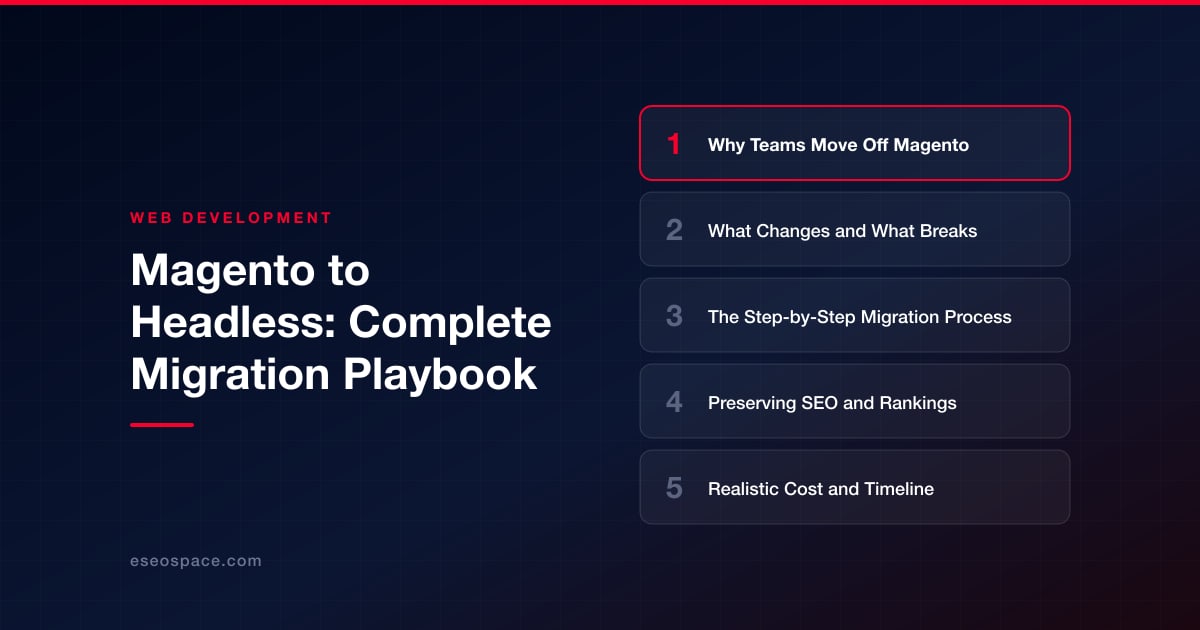
Why Teams Move Off Magento
The reasons are rarely a single dramatic failure. They accumulate. The most common drivers we hear from clients considering a website migration away from Magento include:
- Performance ceilings. Magento's server-rendered, jQuery-and-Knockout front end is hard to push past mediocre Core Web Vitals. Largest Contentful Paint and Interaction to Next Paint scores drag on mobile, and that directly caps conversion and search visibility.
- Upgrade and maintenance cost. Version upgrades (especially 2.3 to 2.4) routinely break third-party extensions. Security patches demand a staging-and-regression cycle. Many teams run months behind on patches simply because upgrading is so painful.
- Developer velocity. Front-end changes require PHP, XML layout files, and Luma theme knowledge. Modern front-end talent wants to work in React and TypeScript, not Magento's templating system.
- Total cost of ownership. Adobe Commerce licensing plus specialized hosting plus scarce Magento developers adds up fast, often for a store that could run leaner.
- Omnichannel and composability. A single monolith cannot easily feed a mobile app, an in-store kiosk, and a marketplace from one API. Headless makes the commerce data a service that any channel can consume.
What Changes and What Breaks
The central shift is architectural: the presentation layer is separated from the commerce logic and talks to it over an API (GraphQL or REST). Your storefront becomes an independently deployable application, and Magento (or its replacement) becomes a headless backend serving data. Understanding what this breaks is what separates a smooth cutover from a painful one.
- Themes and extensions stop applying to the front end. Every Luma or custom PHTML template, every front-end extension, and every layout XML file is now irrelevant. Front-end features must be rebuilt in your chosen framework. Back-office extensions (ERP connectors, tax, payment gateways) can often stay.
- Checkout is the hardest surface. Magento's native checkout, payment method rendering, and cart totals logic are deeply front-end coupled. You either rebuild checkout against the GraphQL API or adopt a headless-friendly checkout service. Budget the most time here.
- SEO-critical HTML now comes from a new renderer. Meta tags, canonical URLs, structured data, and server-rendered content must be reimplemented in the new front end with SSR or static generation so crawlers still see complete pages.
- Admin workflows may shift. If you replace Magento entirely with a headless commerce platform, merchandisers learn a new admin. If you keep Magento as the backend, the admin stays familiar.
- Personalization and dynamic blocks. Magento's CMS blocks, widgets, and full-page cache behavior do not carry over. You reimplement dynamic content through the API or a headless CMS.
The Step-by-Step Migration Process
A dependable migration follows a sequence that de-risks the biggest surfaces first. Rushing to build the storefront before you have modeled the data is how projects stall.
- 1. Audit and inventory. Catalog every URL, template, extension, integration, and content type. Export your full product catalog, categories, customer accounts, and order history. Map every indexable URL, because that list becomes your redirect and QA baseline.
- 2. Choose the architecture. Decide whether to keep Magento as a headless backend or replace it. Then pick the storefront framework. Our guide on how to choose a JavaScript framework weighs Next.js, Remix, and others; for commerce, server-side rendering or static generation with incremental revalidation is non-negotiable for SEO and speed.
- 3. Model the data and API layer. Define your GraphQL/REST contract: products, variants, pricing, inventory, categories, CMS content. This is often where custom development pays off, wiring the storefront to your commerce engine, CRM, and fulfillment systems cleanly.
- 4. Build the storefront. Implement catalog, PLP, PDP, search, cart, and checkout against the API. Reproduce SEO-critical output (meta, schema, canonicals) exactly. Rebuild dynamic content through a headless CMS if you use one.
- 5. Migrate data. Move catalog, customers, and orders to the new backend if you are replacing Magento, or expose Magento's data through GraphQL if you are keeping it. Validate integrity: SKUs, prices, stock, and account references must reconcile exactly.
- 6. Build the redirect map and QA in staging. Create a one-to-one redirect map from old URLs to new ones. Run performance, accessibility, checkout, and payment testing on a noindexed staging environment.
- 7. Cut over and monitor. Deploy behind the production domain, submit the new sitemap, and watch crawl stats, error logs, and conversion in real time for the first weeks.
Preserving SEO and Rankings
This is where careless replatforms lose 20 to 40 percent of organic traffic. It is entirely avoidable. The single most important artifact is a complete, tested 301 redirect map that points every old Magento URL to its exact new equivalent. Category and product URL structures in Magento often carry suffixes or category paths that your new storefront may simplify, and every one of those changes needs a permanent redirect.
Beyond redirects, protect these signals:
- Server-rendered HTML. Use SSR or static generation so Googlebot receives fully rendered pages, not an empty client-side shell. This is the most common headless SEO failure.
- Canonical tags and meta data. Port titles, descriptions, canonicals, and hreflang exactly. Do not let the framework generate defaults that overwrite your optimized tags.
- Structured data. Reimplement Product, Offer, BreadcrumbList, and Review schema. Rich results disappear the moment the JSON-LD does.
- Internal linking and sitemaps. Regenerate XML sitemaps and preserve your internal link graph so authority still flows to money pages.
- Core Web Vitals. The speed gains from headless are themselves an SEO win, provided you lazy-load images, ship minimal JS, and cache aggressively.
Work through a formal website migration SEO checklist before and after launch, and keep the old site crawlable in staging for pre-launch parity testing.
Realistic Cost and Timeline
A headless migration is a build project, not a plugin install, and honest numbers prevent painful surprises. Scope drives everything, but useful ranges look like this. A focused catalog with standard checkout and a keep-Magento-as-backend approach typically runs 10 to 16 weeks. A full replatform with a new commerce engine, complex integrations (ERP, PIM, multi-currency), and custom checkout runs five to nine months.
In budget terms, smaller projects commonly land in the low-to-mid five figures, while enterprise catalogs with heavy integration work reach well into six figures. The cost drivers are checkout complexity, the number of third-party integrations, catalog size and data-quality cleanup, and how much custom design the storefront needs. Ongoing costs usually drop after migration: cheaper hosting, less specialized talent, and faster feature delivery. Phasing the work, launching a subset of the catalog or one region first, spreads cost and de-risks the cutover.
Making the Move With Confidence
Leaving Magento is not about chasing a trend. It is about reclaiming performance, developer speed, and the freedom to serve any channel from one commerce core. The teams that succeed treat the migration as an engineering discipline: they inventory relentlessly, model the API before building UI, rebuild checkout carefully, and guard every SEO signal with a tested redirect map and server-rendered pages. Do that and you emerge with a sub-second storefront, a happier development team, and rankings that survive the transition intact. If you want a partner who has run these migrations end to end, our migration team can scope your Magento estate and build the headless storefront that replaces it.
Get a FREE Audit
We'll perform a comprehensive SEO, AEO, GEO & CRO audit of your website — completely free — and show you exactly how to outrank your competitors.
Don't have a site yet? Get in touch →
Put this into action with eSEOspace
We help businesses grow with website development that actually performs. Explore the services behind this guide:
Frequently Asked Questions
Can I keep Magento as a backend when going headless?
Will migrating from Magento to headless hurt my SEO?
How long does a Magento to headless migration take?
What is the hardest part of a headless Magento migration?
Is a headless migration worth the cost?
Get a FREE GEO/AEO/SEO Audit
We'll analyze your site's SEO, GEO, AEO & CRO — completely free — and show you exactly how to get found across Google and AI answers.
Don't have a site yet? Get in touch →
Great — your audit is on the way!
We'll send your free SEO/GEO/AEO/CRO audit within the next few hours. Where should we send it?
You're all set! ✓
Your free audit is being prepared — check your inbox in the next few hours. Talk soon!








