



Magento to Shopify Hydrogen Migration
Magento to Shopify Hydrogen Migration
Key Takeaways
- Shopify Hydrogen is a React Router-based headless framework on the Storefront API, decoupling your storefront from a managed commerce back end and edge-hosted on Oxygen.
- Teams leave Magento to escape DevOps overhead, Adobe Commerce licensing, performance ceilings, scarce PHP talent, and to gain Shopify's high-converting checkout.
- The migration is a front-end rewrite plus a data migration: Magento themes, layout XML, and extensions do not port and must be rebuilt or replaced.
- Protecting rankings requires 301 redirects for every indexed URL, preserved on-page signals and structured data, and improved Core Web Vitals verified after cutover.
- A typical migration runs $18,000 to $40,000 over 8 to 12 weeks, scaling up with extension count, data-model complexity, and custom back-end logic.
Magento built its reputation on flexibility, but for many merchants that flexibility has curdled into overhead. You are paying for Adobe Commerce licensing or wrangling a self-hosted Magento Open Source stack, patching Composer dependencies, tuning Varnish and Elasticsearch, and still watching Core Web Vitals slip because the Luma theme ships a monolithic PHP-rendered front end. When a platform demands a dedicated DevOps engineer just to stay online, the total cost of ownership stops making sense for a store doing seven figures rather than nine.
Shopify Hydrogen is Shopify's React-based headless framework, built on React Router 7 (it moved off Remix in May 2025) and powered by the Storefront API. It decouples your customer-facing experience from the commerce back end: Shopify handles checkout, inventory, payments, and PCI compliance, while Hydrogen gives your developers a modern, component-driven storefront deployed globally on Oxygen, Shopify's edge hosting. You trade a heavy, self-managed monolith for a fast, composable front end backed by managed commerce infrastructure.
This guide walks through why teams leave Magento, what genuinely breaks in the move, a concrete migration sequence, and how to protect the organic rankings you have spent years earning.
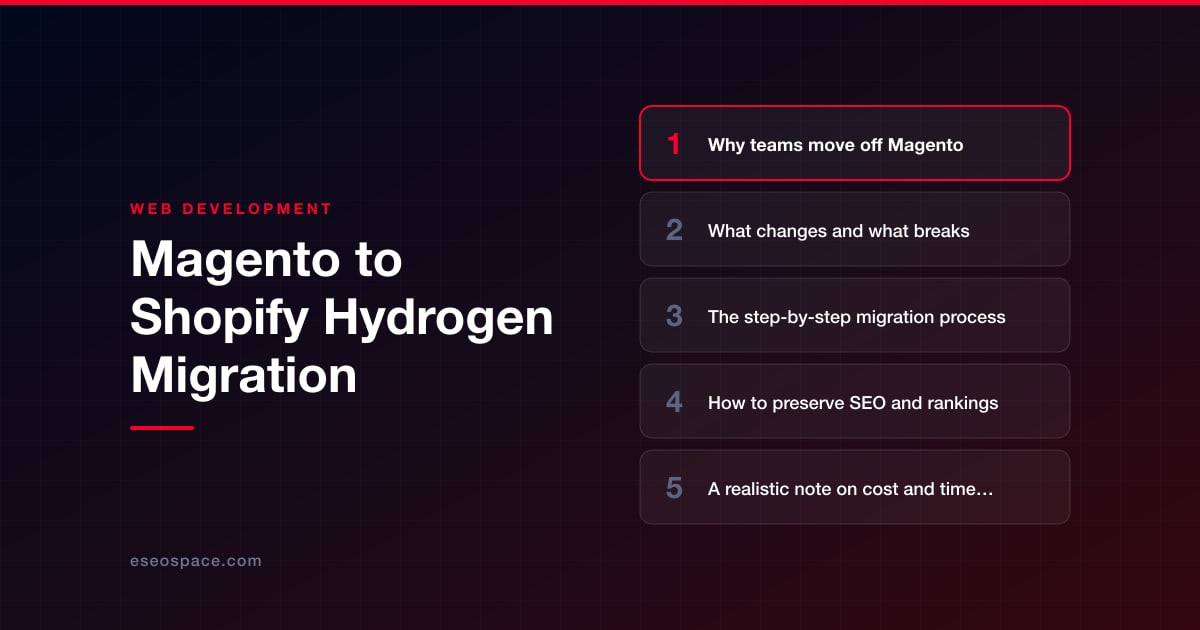
Why teams move off Magento
The reasons cluster into a few honest categories, and most stores feel several at once:
- Operational burden. Magento requires hands-on management of PHP-FPM, MySQL/MariaDB, Redis, Elasticsearch or OpenSearch, and a full-page cache layer. Every security patch and version upgrade (2.4.x releases arrive on a demanding cadence) is a project in itself.
- Adobe Commerce cost. Licensing on the commercial edition scales with gross merchandise value and routinely lands in the tens of thousands annually before hosting, making the economics hard to justify against Shopify's flat plan plus transaction fees.
- Performance ceilings. The default Luma theme and server-rendered checkout make sub-second load times a constant fight. Headless Hydrogen ships hydrated React from the edge, so Largest Contentful Paint and Interaction to Next Paint improve materially.
- Developer availability. Senior Magento/PHP talent is scarce and expensive. React developers are abundant, so a Hydrogen storefront is cheaper to staff and evolve.
- Checkout conversion. Shopify's checkout is one of the highest-converting in commerce and is continuously optimized by Shopify itself, whereas a Magento checkout is your problem to maintain and secure.
What changes and what breaks
Be clear-eyed here, because underestimating the delta is how migrations run over budget. The single largest architectural shift is that your storefront and your commerce engine are no longer the same application. In Magento everything lives in one codebase; in Hydrogen the front end talks to Shopify exclusively through the GraphQL Storefront API and Customer Account API.
- Themes and layout XML are gone. Magento's PHTML templates, layout XML, and the entire theming system do not port. The storefront is rebuilt as React components in Hydrogen. This is a rewrite, not a conversion.
- Extensions do not transfer. Every Magento module from the Marketplace must be replaced by a Shopify app, a third-party service, or custom code. Map each extension to a replacement early; unmatched functionality is the most common source of scope creep.
- Data model differences. Magento's EAV attributes, configurable/bundled/grouped products, customer groups, and multi-store views need remapping to Shopify's product/variant model and metafields. Complex configurable products with many attribute combinations require the most careful mapping.
- URL structure changes. Magento URL keys and category paths rarely match Shopify's
/products/and/collections/conventions, which forces a redirect strategy (covered below). - Custom back-end logic. Observers, plugins, and custom PHP business logic move to Shopify Functions, webhooks, or an external service. If you rely on heavy custom pricing or ERP integration, budget for real custom development and integration work rather than assuming an app exists.
The step-by-step migration process
A disciplined sequence keeps a Magento-to-Hydrogen project from sprawling. This is the order we follow on migrations at eSEOspace.
- 1. Audit and inventory. Catalog every product type, attribute set, category, CMS page, customer group, extension, and custom feature. Export a full URL list from your sitemap and server logs so nothing orphaned gets lost.
- 2. Provision Shopify and choose the data path. Stand up the Shopify store, then migrate catalog and customer data via the Matrixify app, the Admin API, or Shopify's native importers. Products, variants, collections, customers (without passwords, which cannot transfer), and historical orders move in this phase. Reset flows handle the password gap.
- 3. Model your data in Shopify. Recreate configurable products as variants, translate Magento custom attributes into metafields and metaobjects, and rebuild collections (manual and automated rules) to mirror your category tree.
- 4. Scaffold the Hydrogen storefront. Initialize the Hydrogen app (
npm create @shopify/hydrogen), wire it to the Storefront API, and build out routes for home, collection, product, cart, search, and content pages as React Router routes and components. Deploy to Oxygen for edge delivery. - 5. Rebuild integrations. Reconnect payments, tax (Avalara/Shopify Tax), shipping, ERP, email/marketing, and analytics. Replace each Magento module with its Shopify equivalent, using Shopify Functions for custom checkout logic (Functions in a custom app need Shopify Plus; public App Store apps with Functions work on any plan).
- 6. Build the redirect map. Generate a one-to-one mapping from every old Magento URL to its new Shopify path before launch. Deciding how to structure this is central; our guide to building a 301 redirect map covers the pitfalls.
- 7. Stage, QA, and load test. Validate data integrity, checkout, taxes, and every redirect on a staging domain. Confirm structured data, canonical tags, and hreflang render correctly in Hydrogen's server-rendered output.
- 8. Cut over and monitor. Point DNS, submit the new sitemap, and watch crawl stats, error logs, and rankings daily for the first several weeks. A full managed website migration service keeps the launch window tight and reversible.
How to preserve SEO and rankings
This is where migrations quietly succeed or fail. Because your URLs are changing wholesale, SEO cannot be an afterthought bolted on at launch. The non-negotiables:
- 301 redirects for every indexed URL. Map old Magento URLs to their exact Hydrogen equivalents with permanent redirects so link equity flows through. Redirect chains and loops bleed authority, so keep every hop to a single 301.
- Preserve on-page signals. Migrate title tags, meta descriptions, H1s, image alt text, and body copy faithfully. Hydrogen's server-side rendering means Googlebot sees fully formed HTML, but you must populate that HTML from Storefront API data deliberately.
- Rebuild structured data. Reimplement Product, BreadcrumbList, and Organization JSON-LD in your Hydrogen components. Do not assume a Shopify app injects it on a headless storefront.
- Match or improve Core Web Vitals. One of the strongest reasons for this move is speed, so verify LCP, CLS, and INP on the new storefront beat the old numbers.
- Keep canonicals, sitemaps, and robots correct. Generate a fresh XML sitemap from Hydrogen, submit it in Search Console, and confirm canonical tags point to the live URLs.
Work methodically through a complete website migration SEO checklist before and after cutover. Expect a short ranking wobble of two to four weeks as Google reprocesses redirects; a clean redirect map and preserved content typically restore, and often improve, positions.
A realistic note on cost and timeline
A Magento-to-Hydrogen migration is a front-end rebuild plus a data migration, so price it as one. A straightforward catalog with a few hundred SKUs and standard integrations typically lands in the $18,000 to $40,000 range over eight to twelve weeks. Larger stores with complex configurable products, B2B customer groups, multi-store setups, ERP integration, and heavy custom logic run higher and take three to five months.
The variables that move the number most are the count of Magento extensions needing replacement, the complexity of your product data model, and how much custom back-end logic must be rebuilt as Shopify Functions or external services. Ongoing costs generally drop after launch: no more Magento hosting, DevOps retainer, or Adobe Commerce license, offset by Shopify's plan and transaction fees.
Choosing the framework and moving forward
Hydrogen is the natural choice when you are already committing to Shopify, but it is not the only headless path. Some teams pair the Storefront API with Next.js instead; if you are weighing options, our breakdown of how to choose a JavaScript framework is worth a read before you commit. For most Shopify-bound merchants, Hydrogen's first-party integration with Oxygen, the Storefront API, and Shopify's tooling makes it the lowest-friction, best-supported option.
The move off Magento is a genuine step-change: a faster storefront, a checkout you no longer have to defend, and a codebase your team can actually ship features on. The risk lives entirely in the details, the redirect map, the data mapping, the structured data, and those details are exactly what a disciplined process and an experienced migration partner exist to handle. Done right, you keep your rankings, cut your operating burden, and give your customers a store that finally feels fast.
Get a FREE Audit
We'll perform a comprehensive SEO, AEO, GEO & CRO audit of your website — completely free — and show you exactly how to outrank your competitors.
Don't have a site yet? Get in touch →
Put this into action with eSEOspace
We help businesses grow with website development that actually performs. Explore the services behind this guide:
Frequently Asked Questions
Can I migrate my Magento data directly into Shopify?
Will migrating from Magento to Shopify Hydrogen hurt my SEO?
Do my Magento extensions work on Shopify Hydrogen?
How long does a Magento to Shopify Hydrogen migration take?
Why choose Hydrogen instead of Next.js for a Shopify storefront?
Get a FREE GEO/AEO/SEO Audit
We'll analyze your site's SEO, GEO, AEO & CRO — completely free — and show you exactly how to get found across Google and AI answers.
Don't have a site yet? Get in touch →
Great — your audit is on the way!
We'll send your free SEO/GEO/AEO/CRO audit within the next few hours. Where should we send it?
You're all set! ✓
Your free audit is being prepared — check your inbox in the next few hours. Talk soon!








