



How to Migrate from Wix to Webflow
How to Migrate from Wix to Webflow
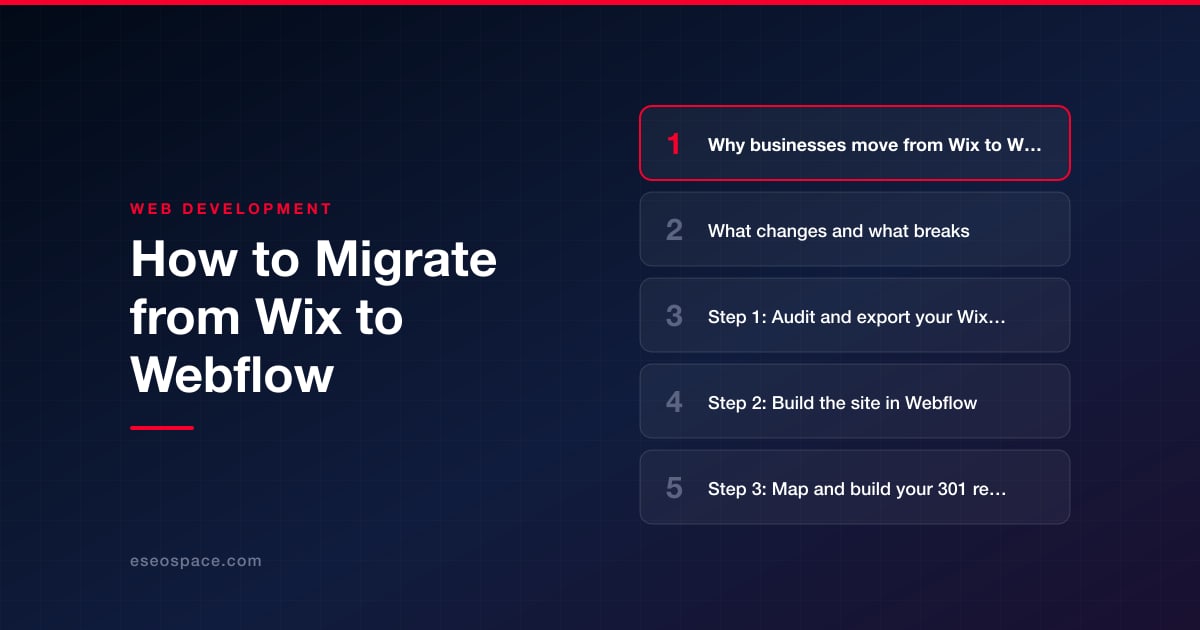
Key Takeaways
- Wix-to-Webflow migration is a full rebuild, not an automated import, because no tool carries the design, apps, or CMS across intact.
- The biggest SEO risk is changed URLs, so every old Wix path that moves must get a 301 redirect to its exact new Webflow page.
- Wix Apps, Wix Stores products, forms, and per-page SEO settings all need to be re-created or re-imported manually in Webflow.
- Audit and export everything first (URLs, blog, products, images, meta data) and prioritize preserving your highest-ranking pages.
- A small site takes 2-4 weeks while a content-heavy or ecommerce site runs 6-12 weeks, with most effort in design rebuild and redirect mapping.
Wix is a fast way to get a website online, but growing businesses often outgrow its ceiling: limited design control, a closed template system you can't fully customize, awkward URL structures, and slower page speeds that hold back SEO. Webflow attracts those same businesses because it offers pixel-level design freedom, clean semantic HTML, a genuine CMS with structured collections, and hosting on a fast global CDN. The trade-off is that Webflow has a steeper learning curve and there is no one-click importer that carries a Wix site over intact.
That means a Wix-to-Webflow migration is a deliberate rebuild, not a copy-paste. The good news is that a well-planned migration preserves your content, your Google rankings, and your traffic when you handle redirects and on-page SEO correctly. The bad news is that skipping those steps is exactly how sites lose a large share of organic traffic overnight. This guide walks through what actually changes, what breaks, and the exact process to move safely.
Whether you do it yourself or bring in a partner for professional website migration services, understanding the mechanics first will save you weeks of rework and protect the search equity you've already earned.
Why businesses move from Wix to Webflow
Most Wix-to-Webflow migrations are driven by a hard ceiling rather than a single feature gap. The common triggers we hear are:
- Design limitations. Wix templates can't be swapped once chosen, and its Editor constrains how far you can push layout, animation, and responsiveness. Webflow gives you full control over the box model, breakpoints, and interactions without writing code.
- Cleaner code and speed. Wix generates heavy markup that can drag Core Web Vitals. Webflow outputs lean HTML/CSS and serves from a fast CDN, which helps both user experience and rankings.
- A real CMS. Webflow Collections let you model blog posts, case studies, locations, or products as structured data with reusable templates, something Wix handles far more rigidly.
- Ownership and portability. Webflow lets you export your HTML/CSS/JS (static sites) and gives cleaner control over URLs, redirects, and integrations, so you're less locked in.
- Scalability and integrations. Teams planning custom functionality, marketing automation, or a connected custom CRM and web app build find Webflow's API and code-embed options far more flexible.
What changes and what breaks
Because there's no automated importer, everything is rebuilt, and several Wix-specific elements do not carry over. Know these before you start:
- Design and layout. Nothing transfers visually. You recreate every page in Webflow. This is actually an opportunity to modernize, but budget for it as design work, not a copy.
- URLs. Wix uses structures like /post/my-article and /blog-1, while Webflow blog URLs typically look like /blog/my-article. Any change in slug or path must be redirected, or you lose ranking pages.
- Wix Apps and plugins. Wix App Market add-ons (booking, forms, chat, membership, restaurant ordering) have no Webflow equivalent. You'll replace each with a Webflow-native feature, an embed, or a third-party tool like Calendly, Jetboost, Memberstack, or Zapier.
- Wix Stores / eCommerce. Products, variants, and orders don't migrate automatically. You export a product CSV and import into Webflow Ecommerce or connect a headless option; payment and shipping settings are reconfigured from scratch.
- Forms and databases. Wix form submissions and any Wix Data collections need to be exported (or rebuilt) and re-pointed to a new backend or email integration.
- SEO settings. Title tags, meta descriptions, alt text, and structured data are stored per-page in Wix and must be re-entered in Webflow's page and Collection SEO fields.
Step 1: Audit and export your Wix content
Start by inventorying everything before you touch Webflow. Crawl your live Wix site with a tool like Screaming Frog to capture every URL, its title tag, meta description, H1, and word count. Wix has no blog export, so pull posts from the RSS feed (it lists only the 20 most recent), the Wix Blog API, or by copying them, and export Wix Stores products and any CMS collections to CSV. Save copies of all images at full resolution, and record which Wix Apps power which features.
This audit becomes your master build list. Pay special attention to your highest-traffic and highest-ranking pages in Google Search Console, because those are the URLs you must preserve and redirect with the most care. A structured approach here pays off; our website migration SEO checklist covers exactly what to capture so nothing slips through.
Step 2: Build the site in Webflow
Set up your Webflow project and rebuild deliberately rather than page by page in isolation:
- Define your style system first. Configure global classes, fonts, colors, and a spacing scale so the site stays consistent and easy to maintain.
- Model your CMS Collections. Create Collections for blog posts, and any locations, services, team members, or products, mapping each Wix field to a Webflow field before importing.
- Import content. Use Webflow's CSV import for CMS Collections and Ecommerce products. Clean the exported data (strip Wix-specific markup, fix relative image paths) before importing.
- Recreate SEO fields. Enter title tags, meta descriptions, Open Graph data, and alt text into each static page and Collection template.
- Replace app functionality. Wire up forms (Webflow native or Formspark/Zapier), booking (Calendly), chat, and membership using Webflow-friendly tools.
If the migration is also a chance to refresh the brand, treat it as a combined project. Many teams pair the move with a full website redesign so they launch on Webflow with a stronger design rather than a like-for-like copy of the old Wix layout.
Step 3: Map and build your 301 redirects
This is the single most important step for protecting SEO. Any Wix URL whose path or slug changes in Webflow must be redirected with a 301 (permanent) redirect so that link equity and rankings transfer to the new page. Build a redirect map that lists every old Wix URL alongside its exact new Webflow URL.
- Watch for Wix quirks like /post/ blog paths, hashbang legacy URLs, and mobile-specific ? parameters, and redirect each to its clean Webflow equivalent.
- Add redirects in Site settings > Publishing > 301 redirects, which supports wildcard patterns for bulk rules like moving an entire /blog-1/* path.
- Never point multiple old URLs to a generic homepage; match each page to its closest topical replacement to keep the equity relevant.
A disciplined mapping process prevents the traffic drops that plague careless migrations. Our guide to building a 301 redirect map for a website migration shows how to organize this at scale, and it's the step we spend the most time on for clients.
Step 4: DNS, launch, and post-launch testing
Before launching, publish to your temporary webflow.io staging domain and QA everything: broken links, form submissions, mobile responsiveness, page speed, and that every SEO field rendered correctly. Set your custom domain in Webflow's hosting settings, which will provide the A record and CNAME values you add at your DNS provider. Because DNS can take up to 48 hours to propagate, schedule the cutover during a low-traffic window.
Immediately after launch:
- Submit your new XML sitemap in Google Search Console and remove or update the old Wix one.
- Spot-check your top redirects with an HTTP status checker to confirm they return 301, not 404 or 302.
- Re-verify your domain and check that Google Analytics / GA4 and any tag manager are firing on the live Webflow site.
- Crawl the live site again to catch orphaned pages, missing meta data, or redirect chains.
- Monitor Search Console coverage and rankings weekly for the first 4-8 weeks and fix any 404s that surface.
Timeline and cost: what to expect
A Wix-to-Webflow migration is a rebuild, so timeline scales with site size and complexity. A small brochure site of 5-15 pages is typically a 2-4 week project. A content-heavy site with a large blog, multiple CMS Collections, or Ecommerce usually runs 6-12 weeks, most of it in design rebuild and content mapping rather than the technical cutover.
Cost follows the same logic. A DIY migration costs mainly your time plus Webflow's subscription (Site and, for CMS/Ecommerce, a paid plan). A professionally managed migration is generally priced by the scope of design, development, and SEO work. A straightforward small-site move typically sits in the low four figures, while a large redesign-plus-migration with hundreds of redirects and Ecommerce runs higher. The value is in avoiding the far larger cost of lost rankings from a botched cutover. If you'd rather hand off the whole process, our website development team handles the rebuild, redirect mapping, and launch end to end so your traffic stays intact.
Get a FREE Audit
We'll perform a comprehensive SEO, AEO, GEO & CRO audit of your website — completely free — and show you exactly how to outrank your competitors.
Don't have a site yet? Get in touch →
Put this into action with eSEOspace
We help businesses grow with website development that actually performs. Explore the services behind this guide:
Frequently Asked Questions
Can you automatically import a Wix site into Webflow?
Will migrating from Wix to Webflow hurt my Google rankings?
What happens to my Wix apps and plugins after migrating?
How long does a Wix to Webflow migration take?
How much does it cost to migrate from Wix to Webflow?
Get a FREE GEO/AEO/SEO Audit
We'll analyze your site's SEO, GEO, AEO & CRO — completely free — and show you exactly how to get found across Google and AI answers.
Don't have a site yet? Get in touch →
Great — your audit is on the way!
We'll send your free SEO/GEO/AEO/CRO audit within the next few hours. Where should we send it?
You're all set! ✓
Your free audit is being prepared — check your inbox in the next few hours. Talk soon!








