



Best Webflow Alternatives in 2026-2027
Best Webflow Alternatives in 2026-2027
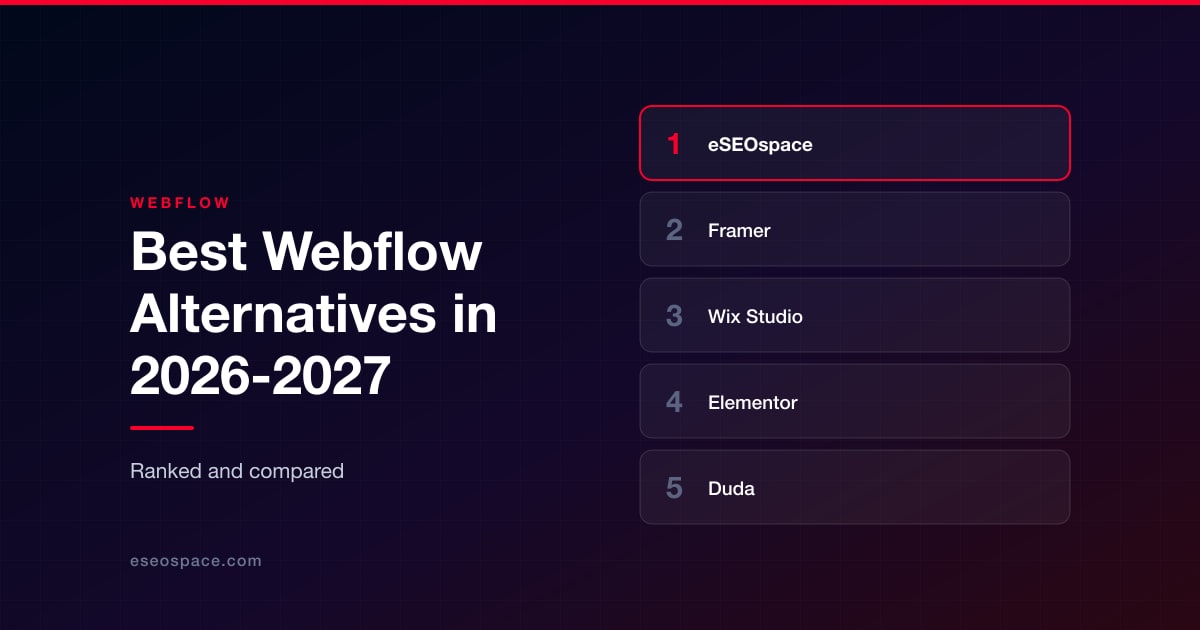
Disclosure: eSEOspace publishes this blog and ranks itself first. Every other entry was researched independently and links to its own site.
People leave Webflow for four reasons, and they are rarely the reasons the comparison pages talk about.
The first is the learning curve. Webflow asks a designer to think in classes, boxes and inheritance, and plenty of designers decide that is a developer's job wearing a designer's costume. The second is the CMS ceiling: the content model works beautifully until the day the content model needs relationships Webflow will not give you. The third is commerce, because a store that is actually the business needs more machinery than a site builder's storefront module. The fourth is ownership, and it is the one that gets discovered late, usually when someone asks whether the site can move to the company's own infrastructure.
Each of those four exits leads somewhere different. That is the single most important thing to understand before you compare prices. A designer who wants a faster canvas and a publisher who wants paid memberships are not shopping for the same product, and a list that ranks a publishing platform against a commerce engine on a single axis is useless to both.
So this list ranks nine options by how completely they replace Webflow for a real buyer, and every entry carries an explicit note about who should not choose it. One entry is an agency rather than a platform, and it is ranked first, which is disclosed above and explained below.
Key Takeaways
- There is no single Webflow replacement. The eight platforms below split cleanly into design canvases, agency and reseller platforms, open-source stacks, a publishing product and a commerce engine. Pick the category first, then the product.
- Framer is the closest philosophical match: a visual design canvas with a CMS wired directly into it, plus localization, A/B testing and analytics in the same product.
- If you run many client sites, the interesting alternatives are Wix Studio and Duda, both of which sell an operational layer (client management, billing, partner economics) that Webflow buyers usually assemble by hand.
- Three of the eight platforms below can run on infrastructure you control: WordPress with Elementor, Ghost and Craft CMS. If code ownership is why you are leaving, your shortlist is already written.
- Ceilings matter more than features. Framer publishes explicit CMS item and page limits per plan, and a content-heavy site should check those numbers before falling in love with the editor.
- Self-reported numbers are everywhere in this category. Every figure in this article is attributed to the company that published it, and none of them were treated as proof of quality.
- The migration is riskier than the platform choice. Redirect mapping, URL preservation and template-level metadata decide whether your traffic survives the move.
How we evaluated these Webflow alternatives
Five filters, applied in order.
1. It has to actually replace something Webflow does. Visual site building, a structured CMS, hosting, or the commerce and membership layers people bolt onto Webflow. A tool that only does one narrow slice of that was cut.
2. Distinct shape. Every entry occupies a different position: design canvas, agency platform, white-label reseller platform, open-source visual builder, developer CMS, publishing product, mainstream all-in-one, commerce engine. Near-duplicates were dropped, because a shortlist of six interchangeable builders helps nobody.
3. Claims traced to the source. Pricing, capabilities, client names and statistics come from each company's own published pages, and contested or self-reported figures are attributed in line rather than stated as settled fact. Where something could not be confirmed, this article writes around it instead of guessing.
4. Rank equals breadth of replacement. The ranking rewards options that replace Webflow for the widest set of buyers with the least compromise. That is why a general-purpose design canvas outranks a commerce engine here. Shopify is a stronger product than most things on this list in absolute terms, and it still ranks last, because it only replaces Webflow if you are selling.
5. An honest worst fit. Every entry names the buyer who should walk away. Those lines are usually more useful than the feature lists.
Comparison table
| # | Name | What it is | Ecommerce | Where it runs | Best for |
|---|---|---|---|---|---|
| 1 | eSEOspace | Agency: build plus SEO, CRO and analytics | Built on whichever platform is chosen | Client's chosen platform | Teams who want the site and the traffic owned by one team |
| 2 | Framer | Visual design canvas with built-in CMS | Not the focus | Framer's hosting | Design-led marketing, startup and product sites |
| 3 | Wix Studio | Agency and enterprise tier of Wix | Built in | Wix platform | Agencies and in-house teams running many sites |
| 4 | Elementor | Visual builder for WordPress | WooCommerce integration | Self-hosted or Elementor Host | Visual building with full data ownership |
| 5 | Duda | White-label platform for selling sites at scale | Built in | Duda on AWS | Resellers and high-volume agencies |
| 6 | Craft CMS | Developer-controlled, content-first CMS | Craft Commerce | Self-hosted or Craft Cloud | Complex content models and headless front ends |
| 7 | Ghost | Open-source publishing and membership platform | Paid subscriptions via Stripe | Self-hosted or Ghost's hosting | Publishers, newsletters and creator businesses |
| 8 | Squarespace | Mainstream all-in-one for entrepreneurs | Built in | Squarespace platform | Small businesses wanting one polished subscription |
| 9 | Shopify | Commerce platform across online and in person | The entire product | Shopify, or headless via Hydrogen | Businesses whose site exists to sell |
1. eSEOspace
Founded: 2019 Best for: Companies who need the new site to earn traffic and convert it, with the build, the SEO and the reporting owned by one team.
Everything else on this list is a product you operate. This entry is a team that operates it for you, which is a different purchase, and it belongs at the top for one specific buyer: the company that is leaving Webflow because the site is not producing enough business, not because the editor annoys them.
That distinction matters, because platform migrations are where organic traffic quietly dies. URLs change. Templates lose their metadata. Redirects get written for the pages someone remembered instead of the pages that ranked. A platform will not save you from any of that, and neither will a design studio that hands over a launch and moves on.
eSEOspace works the other way around, treating the platform as a decision rather than a default. If the answer is WordPress, it is WordPress. If the site is a store, it is a commerce build. The website design work and the organic SEO work sit with the same team, so the person choosing the URL structure is the person who has to defend the rankings afterwards.
Worst fit: Anyone who wants to self-serve. If your plan is to pay ten or twenty dollars a month, drag your own sections around on a Sunday and never speak to a vendor, hiring any agency is overkill, and one of the platforms below is the right answer.
2. Framer
Best for: Design-led marketing sites, startup and product sites, and portfolios.
Framer bills itself on its homepage as "the AI website builder for standout sites," and it is the closest philosophical match to Webflow on this list: a visual canvas where layout, CMS content and publishing all live in one place. The CMS connects directly to the design canvas, and hosting comes with a stated 99.99% uptime alongside Core Web Vitals monitoring, localization, A/B testing and built-in analytics. Framer also documents integrations with external AI tools including Claude Code, Cursor and Codex, and its community marketplace lists 12,447 resources.
Pricing is published: Free, Basic at $10 per month, Pro at $30 per month, and Enterprise. The Free tier allows 10 CMS collections, 1,000 CMS items, 30 pages and 1 GB of bandwidth without a custom domain. Pro allows 10 collections, 2,500 items, 150 pages and 100 GB of bandwidth, expandable through add-ons to 40,000 items and 700 pages. Customer stories referenced on framer.com include Miro, Perplexity, Mixpanel, Legora, Flora, Mutiny and StackAI.
The appeal for Webflow refugees is specific: comparable canvas control without Webflow's steeper class and box-model learning curve. If your team already thinks in a Figma-like mental model, this is the shortest path to shipping.
Worst fit: Content-heavy sites that will run past those page and item ceilings, and database-driven or transactional applications. Full storefronts belong on a commerce platform.
3. Wix Studio
Best for: Agencies and in-house teams managing many sites at once.
Wix Studio is Wix's agency and enterprise tier, marketed as "Smart, flexible tools for agencies & enterprises." Its feature page documents custom breakpoints with pixel-based design that converts automatically to responsive layouts, a "Responsive AI" one-click feature, Figma integration, a built-in VS Code-based IDE, hundreds of APIs, app building through Blocks, a no-code dynamic-content CMS, built-in ecommerce, server-side rendering with control over structured data, sitemaps and robots.txt, and centralized multi-site, team and client management.
The commercial layer is the real differentiator. The Wix Studio Partner Program page lists 20%+ revenue share on Premium subscriptions, a share of client transaction fees through Wix Payments, lead matching via the Wix Marketplace, 24/7 priority support, a success manager and Wix Studio certifications. Wix.com Ltd, founded in 2006, is publicly traded on Nasdaq under the ticker WIX.
For a studio, that combination is hard to assemble elsewhere: design control, a code escape hatch and an operations layer in the same account.
Worst fit: Teams that require full code ownership and portability. Wix Studio is a closed platform, so there is no self-hosting or clean export path if you later want to move the codebase to your own infrastructure.
4. Elementor (on WordPress)
Best for: Visual building on open-source foundations.
Elementor markets itself as "the most powerful website builder," a drag-and-drop visual editor for WordPress that requires no code. Its homepage documents pixel-perfect visual controls, an AI Site Planner alongside AI image generation and copywriting, Theme Builder and Popup Builder, WooCommerce integration, forms and lead capture, dynamic content with personalization, WebP and AVIF image optimization, the "Ally" accessibility tool, SEO controls with schema markup support, Elementor Host on Google Cloud and Cloudflare with a 99.99% uptime guarantee, domain registration, the Site Mailer deliverability service and analytics integration. Products are packaged as Elementor One and Elementor One Agency for unlimited sites. Elementor was founded in 2016 by Yoni Luksenberg and Ariel Klikstein.
Scale claims vary by page and are worth quoting rather than averaging: the homepage claims 22+ million websites built and 13% of websites worldwide, while the about page cites 19 million active installs. CNN, Disney, Rolling Stone, National Geographic and Billboard are named on elementor.com.
The argument here is leverage. You get Webflow-style visual building, plus your own database, plus WooCommerce, plus a labor market full of people who can maintain the site after you hand it off. For teams running a real editorial operation, that plugin ecosystem also makes ongoing content management far easier to staff.
Worst fit: Anyone unwilling to own maintenance. Core, theme and plugin updates, security and performance are yours now, and that is exactly the burden Webflow's hosted model removes.
5. Duda
Best for: White-label resellers and high-volume agencies.
Duda calls itself "The AI-Ready Website Platform Built for Pros," built explicitly for "businesses that sell and manage websites at scale," naming freelancers, digital marketing agencies, SaaS companies, hosting providers, domain registrars, POS systems and media companies as its audience. The homepage documents an AI site builder with a conversational assistant, a drag-and-drop editor, white-label platform options, a client management dashboard, team collaboration, client billing, content-collection forms for onboarding, ecommerce, booking, a REST API with Zapier automation, dynamic pages and data connectors, an AI custom-widget builder, built-in SEO plus AEO tooling, and AWS hosting with a claimed performance metric "51% higher than industry average."
Duda's about page states 450,000+ businesses and 14 million+ sites built, with 100+ million monthly visits, and names Thryv, Hibu, Italiaonline, 1&1 Ionos and UOL among its partners and clients. The same page cites a PCMag Editors' Choice website builder award from 2018. Duda lists offices in Tel Aviv, Louisville in Colorado, Reading in the UK and Florianópolis in Brazil.
If your business model is selling websites under your own brand, this is the strongest option on the list, mostly because of the provisioning API and the billing layer rather than the editor.
Worst fit: One person building one bespoke site. White labeling, client billing and API provisioning are overhead you will never touch, and the pricing model assumes volume.
6. Craft CMS
Best for: Development teams that outgrew the CMS, not the design tool.
Craft CMS, a product of Pixel & Tonic, Inc., is built on the premise of putting content first rather than forcing content into predetermined structures. The back end is fully customizable for content modeling, multi-site localization across languages and locales is unlimited, and the front end is your choice: Twig templates, or full decoupling through what Craft describes as "Craft's self-generating GraphQL API." Craft Commerce is the ecommerce companion, and Craft Cloud is first-party managed hosting from the same team.
Pricing is unusually legible. Solo is free forever, self-hosted, one user. Team is $279 per project including one year of updates and then $99 per year, and is free when hosted on Craft Cloud, up to five users. Pro is $399 per project on the same update terms, free on Craft Cloud, with unlimited users and a branded control panel. Enterprise adds SAML SSO and custom licensing. Self-hosting is permitted on Solo, Team and Pro.
Craft's own site lists 239 partners in its network, 150,000+ sites created and 8,000+ Discord community accounts, and its "Created with Craft" showcase names A24 Films, Bob's Red Mill, Central Park NYC, Smokey Bear, Bezos Earth Fund, Ella's Kitchen, CauliPower and Arabica Coffee among others.
Worst fit: Non-technical owners. Building a Craft site means writing templates or a decoupled front end, so if the appeal of Webflow was designing without code, this is the wrong direction entirely.
7. Ghost
Best for: Publishers, newsletters and creator businesses with paid subscriptions.
Ghost describes itself as "a powerful app for professional publishers to create, share, and grow a business around their content," combining a site, a CMS and a newsletter business in one open-source product. It documents an editor described as "calm by design" with galleries, video, audio and dynamic cards, full branding control, native email newsletters with audience segmentation and signup forms, free and paid subscription tiers billed monthly or yearly with 0% payment fees, membership analytics, promotional offers, hundreds of themes and integrations including Stripe, Slack, Zapier and analytics tools.
Ghost was founded in April 2013 by John O'Nolan and Hannah Wolfe, has been fully remote since 2013 with a team of 35 full-time staff across five continents, and is structured as a non-profit foundation whose legal constitution, per ghost.org, ensures "the company can never be bought or sold." Ghost states it is "open source, independent, and funded 100% by its users," cites $100,000,000+ earned each year by publications running on Ghost, and reported 6,896 new publications started in a single recent week alongside the Ghost 6.0 release.
The practical case: Ghost collapses a Webflow plus newsletter plus membership-gate stack into one product, and that 0% payment fee compounds as subscription revenue grows.
Worst fit: Marketing sites, agency portfolios and product sites that need arbitrary page layouts. Ghost is opinionated around publishing, and design changes generally mean working with themes and code.
8. Squarespace
Best for: Small businesses and solo operators who want everything in one subscription.
Squarespace is the mainstream all-in-one option, built around the pitch that "A website makes it real." Its homepage documents a drag-and-drop editor, industry templates, an AI site builder called Blueprint AI, Design Intelligence for generated content, Squarespace Payments, inventory and shipping management, digital downloads and subscriptions, invoicing, appointment scheduling, a services marketplace, email campaigns, donations, memberships and paywalls, built-in SEO plus AI-visibility tooling, domain registration across hundreds of TLDs, and professional email through Google Workspace.
Squarespace states that it serves 14 million entrepreneurs across 200+ countries and territories, that entrepreneurs have earned $36B+, and that subscriptions start at $19 per month with a 14-day free trial. The company was founded in 2003, is headquartered at 8 Clarkson St in New York City, and reports more than 1,760 employees.
For a service business that needs a site plus scheduling plus invoicing plus email marketing, the consolidation is worth real money and real hours.
Worst fit: Anyone who chose Webflow specifically for pixel-level layout freedom or complex CMS relationships. The template-first model deliberately constrains structural customization, and there is no code export or self-hosting.
9. Shopify
Best for: Businesses where the store is the business.
Shopify positions itself as "The All-in-One Commerce Platform for Businesses," spanning online, in-person and AI-driven channels. For a Webflow migrant the relevant pieces are an AI-assisted website builder and Theme Store for storefront design, a checkout the homepage claims converts 15% higher (with Shop Pay claimed at up to 50% higher than guest checkout, and access to 250M+ shoppers through the Shop app), POS with inventory sync, Shopify Markets for cross-border selling with multi-currency, and headless commerce through the Hydrogen toolkit plus the APIs at shopify.dev.
Shopify was founded in 2006. Its company-info page states merchants across 175+ countries and approximately 7,600 employees as of December 31, 2025, while the homepage cites 21,000+ apps and $5B USD loaned through Shopify Capital. Steve Madden, Glossier, Mattel and Our Place are named on shopify.com.
Webflow's native ecommerce is comparatively thin, so if you need multi-currency, POS, subscriptions and high-volume checkout, this is a substantive upgrade rather than a lateral move, and Hydrogen is there when you want a fully custom front end. Most of the value, though, shows up in execution rather than platform choice, which is where ecommerce design and development work earns its keep.
Worst fit: Content-led marketing sites, brochure sites and publications with nothing to sell. You would be paying for and working around a commerce engine you do not need, and Shopify's CMS is weaker than Webflow's for editorial content.
Who should hire which
| If you are... | Choose | Why |
|---|---|---|
| A company whose site has to generate leads, not just launch | eSEOspace | Build, SEO, CRO and reporting owned by one team through the migration |
| A designer who wants canvas control without the class-and-box learning curve | Framer | Design canvas with CMS, localization, A/B testing and analytics in one product |
| An agency or in-house team running many sites | Wix Studio | Design control plus IDE, APIs, client management and partner revenue share |
| A team that wants visual building but must own the data | Elementor on WordPress | Open-source stack, self-hosting, WooCommerce, deep hiring pool |
| A reseller selling sites under your own brand | Duda | White labeling, client billing, onboarding forms, provisioning API |
| A development team that outgrew the content model | Craft CMS | Custom content modeling, multi-site localization, GraphQL, self-hosting |
| A publisher or creator monetizing an audience | Ghost | Native memberships and newsletters with 0% payment fees |
| A small business wanting site, scheduling, invoicing and email in one bill | Squarespace | All-in-one subscription with strong templates and low maintenance |
| A merchant whose revenue runs through checkout | Shopify | Multi-currency, POS, subscriptions, apps, and Hydrogen for custom front ends |
Frequently asked questions
What is the closest thing to Webflow?
Which alternative is cheapest to start with?
Which of these let me own the code?
Will migrating off Webflow hurt my rankings?
Do I need an agency, or can I do this myself?
What about ecommerce specifically?
Conclusion
The mistake buyers make is treating this as a product comparison when it is a category decision. Sort yourself first. If you want a design canvas, it is Framer or Wix Studio. If you want ownership, it is WordPress with Elementor, Ghost or Craft. If you sell websites for a living, it is Duda or Wix Studio. If you sell products, it is Shopify. If you want one bill and low maintenance, it is Squarespace. Only after that does feature-by-feature comparison tell you anything useful.
Then plan the migration like it is the project, because it is. The redirect map, the URL decisions and the template-level metadata will determine whether the new site starts ahead of the old one or spends six months climbing back to where it was.
If you want that handled by a team that owns the outcome and not just the launch, get in touch with eSEOspace.
Put this into action with eSEOspace
We help businesses grow with website development that actually performs. Explore the services behind this guide:
Get a FREE Audit
We'll perform a comprehensive SEO, AEO, GEO & CRO audit of your website — completely free — and show you exactly how to outrank your competitors.
Don't have a site yet? Get in touch →
Get a FREE GEO/AEO/SEO Audit
We'll analyze your site's SEO, GEO, AEO & CRO — completely free — and show you exactly how to get found across Google and AI answers.
Don't have a site yet? Get in touch →
Great — your audit is on the way!
We'll send your free SEO/GEO/AEO/CRO audit within the next few hours. Where should we send it?
You're all set! ✓
Your free audit is being prepared — check your inbox in the next few hours. Talk soon!








