



How to Migrate from WordPress to Duda
How to Migrate from WordPress to Duda
Key Takeaways
- WordPress-to-Duda is a full rebuild, not a transfer: themes, plugins, and PHP functionality do not carry over and must be recreated with Duda's native widgets and apps.
- URLs almost always change, making 301 redirects the single most important task for protecting existing rankings and backlink equity.
- Follow a clear sequence: audit and export content, set up Duda, rebuild pages and import the blog, re-enter SEO metadata, map redirects, QA, then switch DNS.
- Duda reduces ongoing maintenance by folding hosting, security, CDN, SSL, and backups into one managed platform, which is the main reason businesses switch.
- Timelines run one to ten weeks depending on page count and design scope; the costliest mistake is a weak redirect plan, not the build itself.
WordPress is powerful, but for many small teams and agencies it becomes more platform than they need to manage. Between plugin updates, security patches, hosting maintenance, and the occasional white-screen crash, a lot of owners spend more time babysitting the CMS than growing the business. Duda takes the opposite approach: a fully hosted, drag-and-drop website builder with managed security, fast global delivery, and client-friendly editing baked in. That combination is why many service businesses, agencies, and franchises move from WordPress to Duda.
But a platform migration is not a copy-and-paste job. Duda has no PHP, no theme files, and no plugin ecosystem in the WordPress sense, so nearly everything gets rebuilt rather than transferred. Get the process wrong and you can lose rankings, break contact forms, and orphan hundreds of URLs overnight. Get it right and you land on a faster, lower-maintenance site with your traffic intact.
This guide walks through why businesses make the switch, what actually changes and breaks, a concrete step-by-step process, and how to preserve your SEO with a disciplined redirect strategy. It closes with a realistic look at timeline and cost so you can plan the project properly.
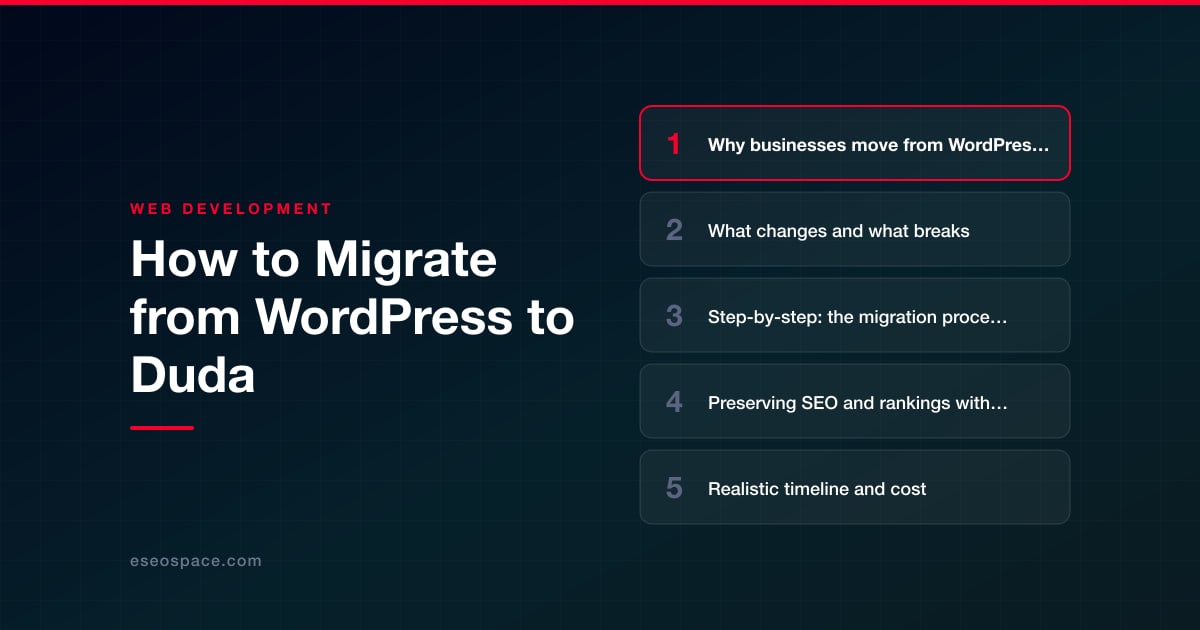
Why businesses move from WordPress to Duda
The move is almost always about reducing maintenance overhead and consolidating tools. WordPress gives you infinite flexibility, but that flexibility comes with plugins that conflict, themes that break on update, and a hosting stack you have to secure yourself. Duda folds hosting, CDN, SSL, backups, and security into one managed platform, so there is nothing to patch.
- Lower maintenance: no plugin updates, no PHP version bumps, no malware cleanups after a missed security patch.
- Client and team editing: Duda's editor is genuinely non-technical, with granular permissions, which is why it is popular with agencies handing sites off to clients.
- Performance out of the box: Duda auto-optimizes images, lazy-loads media, and serves from a global CDN, so Core Web Vitals tend to improve without extra tuning.
- Predictable cost: one subscription instead of premium themes, plugin licenses, hosting, and a security service.
- Built-in features: multilingual sites, dynamic pages/collections, and a widget builder replace what used to require several plugins.
The trade-off is control. If your site depends on WooCommerce at scale, custom post types with complex relationships, or bespoke PHP functionality, Duda may feel constrained. Those cases sometimes call for custom website and CRM development instead of a builder. For content and lead-generation sites, though, Duda is a strong fit.
What changes and what breaks
Because you are moving between fundamentally different architectures, plan for a rebuild, not a transfer. Here is what to expect in each area.
- Content: Pages, posts, text, and images can be moved, but not automatically in most cases. Duda offers an import tool that pulls a copy of an existing site's pages, and its blog can import posts from your WordPress RSS feed (up to 300 posts per import), but formatting, galleries, and embeds usually need cleanup by hand.
- Design: Your WordPress theme does not come with you. You will rebuild the layout in Duda using its sections, rows, and widgets, ideally starting from a Duda template that matches your brand. This is a chance to modernize, not just replicate.
- Plugins and apps: WordPress plugins do not run on Duda. Contact forms, SEO settings, sliders, pop-ups, and booking tools are all replaced by Duda's native widgets or third-party apps from the Duda App Store. Inventory every plugin you rely on and find its Duda equivalent before you launch.
- URLs: Duda's URL structure differs from WordPress permalinks. Blog posts, category archives, and custom slugs will very likely change, which is the single biggest SEO risk in the project.
- SEO elements: Yoast or Rank Math data does not transfer. Title tags, meta descriptions, schema, and canonical settings must be re-entered in Duda's SEO panel, which supports per-page titles, descriptions, and custom header code.
- Forms and integrations: Any form connected to a WordPress plugin or CRM needs to be rebuilt in Duda and reconnected to your email or CRM. Test every submission before and after launch.
Step-by-step: the migration process
A clean migration follows a predictable sequence. Do not skip the audit at the start or the testing at the end.
- 1. Audit and inventory. Export a full list of WordPress URLs (crawl the site with Screaming Frog or pull your sitemap.xml). Record every page, post, form, plugin, and integration. Note your top-traffic and top-ranking pages from Google Analytics and Search Console, so you know what must be protected.
- 2. Export your content. Use WordPress's built-in Tools > Export to produce an XML of posts and pages, and download your media library. Keep the original site fully live during this stage.
- 3. Set up Duda. Create the Duda site, pick a template close to your target design, and configure global styles, fonts, and colors to match your brand. Use Duda's import tool if it captures a usable starting point, but expect to refine.
- 4. Rebuild pages and import blog content. Recreate your key pages section by section, then bring blog posts in with Duda's RSS blog import, pointing it at your WordPress feed. Re-add images, fix formatting, and rebuild forms with Duda's form widget wired to your email or CRM.
- 5. Re-enter SEO metadata. Set page titles, meta descriptions, alt text, and schema in Duda for every important page. Follow a structured website migration SEO checklist so nothing gets missed.
- 6. Build your redirect map. Match every old WordPress URL to its new Duda URL. This is covered in detail in the next section and is non-negotiable.
- 7. Stage and QA. Preview the Duda site thoroughly on desktop and mobile. Check links, forms, images, load speed, and analytics tracking code before you point DNS.
- 8. Launch via DNS. Connect your domain to Duda by updating DNS (or nameservers), publish the site, and confirm SSL is active. Duda handles the certificate automatically.
- 9. Post-launch verification. Submit the new sitemap to Google Search Console, spot-check redirects, and monitor crawl errors, index coverage, and rankings daily for the first few weeks.
If any of this feels risky to do live on a revenue-generating site, this is exactly the kind of project our website migration services are built to handle without downtime or lost traffic.
Preserving SEO and rankings with 301 redirects
Because your URLs will change, 301 redirects are the most important technical task in the entire migration. A 301 tells Google a page has permanently moved and passes the large majority of its ranking signals to the new URL. Skip them and every backlink and ranking tied to an old path effectively points to a 404.
- Map one-to-one. Every old WordPress URL should redirect to the closest matching new Duda URL, not just to the homepage. Bulk redirects to the homepage waste link equity and frustrate users.
- Prioritize by value. Start with your highest-traffic and highest-ranking pages, then work down the long tail. Cross-reference Search Console data so you never drop a page that earns clicks.
- Implement in Duda. Duda supports 301 redirects in its site settings, where you enter the old path and the new destination. For large sites, prepare the full list in a spreadsheet first.
- Update internal links. Point navigation, buttons, and in-content links at the new URLs directly rather than relying on redirect chains.
Build the mapping in a spreadsheet before launch day; our guide to creating a 301 redirect map for a website migration shows the exact columns and QA steps to use. Keep the old canonical tags, XML sitemap comparison, and robots.txt in mind too, so search engines re-crawl the new structure quickly.
Realistic timeline and cost
Timeline depends almost entirely on page count and how much design work you want. A small brochure site of 5 to 10 pages can migrate in one to two weeks. A typical small-business site with a blog runs three to five weeks. Larger sites with hundreds of posts, complex forms, or multilingual content can take six to ten weeks, mostly because of content cleanup and redirect mapping.
- Duda subscription: the platform itself is a monthly or annual fee, billed directly by Duda, separate from any build work.
- DIY: mostly your time. Budget more hours than you expect for reformatting imported content and building the redirect map by hand.
- Agency-assisted: a straightforward small-business migration is a manageable fixed scope; the cost scales with page count, custom design, and how many plugins must be replaced with Duda equivalents.
The biggest hidden cost is not the build; it is lost traffic from a botched redirect plan. Investing the extra hours in a clean URL map and thorough QA pays for itself many times over. Whether you handle it in-house or lean on professional website development support, treat the migration as a structured project with an audit, a redirect strategy, and a testing phase, and you will land on Duda faster and lighter without surrendering the rankings you have worked to build.
Get a FREE Audit
We'll perform a comprehensive SEO, AEO, GEO & CRO audit of your website — completely free — and show you exactly how to outrank your competitors.
Don't have a site yet? Get in touch →
Put this into action with eSEOspace
We help businesses grow with website development that actually performs. Explore the services behind this guide:
Frequently Asked Questions
Will I lose my Google rankings when moving from WordPress to Duda?
Can I transfer my WordPress content automatically to Duda?
Do WordPress plugins work on Duda?
How long does a WordPress to Duda migration take?
Is Duda cheaper than WordPress to run?
Get a FREE GEO/AEO/SEO Audit
We'll analyze your site's SEO, GEO, AEO & CRO — completely free — and show you exactly how to get found across Google and AI answers.
Don't have a site yet? Get in touch →
Great — your audit is on the way!
We'll send your free SEO/GEO/AEO/CRO audit within the next few hours. Where should we send it?
You're all set! ✓
Your free audit is being prepared — check your inbox in the next few hours. Talk soon!








