



How to write a CLAUDE.md for a website project
How to write a CLAUDE.md for a website project
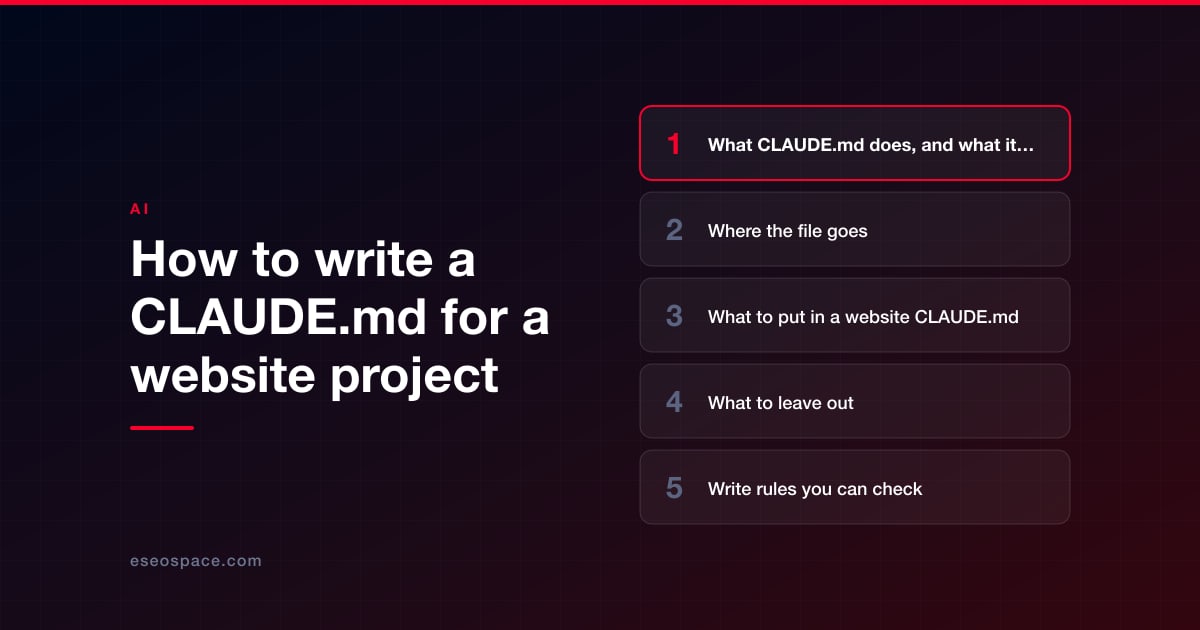
A good CLAUDE.md for a website is a short file of facts and rules that Claude Code can't work out by reading your code: the commands that build and check the site, where the real content lives, which files are off limits, and the SEO and content rules that must never break. Keep it under 200 lines, write every rule so someone could check whether it was followed, and leave out anything that changes often or that Claude can see for itself.
CLAUDE.md is a plain Markdown file that Claude Code reads at the start of every session in a project. Anthropic describes it as "persistent instructions you write for Claude". It is the closest thing you have to a briefing document for a new contractor who forgets everything overnight.
This guide covers what goes in the file. For finished files to copy, our copy-ready CLAUDE.md templates include versions for a Next.js marketing site, a WordPress theme, a Shopify theme and a content pipeline.
Key Takeaways
- CLAUDE.md is guidance, not enforcement. Anthropic's docs say Claude treats it "as context, not enforced configuration". Anything that must never happen belongs in permission rules or a hook as well.
- Anthropic's target is "under 200 lines per CLAUDE.md file". Longer files "consume more context and reduce adherence".
- Write rules you can verify: "Run npm run build before saying you're done" works; "write good code" does not.
- Run /init for a first draft, then cut. For each line, Anthropic suggests asking whether removing it would cause Claude to make mistakes.
- Keep prices, phone numbers and addresses in one facts file and pull it in with an @path import, so there is one place to update them.
- Never put passwords, API keys or tokens in CLAUDE.md. The project file is meant to be committed to git and shared.
What CLAUDE.md does, and what it can't do
Each Claude Code session starts with a fresh context window, meaning the working memory the model has for that conversation. CLAUDE.md is how knowledge carries over from one session to the next. Claude reads it at launch, and the project-root file is re-read after the conversation is compacted, so it survives long sessions.
What it can't do is guarantee behavior. Anthropic's memory documentation says CLAUDE.md content is delivered as a message after the system prompt and "there's no guarantee of strict compliance, especially for vague or conflicting instructions." That has a practical consequence for websites:
- Use CLAUDE.md for judgment calls: how to write, which component to reuse, what to check before finishing.
- Use permission rules for hard limits: blocking reads of .env files or git push. Deny rules in .claude/settings.json are enforced by Claude Code, not by the model. A file-read deny rule doesn't catch every shell command that could read the file, so turn on the sandbox if you need operating-system-level enforcement.
- Use hooks for things that must happen every time: a hook is a command Claude Code runs automatically at a set point, for example after every file edit. Anthropic calls hooks "deterministic", unlike CLAUDE.md instructions, which are advisory.
Keep a "Don't" section in CLAUDE.md anyway, so Claude knows why an action is blocked. Our guide on whether Claude Code is safe for a live website covers permissions and secrets in depth.
Where the file goes
Most website teams need one file: CLAUDE.md in the project's root folder, committed to git so everyone gets the same rules. Knowing the other locations Claude Code reads prevents confusion when two people get different behavior.
| File | Location | Who it's for | Use it for |
|---|---|---|---|
| Project instructions | ./CLAUDE.md or ./.claude/CLAUDE.md | Everyone on the project, through git | Commands, content rules, SEO rules, off-limits files |
| Local instructions | ./CLAUDE.local.md (add it to .gitignore) | Only you, in this project | Your staging URL, your local setup quirks |
| User instructions | ~/.claude/CLAUDE.md | Only you, in every project | Personal preferences such as how you like summaries written |
| Managed policy | A system folder set by IT | Everyone in the organization | Company-wide security and compliance rules |
The files add up rather than replace each other. If two of them contradict each other, the docs warn that Claude "may pick one arbitrarily", so keep personal files free of project rules.
If your repository already has an AGENTS.md for other coding tools, recent versions of Claude Code read it when there is no CLAUDE.md. If you have both, Claude reads CLAUDE.md only, unless the CLAUDE.md imports the other file with a line such as @AGENTS.md.
What to put in a website CLAUDE.md
Anthropic's best practices page gives a simple test: include what Claude can't guess, exclude what it can read in the code. Applied to a website, these are the sections that earn their place.
- What the project is. Two or three lines: the business, the production URL, the platform and the host.
- Commands. How to install, run the site locally, build, lint and run any link checker. Say which command must pass before Claude reports that it's done.
- Where content really lives. This is the most important website-specific line. If pages are generated from source files, say so, and say never to edit the built output. If product copy lives in the Shopify admin or posts live in the WordPress database, say that the theme files don't hold it.
- How we work. Plan first for anything touching more than one page. Work on a branch. Never push or deploy. Show the diff and a short summary.
- SEO rules that must not break. One H1 per page, unique titles and descriptions, absolute canonical URLs, and no URL change without a 301 redirect.
- Content and accuracy rules. House style, spelling, no invented statistics, and where official facts come from.
- Don't. The short list of dangerous actions: reading secrets, editing third-party plugins or legal pages, adding dependencies without asking, deploying.
A facts-and-scope section can be this short:
## Where content lives
- Articles: content/posts/*.md. The /out folder is generated: never edit it.
- Prices, phone numbers and addresses: only from @docs/company-facts.md
## Don't
- Don't read .env files. Don't push, deploy or edit /public/legal/.
What to leave out
A long CLAUDE.md is worse than a short one. Anthropic's best practices page puts it bluntly: "Bloated CLAUDE.md files cause Claude to ignore your actual instructions!" Leave these out:
- Secrets of any kind. Passwords, API keys, FTP logins and tokens. The project file is shared through git. Keep secrets out of the project folder where you can, and block reads of environment files in settings.
- Anything Claude can read for itself. Folder-by-folder tours, dependency lists and descriptions of each file. Claude reads the code.
- Self-evident advice. "Write clean code", "be careful", "follow best practices".
- Things that change often. This month's campaign, a sale price, a temporary banner. They go stale and then mislead.
- Long procedures used once in a while. A ten-step process for publishing a new location page belongs in a skill, a reusable instruction file Claude loads only when it's relevant.
Write rules you can check
The rules that work are specific enough that you could look at the result and say yes or no. The docs give examples such as "Run npm test before committing" instead of "Test your changes". Website versions look like this:
| Vague | Checkable |
|---|---|
| Make sure SEO is good | Every page keeps a unique title under 60 characters and exactly one H1 |
| Be careful with URLs | Never change a URL without adding a 301 redirect to the redirects file |
| Test your changes | Run the build and the link checker; report zero broken internal links |
| Use correct company info | Prices and phone numbers come only from the imported facts file |
| Don't break anything | Edit only files in our theme folder; never edit plugins/ or core files |
If Claude keeps skipping one rule, the docs suggest adding emphasis such as "IMPORTANT" to that line alone. "If you emphasize many lines, none of them stands out." If it keeps ignoring several rules, the file is probably too long.
When we rebuilt eseospace.com with Claude Code, a few of our rules came straight from mistakes. A publishing step once regenerated every post from source files and wiped edits that had been made only in the built copy, so "make edits in the source, never in the generated output" went into the file. Two sessions working on the same site once overwrote each other's changes, so "check git log for commits you didn't make before any deploy" went in too. Our article on common Claude Code mistakes on websites has the full list.
Keep it short with imports and rules files
Three features help you keep the main file lean:
- Imports. A line such as @docs/company-facts.md pulls another file into context. Use it for the facts file and the internal-link map. Imports organize a long file, but they still load at launch, so they don't make it cheaper.
- Path-scoped rules. Markdown files in .claude/rules/ with a paths list at the top load only when Claude works on matching files. A rule for templates/** on a Shopify theme, or for blog posts only, stays out of the way the rest of the time.
- Maintainer comments. Block-level HTML comments in CLAUDE.md are stripped before Claude sees them, so you can leave notes for the next person ("added after the March redirect incident") without spending context on them.
Per-platform notes
The core sections stay the same on every platform. What changes is where content lives and what Claude must not touch.
| Platform | What the file must make clear |
|---|---|
| WordPress | Which theme and plugin folders under wp-content are yours; that third-party plugins and core are off limits; that posts, and Site Editor template changes, are saved in the database rather than the theme files; which SEO plugin owns titles and schema; that WP-CLI commands that change the database need approval |
| Shopify | That the project is a theme pulled with Shopify CLI; that product and collection copy comes from the Shopify admin; that a person pushes to an unpublished theme and reviews it; that no app scripts get added to theme.liquid |
| Next.js | The build command as the safety net; where redirects are declared; the canonical domain. Next.js 16.2 and later ship docs matched to the installed version, and from 16.3 Next.js points coding agents to them through managed instructions in AGENTS.md. Because Claude reads CLAUDE.md instead of AGENTS.md when both exist, add an @AGENTS.md import rather than pasting framework docs |
| Static or content pipeline | Where source files live, which folder is generated, how bulk edits are run and tested, and the accuracy rules for published facts |
The Next.js detail comes from the framework's guide for AI agents. For the full workflows, see how to use Claude Code on a WordPress site and how to use Claude Code on a Shopify store.
Test it and maintain it
These steps keep the file honest:
- Start with /init. It drafts a file from your codebase. If a CLAUDE.md already exists, it suggests improvements instead of overwriting it.
- Cut the draft. Delete anything Claude could read in the code, and add the website rules it couldn't know.
- Confirm it loaded. Run /context in a session and look for the file under memory files. Use /memory to open and edit it.
- Try a real task. Ask for a small change and watch whether the rules show up in what Claude does: did it plan first, run the build, stay out of the off-limits folder?
- Add rules when a mistake repeats. The memory docs list good triggers: Claude makes the same mistake a second time, a review catches something Claude should have known, or you type the same correction again.
- Audit it. In recent versions, /doctor prompt-audit looks for outdated or conflicting instructions and proposes edits, and nothing changes until you approve them.
- Review it like code. Changes to CLAUDE.md change every future session, so they get the same review as any other file.
Conclusion
The best website CLAUDE.md files are short, specific and boring: the commands, where content lives, the rules that protect rankings and accuracy, and a clear "Don't" list, backed by permission rules and hooks for anything that must never happen. Start from a template, cut it to what your site needs, and add a line every time a mistake repeats. If you'd like help setting up instruction files, permissions and a review process for your team, our Claude Code consulting service does exactly that. More guides are in our Claude Code Guide.
Frequently asked questions
How long should a CLAUDE.md be?
Anthropic's documentation targets under 200 lines per file and warns that longer files consume more context and reduce adherence. Most website projects need far less. If the file keeps growing, move platform-specific or occasional rules into path-scoped rules or skills.
Should CLAUDE.md be committed to git?
Yes, the project file should be. Anthropic recommends checking it in so the team can contribute, and changes should be reviewed like code. Personal preferences go in CLAUDE.local.md, which you add to .gitignore, and secrets never go in either file.
Why does Claude sometimes ignore my CLAUDE.md?
Usually because a rule is vague, contradicts another file, or is lost in a long file. Check that the file loaded with /context, make the rule specific, and remove conflicts. For anything that must always or never happen, add a permission rule or a hook, since CLAUDE.md is not enforced.
What is the difference between CLAUDE.md and auto memory?
You write CLAUDE.md. Auto memory is notes Claude writes for itself based on your corrections and preferences, stored per repository. Both load at the start of a session. Put team rules in CLAUDE.md, where they are visible and reviewable, rather than relying on auto memory to learn them.
Put this into action with eSEOspace
We help businesses grow with seo, geo & aeo that actually performs. Explore the services behind this guide:
Get a FREE Audit
We'll perform a comprehensive SEO, AEO, GEO & CRO audit of your website — completely free — and show you exactly how to outrank your competitors.
Don't have a site yet? Get in touch →
Get a FREE GEO/AEO/SEO Audit
We'll analyze your site's SEO, GEO, AEO & CRO — completely free — and show you exactly how to get found across Google and AI answers.
Don't have a site yet? Get in touch →
Great — your audit is on the way!
We'll send your free SEO/GEO/AEO/CRO audit within the next few hours. Where should we send it?
You're all set! ✓
Your free audit is being prepared — check your inbox in the next few hours. Talk soon!








