



Claude Code vs Google Antigravity, Gemini Code Assist and Jules
Claude Code vs Google Antigravity, Gemini Code Assist and Jules
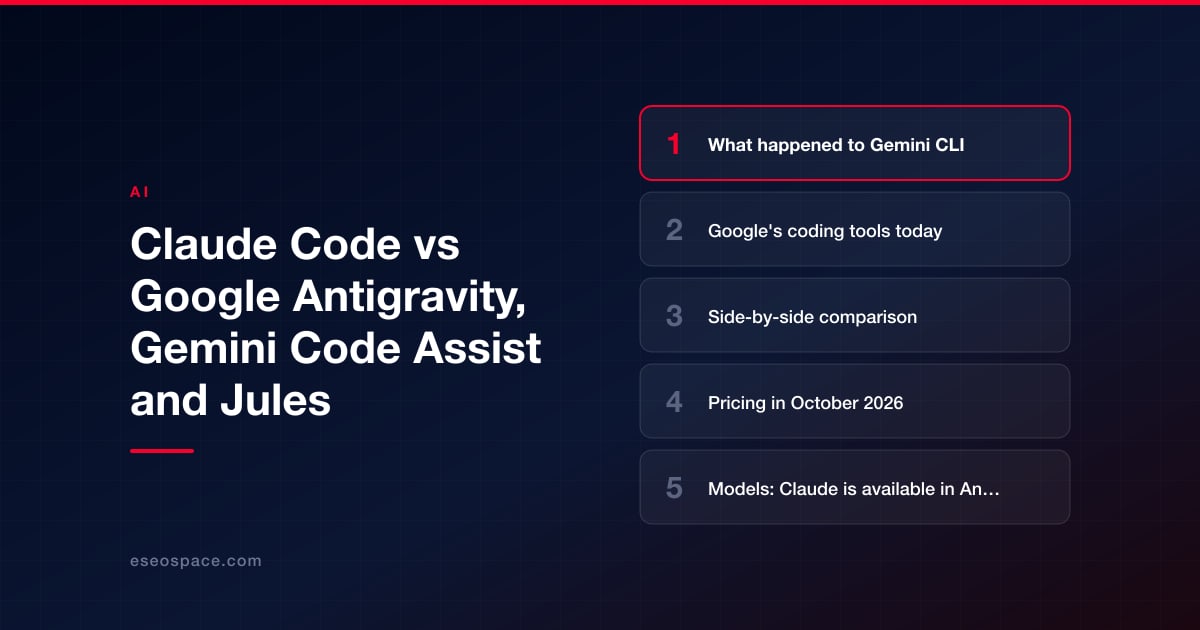
Choose Claude Code if you want Anthropic's own agent, Claude models with usage included in a flat Claude plan, and surfaces that suit people who don't use a code editor. Choose Google Antigravity if your team already pays for Google AI Pro or Ultra, or works in Google Cloud, and wants Google's agent platform with Gemini models first and Claude models as an option. Gemini Code Assist is the licensed IDE assistant for businesses on Google Cloud contracts, and Jules is Google's beta cloud agent that turns a task into a pull request.
The biggest change since most comparisons were written: Google replaced Gemini CLI with Antigravity CLI for consumer users on June 18, 2026. If you used Gemini CLI on a free tier or a Google AI Pro or Ultra plan, Antigravity is now the tool to compare. If your company uses Gemini CLI under a Gemini Code Assist Standard or Enterprise license, Google says your access is unchanged.
Details are as of October 2026, from each vendor's own pages; check them before you buy.
Key Takeaways
- Google says Gemini CLI and the Code Assist IDE extensions stopped serving Google AI Pro, Ultra and free individual users on June 18, 2026, and points them to Antigravity CLI. Code Assist Standard and Enterprise licenses and paid API keys keep Gemini CLI.
- Antigravity offers Claude models. Claude Sonnet 5.5 and Opus 5.5 are listed for Google AI Pro (non-trial), Ultra and Enterprise; two Claude 4.6 models on the free tier are marked for removal on November 2, 2026.
- Antigravity's individual plan is $0. Pro and Ultra come with Google AI plans ($19.99 and from $99.99 per month in the US). Business use runs through Google Cloud, with seats starting at $30 per month for eligible Gemini Enterprise customers.
- Gemini Code Assist costs $22.80 per user per month on a monthly commitment (Standard) or $54.00 (Enterprise), less on a 12-month commitment.
- Antigravity CLI keeps Gemini CLI's skills, hooks, subagents and extensions (now plugins). Claude Code has the same kinds of building blocks, so features alone rarely decide this.
- Antigravity's individual terms let Google use your interactions to improve its products unless you change the setting. Anthropic doesn't train on Claude Code data under commercial terms.
What happened to Gemini CLI
Google announced the change on its developers blog on May 19, 2026. In Google's words: "On June 18, 2026, Gemini CLI and Gemini Code Assist IDE extensions will stop serving requests for Google AI Pro and Ultra, as well as those using it free of charge using Gemini Code Assist for individuals." The Gemini CLI site now carries a banner saying it "was replaced by Antigravity CLI on June 18th, 2026" for unpaid tier and Google One users.
Who keeps Gemini CLI, per the same post:
- Organizations using it "via a Gemini Code Assist Standard or Enterprise license," where "your access remains unchanged."
- Anyone using "paid Gemini and Gemini Enterprise Agent Platform API keys."
Google also says Antigravity CLI keeps "Agent Skills, Hooks, Subagents, and Extensions (now as Antigravity plugins)," is "Built in Go," and shares the same agent harness as the Antigravity desktop app. It adds that there "won't be 1:1 feature parity right out of the gate."
For most individuals and small teams, the real comparison is now Antigravity.
Google's coding tools today
Google Antigravity is Google's "agentic development platform." Its pricing page lists an Antigravity app, Antigravity CLI, Antigravity IDE, IDE extensions and an SDK. Google's docs describe IDE extensions for VS Code, Visual Studio, JetBrains, Zed and Xcode, plus browser control, plan mode, permissions, a terminal sandbox, a headless mode, rules, MCP, skills, custom subagents and lifecycle hooks.
Gemini Code Assist is Google Cloud's licensed coding assistant for businesses, with IDE extensions for VS Code, JetBrains IDEs, Cloud Workstations and Cloud Shell Editor. Google lists an agent mode, "currently in preview," with MCP support. Both paid editions include Gemini CLI.
Jules is an asynchronous coding agent. You pick a GitHub repository and branch, Jules clones it to a cloud virtual machine, plans the work, shows a diff and opens a pull request. Google says Jules is in beta.
Claude Code is Anthropic's agentic coding tool. It "reads your codebase, edits files, runs commands, and integrates with your development tools," and runs in the terminal, IDE extensions, a desktop app and the web.
Side-by-side comparison
| Claude Code | Google Antigravity | Gemini Code Assist | |
|---|---|---|---|
| Main surfaces | Terminal, VS Code and JetBrains, desktop app, web, Claude mobile app | Antigravity app, CLI, IDE, IDE extensions, SDK | IDE extensions, Gemini CLI, Google Cloud consoles |
| Models | Claude only | Gemini models; Claude Sonnet 5.5 and Opus 5.5 on Pro (non-trial), Ultra and Enterprise | Gemini models are the ones Google names |
| Entry price with agent use | Claude Pro, $20/month billed monthly | $0 individual plan; Google AI Pro $19.99/month | Standard, $22.80/user/month (monthly commitment) |
| Business plan | Team, 2 to 150 seats, $25/seat/month billed monthly ($20 annually); Enterprise | Via Google Cloud: seats from $30/month for eligible Gemini Enterprise customers, or pay as you go | Standard or Enterprise license |
| Skills, hooks, subagents | Yes | Yes | Agent mode in preview; CLI included |
| Training on your data | Consumer: setting you can turn off. Team, Enterprise, API: not used by default | Individual terms: used to improve products unless you change the setting | Google says prompts and responses aren't used to train its models |
Pricing in October 2026
Antigravity
Antigravity's pricing page lists an individual plan at "$0/month," with "Access to a variety of agent models," unlimited Tab completions and "Basic weekly rate limits." Google AI Pro and Ultra add higher rate limits and a "Flexible AI credit pool." Those come with Google AI subscriptions, which Google's plans page prices in the US at $19.99 per month for Pro and from $99.99 per month for Ultra ($199.99 for the higher Ultra tier). Antigravity's plans doc says Pro and Ultra users can buy AI credits for usage above the baseline quota, and that bring-your-own-key isn't supported.
For organizations, Google says the business plan runs "via Google Cloud," with "Standard/Plus plans starting at $30 USD per seat per month" for eligible Gemini Enterprise customers, or a pay-as-you-go plan with a $0 seat fee.
Gemini Code Assist
Google Cloud's Gemini pricing page shows Standard at $22.80 per user per month on a monthly commitment or $19.00 on a 12-month commitment, and Enterprise at $54.00 or $45.00. The page displays these as hourly rates by default, and "All subscriptions are billed monthly."
Jules
Jules' usage limits page lists 15 tasks a day free, 100 with Google AI Pro and 300 with Ultra. Paid Jules plans are "currently available only for individual Google Accounts (ending in @gmail.com)," so a business on Google Workspace can't simply buy more.
Claude Code
Claude Code is included in Claude Pro ($20 per month billed monthly, or $17 a month on the annual plan, billed as $200 up front), Max (from $100 per month), every Team seat and Enterprise ($20 per seat per month billed annually, 20-seat minimum, plus usage at API rates). The free Claude plan doesn't include Claude Code. Our Claude Code pricing guide has hypothetical budgets.
Models: Claude is available in Antigravity
Antigravity is not a Gemini-only tool. Google's models page lists "Claude Sonnet 5.5 (thinking)" and "Claude Opus 5.5 (thinking)" on Google AI Pro (non-trial subscriptions only), Ultra and Enterprise. Claude Sonnet 4.6 and Opus 4.6 are offered on the free and Plus tiers and on Pro, marked "Will be removed on November 2, 2026." Gemini 4 Argon is listed for Ultra and Enterprise only, and Gemini 3.8 Flash for every tier. Antigravity tracks Claude and GPT usage against separate five-hour and weekly limits from Gemini usage.
For Gemini Code Assist, the pages fetched name only Gemini models. If you need Claude in a Code Assist setup, ask Google.
Claude Code runs Claude models only, defaulting to Opus 5.5 on paid plans.
Features: closer than they look
Antigravity CLI kept Gemini CLI's main building blocks, and Claude Code has the same kinds. Both have:
- A project rules or instruction file (Claude Code's is CLAUDE.md; Antigravity documents rules).
- Skills, subagents and lifecycle hooks.
- MCP connections to outside tools.
- A plan step before editing, permission controls and a terminal sandbox.
- A non-interactive mode for scripts and automation.
Differences are in packaging. Antigravity spans an app, an IDE and extensions for five editors, and its docs include browser recordings and screenshots as review artifacts. Claude Code adds a desktop app aimed at people who don't use a terminal, cloud sessions in the browser and the Claude mobile app, a GitHub Action for automated pull request checks, and Code Review on Team and Enterprise. Hooks are where a website team gets dependable checks, such as running the build after every edit; our guide to hooks for website projects shows how they work in Claude Code.
Jules overlaps most with Claude Code's cloud sessions and its GitHub integration: both take a task, work on a copy in the cloud and hand back a branch or pull request. Jules can also be assigned by adding a "jules" label to a GitHub issue. Claude Code's equivalent is mentioning @claude in an issue or pull request once the GitHub Action is set up, covered in our guide to GitHub Actions for website QA.
Data, training and accounts
- Antigravity (individual accounts): Antigravity's terms say: "We use Interactions to evaluate, develop, and improve Google and Alphabet research, products, services and machine learning technologies," and "Google employees and contractors may access, view, review and use Interactions." You can change this in settings. Teams use Antigravity under Google Cloud terms through Gemini Enterprise.
- Gemini Code Assist: Google's data governance page says "Gemini doesn't use your prompts or its responses as data to train its models."
- Jules: Google's FAQ says "Jules does not train on private repository content."
Antigravity's FAQ also says the individual product is for personal Google accounts in approved countries, users must be 18 or older, and Workspace accounts may have trouble signing in.
For Claude Code, Anthropic's data usage page says that under commercial terms (Team, Enterprise and the API) it "does not train generative models using code or prompts sent to Claude Code" unless the customer opts in. On Free, Pro and Max, training happens only when the model-training setting is on, and you can turn it off.
If the site holds client data, the account type matters as much as the tool. This is a summary, not legal advice; check current terms with your advisers.
Which fits website work
Claude Code suits you if:
- You want Claude models from Anthropic directly, under Anthropic's commercial terms.
- A marketer or owner needs a desktop app or browser session instead of an IDE.
- You want the same agent running checks on every pull request in GitHub.
Antigravity suits you if:
- You already pay for Google AI Pro or Ultra and want agent use included.
- Your developers want Gemini models first, with Claude available on the same plan.
Gemini Code Assist suits you if your company buys through Google Cloud and wants a licensed assistant inside its existing contract. Jules suits you if you work alone on a personal Google account and want to hand small tasks to a cloud agent that opens pull requests.
Comparing other agents? See Claude Code vs OpenAI Codex, Claude Code vs Devin and Claude Code vs Kiro.
How to decide
- Check which Google account you have. Personal, Workspace and Google Cloud accounts get different products and terms.
- Decide which models matter. If you need current Claude models in Antigravity, you need Pro (non-trial), Ultra or Enterprise.
- Read the data terms for that account before connecting a client repository.
- Write your rules once. A short instruction file with build commands and no-go areas works in either tool; our CLAUDE.md templates are a starting point.
- Pilot on a copy of the site, in git, with a person reviewing every change before it ships.
Conclusion
Google's coding lineup has consolidated: Antigravity for individuals and Google Cloud teams, Code Assist for licensed business use, and Jules as a beta cloud agent. Claude Code remains the direct way to run Claude, with business terms that exclude training by default. Choose by account type, models and data terms, test on a copy of your site, and keep a person approving every deploy. If you want help setting up either for a team, our Claude Code consulting covers rollout, permissions and review. More guides are in our Claude Code Guide.
Frequently asked questions
Is Gemini CLI discontinued?
Not for everyone. Google says it stopped serving free individual users and Google AI Pro and Ultra subscribers on June 18, 2026, and replaced it with Antigravity CLI for them. Gemini CLI stays available under Gemini Code Assist Standard and Enterprise licenses and with paid API keys.
Can I use Claude models in Google Antigravity?
Yes. As of October 2026, Claude Sonnet 5.5 and Opus 5.5 are listed for Google AI Pro (non-trial), Ultra and Enterprise. The free tier lists Claude Sonnet 4.6 and Opus 4.6, which Google says will be removed on November 2, 2026.
Is Antigravity cheaper than Claude Code?
Antigravity has a $0 individual plan with basic weekly limits, which Claude Code doesn't match: Claude's free plan excludes Claude Code. Paid tiers are close in price: Google AI Pro is $19.99 a month and Claude Pro is $20 billed monthly. Compare on a short trial.
Can a business use Jules?
Jules has a free tier, but Google says paid Jules plans are currently only for individual accounts ending in @gmail.com. Business users are pointed to an interest form. For a company website, Claude Code on a Team plan or Gemini Code Assist may fit procurement better.
Put this into action with eSEOspace
We help businesses grow with seo, geo & aeo that actually performs. Explore the services behind this guide:
Get a FREE Audit
We'll perform a comprehensive SEO, AEO, GEO & CRO audit of your website — completely free — and show you exactly how to outrank your competitors.
Don't have a site yet? Get in touch →
Get a FREE GEO/AEO/SEO Audit
We'll analyze your site's SEO, GEO, AEO & CRO — completely free — and show you exactly how to get found across Google and AI answers.
Don't have a site yet? Get in touch →
Great — your audit is on the way!
We'll send your free SEO/GEO/AEO/CRO audit within the next few hours. Where should we send it?
You're all set! ✓
Your free audit is being prepared — check your inbox in the next few hours. Talk soon!








