



Blog
Key Takeaways
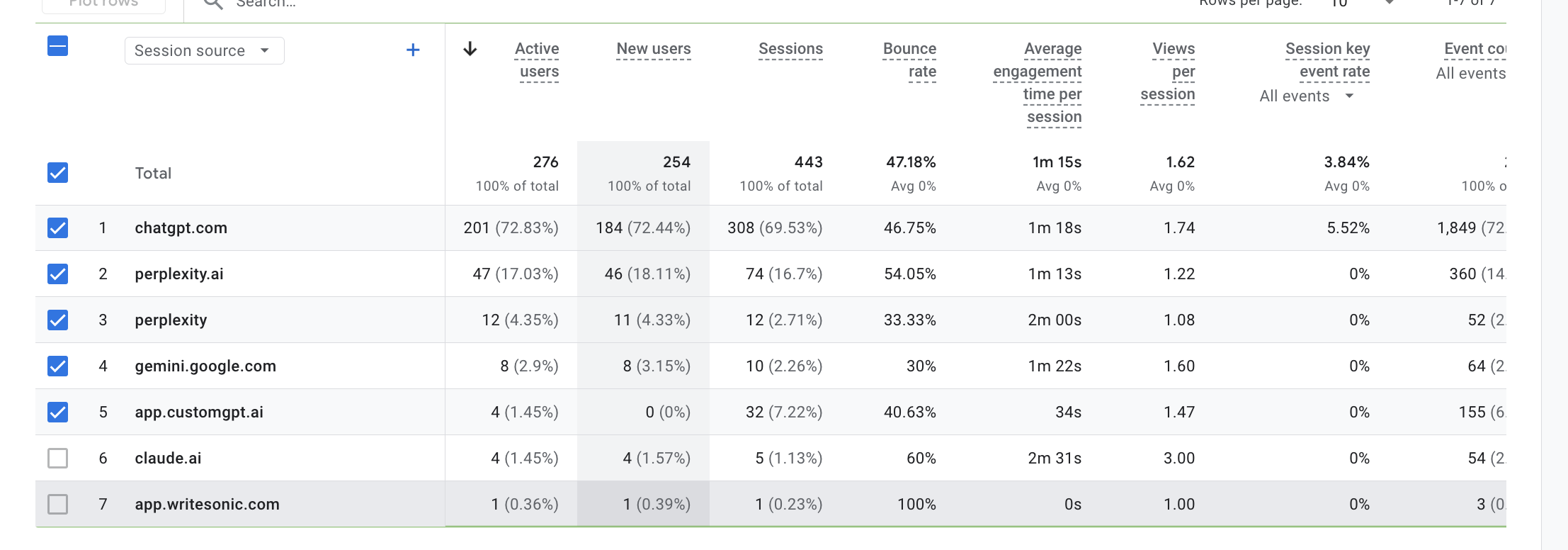
- AI platforms like ChatGPT and Perplexity now send real referral traffic that GA4 lumps under generic Referral unless you separate it out.
- Building a custom AI Traffic channel group lets you monitor these visits consistently without filtering reports every single time.
- Define channel rules using conditions such as Source equals chatgpt.com or Source equals perplexity.ai to capture AI sources.
- Reorder your AI Traffic channel above Referral so those sessions get correctly attributed instead of being absorbed elsewhere.
- For a fast one-time check, switch the dimension to Session source/medium and search for terms like chatgpt or perplexity.
With the rise of
AI platforms
like ChatGPT and Perplexity, more businesses are seeing website visits from AI-driven sources. To understand this type of traffic in Google Analytics 4 (GA4), you can set up a custom channel or quickly filter reports.
If GA4 data also needs to flow into your broader marketing or sales stack, a Google Analytics 4 connector can help centralize analytics data across the tools your team already uses.
Get a FREE Audit
We'll perform a comprehensive SEO, AEO, GEO & CRO audit of your website — completely free — and show you exactly how to outrank your competitors.
Don't have a site yet? Get in touch →
Option 1: Build a Custom Channel Group (Best for Ongoing Tracking)
Creating a dedicated channel helps you consistently
monitor AI traffic
without needing to filter it every time.
- Open GA4 Admin Settings – In your GA4 property, click the Admin gear icon.
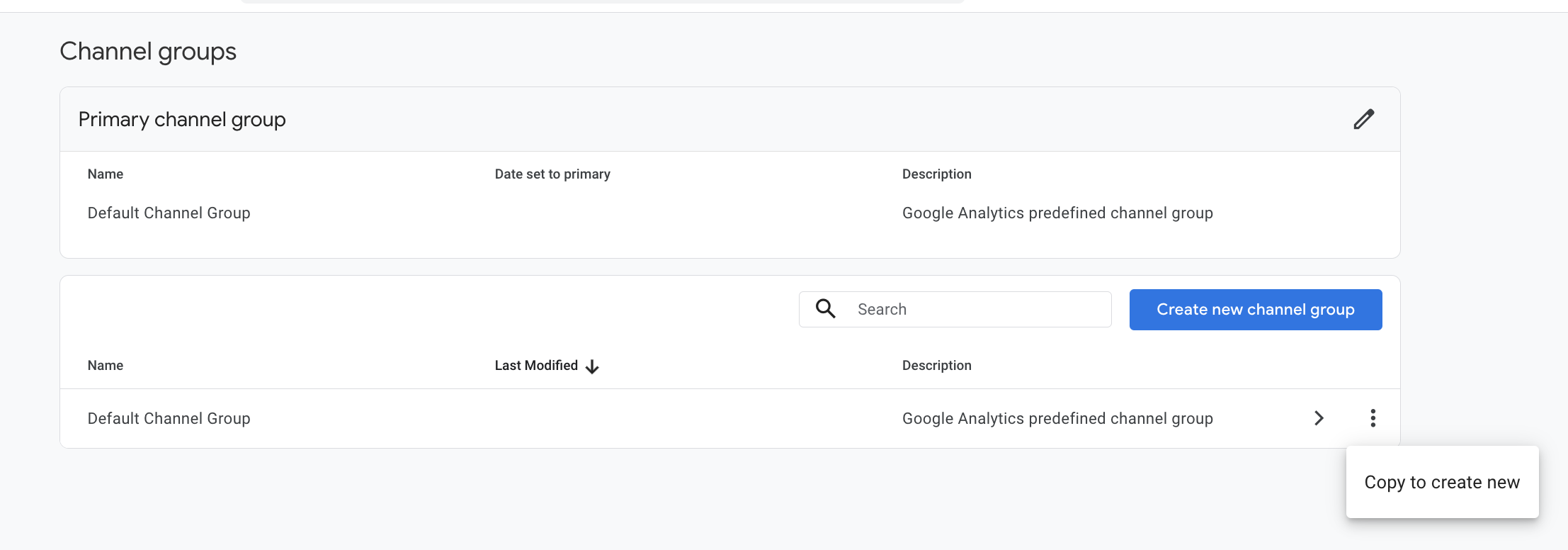
- Navigate to Channel Groups – Under the Property column, choose Data Display > Channel groups.
- Copy the Default Group – Select the three-dot menu next to Default channel group and click Copy to create new.
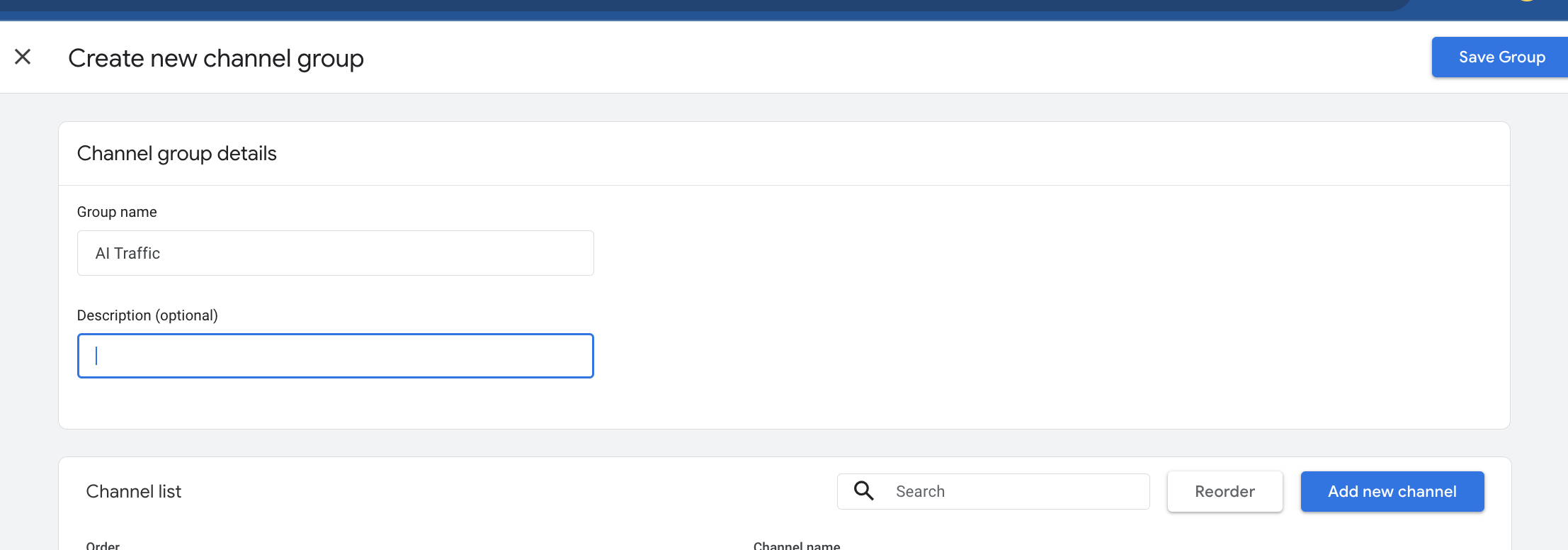
- Name Your Group – Give it a title such as AI Traffic.
- Add a New Channel – Click Add new channel and call it AI Traffic.
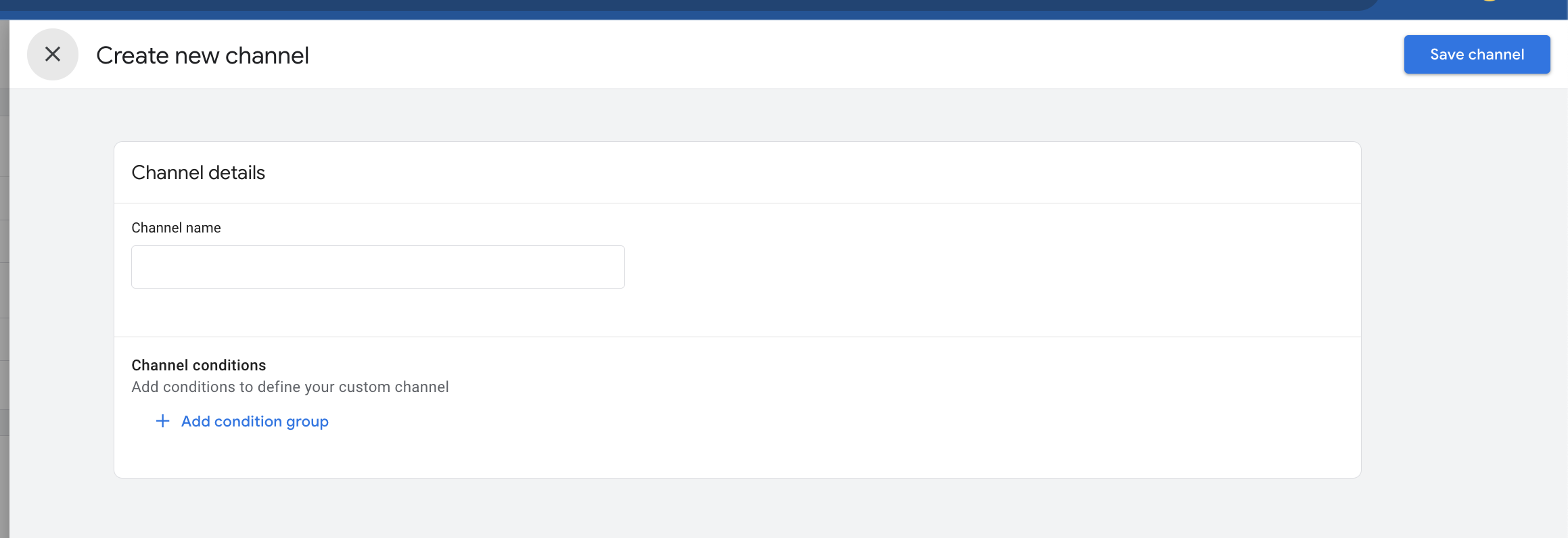
- Set Rules – Under Conditions, define sources such as:
- Source equals chatgpt.com
- OR Source equals perplexity.ai, etc
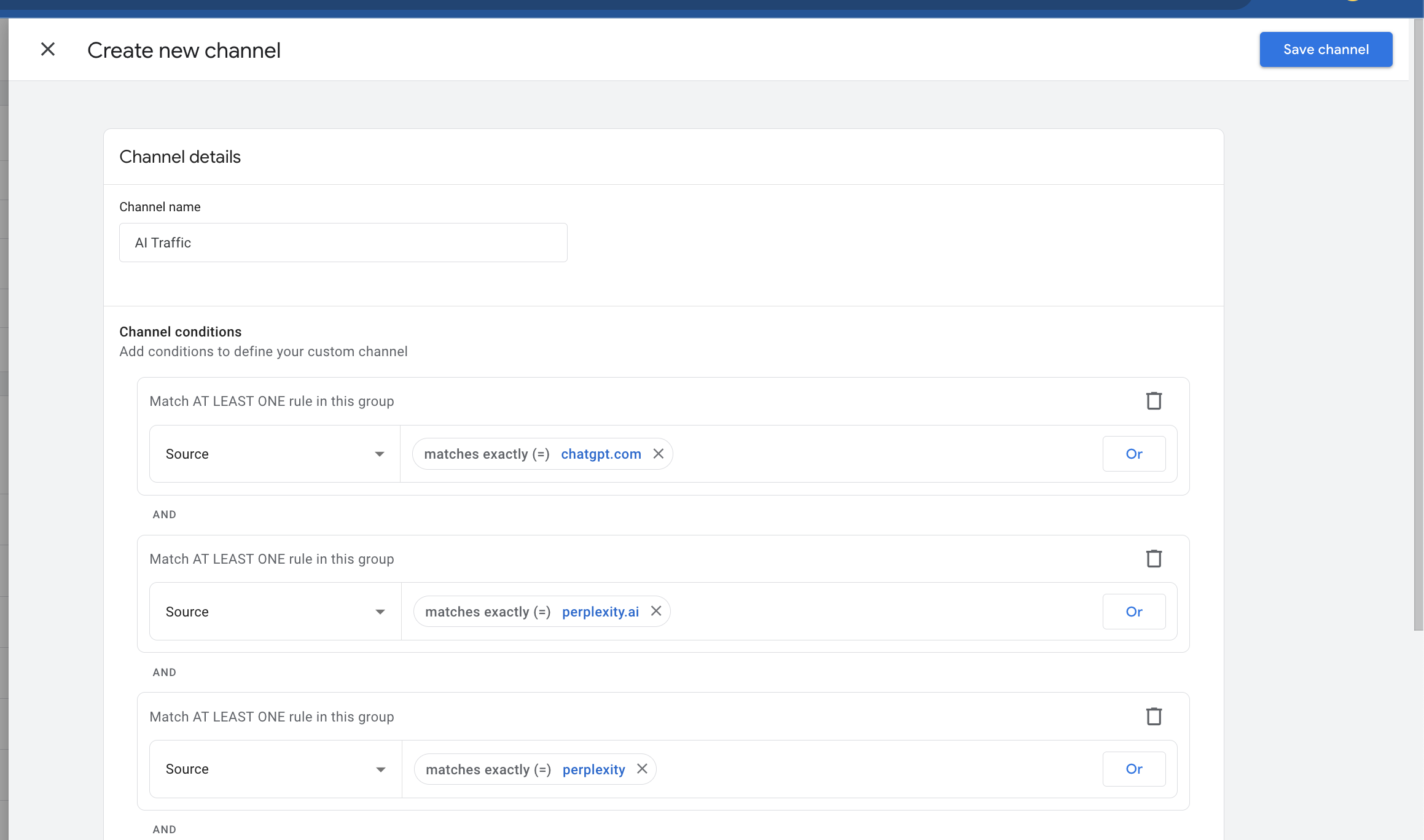
- Save & Organize – Hit Save Channel, then use the Reorder option to move AI Traffic higher in the list so it doesn’t fall under “Referral.”
- Apply Changes – Click Apply and Save Group.
- View Results – In Reports > Acquisition > Traffic acquisition, switch the dimension to your new AI Traffic channel to see the data.
Option 2: Quick Filtering in Reports (Fast, One-Time Review)
If you just want to check AI-driven visits without making a permanent setup:
- Go to Reports > Acquisition > Traffic acquisition.
- Change the Primary Dimension from “Session default channel group” to Session source/medium.
- Use the Search Bar to filter with terms like chatgpt or perplexity.
Instantly see which sessions originated from AI tools.
How eSEOspace Helps Beyond Analytics
At
eSEOspace
, we don’t just stop at analytics—we help you
turn insights into growth
.
- Web Design: We build modern, conversion-focused websites that make the most of your traffic—AI-driven or otherwise.
- SEO: Our strategies ensure your business ranks higher in search results, bringing in steady, organic visitors.
- AISEO: We leverage AI to optimize your site’s content and structure for smarter search engines and user intent.
- GEO: With geo-targeting, we help you attract the right audience in the right locations, increasing relevancy and ROI.
By combining these services, we make sure you’re not only tracking traffic (like AI referrals) but also
maximizing every visitor’s potential value
.
Frequently Asked Questions
Why doesn't GA4 track AI traffic separately by default?
How do I build a custom AI Traffic channel group in GA4?
How can I quickly check AI traffic without a permanent setup?
Why should I reorder the AI Traffic channel above Referral?
Which sources should I include when defining AI traffic rules?
Put this into action with eSEOspace
We help businesses grow with website development that actually performs. Explore the services behind this guide:
Get a FREE GEO/AEO/SEO Audit
We'll analyze your site's SEO, GEO, AEO & CRO — completely free — and show you exactly how to get found across Google and AI answers.
Don't have a site yet? Get in touch →
Great — your audit is on the way!
We'll send your free SEO/GEO/AEO/CRO audit within the next few hours. Where should we send it?
You're all set! ✓
Your free audit is being prepared — check your inbox in the next few hours. Talk soon!








