



MCP servers explained for website and marketing teams
MCP servers explained for website and marketing teams
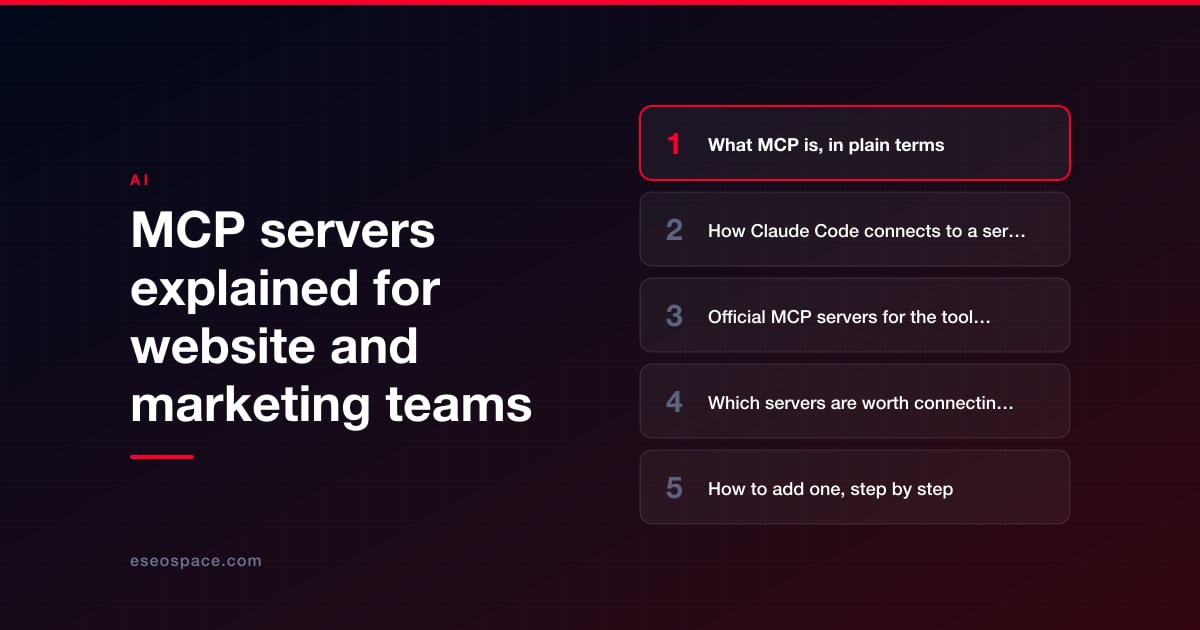
An MCP server is a connector that lets Claude Code read from, and sometimes act in, another system: your CMS, your host, your analytics or your CRM. For a website team, the useful ones today are official servers published by the platforms themselves, including WordPress, Shopify, Webflow, Wix, Vercel, Netlify, GitHub, HubSpot, Notion and Figma. Google publishes an experimental, read-only one for Google Analytics, but not for Search Console.
MCP stands for Model Context Protocol. Anthropic's docs call it "an open standard for connecting AI tools to external data sources and services." Without it, Claude Code works on the files in your project folder and the commands in your terminal. With it, Claude can pull last month's traffic for a page, look up a deploy log or draft a post in your CMS from the same session.
That reach is the point and the risk. Every server you connect gives Claude some of your access to that system, and Anthropic says plainly that it "does not security-audit or manage any MCP server." This guide lists the official servers that exist for common web tools as of October 2026, what each can do, and how to connect them without handing over more than you meant to.
Key Takeaways
- MCP connects Claude Code to outside systems. You add a remote server with a command such as claude mcp add --transport http <name> <url>.
- Official servers exist for WordPress (the MCP Adapter plugin), WordPress.com, Shopify (developer docs and APIs), Webflow, Wix, Vercel, Netlify and Google Analytics, among others.
- There is no official Google Search Console MCP server as of October 2026. Google's official route is the Search Console API.
- Some servers can change live content. Wix's can publish sites, and WordPress.com turns on read and write tools by default when you enable MCP access.
- Anthropic doesn't audit MCP servers. Connect only servers from vendors you trust, give each the narrowest access it needs, and test write access on staging first.
What MCP is, in plain terms
Think of an MCP server as a menu of actions another system offers to an AI tool. A Google Analytics server might offer "run a report". A hosting server might offer "list deployments" and "read build logs". Claude Code sees the menu, decides when an action helps with your task, and asks to use it, subject to the same permission system that governs file edits and terminal commands.
Servers come in two kinds:
- Remote servers run on the vendor's infrastructure. You connect with a URL and usually sign in with OAuth, the "log in and approve access" flow you know from other apps.
- Local servers run on your own machine, started by a command. They often use credentials stored on your computer.
MCP is not specific to Claude. The same servers usually work with other AI clients, which is why vendor pages often list Claude Code next to Cursor, Codex or VS Code. Our Claude Code glossary defines MCP and the related terms, such as connectors and plugins.
How Claude Code connects to a server
Anthropic's MCP documentation describes three places a server's configuration can live, called scopes:
| Scope | Where it's stored | Who gets it | Good for |
|---|---|---|---|
| Local (the default) | Your user config, under this project | Only you, in this project | Trying a server, or one only you should use |
| Project | .mcp.json in the project root, committed to git | Everyone working on the project | Servers the whole team uses on this site |
| User | Your user config | Only you, in every project | Personal tools you use everywhere |
Two details matter for teams. First, Claude Code asks each person to approve project-scoped servers from .mcp.json before using them in an interactive session, so a teammate can't silently add a server to everyone's setup. Second, those approval prompts don't appear in non-interactive runs, such as scripts and cloud sessions, which load project servers without asking. Review changes to .mcp.json in pull requests like any other code.
Anthropic also points to its Anthropic Directory at claude.ai/directory, which lists reviewed connectors that use the same MCP infrastructure.
Official MCP servers for the tools web teams use
The table lists servers published by the platform itself, checked on the vendor's own pages on October 14, 2026. Status labels change, so confirm on the vendor page before you rely on one.
| Tool | Official server | What it can do | Status on the vendor page |
|---|---|---|---|
| WordPress (self-hosted) | MCP Adapter plugin, "the official WordPress package for MCP integration" | Exposes abilities that WordPress, plugins and themes register; abilities are private unless marked public | Version 0.7.0 (October 2, 2026); requires WordPress 6.9 or higher |
| WordPress.com | WordPress.com MCP | Work with posts, pages, comments and settings; write operations ask for confirmation before they run | On all paid plans; read and write tools on by default when enabled |
| WordPress (local) | WordPress Studio | Local development app that gives Claude Code WordPress context through MCP setup and agent skills | Free and open source |
| Shopify | Shopify Dev MCP, plus the Shopify AI Toolkit plugin | Shopify developer docs and API schemas for building themes and apps; runs locally with no sign-in | No status label |
| Webflow | Webflow MCP server (remote) | Connects agents to your Webflow projects; some features need the Designer open with the Bridge App | No status label |
| Wix | Wix MCP (remote) | Search Wix docs, write Wix code, call Wix APIs, and create, update and publish sites | No status label |
| Squarespace | Squarespace MCP | Domain name ideas and availability only; it doesn't edit sites | Read-only tools |
| Vercel | Vercel MCP (remote, OAuth) | Search docs, manage projects and deployments, read deployment logs, query Web Analytics | Available on all Vercel plans |
| Netlify | Netlify remote MCP server | Gives your agent Netlify know-how and the Netlify CLI | No status label |
| Next.js | Dev server MCP endpoint at /_next/mcp | Connects a coding agent to your local Next.js development server | Documented in the Next.js guide for AI agents |
| Google Analytics 4 | Google Analytics MCP server (local) | Account summaries, standard, funnel and realtime reports | Experimental; read requests only |
| Google Search Console | None from Google | Use the Search Console API, which covers search analytics, sites and sitemaps | Only third-party servers exist |
| GitHub | GitHub MCP Server (remote) | Pull requests, issues and repository tasks | An "insiders" version carries experimental tools |
| HubSpot | HubSpot MCP server (remote), plus a local Developer MCP server | Read and write access to CRM data such as contacts and deals | No status label |
| Notion | Notion MCP (remote, hosted by Notion) | Search, read, create and update content you can access | No status label |
| Figma | Figma MCP server (remote recommended) | Design context for code, generate code from frames, write to the canvas | Only clients in Figma's MCP Catalog can connect |
| Stripe | Stripe MCP | Work with the Stripe API and search Stripe docs | Public preview |
Shopify also runs a Storefront Catalog MCP server, but it is for shopping agents that search a store's products, not for building or editing the store.
Which servers are worth connecting first
Start with the job, not the list. Most website teams get the most from three kinds of connection:
- Platform documentation servers. Shopify Dev MCP and WordPress Studio give Claude current, platform-specific knowledge while it writes theme or plugin code. They read docs rather than your live store or site, so the risk is low. Our guides to Claude Code on Shopify and Claude Code on WordPress show where they fit in a workflow.
- Read-only data servers. Google's Analytics MCP server is "available for read requests only", which makes it a sensible first data connection. Pair it with Search Console data pulled through the API, for example in an audit like those in our Claude Code for technical SEO guide.
- Hosting and repository servers. Vercel's server can inspect deployments and GitHub's can work with pull requests and issues, which helps when something breaks. Be aware that these can also act, not just read.
Leave servers that write to live content, such as WordPress.com, Wix and HubSpot with write access, until your team has a review routine that works.
How to add one, step by step
- Find the vendor's own instructions. Use the setup page on the platform's developer site, not a blog post or a random repository. Most give a ready-made Claude Code command.
- Add it at local scope first. Run the command in your project, sign in when asked, and try it yourself before sharing it with the team.
- Check that it connected. Run /mcp in a session to see each server's status.
- Use the narrowest credentials. Pick read-only scopes, a staging site or a limited account where the vendor offers one.
- Try a read-only task. Ask for a report or a lookup before anything that changes data.
- Share it on purpose. When it's proven, move it to project scope in .mcp.json through a reviewed pull request, with any keys referenced from environment variables rather than written into the file.
The Vercel command is a typical example: claude mcp add --transport http vercel https://mcp.vercel.com, followed by a sign-in. Commands change, so copy the current one from the vendor's page.
Security precautions
An MCP server acts with whatever access you give it. Vercel's MCP documentation spells this out: connecting "grants the AI system you're using the same access as your Vercel user account." The same logic applies to every server on the list. These habits keep that manageable:
- Trust the publisher. Anthropic's docs say to "verify you trust each server before connecting it." Prefer servers from the platform's own organization.
- Watch for prompt injection. Prompt injection means hidden instructions inside content Claude reads, such as a web page, a form submission or a CRM note. Anthropic warns that "servers that fetch external content can expose you to prompt injection risk."
- Least privilege. Read-only scopes where they exist, such as the read-only Analytics scope Google's server requires. Anthropic's own database example uses a read-only database user. For GitHub, a fine-grained token limited to the repositories involved.
- Keep secrets out of shared files. Never paste tokens into prompts, CLAUDE.md or a committed .mcp.json.
- Use permission rules. Rules can allow or deny a whole server (mcp__github) or one tool (mcp__github__<tool>). Deny the write tools you don't need.
- Stage before live. Point write-capable servers at a staging site first, and keep a person approving anything that publishes.
- Control it centrally. Organizations can deploy a fixed server set or set allow and deny lists for MCP servers through managed configuration.
Our guide to using Claude Code safely on a live website covers permissions, secrets and review rules in more depth.
When not to use MCP
MCP is not always the best route. If you need a one-off export, downloading a CSV from GA4 or Search Console and giving Claude the file is simpler and gives it no live access. If a platform has a good command-line tool, such as WP-CLI or Shopify CLI, Claude can often use that in a staging environment instead. And if the only server for a tool is an unofficial one from an unknown developer, wait. Our guide to Claude for small-business data analytics shows the file-based approach.
Conclusion
MCP turns Claude Code from a tool that edits files into one that can read your analytics, check your deploys and work in your CMS. Start with official, read-only or documentation servers, connect them at local scope, use the narrowest credentials, and add write access only once you have a review routine. If you want help choosing servers, writing permission rules and setting up managed configuration for a team, see our Claude Code consulting service. More guides are in our Claude Code Guide.
Frequently asked questions
Is MCP the same as a Claude connector?
They use the same technology. Anthropic's docs say connectors in the Anthropic Directory "use the same MCP infrastructure as Claude Code", so you can add a remote server listed there with claude mcp add. A plugin is different again: a bundle that can include skills, hooks and MCP servers together.
Is there an official Google Search Console MCP server?
Not as of October 14, 2026. Google's official programmatic route is the Search Console API, which can query search analytics, list verified sites and manage sitemaps. Third-party servers exist on GitHub, but Google doesn't publish them, so review their code and access before using one.
Can an MCP server change my live website?
Some can. Wix's server can create, update and publish sites, and WordPress.com turns on write tools by default when you enable MCP access. Check what a server's tools do before connecting it, deny the ones you don't need, and test on staging first.
Do MCP servers cost extra?
Some depend on the vendor's plan. WordPress.com MCP needs a paid plan after a site's first 30 days, for example. Each connected server also adds to what a session uses: tool names load into context, and tool results add tokens, which count toward your Claude usage or API bill. Anthropic's cost guidance suggests disabling servers you aren't using, through /mcp.
Can our whole team share the same servers?
Yes. Add them at project scope so they're stored in .mcp.json in the repository. Each person approves project servers the first time, and organizations can manage the allowed set centrally through managed MCP configuration.
Put this into action with eSEOspace
We help businesses grow with seo, geo & aeo that actually performs. Explore the services behind this guide:
Get a FREE Audit
We'll perform a comprehensive SEO, AEO, GEO & CRO audit of your website — completely free — and show you exactly how to outrank your competitors.
Don't have a site yet? Get in touch →
Get a FREE GEO/AEO/SEO Audit
We'll analyze your site's SEO, GEO, AEO & CRO — completely free — and show you exactly how to get found across Google and AI answers.
Don't have a site yet? Get in touch →
Great — your audit is on the way!
We'll send your free SEO/GEO/AEO/CRO audit within the next few hours. Where should we send it?
You're all set! ✓
Your free audit is being prepared — check your inbox in the next few hours. Talk soon!








