



Video Content Audit Checklist to Improve YouTube SEO
Video Content Audit Checklist to Improve YouTube SEO
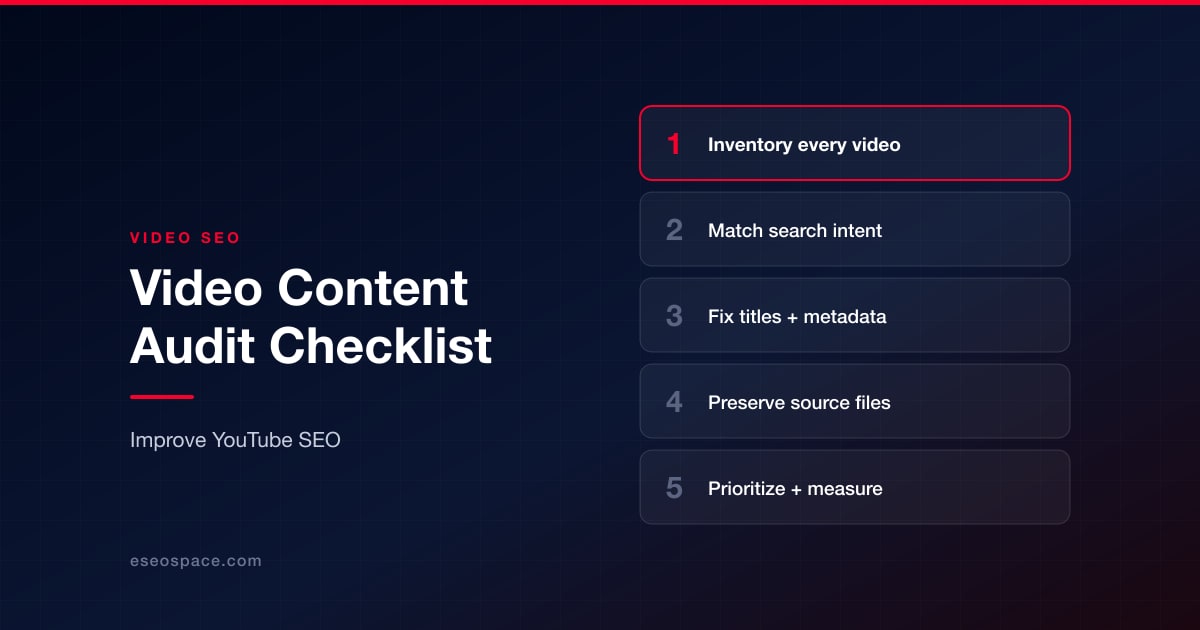
Publishing another YouTube video is not always the best way to improve a brand's video marketing performance. Sometimes, the biggest opportunities already exist in videos that have been published but rarely reviewed.
A tutorial may answer a valuable customer question yet attract little search traffic. A product demonstration may have an excellent explanation but an outdated title. A popular video may generate consistent views without sending visitors to the company's website.
These are not necessarily problems that require more production.
They require a structured video content audit.
A video content audit examines existing videos, their search visibility, metadata, audience engagement, and supporting assets. It helps businesses identify which recordings deserve optimization, which need updating, and which can support new marketing activities.
For SEO professionals and marketing teams, this process connects YouTube content with broader business objectives.
The following framework explains how to conduct a practical audit without treating every video as a separate marketing project.
What Is a Video Content Audit?
A video content audit is a systematic review of published and unpublished video assets to evaluate their accuracy, usefulness, discoverability, and contribution to business goals.
Unlike a conventional website audit, a video audit must consider both content quality and media-specific information.
A typical audit examines:
- Search intent, titles, descriptions, and relevant metadata.
- Audience behavior, including impressions, click-through rates, watch time, and retention.
- Video quality, supporting files, accessibility, and opportunities for reuse.
The goal is not simply to collect statistics.
It is to decide what action should happen next.
Imagine a digital marketing agency managing a YouTube channel for a software company. The channel contains 120 videos published over three years.
Some recordings explain features that no longer exist. Others provide useful answers to frequently asked questions. Several receive consistent views but lack clear links to relevant product pages.
Without an audit, the team may continue producing new videos while overlooking these existing opportunities.
A structured review allows the agency to prioritize improvements based on evidence.
Step 1: Build a Complete Inventory of Your YouTube Content
Before evaluating individual videos, create a reliable record of the content you already have.
A spreadsheet is sufficient for most small and medium-sized channels. Larger organizations may prefer a content management system or database.
For each video, record the following information:
| Field | Why it matters |
|---|---|
| Video title | Identifies the content and search topic |
| YouTube URL | Provides a permanent reference |
| Publication date | Helps identify aging material |
| Primary keyword | Clarifies search intent |
| Video duration | Supports format and engagement analysis |
| Views and watch time | Shows audience consumption |
| Impressions and CTR | Helps assess discovery and packaging |
| Average percentage viewed | Highlights retention patterns |
| Related website page | Connects video performance to business objectives |
| Original file location | Helps preserve and update source material |
| Audit status | Tracks what action is required |
The most important field is often the relationship between a video and the website it supports.
For example, a video explaining how to select a business hosting plan should ideally connect to a relevant hosting comparison, service page, or educational resource.
If the video attracts viewers but offers no useful next step, it may contribute less to the business than expected.
Separate Public Information From Private Analytics
Public YouTube information can support competitor research, but it cannot reveal every performance metric.
Titles, descriptions, visible engagement, publication dates, and other public metadata provide useful context.
For your own channel, YouTube Studio provides additional information, including impressions, traffic sources, watch time, and audience retention.
Marketing teams can use YouTube SEO and research tools to support public metadata research, review video information, examine tags, and investigate competing channels.
However, third-party research tools should complement rather than replace first-party analytics.
A competitor's public view count, for example, does not reveal its conversion rate, exact retention curve, or revenue.
Keep these differences clear in your audit records.
Step 2: Evaluate Whether Each Video Matches Search Intent
A video can contain accurate information and still perform poorly if it does not address what viewers expected to find.
Search intent describes the purpose behind a query.
Consider someone searching for "how to speed up a WordPress website."
They probably expect practical instructions, demonstrations, and explanations of performance improvements.
A video that spends most of its time explaining the history of WordPress may be informative, but it does not adequately satisfy that request.
During the audit, compare the video's main subject with the likely expectations behind its target keyword.
Ask four questions:
- Does the title accurately describe the video's content?
- Does the opening explain what viewers will learn?
- Does the video provide the promised information?
- Is the information still accurate and relevant?
A video that fails the first two questions may need better packaging or a clearer introduction.
A video that fails the remaining questions may require a more substantial content update.
Review Competing Videos Carefully
Competitor analysis can reveal how other creators address the same topic.
Examine their titles, thumbnail designs, structure, and common viewer questions.
Look for gaps rather than copying successful content.
For example, competing videos about website migration may explain how to move files but overlook post-migration checks.
That gap could justify a new tutorial about redirects, indexing, and performance testing.
The purpose of competitor research is to understand audience expectations and identify opportunities to provide a more complete answer.
Step 3: Audit YouTube Titles, Descriptions, and Metadata
Video metadata helps explain the subject of a recording and gives viewers additional information before and after they watch.
However, metadata optimization should support the content rather than attempt to compensate for weak material.
Review the Video Title
An effective title communicates the topic and a clear reason to watch.
Compare these examples:
Weak: Website Tips Everyone Should Know
Better: How to Improve WordPress Speed Without Changing Hosting
The second title defines a specific task and sets clearer expectations.
When reviewing existing titles, look for ambiguity, outdated information, and misleading promises.
Avoid changing titles solely to insert more keywords.
A title that attracts the wrong audience may generate clicks without meaningful engagement.
Improve Video Descriptions
Descriptions should help users understand the recording and locate useful resources.
A practical description can include a concise summary, relevant supporting information, timestamps where appropriate, and links to related resources.
For example, a tutorial about installing analytics software could link to a detailed implementation guide on the company's website.
This creates a useful connection between the video and written content.
The description should not become a collection of unrelated keywords or promotional links.
Examine Tags and Other Metadata
YouTube tags can provide additional context, particularly for commonly misspelled terms, although YouTube identifies titles, thumbnails, and descriptions as more important discovery elements.
Review whether existing tags accurately reflect the subject.
Also examine chapters, thumbnails, captions, and links to related videos.
The audit should produce specific recommendations rather than an arbitrary metadata score.
For example:
- Replace an outdated title with one matching the current tutorial.
- Add timestamps to a long instructional recording.
- Update links that point to discontinued products.
These changes are measurable and directly connected to user experience.
Step 4: Review Video Performance Before Making Changes
Not every video with relatively few views needs optimization.
A specialized B2B tutorial may attract a small audience but generate valuable inquiries.
Meanwhile, a general entertainment video may receive thousands of views without producing meaningful business results.
Performance should be assessed according to the video's intended role.
Impressions and Click-Through Rate
Impressions show how often YouTube displayed a video's thumbnail in eligible locations.
CTR indicates the proportion of those impressions that resulted in views.
A video with substantial impressions and a comparatively weak CTR may benefit from a more relevant title or thumbnail.
However, CTR should be interpreted alongside traffic source and audience characteristics.
A video reaching a broad new audience may naturally have a different CTR from one primarily viewed by subscribers.
Audience Retention
Retention helps identify where viewers lose interest.
For example, suppose a 12-minute tutorial experiences a substantial audience decline during a long introduction.
The creator should review whether the introduction delays the promised answer.
If the decline happens during a complex demonstration, the problem may concern clarity rather than length.
Do not automatically remove sections based on a single retention graph.
Watch the relevant moments and determine whether they contain unnecessary material or information that viewers may struggle to understand.
Business Outcomes
For commercial channels, performance evaluation should include appropriate business metrics.
These might include referral visits, newsletter registrations, consultation requests, product trials, or purchases.
Connect the video to measurable actions using relevant links, campaign tracking, and website analytics.
A video that contributes qualified leads may deserve further promotion even if it generates fewer views than other uploads.
Step 5: Preserve and Review Original Video Assets
A video audit becomes much more useful when the team can access the original files.
Consider a company that published a software tutorial two years ago.
Its YouTube version remains public, but the employee who created it has left the organization.
If the original recording and editing project cannot be located, updating one incorrect screen may require recreating the entire tutorial.
That is an avoidable production problem.
Establish an Organized Media Library
A practical video archive can use a structure such as:
Client / Campaign / Video Topic / Source Files / Exports / Thumbnails / Captions
Each project folder should contain the relevant original recordings, editing files, approved exports, and supporting materials.
Use descriptive filenames that identify the content and version.
For example:
analytics-setup-tutorial-original.mov
analytics-setup-tutorial-1080p.mp4
analytics-setup-tutorial-captions.srt
This structure helps teams identify the correct files without opening every recording.
What if the Original Video File Is Missing?
Start with the original editing project, cloud storage, or company backups.
For videos uploaded to your own YouTube channel, YouTube Studio provides a native option to download copies, although the available resolution may be lower than the original recording.
Google Takeout is another option for obtaining uploaded video data.
In workflows where the team has permission and is authorized to obtain a media copy, an online YouTube video downloader may provide MP4 output choices, including 720p and 1080p when available.
Such a copy can be useful for permitted offline reference, visual inspection, or comparison.
However, downloaded video should not automatically replace the original production file. Streaming versions may already have undergone compression.
Creators should also respect YouTube's terms, copyright restrictions, and the permissions associated with the content.
The technical ability to save a recording does not establish permission to redistribute or reuse it.
Verify the Files Before Archiving
Check that the correct recording was saved, the file opens normally, and the audio matches the video.
Confirm its resolution, duration, and version.
For important projects, retain a separate backup and avoid overwriting the original.
This small quality-control process can prevent substantial problems during future editing.
Step 6: Find Opportunities to Repurpose Existing Videos
A video audit should identify useful assets that can serve additional purposes.
That does not mean every recording should become multiple social media posts.
Repurposing works best when the format addresses a genuine audience need.
Turn Tutorials Into Supporting Articles
A detailed video demonstration may become the basis for a written guide.
For example, a tutorial explaining Google Analytics event tracking could support an article that contains the implementation steps, screenshots, and troubleshooting instructions.
The article can embed the original video and provide a readable explanation.
This benefits readers who prefer text while preserving the demonstration for those who need visual guidance.
Create Short Clips From Longer Recordings
A 30-minute webinar may contain a short explanation that answers a frequently asked customer question.
That segment could become a standalone clip when the organization owns or has the necessary rights to the material.
Choose excerpts that make sense without the surrounding conversation.
A clip that begins with "as I mentioned earlier" may confuse viewers unfamiliar with the original recording.
Prepare Audio Versions When Appropriate
Some interviews, lectures, and educational recordings may work as audio-only resources.
Other videos depend heavily on charts, screen demonstrations, or visual examples.
Before preparing an audio version, confirm that listeners will still understand the material.
Audio conversion does not automatically make a visual tutorial accessible.
Where visuals carry essential information, additional narration or a written explanation may be needed.
Step 7: Connect Video Assets to Your Website's SEO Strategy
YouTube visibility and website SEO are related, but they are not interchangeable.
A well-performing YouTube video does not automatically improve the rankings of a related website page.
Similarly, embedding a video is not a guarantee that Google will award the page a video rich result.
Instead, the objective should be to create a useful experience across both platforms.
Match Each Video With a Relevant Page
A video about email deliverability could support a related technical guide.
A product demonstration could appear on a page explaining that product.
A customer case study could accompany a page describing the service and its results.
The relationship should be useful to the reader.
Avoid embedding videos on unrelated pages simply to increase the number of pages containing multimedia.
Provide Supporting Text
Video content should be accompanied by enough written information for users to understand its relevance.
Depending on the page, this may include a summary, relevant headings, a transcript, screenshots, or a step-by-step explanation.
For users who cannot easily watch the recording, the written information may provide an alternative way to understand the subject.
Captions and accessible transcripts also make video resources more useful to a wider audience.
Review Technical Implementation
When a page contains a video that is important to its content, inspect the technical setup.
Check whether the embedded video loads correctly, works on mobile devices, and is associated with appropriate metadata.
Where Google supports video rich results, structured data such as VideoObject can help describe the video.
However, structured data must accurately represent visible content and meet Google's current eligibility requirements.
It cannot guarantee indexing or enhanced search appearance.
Also review page performance. A large video player or poorly implemented embed should not unnecessarily slow the page or create layout shifts.
Step 8: Prioritize Audit Findings With an Action Matrix
An audit has limited value if it produces a spreadsheet full of observations without clear next steps.
Assign each video a specific status.
| Video condition | Recommended action |
|---|---|
| Relevant and performing well | Maintain and monitor |
| Relevant with weak discovery | Review title, thumbnail, and search intent |
| Strong engagement but limited conversions | Improve related resources and calls to action |
| Outdated but valuable | Update or produce a replacement |
| Suitable for another format | Evaluate authorized repurposing |
| Irrelevant or inaccurate | Review whether correction, retirement, or replacement is necessary |
This approach helps SEO teams avoid treating every problem as equally urgent.
For example, improving a video that consistently attracts qualified prospects may be more valuable than adjusting metadata on a recording with little business relevance.
A Practical Priority Formula
For larger libraries, teams can create an internal scoring system based on:
Business importance × Improvement potential × Confidence in the proposed action
Use a consistent scale, such as 1 to 5, for each factor.
A high score indicates that a video may deserve earlier attention.
This is an internal planning framework, not a Google ranking formula.
Consider production effort separately. A change requiring several weeks of editing may be less practical than an equally valuable improvement that can be completed within an afternoon.
Step 9: Measure What Changes After the Audit
The final stage is measurement.
Record when changes were made and what the team expected to improve.
For example, after updating a thumbnail, compare CTR and impressions across reasonable periods while accounting for changes in traffic sources.
After adding a relevant website resource to a description, monitor referral traffic and conversions.
After publishing an updated tutorial, review viewer engagement and feedback.
Avoid assuming that every improvement results from a single change.
Search demand, audience composition, seasonal interest, and external promotion can influence performance.
A useful audit report should connect three elements:
Identified problem → Action taken → Observed result
Suppose a software company identifies an older setup tutorial with consistent views but recurring comments about an outdated interface.
The team records a replacement tutorial, updates its related documentation, and links viewers to the new resource.
After publication, the team can monitor whether viewers continue reporting the same problem, whether the updated guide attracts relevant visits, and whether support requests about the old interface decline.
That offers a more meaningful evaluation than simply counting the replacement video's views.
Common Video Audit Mistakes to Avoid
Evaluating Every Video by View Count
High views do not always indicate high business value.
A narrowly focused tutorial can attract a small but highly qualified audience.
Consider the video's purpose before judging performance.
Changing Metadata Without Reviewing the Recording
A new title cannot fix an inaccurate demonstration.
Review the actual content before deciding that metadata optimization is sufficient.
Losing Access to Original Files
Without source recordings and editing projects, minor updates can become expensive production tasks.
Maintain a consistent archive and backup process.
Copying Competitors' Keywords Without Understanding Intent
A keyword appearing in a popular competitor's video does not necessarily mean it is suitable for your content.
Research the audience's actual needs and create a useful response.
Measuring Too Soon
Organic discovery and audience behavior can change over time.
Allow appropriate observation periods and consider relevant external factors before attributing results to an adjustment.
Frequently Asked Questions
How often should a business conduct a YouTube content audit?
A quarterly review is a reasonable starting point for many businesses, although fast-changing industries may require more frequent checks.
Important tutorials should also be reviewed after product updates, website changes, or significant shifts in customer questions.
Can changing a YouTube title improve search performance?
It can improve how accurately a video communicates its topic and may influence discovery and viewer response.
However, changing a title does not guarantee higher rankings. The content must continue to satisfy the audience's expectations.
Should companies download their own YouTube videos for an audit?
Not always. Public metadata and YouTube Studio analytics may provide enough information for many tasks.
A local video copy is useful when the team needs offline visual inspection, file verification, or an authorized editing reference. Original production files are preferable whenever available.
Do embedded videos automatically improve Google rankings?
No. Embedded videos can make a page more useful when they support the surrounding content, but their presence alone does not guarantee higher rankings or video rich results.
Which videos should be updated first?
Prioritize recordings with clear business relevance, identifiable problems, and practical improvement opportunities.
A valuable but outdated tutorial may deserve attention before a newer video with limited relevance to business objectives.
Final Thoughts
A successful YouTube strategy involves more than publishing videos consistently.
It requires understanding which recordings remain useful, how audiences discover them, whether their information is accurate, and how they contribute to broader marketing goals.
A structured video content audit provides that understanding.
By reviewing search intent, metadata, audience performance, original media files, and connections to relevant website content, businesses can identify improvements that do not always require starting from scratch.
The most effective workflow is straightforward: inventory existing videos, evaluate their usefulness, document problems, prioritize meaningful improvements, and measure the results.
For businesses and SEO agencies managing growing content libraries, this process turns video publishing from a series of individual uploads into a more accountable, sustainable marketing system.
Put this into action with eSEOspace
We help businesses grow with seo, geo & aeo that actually performs. Explore the services behind this guide:
Get a FREE Audit
We'll perform a comprehensive SEO, AEO, GEO & CRO audit of your website — completely free — and show you exactly how to outrank your competitors.
Don't have a site yet? Get in touch →
Get a FREE GEO/AEO/SEO Audit
We'll analyze your site's SEO, GEO, AEO & CRO — completely free — and show you exactly how to get found across Google and AI answers.
Don't have a site yet? Get in touch →
Great — your audit is on the way!
We'll send your free SEO/GEO/AEO/CRO audit within the next few hours. Where should we send it?
You're all set! ✓
Your free audit is being prepared — check your inbox in the next few hours. Talk soon!


On this page
- What Is a Video Content Audit?
- Step 1: Build a Complete Inventory of Your YouTube Content
- Step 2: Evaluate Whether Each Video Matches Search Intent
- Step 3: Audit YouTube Titles, Descriptions, and Metadata
- Step 4: Review Video Performance Before Making Changes
- Step 5: Preserve and Review Original Video Assets
- Step 6: Find Opportunities to Repurpose Existing Videos
- Step 7: Connect Video Assets to Your Website's SEO Strategy
- Step 8: Prioritize Audit Findings With an Action Matrix
- Step 9: Measure What Changes After the Audit
- Common Video Audit Mistakes to Avoid
- Frequently Asked Questions
- Final Thoughts






