



What to do when AI says something wrong about your business
What to do when AI says something wrong about your business
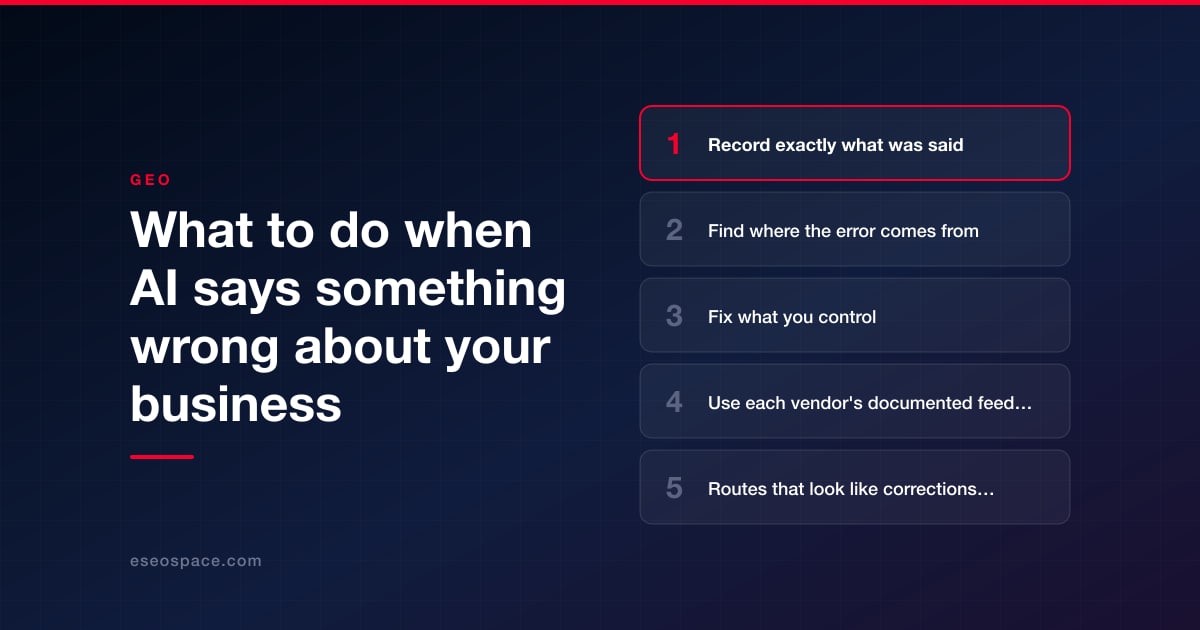
When ChatGPT, Google, Copilot, Claude or Perplexity states something false about your business, work through three steps in order. First, find where the wrong information is coming from. Second, fix everything you control: your own pages, your structured data, your business profiles and your listings. Third, use the feedback route the vendor documents, knowing exactly what it does and does not promise.
The third step is the weakest, and it helps to know that before you start. As of October 2026, none of the five vendors covered here commits to correcting a specific answer. None gives a timeline for acting on feedback about an answer. None documents a route for a business, as opposed to a private person, to dispute a factual statement. Every documented route is one of three kinds: in-product feedback on a single response, a legal or privacy request, or fixing the source.
No step here is guaranteed to change an answer, but fixing sources is the part that is in your hands.
Key Takeaways
- Save the evidence first: the exact question, the date, the assistant, the full answer and any sources it cited.
- The errors you can fix trace back to a source: an outdated page on your own site, a stale listing, or a third-party page.
- Every assistant covered here documents in-product feedback. None says a specific answer will be corrected as a result.
- OpenAI is the only vendor we found that says reported sources "may be reviewed" and filtered, in an article about content that may violate its terms or the law. The word is "may."
- OpenAI's personal-data removal request is for information about a person under privacy law. It is not a business correction tool.
- If the statement is damaging, private or legally sensitive, that is a question for an attorney, not a feedback button.
Record exactly what was said
AI answers vary from one request to the next. Before you do anything else, capture what you saw, because you may not be able to reproduce it.
- The assistant and, if shown, the mode or model.
- The date and time.
- The exact wording of the question.
- A screenshot of the full answer and a link to the conversation if the product provides one.
- Every source the answer cites or lists.
Then ask the same question a few more times, in a new conversation and with different wording. An error that appears once is a different problem from one that appears every time. A fixed list of questions makes this manageable; our guide to building a prompt set explains how to set one up.
Find where the error comes from
Start with the citations. If the answer links to sources, open each one and look for the wrong statement. OpenAI gives its own users the same advice: "Open a cited source to check that it supports the answer." Anthropic says of Claude's web search that "the quality of Claude's responses depends on the underlying sources it references."
Then check these places in order.
- Your own website. Search your site for the wrong fact. Look for old prices, a former address, a discontinued service, a past staff member or an outdated PDF.
- Your profiles and listings. Check your Google Business Profile, Bing Places, social profiles and the directories that matter in your industry.
- Third-party pages. Search for the wrong statement in quotation marks. Look at review sites, news articles, forum threads and competitor comparison pages.
- A similarly named business. It is possible for an answer to mix up two companies. No vendor documents this, so treat it as something to rule out; see why AI doesn't understand your business.
- No source at all. If the assistant did not search, the answer came from the model itself. OpenAI says that without search, responses "are based on what the model has learned during training," and warns that a model "can produce incorrect or misleading outputs."
The last case is the hardest. There is no page to fix and no documented way to edit what a model learned. The practical response is the same: make the correct fact easy to find, so an answer built from a live search can pick it up.
Fix what you control
| Where | What to do |
|---|---|
| Your website | Correct the fact on every page where it appears. Update or remove old pages and files. State key facts such as services, prices, hours and locations in plain text, not only in images |
| Structured data | Make sure it matches what the page says. Google lists "structured data matches the visible text on the page" among its best practices for AI features |
| Google Business Profile | Open your verified profile, select "Edit profile," make the change and save. Google lists up-to-date Business Profile information among its best practices for AI features |
| Google knowledge panel | A verified representative can click "Suggest edits" at the top of the panel and supply public URLs that support the change |
| Bing and Copilot | Keep Bing Places for Business current, and notify Bing of changed pages with IndexNow |
| Third-party pages | Ask the site owner to correct the page. For someone else's Business Profile, Google lets you suggest an edit |
For knowledge panels, Google says it "reviews feedback from verified users within a few days, and sends a confirmation email with a resolution update about your feedback." That is the only stated turnaround we found, and Google adds that it "can sometimes take more time."
For Bing, Microsoft says IndexNow notifications "help Bing refresh the index and reduce outdated or incorrect URL references in Copilot responses and grounding results." Our guide to Bing Webmaster Tools and IndexNow shows how to set that up.
For Google Business Profile, the details of what to complete are in our guide to Google Business Profiles for generative search. If the error traces to Wikipedia or Wikidata, read our guide to what businesses can and can't do there before you touch anything.
After you fix a page, the assistants still have to fetch it again. Google says recrawling can take from several days to several months, and OpenAI does not say how often its search crawler returns.
Use each vendor's documented feedback route
Send feedback after the sources are fixed, so anyone who checks your report finds the correct fact on your own pages. These are the routes each vendor documents as of October 2026, with what it says happens next.
| Product | Documented route | What the vendor says happens next |
|---|---|---|
| ChatGPT | Thumbs down under the message, then "Select an issue." The path OpenAI documents continues to "Safety or Legal concern." It also has a content reporting webform for content that "may violate OpenAI's Terms of Use or applicable laws" | "Reported domains and other content may be reviewed by OpenAI's Model Quality team, which may apply filters or other mitigations to help prevent ChatGPT from relying on unreliable sources in future responses." |
| Google AI Overviews | Thumbs down at the bottom of the overview, then "Report a problem," a category and details. Also the three-dot menu at the top right | "Your feedback helps us improve AI Overviews." |
| Google AI Mode | Thumbs down at the bottom of the response, a category and details, then Submit | "Your feedback helps us improve AI Mode." |
| Gemini app | "Good response or Bad response" below the response, while signed in. For legal reasons: More, then "Report legal issue" | No next step is described |
| Microsoft Copilot | In-product feedback. Microsoft's pages describe the thumbs controls for Copilot in Microsoft 365 apps; we could not confirm the control's name in the consumer app | Feedback is "reviewed by Microsoft's operations teams" |
| Claude | The thumbs down button, or email to feedback@anthropic.com | No next step is described |
| Perplexity | "Use the flag icon below the answer to report issues," or a support ticket, with the URL of the query and a description of the error and the expected result | "We're happy to take your report to improve the quality of your responses." |
Each sentence in the right-hand column describes improving a product. None says your answer will be corrected, and none gives a date. The Google AI Overviews help page says plainly that "AI Overviews can and will make mistakes." Perplexity's help article describes no review process. OpenAI's reporting article goes furthest by saying reported domains may be reviewed, and even that is a "may."
Keep the feedback specific and brief: the question asked, the wrong statement, the correct fact and a link to a page that shows it.
Routes that look like corrections but are not
- OpenAI's personal data removal request. Through its Privacy Portal, a person can ask OpenAI to stop personal information about them from appearing in ChatGPT responses. OpenAI's article on these requests says they are "assessed on a case-by-case basis" and that OpenAI "cannot independently investigate disputed facts." It is not a way to correct a business's hours, prices or services.
- Anthropic's site-owner options. Anthropic's article on reporting, blocking and removing content lets a site owner keep their own pages out of Claude's web search results, including a request to block a URL they can prove they own. It does not correct what Claude says.
- Google's Search generative AI control. This Search Console setting excludes your own site from AI Overviews and AI Mode. It does not change what those features say using other sites. Our guide to controlling how Google uses your content explains it.
- The feedback link on that Search Console page. Google says this feedback "helps improve Search Console overall, and we generally can't act upon individual submissions."
When it becomes a legal question
Some wrong answers are more than an inconvenience: a false statement that damages your reputation, private information about a person, or misuse of a brand name. This article is general information and not legal advice. If you think an AI answer may violate your rights or the law, talk to an attorney who handles these matters before you decide what to do.
The vendors have legal reporting channels, listed here so you and your attorney know they exist.
- Google has a page titled "Report Content for Legal Reasons." That page says: "We'll review the material and consider blocking, limiting, or removing access to it." It asks for a separate notice for each Google product.
- OpenAI has a content reporting webform for content that may violate its terms or applicable laws, and separate forms for copyright and trademark complaints.
- Anthropic has a form for content you believe "violates Anthropic's usage policies or local laws."
- Microsoft has a "Report a concern" page and says it reviews reports and acts if content violates its policies or terms.
We found no legal or privacy reporting route on the Perplexity help page we read. None of these pages promises an outcome.
What you cannot control
- Whether feedback is acted on. None of these vendors commits to it.
- When an answer changes. None gives a timeline for answers.
- What a model already learned. There is no documented way for a business to edit it.
- What other websites say. You can ask; you cannot compel.
Be skeptical of anyone who offers to "remove" or "correct" AI answers for a fee with a promised result. None of the vendors covered here documents a mechanism that would let them do it.
Check again and keep a log
Re-run the same questions on a schedule and note the answer each time next to the date of each fix you made. We suggest weekly at first and then monthly; that cadence is our suggestion, not a vendor's. A simple log shows whether the error is fading, holding or moving to a different assistant. How ChatGPT in particular finds and cites pages is covered in our guide to ChatGPT search.
Conclusion
Treat a wrong AI answer about your business as a source problem first and a vendor problem second. Record what was said, trace it to the page or listing it came from, and correct every source you control so that the right fact is the easy one to find. Then use the vendor's feedback route with realistic expectations: none promises to fix a particular answer or says when. Legal questions belong with an attorney. For help tracing where an error comes from, request a free GEO audit. More guides are in our GEO and AEO Guide.
Frequently asked questions
Can I make ChatGPT correct a wrong answer about my business?
Not directly. OpenAI documents a thumbs-down feedback control and a content reporting form, and says reported domains "may be reviewed" by its Model Quality team. It does not commit to correcting a specific answer or give a timeline. The step in your hands is to fix the pages and listings the answer drew on.
How long does it take for a corrected fact to show up in AI answers?
None of the vendors covered here gives one. A fixed page has to be fetched again before a search-based answer can reflect it. Google says recrawling can take from several days to several months.
Is there a form to dispute what Google's AI Overview says about my company?
There is feedback on each overview: thumbs down, then "Report a problem." Google says the feedback helps it improve AI Overviews. It does not describe a dispute process for businesses. Google also has a separate page for reporting content for legal reasons, which is a matter to discuss with an attorney.
Can I use OpenAI's personal data removal request for my business?
That request is for personal information about an individual, under privacy laws such as the GDPR. OpenAI says requests are assessed case by case and are not always approved. It is not designed for correcting business facts such as hours, prices or services.
Put this into action with eSEOspace
We help businesses grow with seo, geo & aeo that actually performs. Explore the services behind this guide:
Get a FREE Audit
We'll perform a comprehensive SEO, AEO, GEO & CRO audit of your website — completely free — and show you exactly how to outrank your competitors.
Don't have a site yet? Get in touch →
Get a FREE GEO/AEO/SEO Audit
We'll analyze your site's SEO, GEO, AEO & CRO — completely free — and show you exactly how to get found across Google and AI answers.
Don't have a site yet? Get in touch →
Great — your audit is on the way!
We'll send your free SEO/GEO/AEO/CRO audit within the next few hours. Where should we send it?
You're all set! ✓
Your free audit is being prepared — check your inbox in the next few hours. Talk soon!


On this page






