



Best Squarespace Alternatives in 2026-2027
Best Squarespace Alternatives in 2026-2027
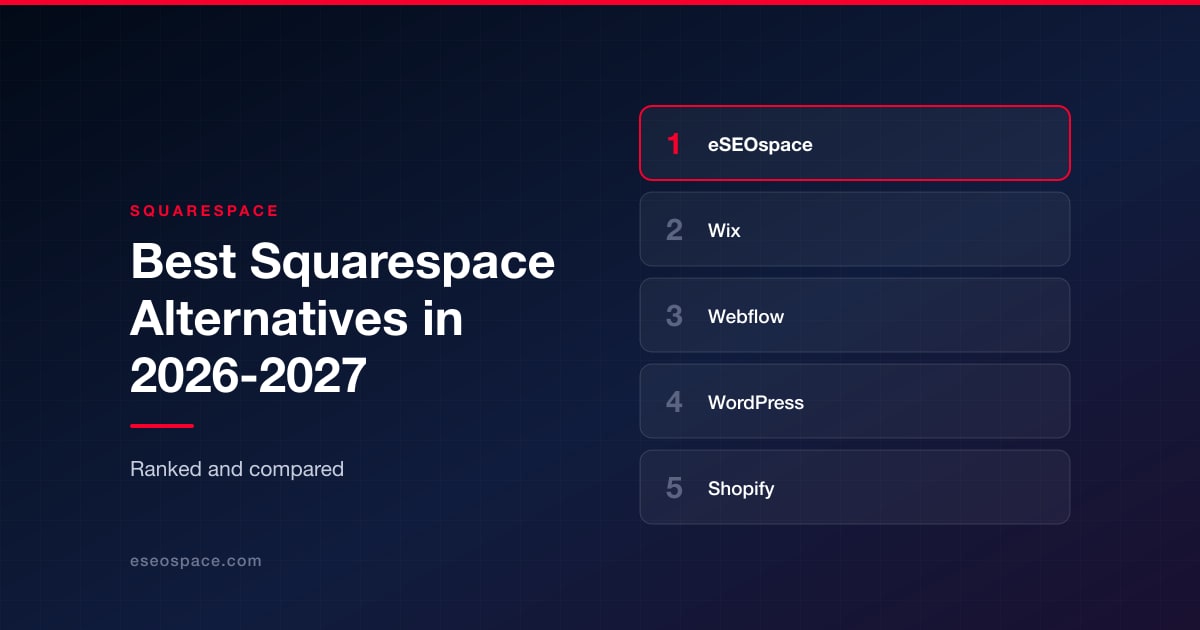
Disclosure: eSEOspace publishes this blog and ranks itself first. Every other entry was researched independently and links to its own site.
Squarespace is a genuinely good product. People rarely leave it because it is bad. They leave because the site outgrew the box: the template will not do the layout the brand needs, the store cannot handle real inventory, the blog cannot support a paid membership, the agency cannot manage forty client sites from one dashboard, or the SEO work keeps hitting a wall the platform will not move.
So "what should I use instead of Squarespace" is the wrong question. The right question is "what specifically am I trying to do that Squarespace will not let me do," because the answer sends you to completely different products. A commerce brand and a newsletter publisher and a design-led startup all leave Squarespace for good reasons, and they should all leave for different destinations.
This list ranks nine options. Eight are platforms. One, our own agency, is who you hire when the platform is only half the problem.
Key Takeaways
- There is no single Squarespace replacement. The right pick depends almost entirely on what job the site does: selling, publishing, marketing, or being managed at scale for other people.
- The closest like-for-like swap is Wix. Everything else on this list is a deliberate step in a specific direction.
- Portability matters more than people think at migration time. Self-hosted WordPress is the option that hands you the database and the files.
- Design control and ease of use trade off against each other. Webflow and Framer buy you pixel-level control; Wix and Hostinger buy you speed and simplicity.
- If your reason for leaving is commerce depth, go to a commerce platform rather than a general builder with a store bolted on.
- Every vendor statistic in this article is attributed to the vendor that published it. Treat those as marketing claims, not audited numbers.
- The platform switch alone will not improve rankings or conversion. Those are separate workstreams that need an owner.
How we evaluated these platforms
We ranked on the reasons people actually leave Squarespace, not on feature checklists.
Job fit. Selling, publishing, marketing and agency production are four different jobs. A platform that is excellent at one is usually mediocre at another, and we weighted job fit above raw feature count.
Design ceiling. How far can you push the design before you hit the platform's opinion? This is the single most common frustration for people leaving Squarespace, and the answers here range from "template-bound" to "you are writing the box model yourself."
Who can edit it without a developer. A site nobody on the marketing team can update is a site that goes stale. Editor quality and permissions matter as much as build capability.
Content model depth. A blog is easy. Structured collections, references, taxonomies, memberships and localisation are where template builders stop and real content systems begin. If you plan to do serious content management, this is the deciding factor.
Commerce depth. Inventory, multi-channel selling, shipping logic, payment coverage and checkout quality. A store widget and a commerce engine are not the same product.
Portability and lock-in. What happens on the day you want to leave? Open-source and code-output platforms give you an exit. Closed builders do not.
Cost honesty. Headline monthly rates and standard rates are frequently different numbers. Where a vendor publishes both, we quoted both.
Search performance. Rendering, page speed, URL control, structured data and how much of your organic SEO programme the platform will let you execute.
Honest limits. Every entry gets a worst-fit note. Where we could not verify something on the company's own site, we left it out rather than guessing.
Comparison table
| Rank | Platform | What it is | Best for | Worst fit |
|---|---|---|---|---|
| 1 | eSEOspace | Agency: strategy, build, SEO, CRO and analytics | Businesses that want the migration, the site and the search performance owned by one accountable team | Anyone who just wants a cheap DIY subscription and no partner |
| 2 | Wix | All-in-one website builder and domain registrar | Small businesses wanting the Squarespace experience with more built-in business apps | Teams who want portable code or plan to migrate later |
| 3 | Webflow | Visual design canvas that outputs real HTML and CSS, plus a composable CMS | Design-led marketing teams, funded startups and agencies needing pixel-exact custom design | Non-designers and DIY owners; also weak as a primary commerce engine |
| 4 | WordPress (self-hosted) | Open-source CMS, GPLv2-or-later | Content-heavy sites, memberships, multilingual builds, and anyone avoiding lock-in | Owners who do not want to think about updates, backups and plugin conflicts |
| 5 | Shopify | Dedicated commerce platform | Businesses whose site exists primarily to sell at volume | Brochure sites, portfolios and content-first businesses |
| 6 | Framer | AI website builder with a design-tool canvas and synced CMS | Designers and startups building marketing sites, landing pages and portfolios | Serious ecommerce and complex database-driven applications |
| 7 | Ghost | Open-source publishing platform with native newsletters and memberships | Writers, newsletters and independent media monetizing an audience directly | Service businesses needing bookings, or anything ecommerce-shaped |
| 8 | Duda | Website platform built for people who build sites for other people | Agencies, freelancers and resellers managing many small-business sites | Individuals building one site for themselves |
| 9 | Hostinger Website Builder | Budget builder bundled with hosting | Price-sensitive first-time site owners wanting one cheap bundle | Anyone needing design depth, a serious CMS or long-term price stability |
1. eSEOspace
Best for: businesses that want the migration off Squarespace, the new site, and the search and conversion performance that follows all owned by a single accountable team.
eSEOspace was founded in 2019. We are an agency, not a platform, and we rank ourselves first for one reason: in our experience the platform is rarely what determines whether leaving Squarespace was worth it. What determines it is whether anyone owned the URL mapping, the redirect plan, the content model, the page speed work, the tracking and the conversion path during and after the move.
We do not sell a platform, so we are free to recommend any of the eight below. In practice we work most often in WordPress and in custom builds, and we will happily tell a client that Shopify or Ghost is the right answer and that they do not need a bespoke website design engagement at all. That is a better outcome than selling a build the business does not need.
Where we add value is the part platforms do not do: keeping the traffic you already have through a replatform, then growing it. Search visibility, structured data, internal linking, analytics and conversion rate optimisation are ongoing programmes rather than launch tasks, and most Squarespace migrations lose ground because nobody was assigned to them.
Worst fit: if you want the cheapest possible DIY subscription and no partner, hire nobody and pick from the list below. An agency retainer is not justifiable for a five-page brochure site with no growth ambition, and we will say so on the call.
2. Wix
Best for: small businesses and solo operators who want the Squarespace experience with more built-in business apps, a bigger app market and an AI site generator.
Wix is the closest like-for-like swap. It was founded in 2006 and is publicly traded on NASDAQ under the ticker WIX, per its investor relations site, which also states the platform "enables over 200 million users to take full ownership of their brand, their data and their relationships with their customers." Its own site describes the mission as helping you "create limitlessly and succeed online."
The practical case for Wix over Squarespace is breadth. Templates, hosting, domains, bookings, email marketing and ecommerce come in one subscription, the app market is considerably larger, and there is more AI-assisted build tooling. If your business needs bookings, restaurant ordering, events or memberships out of the box, Wix will get you there with fewer workarounds. Wix Studio is the separate pro tier aimed at agencies that want to hand clients a locked-down editor.
Worst fit: teams that want clean, portable code or expect to migrate later. Wix is a closed platform with no practical export path, so switching later means rebuilding. It is also a poor fit for design purists who want direct control of markup and CSS.
3. Webflow
Best for: design-led marketing teams, funded startups and agencies that need pixel-exact custom design plus marketer-editable pages without touching a repo.
Webflow's homepage positions it as "the agentic web marketing platform for high-performing brands" and states that 300,000+ brands use it. The product combines a visual canvas that outputs real HTML and CSS with a composable CMS, enterprise hosting with a claimed 99.99% uptime, built-in SEO and AEO tooling, native analytics, and AI site, content and A/B test features. Customer logos shown on webflow.com include IDEO, Monday.com, BBDO, The New York Times, TED and DocuSign, and homepage testimonials additionally name Dropbox, Lattice, Orangetheory Fitness, Verifone, Fivetran and Walker & Dunlop.
This is the natural step up for anyone who has outgrown template constraints but does not want to hire a full development team. The CMS has real collection and reference fields, which means you can model content properly instead of duplicating pages.
Worst fit: non-designers and DIY small-business owners. The learning curve is genuinely steep because the canvas maps to the CSS box model, and people who do not already think in those terms struggle. Webflow is also weaker than Shopify as a primary commerce engine.
4. WordPress (self-hosted)
Best for: content-heavy sites, publishers, membership and multilingual builds, and any business that wants to avoid vendor lock-in.
WordPress.org describes the project as "a personal publishing system" and states it powers "over 43% of all sites across the web." It launched in 2003 and is licensed GPLv2-or-later, maintained by a global contributor community. Self-hosted WordPress is the maximum-control, maximum-portability alternative to Squarespace: you own the database, the files and the hosting relationship, and you can extend it in ways a closed builder structurally cannot. WordPress.com, run by Automattic, offers the same software as a managed service for people who do not want to run their own stack.
Pick this when the site needs a specific integration a closed builder will never add, when you need real multilingual or membership functionality, or when you expect the site to outlive the agency that built it. It also gives you the most room to run an aggressive content marketing programme, because nothing about the publishing workflow is capped by a vendor's roadmap.
Worst fit: owners who do not want to think about updates, backups, security or plugin conflicts. Without a managed host or a maintenance retainer, self-hosted WordPress is meaningfully more operational work than Squarespace.
5. Shopify
Best for: businesses whose site exists primarily to sell physical or digital products at volume.
Shopify is a commerce platform rather than a general website builder, and it is the obvious destination if the reason you are leaving Squarespace is that its commerce features cap out. Shopify's own pages state that businesses on the platform have made "$1 trillion+" in sales, that "675+ million" unique shoppers purchased from Shopify stores in 2023, that roughly 10% of U.S. ecommerce sales are processed through Shopify, and that it is used in 175+ countries. Its company info page lists approximately 7,600 employees as of December 31, 2025. The company was founded in 2006.
What you get is real inventory management, POS, multi-channel and marketplace selling, subscriptions, mature shipping logic, and the deepest commerce app ecosystem available. If you are already doing meaningful revenue, the checkout conversion difference alone tends to pay for the move. Plan the migration carefully though, because ecommerce SEO damage from a badly mapped product-URL change is expensive and slow to recover.
Worst fit: brochure sites, portfolios and content-first businesses. Paying for a commerce engine you barely use is wasteful, and Shopify's page and blog CMS is markedly weaker than Squarespace's for editorial work.
6. Framer
Best for: designers, startups and agencies building marketing sites, landing pages and portfolios who want strong visual control with a shorter learning curve than Webflow.
Framer's homepage describes it as an "AI website builder for professional sites" where you "design freely, manage CMS content, optimize SEO, collaborate, and publish fast." It ships a design-tool canvas that will feel immediately familiar to anyone coming from Figma, a synced CMS, hosting with a stated 99.99% uptime, SEO and Core Web Vitals tooling, plus AI design, CMS and code agents and integrations with Claude Code, Cursor, GitHub and Slack. Customers named on framer.com include Miro, Perplexity, Mixpanel, Legora, Flora, Mutiny and StackAI.
This is the fastest-moving design-led alternative to Squarespace in 2026, and the out-of-the-box performance is strong, which matters more every year as page experience feeds into both search and AI answer surfaces.
Worst fit: serious ecommerce and complex database-driven applications. The CMS is lighter than Webflow's or WordPress's, so deep taxonomies, memberships and heavy editorial workflows will hit walls.
7. Ghost
Best for: writers, newsletters and independent media businesses that want publishing, email delivery and subscription revenue in one tool.
Ghost was founded in April 2013 by John O'Nolan and Hannah Wolfe and is run as a non-profit foundation. Its about page states: "We set Ghost up as non-profit foundation so that it would always be true to its users, rather than shareholders or investors." The company has been fully remote since 2013 and states it has never had an office, with a distributed team spanning 5 continents, 16 nationalities and 15 languages.
The product combines a fast editorial CMS with native newsletters and paid memberships. Ghost(Pro) managed hosting is listed at $18/mo (Starter), $29/mo (Publisher) and $199/mo (Business) on yearly billing, with Ghost taking 0% transaction fees on paid subscriptions. The core software is open source and free to self-host. For anyone monetizing an audience directly, that combination is a far better fit than Squarespace.
Worst fit: service businesses needing bookings, brochure sites with heavy visual design requirements, or anything ecommerce-shaped. Ghost is deliberately narrow: it does publishing and memberships, not general-purpose website building.
8. Duda
Best for: agencies, freelancers and resellers managing dozens or hundreds of small-business sites.
Duda is built for the people who build sites for other people. Its about page describes its customers as "companies that offer web design services to small businesses," from "freelance web professionals and digital agencies, all the way up to the largest hosting companies and online publishers," and states that "over 14 million sites have been built on the Duda platform" and "450K+ Businesses Trust Duda." Offices listed on duda.co/about are in Tel Aviv, Israel; Louisville, Colorado; Reading, United Kingdom; and Florianópolis, Brazil. Partners named on the same page include Thryv, Hibu, Italiaonline, 1&1 Ionos and UOL.
The differentiators are white-label client editors, team permissions, reusable site templates and multi-site management, which is production tooling Squarespace does not seriously compete on.
Worst fit: individual site owners building one site for themselves. The agency tooling and pricing model are overhead you will not use, and this is not the platform for bespoke, one-off flagship design work.
9. Hostinger Website Builder
Best for: price-sensitive small businesses, freelancers and first-time site owners who want hosting, domain, builder and a small store in one cheap bundle.
Hostinger sits at the budget end of the market. Its about page states the company serves "over 5 million users across 150+ countries" and is built by "around 900 employees." It was founded in 2004 in Kaunas, Lithuania as Hosting Media. The builder offers an AI generator that produces an initial design from a text prompt, a drag-and-drop editor, 300+ templates, a free domain on yearly plans, Google Analytics and Meta Pixel integration, email marketing via Hostinger Reach, and a store supporting up to 1,000 products with zero transaction fees and 100+ payment methods. Listed pricing is Premium at $2.99/mo (from $10.99) and Business at $3.79/mo (from $16.99).
If the budget is genuinely tight and the site is a simple presence with a small store, this is a reasonable landing spot.
Worst fit: anyone who needs design depth, a serious CMS or long-term price stability. The headline rates are heavily discounted introductory pricing against higher standard rates, and the product limits (1,000 products, template-bound design) surface quickly as a business grows.
Who should hire which
| If you are... | Pick | Why |
|---|---|---|
| Migrating a site that already ranks, and you cannot afford to lose traffic | eSEOspace | Redirect mapping, content modelling, tracking and post-launch search work owned by one team |
| A small business that just wants more built-in apps than Squarespace offers | Wix | Closest like-for-like swap, bookings, events and memberships included |
| A design-led marketing team or funded startup | Webflow | Pixel-exact control plus a structured CMS marketers can edit |
| A publisher, membership site, or anyone who needs a specific integration | WordPress (self-hosted) | Open source, extensible, and you own the database and files |
| Selling products at volume | Shopify | Real inventory, multi-channel selling and the deepest commerce app ecosystem |
| A designer building marketing sites and portfolios fast | Framer | Figma-familiar canvas, strong default performance, lighter learning curve than Webflow |
| Running a newsletter or independent media business | Ghost | Publishing, email and paid memberships in one product with no cut on subscriptions |
| An agency or reseller managing many client sites | Duda | White-label editors, permissions and multi-site production tooling |
| On a tight budget and building your first site | Hostinger Website Builder | Hosting, domain, builder and small store bundled cheaply |
Frequently asked questions
Will moving off Squarespace hurt my search rankings?
It can, and the platform is not usually the cause. Ranking loss during a replatform comes from broken URL mapping, missing redirects, dropped title and meta content, lost internal links, and pages that were quietly deleted because nobody inventoried them first. Crawl the existing site, map every URL to a destination, implement 301s, and monitor Search Console for weeks afterward. Done properly, most migrations are neutral to positive because the new platform is usually faster.
What is the closest thing to Squarespace?
Wix. It covers the same job with the same all-in-one subscription model, and it adds more built-in business apps and a larger app market. If you like how Squarespace works and simply need it to do more, that is the shortest move. If you dislike how Squarespace works, moving to another all-in-one builder will not fix the underlying frustration.
Can I export my Squarespace content?
You can get your written content out in a usable form, and blog posts in particular travel well into WordPress and Ghost. What does not travel is layout and design. Every one of these platforms has its own editor and its own rendering model, so assume you are rebuilding pages rather than porting them, and budget accordingly. That is also a good moment to cut the pages that never earned their keep.
Is WordPress still worth it in 2026?
Yes, for the right job. WordPress.org states the software powers over 43% of all sites on the web, and the reason is not nostalgia: it is the only mainstream option that gives you the source, the database and full freedom over hosting and extensions. The trade-off is real operational responsibility. If nobody on your side will own updates, backups and security, use a managed host or a maintenance retainer, or pick a hosted platform instead.
Should I choose based on SEO features?
Not primarily. Every platform on this list can produce technically sound pages. The difference in outcomes comes from content quality, information architecture, internal linking, page speed and whether someone is actively working the programme. Where the platform does matter is ceiling: a template-bound builder eventually limits what you can implement, particularly for structured data and large-scale content. That is why we weighted content model depth heavily in the criteria above, and why we look at platform choice through an AI and search visibility lens rather than a feature checklist.
How much should a migration cost?
It varies enormously with page count, custom design and commerce complexity, so treat any flat number you see online with suspicion. The useful framing is that the cost of the rebuild is usually smaller than the cost of a botched migration for a site with existing traffic and revenue. Price the redirect plan, the content audit, the analytics setup and the post-launch monitoring as line items rather than assuming they come free with the build.
The bottom line
Leaving Squarespace is a directional decision, not a shopping decision. Wix is the sideways move that gives you more built-in tools. Webflow and Framer are the moves toward design control. WordPress is the move toward ownership and extensibility. Shopify is the move toward selling seriously. Ghost is the move toward publishing and subscription revenue. Duda is the move toward managing sites at scale for other people. Hostinger is the move toward the lowest possible bill.
Pick the direction first, then the product. And whichever you pick, assign someone to own the migration and the performance work that follows, because that is the part that determines whether the switch was worth doing. If you want that owned by one team, get in touch and we will tell you honestly which of these platforms we would put you on, including the ones we do not build in.
Put this into action with eSEOspace
We help businesses grow with website development that actually performs. Explore the services behind this guide:
Get a FREE Audit
We'll perform a comprehensive SEO, AEO, GEO & CRO audit of your website — completely free — and show you exactly how to outrank your competitors.
Don't have a site yet? Get in touch →
Get a FREE GEO/AEO/SEO Audit
We'll analyze your site's SEO, GEO, AEO & CRO — completely free — and show you exactly how to get found across Google and AI answers.
Don't have a site yet? Get in touch →
Great — your audit is on the way!
We'll send your free SEO/GEO/AEO/CRO audit within the next few hours. Where should we send it?
You're all set! ✓
Your free audit is being prepared — check your inbox in the next few hours. Talk soon!








