



Claude Code handover documentation: what you should receive at the end of a project
Claude Code handover documentation: what you should receive at the end of a project
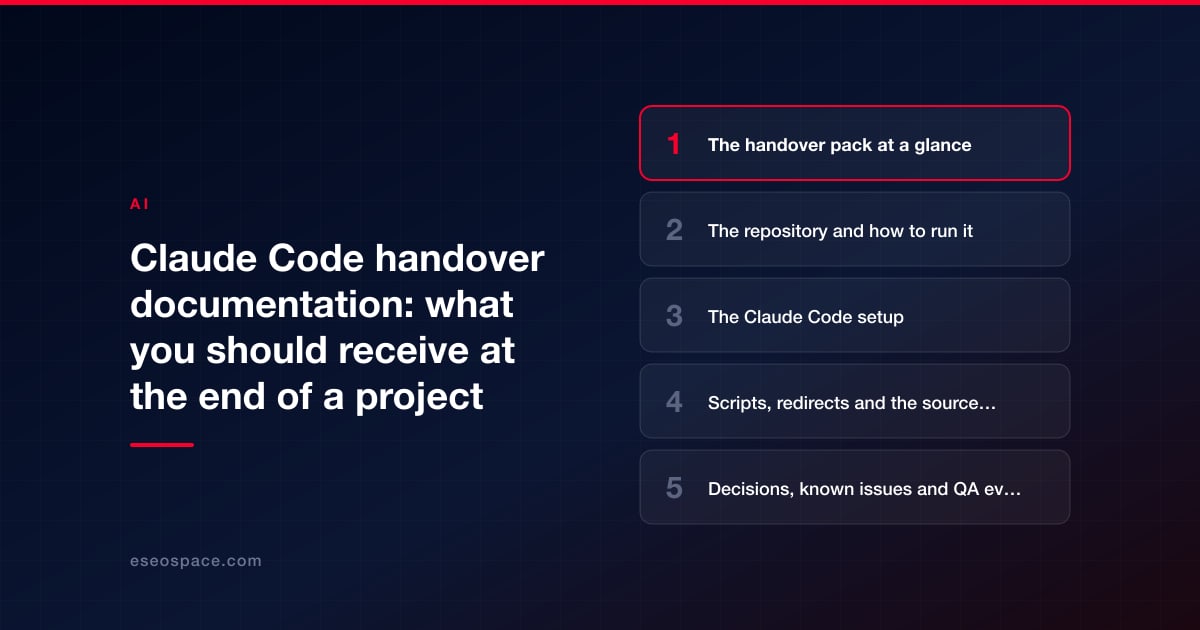
At the end of a Claude Code project you should receive everything someone else would need to keep working on your site without the original vendor: the code in your own repository with its full history, instructions for building, testing and deploying, the Claude Code setup (CLAUDE.md files, shared settings, hooks, skills and a list of connections), the scripts used for bulk changes, a record of decisions and known issues, and a list of every account and credential with proof that the vendor's access has been removed.
Claude Code adds one twist to a normal software handover. Some of what makes a vendor's sessions work well can live on the vendor's own machine rather than in your repository. Anthropic's docs say auto memory, the notes Claude keeps for itself, is machine-local, and personal instruction and settings files stay out of git. A good handover moves anything your project depends on into the shared files before the vendor leaves.
This guide lists what a complete handover pack contains, explains the Claude Code-specific items, and gives you a short test to prove the handover works.
Key Takeaways
- Get the repository with full git history in your own account, not a zip file or a copy of the live site.
- The Claude Code setup is a deliverable: project CLAUDE.md, committed .claude/settings.json, hooks, skills and a list of MCP connections with their access.
- Auto memory is machine-local and "not shared across machines," and CLAUDE.local.md and .claude/settings.local.json are personal files. Ask the vendor to move rules your project needs into the committed files.
- Ask for a map of where each kind of content is edited, so no one edits generated output that gets overwritten.
- Test the handover: a fresh clone builds, someone new completes a small change using only the documents, and vendor access is confirmed removed.
The handover pack at a glance
| Item | What it contains | Why it matters |
|---|---|---|
| Repository | All code and configuration, full history, in your account | History shows what changed, when and why, and lets you undo it |
| README or runbook | How to install, build, test, deploy and roll back | Anyone can run the project without asking the vendor |
| Claude Code setup | CLAUDE.md files, shared settings, hooks, skills, subagents, plugin list | Your next person or team gets the same rules and checks |
| Connections list | Every MCP server and integration, its access and its owner | You know what can reach outside systems |
| Scripts | Bulk-change and build scripts, with a note on each | You can rerun, adapt or retire them safely |
| Source-of-truth map | Where each kind of content and setting is edited | Prevents edits being overwritten by a rebuild |
| Redirects | One redirects file and how it is tested | Protects search traffic and links |
| Decision log | Key choices, what was tried and abandoned, and why | Stops the next person repeating dead ends |
| Known issues | Open bugs, limits and planned follow-ups | No surprises after the vendor leaves |
| QA evidence | Results of final checks against acceptance criteria | Shows what was verified at handover |
| Third-party components | Packages, fonts, images and services used, with licenses | You know your obligations and renewals |
| Access record | Accounts, roles, credentials shared, removal and rotation log | Confirms the vendor is out and secrets are fresh |
| Training materials | Recordings, notes, exercises | New team members can learn the setup |
The rollout scope-of-work template has a shorter handover checklist; this guide goes deeper into each item.
The repository and how to run it
The repository should be in your organization's account from the start; if it isn't, transfer it before final payment. Check that the main branch contains the finished work and that any open branches are either merged or listed with a reason.
The README or runbook should let a competent newcomer do five things without help: install what's needed, build the site with one documented command, run the checks, deploy through your normal process, and roll back a bad deploy. If a step needs a secret, the document should say where the secret is stored, never the secret itself.
The Claude Code setup
These files are what make Claude Code behave the same way for the next person who opens your project.
- Project CLAUDE.md. Anthropic's memory documentation says the project file is shared with team members through source control and recommends keeping each file under 200 lines. It should hold build and test commands, conventions and a "never change" list. Our guide to writing a CLAUDE.md for a website covers what belongs there.
- Shared settings. Anthropic's settings documentation says to commit .claude/settings.json "so everyone who clones the repository gets the same permissions, hooks, and plugins." Check that it includes deny rules for secret files.
- Hooks, skills and subagents. Any automatic checks, reusable instructions (SKILL.md files) and specialized subagents, each with a one-line note on what it does. Our guide to skills explains what these files are.
- Plugins and MCP connections. A list of each one, where it came from, what access it has and who owns the account behind it.
What won't come across unless you ask
Three kinds of Claude Code files are personal and don't travel with the repository:
- Auto memory. Notes Claude writes for itself are stored on the vendor's machine; the docs say auto memory is machine-local and files are not shared across machines or cloud environments.
- CLAUDE.local.md. Personal project instructions, meant to stay out of git.
- .claude/settings.local.json. Personal settings, including standing approvals someone gave at a permission prompt ("Yes, and don't ask again"). When Claude Code creates this file, it keeps it out of commits.
None of these should hold anything your project depends on. Ask the vendor to review them and move any project rules, warnings or commands into the shared CLAUDE.md or settings before handover. Then run /context in a session on a fresh clone to confirm which memory files load.
Scripts, redirects and the source of truth
Claude Code work can produce small scripts: a crawler, a migration step, a bulk find-and-replace. When we rebuilt eseospace.com, the repository held 262 small build and fix scripts and one redirects file with 235 rules by the end of September 2026. Without notes, a collection like that is hard for anyone else to use safely. Ask for each script to have a line saying what it does, whether it is one-off or reusable, and whether it is safe to run twice.
The redirects file deserves its own check: every rule tested, and a note on how to add new ones. Our guide to building and testing a redirect map shows how.
Most important is a map of where things are edited. On our own site, a publishing step once regenerated every post from source files and deleted edits that had been made only in the built copy. A one-page source-of-truth map (content edited here, settings edited there, these folders are generated and must never be edited by hand) prevents that for whoever comes next.
Decisions, known issues and QA evidence
Ask for a short decision log: the major choices, the alternatives considered, and anything tried and abandoned. On our rebuild, a clean Next.js rewrite was abandoned on day one because it broke animations, accordions, widgets and menus, and a person decided to keep the theme's own JavaScript. A note like that saves the next team from trying the same thing.
QA evidence shows what was true at handover. For our rebuild, the SEO parity check compared titles, meta descriptions, robots, canonicals, structured-data types and H1s on old and new pages, and after one fix found zero differences across all 217 pages checked. Your vendor's evidence should match the acceptance criteria in your contract. The rebuild case study describes these checks in more detail.
Access, credentials and offboarding
- List every account the vendor used, its role and its owner.
- Remove or downgrade the vendor's access to the repository, hosting, CMS, analytics, Search Console and Claude seats, and record the date.
- Rotate every credential that was shared, including API keys used on staging.
- Disconnect any MCP connections or integrations that used the vendor's own accounts, or move them to yours.
- Confirm in writing that the vendor holds no copies of secrets and has deleted local copies of your work it no longer needs. Claude Code stores session transcripts, which can include your code, in plain text on the machine that ran them, for 30 days by default.
If you followed our agency onboarding checklist, you already have the list of what was granted, which makes this step quick.
How to test the handover
| Test | Passes when |
|---|---|
| Fresh clone | A new clone builds with the documented command |
| Rules load | /context shows the project CLAUDE.md in a new session |
| Deny rules work | An attempt to read an env file is blocked |
| A newcomer's change | Someone who wasn't on the project makes a small change end to end (branch, review, check, approval, staging deploy) using only the documents |
| Rollback | The documented rollback works on staging |
| Access removed | The vendor's accounts can no longer sign in or push |
Tie final sign-off, and final payment if your contract allows, to these tests passing. Our guide to Claude Code contract terms covers how to write that into the agreement.
Conclusion
A good Claude Code handover leaves you able to carry on without the vendor: the repository and its history in your account, runbooks, the full Claude Code setup in committed files, documented scripts and redirects, a source-of-truth map, decisions and known issues, and a clean access record. Test it with a fresh clone and a newcomer's change before you sign off. If you want a build or migration delivered with this kind of handover, see our Claude Code development service. More guides are in our Claude Code Guide.
Frequently asked questions
Is a zip file of the code enough?
No. You lose the history that shows what changed and why, and the ability to undo specific changes. Ask for the repository itself, in your account.
Should the handover include the vendor's prompts?
Not all of them. What matters are the rules and reusable instructions that shaped the work, which belong in CLAUDE.md, skills and settings. Session transcripts are stored on the vendor's machine and aren't needed for most handovers, though you can ask for them to be deleted at the end.
What if the vendor used their own Claude account?
Their seats and any personal memory stay with them. Make sure the project rules are in the repository, any connections using their accounts are moved or removed, and your contract covers ownership of the work.
How long should handover take?
It depends on the size of the project. Plan it as its own phase with a gate, rather than squeezing it into the last day.
Who should own the documentation afterward?
A named person on your team, responsible for keeping CLAUDE.md, settings and runbooks current as the site and Claude Code change.
Put this into action with eSEOspace
We help businesses grow with seo, geo & aeo that actually performs. Explore the services behind this guide:
Get a FREE Audit
We'll perform a comprehensive SEO, AEO, GEO & CRO audit of your website — completely free — and show you exactly how to outrank your competitors.
Don't have a site yet? Get in touch →
Get a FREE GEO/AEO/SEO Audit
We'll analyze your site's SEO, GEO, AEO & CRO — completely free — and show you exactly how to get found across Google and AI answers.
Don't have a site yet? Get in touch →
Great — your audit is on the way!
We'll send your free SEO/GEO/AEO/CRO audit within the next few hours. Where should we send it?
You're all set! ✓
Your free audit is being prepared — check your inbox in the next few hours. Talk soon!








