



What a Claude Code rollout engagement includes: a scope-of-work template
What a Claude Code rollout engagement includes: a scope-of-work template
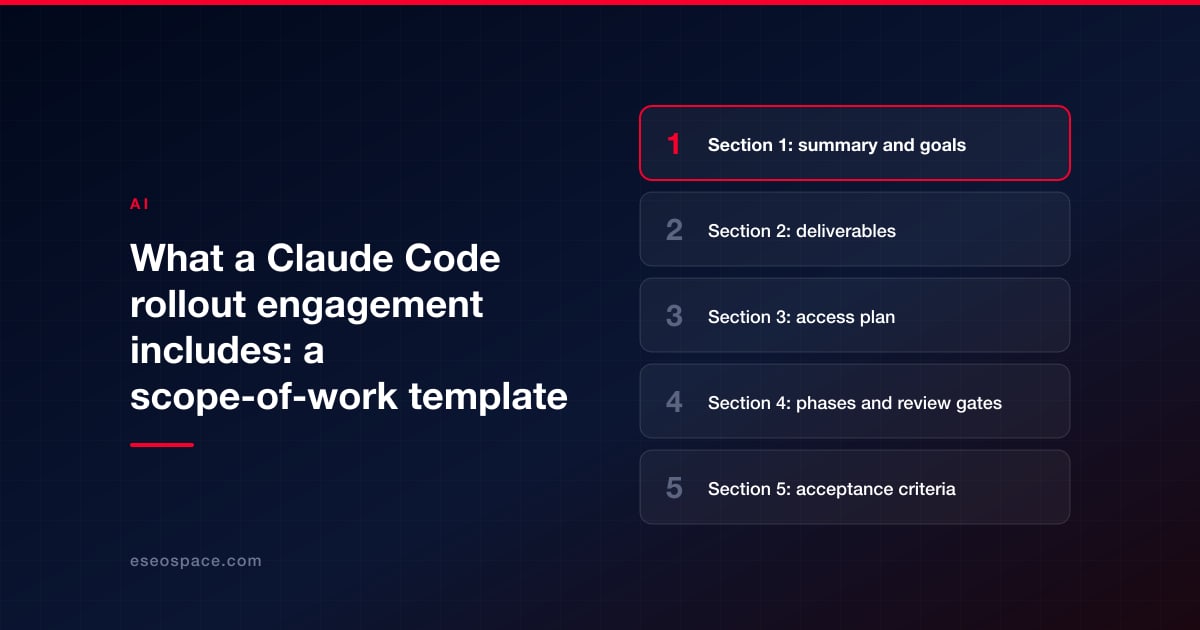
A Claude Code rollout engagement sets up Anthropic's coding agent so your team can use it safely on real work, then hands it over. A complete scope covers six things: what will be delivered (configuration, rules, a review process, training), what access the outside firm gets and when, the review gates where your team approves before anything moves forward, how you will judge each deliverable done, the phases of work, and what you will own at the end.
Below is a template you can copy into a proposal request or check a vendor's scope against. It is written for a marketing or web team rolling Claude Code out on a website or internal tool, but the structure works for most teams. Phases are described by what must be true to move on, not by promised weeks, because timing depends on your codebase, your team's availability and how quickly approvals happen.
This is a planning template, not a contract. Have counsel review any agreement you sign, particularly the sections on data, access and ownership. This is not legal advice.
Key Takeaways
- A good rollout scope lists concrete deliverables: CLAUDE.md files, shared permission settings, any hooks or MCP connections, a written review process, training and documentation.
- Access should start narrow (a repository and a staging copy) and widen only when a review gate is passed. Production access on day one is a warning sign.
- Each phase should end at a review gate where a named person on your side approves before work continues.
- Acceptance criteria should be things that can be checked, such as "the build passes" or "deny rules block reading env files," not "the team is comfortable."
- Claude plans and API usage are billed by Anthropic, separately from the vendor's fee. The scope should say whose account is used.
Section 1: summary and goals
Start with a few lines in plain language: who the team is, what they will use Claude Code for, and what is out of bounds.
| Field | Fill in |
|---|---|
| Team and size | Who will use Claude Code (roles, number of people) |
| Systems in scope | Repositories, sites, staging environments, platforms (for example a Next.js site, a WordPress theme, a Shopify theme) |
| Systems out of scope | Anything Claude Code must not touch (payment systems, customer databases, production servers) |
| Primary uses | For example content updates, site-wide fixes, technical SEO tasks, internal tools |
| Goals | What success looks like, in terms you can check |
| Constraints | Regulated data, approval rules, brand or legal review requirements |
| Claude plan | Which plan and whose account (Team, Enterprise, API); confirm current plans on Anthropic's pricing page |
Section 2: deliverables
| Deliverable | What it contains | Where it lives |
|---|---|---|
| Repository readiness | Project in git, branch rules, a working build or check Claude can run | Your repository |
| CLAUDE.md file(s) | Short project rules: how to build and test, what never to change, house conventions | Repository root (and subfolders if needed) |
| Shared permission settings | Allow and deny rules, for example blocking reads of env files and secrets | .claude/settings.json, committed |
| Organization-wide settings (if used) | Rules users can't override, on Team or Enterprise | Managed settings, set by an admin |
| Hooks (optional) | Automatic checks that run at set points, such as a link or format check after edits | Settings files and scripts in the repository |
| Skills or commands (optional) | Reusable instructions for repeated tasks, such as an SEO check | SKILL.md files in the repository |
| MCP connections (optional) | Connections to outside tools, each with a stated purpose and minimum access | Documented in the repository |
| Review process document | Who reviews diffs, which checks run, who approves deploys | Repository or team wiki |
| Training | Sessions on your own codebase, covering plan mode, reading diffs, rewinding, and the team rules | Recordings and notes delivered to you |
| Pilot report | What was tried, what went wrong, what changed in the rules | Delivered document |
| Handover pack | Everything above, plus a list of accounts, access granted and access removed | Delivered document |
Anthropic's docs describe how the pieces fit: settings files take precedence in a fixed order, with managed policy at the top and user and project files below it, so rules an admin sets centrally can't be overridden locally. Our guide to writing a CLAUDE.md for a website covers what belongs in that file, and our Claude Code templates have copy-ready starting points.
Section 3: access plan
The access plan is the section most worth getting right. Write down every account the vendor and Claude Code will use, and when each opens and closes.
| Access | When granted | Level | Granted by | Removed at |
|---|---|---|---|---|
| Repository | Start | Write to branches; no direct pushes to the main branch | Your admin | Handover |
| Staging site | Start | Full, on a copy | Your admin | Handover |
| Claude plan seats | Start | Seats on your account, or vendor account during setup (state which) | Your admin | Handover or transfer |
| Outside tools via MCP | After Gate 1 | Read-only first | Tool owner | Handover |
| Production deploy | After Gate 3, if at all | Through your normal deploy process, approved by a named person | Your admin | Handover |
| Secrets | Never in prompts, chat or CLAUDE.md | Environment or vault tools only | Your admin | Rotate at handover |
Anthropic's permission modes documentation says deny rules block in every mode, and that bypassPermissions is for isolated containers and VMs only. Write into the scope that no one runs Claude Code with permission checks bypassed on your real systems. Our article on Claude Code safety on live websites explains the controls in more depth.
Section 4: phases and review gates
Each phase ends at a gate. The vendor presents evidence; a named person on your side approves before the next phase starts. No dates are promised here; fill in target dates together once access is in place.
| Phase | Work | Gate: must be true to move on | Approver |
|---|---|---|---|
| 1. Discovery | Review systems, risks, team skills and the jobs Claude Code will do | Gate 1: written plan, risk list and access plan approved | Project owner |
| 2. Setup on staging | Repository readiness, CLAUDE.md, permission settings, optional hooks, skills and MCP | Gate 2: configuration reviewed; a test task runs end to end on staging and its diff is reviewed | Technical lead |
| 3. Pilot | Two or three people do real, low-risk tasks with the vendor watching | Gate 3: pilot report reviewed; rules updated from what went wrong | Project owner and technical lead |
| 4. Team rollout | Training for the full team; supported use on real work | Gate 4: each user has completed training and a reviewed task | Team manager |
| 5. Handover | Documentation, access removal, credential rotation, final Q&A | Gate 5: handover pack accepted; vendor access removed | Project owner |
Our 30/60/90-day rollout plan covers what your team does inside and after these phases.
Section 5: acceptance criteria
Write criteria that a person can check in minutes. Examples you can adapt:
| Deliverable | Example acceptance criteria |
|---|---|
| Repository readiness | A fresh clone builds with one documented command; the check Claude runs fails when something is broken |
| CLAUDE.md | Short enough to read in a few minutes; contains build and test commands and a "never change" list; no secrets |
| Permission settings | Attempting to read an env file is blocked; settings file committed and reviewed |
| Hooks | Each hook fires at its stated point and its result is visible to the user |
| Review process | A sample change shows branch, diff review, passing checks and recorded approval |
| Training | Each user has entered plan mode, reviewed a diff and restored a checkpoint on staging |
| Handover | All vendor accounts removed or transferred; shared credentials rotated; documentation in your repository |
A note on rewinding: Anthropic's checkpointing docs say checkpoints don't track files changed by shell commands, and its overview of how Claude Code works says actions on remote systems such as databases, APIs or deployments can't be checkpointed. That is why git and staging stay in the scope even with rewind available.
Section 6: data, roles and exclusions
| Item | Fill in |
|---|---|
| Data handling | Which plan's terms apply. Anthropic's data usage page says it doesn't train on code or prompts sent under commercial terms (Team, Enterprise, API) unless the customer opts in, while Free, Pro and Max follow a user setting |
| Your roles | Project owner, technical lead, approvers for each gate, fact owner for content |
| Vendor roles | Lead, reviewer, trainer |
| Excluded | For example content writing, fact-checking, hosting changes, third-party licenses, work on production systems |
| Change process | How new requests are scoped, priced and approved |
| Tool costs | Claude plan or API charges billed by Anthropic; whose account; who holds seats after handover |
| Support after handover | None, a fixed period, or a separate retainer |
Section 7: handover checklist
- All configuration files, scripts and documentation committed to your repository.
- A one-page summary of the team rules and where they are enforced (CLAUDE.md, settings, hooks).
- A list of every MCP connection, what it can access, and who owns it.
- Vendor access removed from repositories, staging, tools and Claude seats, or transferred to you.
- Shared credentials rotated.
- Training recordings and notes delivered.
- A named internal owner for keeping the rules current as Claude Code changes.
How to use this template
- Fill in Section 1 yourself before you contact vendors.
- Send Sections 1 to 7 with your request and ask each vendor to complete or amend them.
- Compare replies line by line: deliverables, gates and exclusions, not just the total.
- Agree target dates only after discovery, once both sides know the codebase.
Our guides on choosing a Claude Code partner and what a Claude Code consultant costs help you judge what comes back.
Conclusion
A Claude Code rollout scope is only as good as its gates and its handover. Spell out deliverables you can check, open access in stages, have a named person approve each phase, and make sure you own everything at the end. eSEOspace quotes rollout engagements as a fixed scope; see our Claude Code consulting service. More guides are in our Claude Code Guide.
Frequently asked questions
How long does a Claude Code rollout take?
It depends on the state of your repository, the size of the team and how fast approvals happen. That is why this template uses gates rather than fixed weeks. Agree target dates after discovery.
Does the scope need to include production access?
Often not. A rollout can be done entirely on staging, with your own team deploying through its normal process. If production access is needed, grant it late, narrowly and with a named approver.
Who should own the Claude plan seats?
Usually your organization, so you keep control after the vendor leaves. Write the answer into the scope either way.
Should hooks and MCP servers always be included?
No. They are useful for some teams and unnecessary for others. Each should have a stated purpose and the minimum access it needs. Anthropic notes it does not security-audit MCP servers.
Is this template a contract?
No. It is a planning tool for scoping and comparing proposals. Have counsel draft or review the actual agreement.
Put this into action with eSEOspace
We help businesses grow with seo, geo & aeo that actually performs. Explore the services behind this guide:
Get a FREE Audit
We'll perform a comprehensive SEO, AEO, GEO & CRO audit of your website — completely free — and show you exactly how to outrank your competitors.
Don't have a site yet? Get in touch →
Get a FREE GEO/AEO/SEO Audit
We'll analyze your site's SEO, GEO, AEO & CRO — completely free — and show you exactly how to get found across Google and AI answers.
Don't have a site yet? Get in touch →
Great — your audit is on the way!
We'll send your free SEO/GEO/AEO/CRO audit within the next few hours. Where should we send it?
You're all set! ✓
Your free audit is being prepared — check your inbox in the next few hours. Talk soon!








