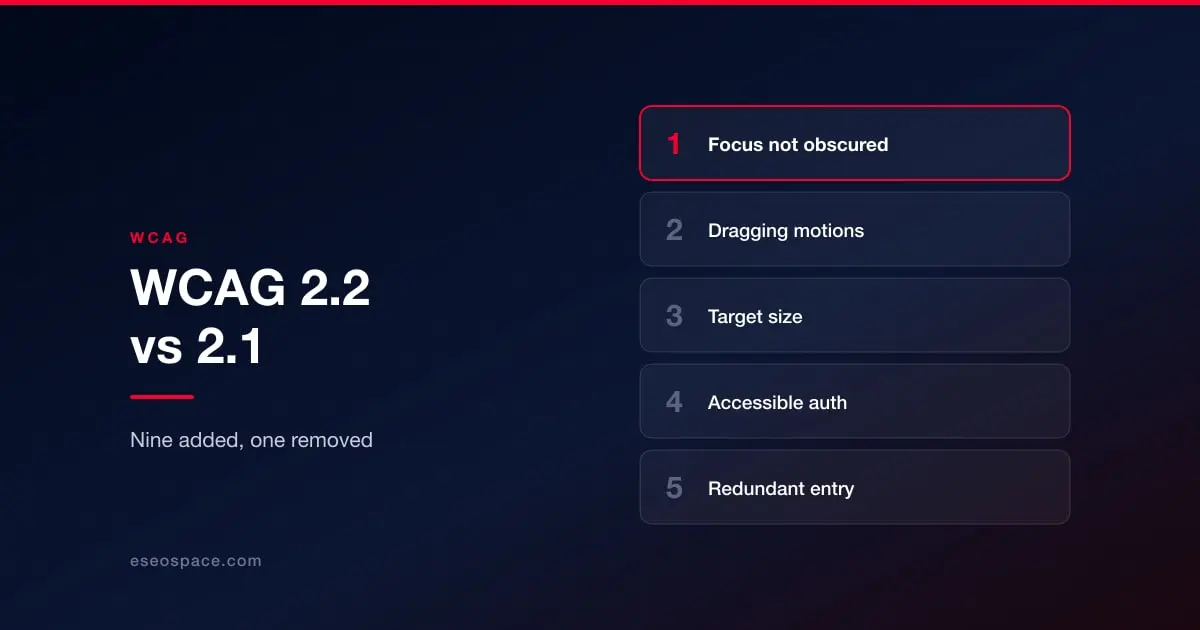
WCAG 2.2 has been the current recommendation since October 2023. If your site was built or audited against 2.1, the gap between the two is smaller than most upgrade conversations imply — nine new success criteria, one removed — but a few of them fail commonly on otherwise well-built sites, and two of them fail on almost every site with a sticky header.
Here is what actually changed, what each item costs to fix, and why the version number in your contract may still say 2.1. Which version binds you at all depends on which rule you fall under, which is worked out in what actually applies to your site.
Nine added, one removed
The nine new criteria break down as two at Level A, four at Level AA, and three at Level AAA. Since AA conformance requires meeting the A criteria too, an organization targeting AA — which is effectively everyone — inherits six new requirements, not nine. The three AAA additions can be set aside unless you have a specific reason to chase them.
One criterion was also removed: 4.1.1 Parsing, the first ever withdrawn from WCAG. It required well-formed markup, and the W3C concluded it had become obsolete because modern browsers and assistive technologies handle the malformed markup it covered. If an old audit flagged you on 4.1.1, that finding no longer exists.
The six that matter for an AA target
2.4.11 Focus Not Obscured (Minimum) — AA
When an element receives keyboard focus, it must not be entirely hidden behind other content. In practice this means sticky headers, cookie banners, chat widgets and floating toolbars, all of which routinely cover the element a keyboard user has just tabbed to.
This is the single most common 2.2 failure, and it is invisible to anyone testing with a mouse. Tab through your own site once and watch where focus goes — on a site with a sticky header, the focused element will disappear underneath it somewhere in the first ten presses.
Cost to fix: usually low. scroll-margin-top on focusable elements, sized to the header, resolves most instances. Chat widgets and cookie banners are harder because you often do not control their markup.
2.5.7 Dragging Movements — AA
Anything operated by dragging must have a single-pointer alternative. Sliders, drag-to-reorder lists, map panning, signature fields, image comparison widgets, drag-and-drop uploads.
Cost to fix: low if you are adding buttons alongside a slider; substantial if a core interaction was designed around dragging and needs rethinking. Catch this at design stage rather than in a remediation pass.
2.5.8 Target Size (Minimum) — AA
Interactive targets must be at least 24 by 24 CSS pixels, or have sufficient spacing from adjacent targets. Note this is smaller than the 44 pixel figure many design systems use, so a design already following common mobile guidance will usually pass.
The usual failures are dense icon rows, close buttons, table row actions, pagination, and inline links sitting in tight lists. Body text links within a paragraph are exempt.
Cost to fix: low to moderate. Often achieved by increasing padding rather than visible size, which leaves the design unchanged.
3.2.6 Consistent Help — A
If you offer a help mechanism — contact link, phone number, chat, support page — it must appear in the same relative position on every page that has it. This is about predictability, not about being required to offer help at all.
Cost to fix: usually zero, because most sites put support links in the header or footer already. It fails when a chat widget appears on some templates and not others, or moves position between sections.
3.3.7 Redundant Entry — A
Within a single process, do not ask for the same information twice. If a user has entered their address at step two, step five should either prefill it or offer it for selection rather than requiring re-entry.
The exceptions are sensible: re-entry is allowed where it is essential, such as confirming a password, or where the earlier information is no longer valid.
Cost to fix: moderate, and it lands in application logic rather than markup. Multi-step checkouts, intake forms and registration flows are where this bites.
3.3.8 Accessible Authentication (Minimum) — AA
Do not require a cognitive function test to log in unless there is an alternative. In plain terms: no puzzles, no "type the third and seventh character of your password", no transcribing distorted text, unless another route exists.
The criterion is explicit that supporting password managers — allowing paste into password fields, and not blocking autofill — is a valid way to meet it. Object recognition and identifying non-text content the user provided themselves are permitted.
Cost to fix: usually low and often a matter of removing something. If you block paste on password fields, stop. Traditional CAPTCHAs are the common failure and need an alternative route.
The three you can skip
2.4.12 Focus Not Obscured (Enhanced) requires that no part of the focused element is covered, rather than merely not all of it. 2.4.13 Focus Appearance sets minimum size and contrast requirements for focus indicators. 3.3.9 Accessible Authentication (Enhanced) removes the object-recognition exception. All three are AAA and outside a normal conformance target — though 2.4.13 is worth reading as design guidance even if you are not claiming it.
Why your contract may still say 2.1
Here is the part that confuses procurement teams. Despite 2.2 being current for nearly three years, no US federal rule cites it.
- Section 508 still incorporates WCAG 2.0 Level AA
- The DOJ's ADA Title II rule cites WCAG 2.1 Level AA
- The HHS Section 504 rule cites WCAG 2.1 Level AA
- There is no ADA Title III rule for private business, so it names no version at all
Regulations move slowly and reference a fixed version deliberately, so that the legal requirement does not change underneath the regulated party every time a standards body publishes.
The resolution is straightforward, because the versions are backward compatible. A site conforming to 2.2 AA conforms to 2.1 AA and 2.0 AA by construction. So build and test to 2.2, and in any document where a version is legally operative — contract, grant report, conformance report, accessibility statement — name the version the rule that applies to you names. Our guide to which standard actually binds you works through that by organization type, and accessibility requirements in a website RFP shows how to word a contract so the build target and the contractual floor can differ without contradicting each other.
What about WCAG 3.0?
Not yet, and not soon. WCAG 3.0 remains a Working Draft — the most recent update was published in March 2026 — and it proposes a substantially different model, replacing the A/AA/AAA pass-fail structure with scored levels. A Candidate Recommendation is not anticipated before late 2027, and a finished standard is unlikely before 2028 at the earliest.
Treat any vendor urging you to prepare for WCAG 3.0 now with scepticism. The draft is still changing in significant ways, including its own terminology. Meeting 2.2 AA is both the current requirement and the best available preparation.
How to find your gap
If you were audited against 2.1, you do not need a full re-audit to know where you stand on 2.2. Six criteria is a short list, and three of them — focus obscured by sticky elements, target sizes, and blocked password paste — can be checked in an afternoon by someone tabbing through the site with the mouse pushed away.
Do that first. It usually finds enough to justify the proper piece of work, and it costs nothing. When you are ready for the full picture, an accessibility audit against 2.2 AA will cover the rest, and we have written about what an audit costs and what you get. If you already hold a 2.2 checklist, our small business checklist and government checklist cover the full criteria set rather than just the delta.