



How to Prepare a Downloadable Guide for Your Website
How to Prepare a Downloadable Guide for Your Website
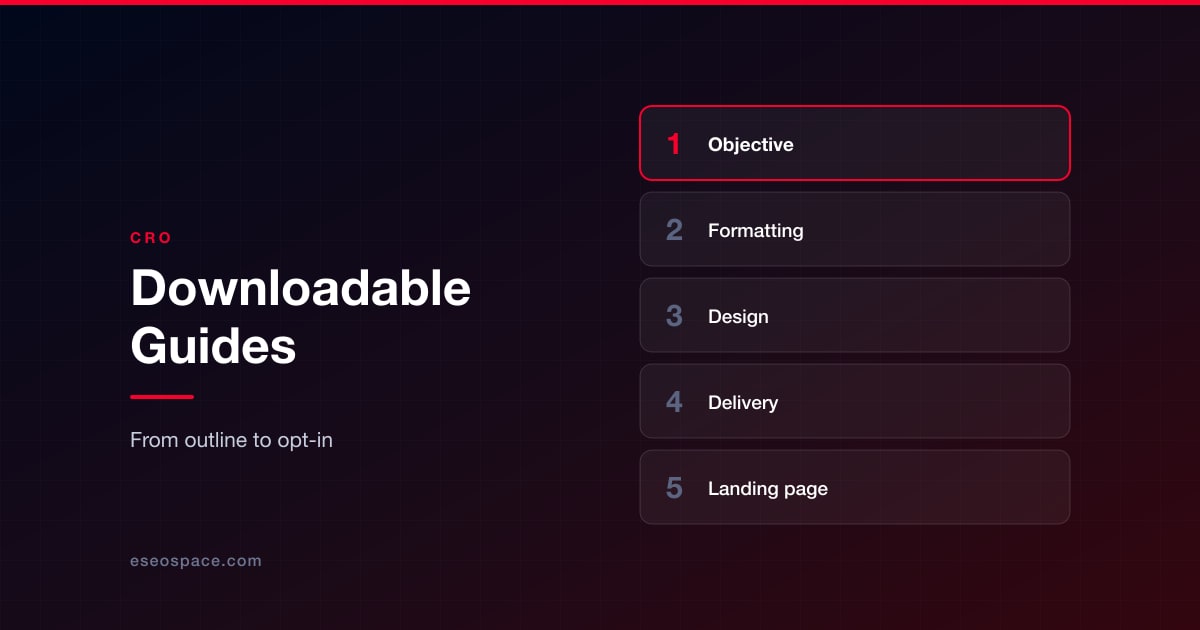
People run billions of searches every day looking for actionable answers, and a standard blog post doesn't always cut it for deep dives. Readers often want a portable resource they can save, print, and reference offline, distraction-free.
Building a downloadable guide bridges that gap while turning casual traffic into loyal subscribers. Getting this process right requires careful planning from the initial outline to the final layout.

Defining Your Core Objective and Audience
Every successful downloadable guide starts by targeting one specific problem. When you try to solve every issue at once, the final document becomes bloated and loses its practical impact. You need to focus on a niche pain point that your audience faces daily in their professional or personal workflows. Clarity of purpose drives higher engagement and long-term retention.
Take time to map out what your readers already know before writing a single word of copy. If you pitch advanced tactics to absolute beginners, they will abandon the resource within the first two minutes. Aligning your content's depth with your readers' actual capability sets the stage for genuine value and trust.
Drafting and Formatting Your Guide
Writing the text requires a structured approach that keeps readers engaged from the opening paragraph to the final page. You want to maintain a conversational yet authoritative voice throughout the material without sounding overly academic. Do this in a program like Word, use a grammar checker, and proofread what you've written before moving on.
Once your raw text is finished, using a DOCX to PDF export tool ensures your layout remains locked and professional across all operating systems. Formatting your document correctly and using tools to preserve the hard work you've put in prevents weird font shifts and broken alignments when users download it to their local machines. Here are key formatting habits to keep in mind:
- Keep your paragraph blocks concise and easy to skim
- Use clear headings to separate major concepts
- Include plenty of white space to reduce visual fatigue
Designing for High Perceived Value
Visual presentation heavily influences how much value a reader assigns to your free resource. A poorly organized wall of text signals low effort, while thoughtful design communicates authority. Professional templates instantly boost brand trust with new visitors.
You don't need an expensive design agency to give your brand assets a polished look. Simple, modern tools let you apply consistent brand colors, readable typography, and clean margins. Small visual adjustments make the reading experience far more enjoyable for everyone.
Structuring Actionable Checklists and Worksheets
Adding actionable elements like checklists transforms a passive reading experience into an interactive workshop. Readers love resources they can use immediately to solve an active challenge. You should include summary checklists at the end of major chapters to reinforce key lessons.
Breaking complex processes into step-by-step workflows increases your guide's utility. When users get a quick win with your template, they're much more likely to explore your core services.
Setting Up Delivery and Tracking
Creating the guide is only half the battle because you also need a reliable way to deliver it to your audience. Setting up an automated email trigger ensures readers receive their download link immediately after submitting their details. Testing the download link on multiple mobile devices prevents embarrassing broken file errors on launch day.
Monitoring download metrics helps you understand which topics resonate most with your specific audience segments. You can use these insights to plan future content updates or spin off new resources from popular sections.
Promoting and Distributing Your Guide
Building an exceptional downloadable resource means little if your target audience never discovers it. You need a dedicated distribution strategy that places your lead magnet directly in front of interested web visitors. High-converting placement options include embedded opt-in forms within relevant blog posts, sticky announcement bars, and dedicated, optimized landing pages (more on that later).
Driving traffic to these conversion points requires active promotion across your existing marketing channels. You can share short snippets or key takeaways from the guide on social media platforms to spark curiosity.
Email newsletters also offer a direct line to your warmest audience members, encouraging them to download the full asset and share it with peers. Partnering with industry peers for cross-promotion can further extend your reach into new networks.
Iterating and Updating Your Lead Magnet
Digital content requires periodic reviews to ensure accuracy, relevance, and continued conversion performance. Outdated statistics or broken software links can quickly erode the professional trust you worked hard to build. Set a calendar reminder every six months to audit your downloadable assets and refresh any outdated material.
Tracking conversion rates over time reveals which promotional angles resonate best with incoming traffic. If a specific landing page has a high bounce rate, you can test alternative headlines or adjust the visual presentation.
Continuous refinement keeps your lead-generation engine running smoothly without requiring a complete rebuild. Monitoring user feedback through support tickets or direct replies provides invaluable qualitative data for future improvements.
Optimizing Landing Page Conversions
Getting users to click your download link often depends heavily on the friction built into your opt-in form. Asking for too much information upfront will tank your conversion rates before visitors even see a preview of the resource. Limit your initial form fields to just a first name and an email address to keep the barrier to entry low.
The visual hierarchy of your landing page should immediately communicate the practical value of the guide. Place your primary call-to-action button above the fold where visitors can spot it instantly without scrolling through excess text. Using contrasting colors for your submit button draws the eye and encourages immediate action from busy readers.
Social proof also plays a role in convincing hesitant visitors to share their contact details. Adding brief testimonials, expert endorsements, or download counts near the sign-up form builds instant credibility. When users feel confident your downloadable asset delivers real utility, they are far more likely to move from casual reader to active subscriber.
Expanding Your Resource Library
Building a solid library of downloadable assets takes consistency and smart repurposing of existing content. You can explore our other blog posts on content repurposing and lead magnets and opt-in forms to find more ways to transform old articles into valuable lead magnets. Gradually expanding your offerings lets you test different formats and refine your publishing workflow over time.
Put this into action with eSEOspace
We help businesses grow with marketing that actually performs. Explore the services behind this guide:
Get a FREE Audit
We'll perform a comprehensive SEO, AEO, GEO & CRO audit of your website — completely free — and show you exactly how to outrank your competitors.
Don't have a site yet? Get in touch →
Get a FREE GEO/AEO/SEO Audit
We'll analyze your site's SEO, GEO, AEO & CRO — completely free — and show you exactly how to get found across Google and AI answers.
Don't have a site yet? Get in touch →
Great — your audit is on the way!
We'll send your free SEO/GEO/AEO/CRO audit within the next few hours. Where should we send it?
You're all set! ✓
Your free audit is being prepared — check your inbox in the next few hours. Talk soon!


On this page
- Defining Your Core Objective and Audience
- Drafting and Formatting Your Guide
- Designing for High Perceived Value
- Structuring Actionable Checklists and Worksheets
- Setting Up Delivery and Tracking
- Promoting and Distributing Your Guide
- Iterating and Updating Your Lead Magnet
- Optimizing Landing Page Conversions
- Expanding Your Resource Library






