



The 11 Best Construction ERP Systems For Contractors
The 11 Best Construction ERP Systems For Contractors
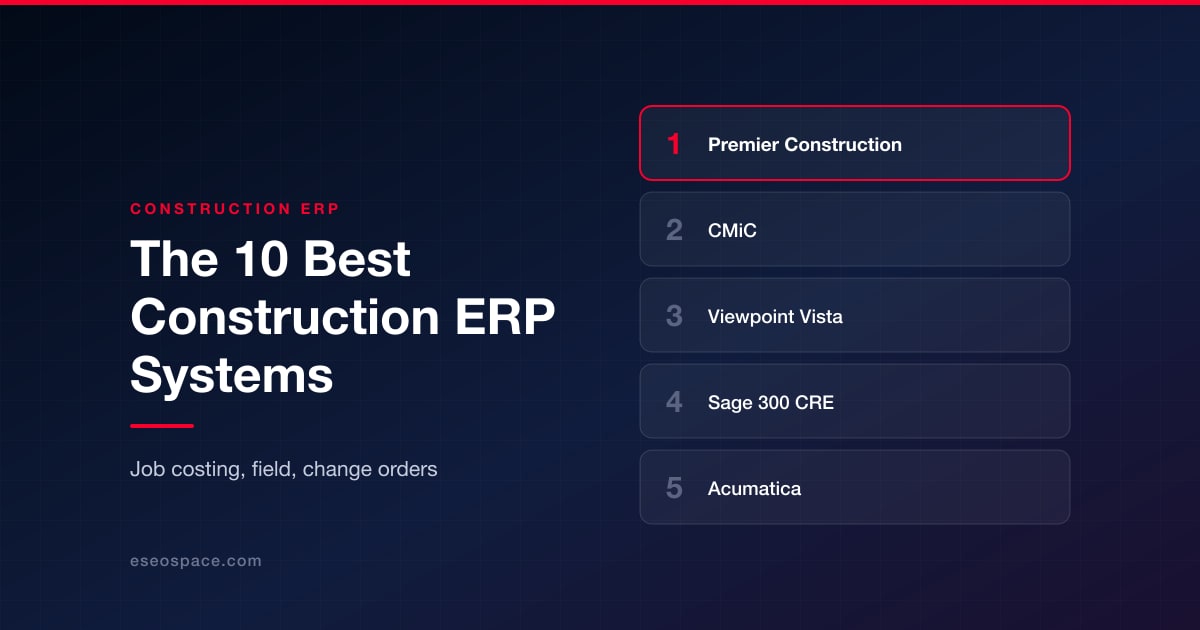
Construction put in place in the United States is running at a seasonally adjusted annual rate of $2,166.5 billion, according to the Census Bureau's monthly tally, and a fairly small share of that money is tracked well at the job level. Most of the contractors we talk to are still running a general ledger in one system and a project schedule in a second system, with a spreadsheet sitting in between that reconciles the two of them on the Friday before the owner meeting. Construction ERP is the software category that is supposed to collapse those three things into one. It is also a category in which the marketing has run some distance ahead of what the products actually do, so we went through the platforms that contractors put on real shortlists and sorted them by the kind of contractor each one is genuinely built for.
What Counts as a Construction ERP, and What Does Not
A construction ERP is a system that carries both the accounting ledger and the project operations in the same database. What that means in practice is that the general ledger, accounts payable and receivable, payroll, job costing, procurement, subcontract administration, and field data all write into one set of records. If a field superintendent logs eight hours against cost code 03-3000, the labor burden is posted to the job cost report and to the general ledger in the same transaction, and there is no overnight sync involved.
Construction project management software is a different kind of product. Procore, Autodesk Build, Fieldwire, and similar platforms are very good at drawings, submittals, RFIs, punch lists, and daily logs, but they do not keep the books. If you buy one of them, you will still need an accounting system underneath it, and you will still need an integration between the two systems, which is where most of the difficulty tends to show up. A long-running federal estimate put the annual cost burden of inadequate interoperability in the capital facilities segment of the United States construction industry at $15.8 billion, and most of that figure was attributed to redundant data entry and verification. The estimate is old at this point, but the failure mode that it describes is the same one that contractors report when they attach a project management platform to a general accounting package.
The third category is specialized construction software, which includes estimating tools, takeoff tools, equipment maintenance tools, and service dispatch tools. Products in this category usually solve one problem very well, and they are not intended to act as a system of record. Contractors who buy six of them are generally the same contractors who end up maintaining the reconciliation spreadsheet described above.
The practical test here is reasonably simple. Ask the vendor whether their system posts a journal entry. If the answer to that question involves the word "integration," then what you are looking at is project management software rather than an ERP.
How We Evaluated These Systems
We looked for platforms that own the financial record rather than only the project record. Beyond that, we weighted four things: the depth of job costing (how many cost dimensions the system tracks at the same time), the quality of the field-to-office path (whether timecards and daily logs arrive as accounting transactions), how realistic the implementation timeline is, and how the pricing is actually structured, because licensing is usually a minority of what contractors end up spending over five years.
There is one caveat that is worth stating plainly, because most roundups do not state it. The vendors that appear on every list are not necessarily the best vendors, and in many cases they are simply the vendors with an outreach team. Software vendors in this category report sending twenty to thirty inclusion requests a week to publications in this category and receiving almost no replies, and on some lists inclusion is sold rather than earned. The absence of a vendor from a roundup is therefore weak evidence about the product, and the position of a vendor at the top of a roundup is weaker evidence than that. Our suggestion is to read the fit descriptions rather than the ordering.
The ratings below are quoted in plain text from public review platforms and published editorial roundups. These ratings move around depending on the source and the date, so they are best treated as a rough signal rather than as a score.
Construction ERP systems ranked by contractor fit
1. Premier Construction Software
Best for: mid-market general contractors and developers who want the accounting ledger native rather than synced.
Accounting came first here, and the project management functionality grew outward from it, which is the reverse of how most of this category developed. Job costing in Premier Construction Software is therefore not a reporting layer sitting on top of a project tool; it is the ledger itself. The platform tracks five cost dimensions on the same job at the same time (actual cost, original estimate, approved change orders, committed cost, and estimate at completion) across up to five levels.
What stands out
- Five cost types tracked at once on every job, with estimate at completion forecasting built in rather than exported
- A subcontractor pay application portal that subs submit through directly, which removes most of the invoice chasing
- Automated work in progress reporting, percent complete revenue recognition, and multi-entity multi-currency consolidation
- Implementation run by in-house construction accountants, with go-live quoted in as few as 60 days
Pricing: flat-rate per named user by volume band, with implementation quoted separately. Published tiers have run from roughly $125 to $349 per user per month, with implementation from about $15,000, and buyers are now routed through a configurator for a firm quote.
Rating: 4.5 out of 5 in Forbes Advisor's 2026 construction ERP roundup.
Where it falls short: this is not a system for small contractors, and the vendor is explicit that firms below roughly $5 million in revenue sit outside its target. Its drawing and field collaboration modules are also younger than what the project-management-first platforms offer.
2. CMiC
Best for: ENR-scale contractors that want a single database and have the internal team to run it.
Roughly a quarter of the ENR Top 400 run on CMiC, which has been selling enterprise construction ERP since before the category had a name. The single-database architecture is genuine, in that financials, project controls, human capital and field operations all live in one place, and the reporting that comes out of that arrangement is very hard to match elsewhere. The cost of that architecture is measured in time rather than only in money. Implementations commonly run twelve to eighteen months and sometimes longer than that, and the interface shows its age in a way that matters when you are trying to get superintendents to adopt it.
What stands out
- One database across financials, project controls, payroll, and HR, with no middleware between modules
- Deep forecasting and enterprise-grade project controls suited to program-level work
- Strong subcontract administration, including compliance tracking and retention handling at scale
- A large installed base among the largest contractors in North America, which means the software has been tested at volume
Pricing: quote-only enterprise licensing, sized by user count and module set. Budget for a program rather than a subscription, with implementation and change management typically dwarfing the license line.
Rating: 3.8 out of 5 in Forbes Advisor's 2026 construction ERP roundup.
Where it falls short: the implementation window is the problem. A twelve to eighteen month rollout is an enormous commitment for a mid-market contractor, and the user experience is the most common complaint from the field side of the business. Firms under about $100 million in revenue usually find it heavier than they need.
3. Viewpoint Vista by Trimble
Best for: heavy civil and large self-perform contractors with complex equipment and payroll requirements.
If your business owns its own equipment fleet and runs certified payroll across several states, Vista handles that set of requirements better than most of the alternatives. Equipment costing, prevailing wage, union fringes and multi-state tax are all handled as first-class functions rather than as add-on modules. Trimble has been folding Vista into a wider portfolio, so there is a credible path to connecting field data, machine control and the ledger. The architecture underneath is showing its age, however, and feature releases arrive slowly in comparison with the cloud-native platforms.
What stands out
- Equipment costing and maintenance tracking built for contractors who own rather than rent
- Certified payroll, union fringe calculation, and multi-state tax handled natively
- A very deep general ledger with the audit trail that bonding companies and sureties ask for
- Integration into the broader Trimble field technology stack, including survey and machine control data
Pricing: quote-only, licensed by module and user, available hosted or on premises. Expect a six-figure first-year commitment at scale.
Rating: Forbes Advisor's 2026 construction ERP roundup scores Trimble at 3.6 out of 5, with adoption difficulty the recurring theme in negative user reviews.
Where it falls short: the user interface and the pace of feature delivery. Contractors report that it requires dedicated IT resources to keep healthy, which is a real cost that does not appear on the quote. It is also more system-heavy than a commercial general contractor with no self-perform work needs.
4. Sage 300 Construction and Real Estate
Best for: contractors with heavy compliance, union payroll, and property management obligations.
Half the industry still calls this product Timberline, which is a fair indication of how long it has been the incumbent in construction accounting departments. The depth of its compliance functionality is the main reason it stayed there. Union reporting, certified payroll, lien waivers, and property management are all mature functions, and there is a very large ecosystem of consultants who already know the product. The architecture is legacy, the learning curve is steep, and implementations of six to eighteen months are normal rather than exceptional.
What stands out
- Mature union and certified payroll reporting that has been in production for decades
- Property management modules that matter if you develop and hold as well as build
- A deep third-party ecosystem, so integrations and experienced consultants are easy to find
- Detailed job cost reporting with the level of granularity that controllers are used to
Pricing: quoted per module and per user, with entry configurations reported from around $6,600 per year and rising steeply with modules and seats.
Rating: 5.8 out of 10 on TrustRadius across 37 reviews and ratings.
Where it falls short: the interface and the mobility story. Field access is weaker than the cloud-native options, so many Sage 300 CRE shops end up buying a separate project management platform and integrating it, which reintroduces the reconciliation problem the ERP was supposed to solve.
5. Acumatica Construction Edition
Best for: contractors who want unlimited users and are willing to configure.
Pricing here is based on resource consumption rather than on seats, which is genuinely unusual in this category and genuinely useful for contractors who have a lot of occasional users. Every foreman and every occasional project engineer can be given an account without triggering a licensing conversation. The construction edition adds job costing, subcontract management, retainage, and compliance on top of a strong general cloud ERP. The trade-off is that it remains a general ERP with a construction layer on it, so more of the construction-specific behavior comes out of configuration than out of the box.
What stands out
- Consumption-based licensing with unlimited named users, which changes the math for wide field deployments
- A modern, genuinely browser-native interface with a capable mobile application
- A strong open API and a large ISV marketplace for extending into estimating or service work
- Solid multi-entity and inter-company handling for contractors with several operating companies
Pricing: annual subscription based on transaction volume and the modules deployed, with unlimited users included. Implementation is quoted separately through a value-added reseller.
Rating: 8.8 out of 10 on TrustRadius across 1,243 reviews and ratings for the wider Acumatica platform.
Where it falls short: it is less construction-native than the purpose-built systems, and the quality of the outcome depends heavily on which reseller does the work. Two contractors on the same product can have very different experiences. Some construction workflows that are standard elsewhere, such as AIA-style progress billing nuances, need configuration effort to get right.
6. Sage 100 Contractor
Best for: smaller general contractors and specialty firms stepping off QuickBooks for the first time.
If you have outgrown general accounting software but are not ready to commit to an enterprise program, this is usually the product that gets recommended next. Sage 100 Contractor covers estimating, scheduling, job costing, payroll, and service management in a single package that is aimed at firms in the $5 million to $50 million range. It will not scale to a large multi-entity developer, and it is not really a cloud product, but for the buyer that it targets, it is a reasonable and well-understood step up.
What stands out
- Estimating and takeoff included rather than sold as a separate product
- Service management and dispatch for contractors who do warranty and maintenance work
- Job costing that is a real step up from general accounting software without an enterprise rollout
- A wide base of accountants and bookkeepers who already know the product
Pricing: per-user subscription, quoted by module set. Positioned well below the enterprise systems on this list, and typically a low four-figure annual cost per user.
Rating: 5.3 out of 10 on TrustRadius across 48 reviews and ratings.
Where it falls short: it runs out of room. Contractors report hitting limits on multi-entity consolidation, on reporting flexibility, and on concurrent users as they grow, and the deployment model feels dated next to browser-native competitors. Firms that expect to double in three years often end up migrating twice.
7. Foundation Software
Best for: specialty subcontractors with complicated payroll.
Subcontractors are the design target here, and that shows up most clearly in the payroll module, which is the best single reason to buy it. Certified payroll, prevailing wage, union fringes, multi-state rates, and multi-trade rates are all handled without a great deal of effort, and the job costing is organized the way a subcontractor thinks about work rather than the way a general contractor does. The interface is utilitarian and was clearly built for accountants rather than for field staff, which is a fair trade if the accounting department is going to be the primary user.
What stands out
- Certified payroll and union reporting that specialty contractors consistently rate as best in class
- Job costing structured around trade work, crews, and units rather than around a general contractor's phases
- Straightforward work in progress and over/under billing reporting for bonding conversations
- Available hosted or on-premises, which some subcontractors still prefer
Pricing: quoted by module and user count, sold as an annual subscription. Entry configurations for a small office sit in the low five figures per year.
Rating: 8.3 out of 10 on TrustRadius across 15 reviews and ratings, which is a thin sample to draw conclusions from. It does not appear in Forbes Advisor's 2026 construction ERP roundup at all.
Where it falls short: project management and field collaboration are thin, and contractors scaling past roughly $20 million in revenue frequently report evaluating a move to a broader ERP. The interface will not win over superintendents, so field adoption usually needs a second tool.
8. Jonas Enterprise
Best for: contractors who run both construction projects and a recurring service division.
Very few systems in this category handle the service side of a contracting business properly, and Jonas Enterprise is one of the ones that does, which is why mechanical, electrical and specialty contractors with a maintenance division keep putting it on shortlists. Work order dispatch, preventive maintenance contracts, and equipment histories sit next to the construction ledger rather than in a separate application, so the margin on the service division is visible on the same reports as the margin on projects. It is an older codebase, and the deployment experience reflects that, but the functional coverage is real.
What stands out
- Service dispatch, work orders, and maintenance contracts integrated with the construction general ledger
- Equipment and fleet tracking with maintenance history tied to job cost
- Document management and payroll built for contractors carrying both project and service labor
- A long track record with mechanical and electrical contractors specifically
Pricing: quote-only, licensed by module and user, sold as an annual agreement with implementation priced separately. Unlike the other quote-only systems here, no public price signal exists for it at all, so the first number you are given will also be your only reference point.
Rating: Forbes Advisor's 2026 construction ERP roundup scores Jonas Construction at 3.6 out of 5.
Where it falls short: the user experience and the modernization pace. Reviewers describe training as a longer process than they expected, and reporting often requires help from the vendor rather than being self-serve. Firms without a service arm will be paying for capability they never use.
9. Procore
Best for: field and project management operations that already have an accounting system they intend to keep.
Procore is the most widely deployed construction platform in North America, and it earns that position on the project management side of the business. Drawings, RFIs, submittals, daily logs, safety and quality management are all excellent, and the field adoption rate is genuinely better than anything else on this list. Procore is not, however, an accounting system. Its own financial tools sit on top of an accounting package that you supply, which means that job cost data has to move between two systems, and that connection is where contractors report the most friction. Applying the disqualifying test set out earlier in this article, Procore does not post a journal entry, so by our own definition it is project management software rather than an ERP. That, and only that, is why it ranks ninth. On product quality, it would rank far higher.
What stands out
- The strongest field adoption in the category, which is the variable that most often decides whether a rollout succeeds
- Very deep drawing, RFI, submittal, and quality management workflows
- An unusually large integration marketplace, including connectors to most accounting systems
- Unlimited user access, since pricing is not seat-based
Pricing: priced on annual construction volume rather than users, with the product bundles selected on top. Contractors commonly report five-figure annual commitments at the small end, implementation charged separately, and renewal increases in the range of 5 to 14 percent.
Rating: 8.5 out of 10 on TrustRadius across 1,346 reviews and ratings.
Where it falls short: it does not keep your books, so a contractor buying Procore is buying half a system and committing to maintain an integration for as long as they own it. The volume-based pricing model also means a good year raises your software bill, which contractors find difficult to forecast.
10. Autodesk Build
Best for: design-heavy and BIM-coordinated projects where the model is the source of truth.
The reason this one exists is the connection back to design. If your projects run on Revit models and the coordination cycle is the part of the job that hurts, then having the field platform inside the same Autodesk ecosystem is worth real money. Cost management, RFIs, submittals and issue tracking are all present and competent. As with Procore, though, the accounting ledger lives somewhere else. Applying the same disqualifying test used earlier, Autodesk Build does not post a journal entry, so by our own definition it is project management software rather than an ERP, and that is the only reason it ranks tenth.
What stands out
- Direct connection to Revit and the wider Autodesk design ecosystem, including model-based coordination
- Cost management with budget, contract, and change order tracking at the project level
- Strong document control and version management for drawing-heavy work
- Per-user pricing that is easy to scale up and down between projects
Pricing: subscription per user, starting from around $39 per user per month for the entry product and rising with the module set and the Construction Cloud bundle.
Rating: 8.7 out of 10 on TrustRadius across 19 reviews and ratings for Autodesk Construction Cloud.
Where it falls short: no general ledger, no payroll, and no accounts payable, so it cannot be the system of record for a contracting business. Firms without a meaningful BIM workflow lose the main reason to choose it over the alternatives, and the cost management tools assume a project-level view rather than a company-level one.
11. ServiceTitan
Best for: commercial and residential trade contractors that combine construction projects with service and replacement work.
ServiceTitan is a stronger fit for contractors that need construction workflows alongside dispatch and service operations than for firms seeking a traditional enterprise construction ERP. Its construction tools provide a single view of job progress, labor, materials, and costs, while job-costing views break expenses down by materials, equipment, purchase orders, commissions, and labor burden.
What stands out
- Real-time job-cost visibility for construction, maintenance, and service work
- Progress billing and payment applications tied to construction-project phases
- Scheduling and dispatch tools for businesses operating both project and service divisions
- More than 70 pre-built integrations, including commercial and accounting-related solutions
Pricing: not publicly listed; the vendor routes buyers through a personalized demo.
Where it falls short: contractors looking primarily for a deep, traditional general ledger, enterprise project controls, or complex self-perform construction accounting should compare it with the purpose-built ERP systems above. See ServiceTitan for the construction workflow and current product scope.
Construction ERP Comparison at a Glance
| Platform | Best for | Standout strength | Watch out for | Pricing model |
|---|---|---|---|---|
| Premier Construction Software | Mid-market GCs, developers, home builders | Native accounting with five-dimension job costing | Not aimed at firms under about $5M revenue | Flat per-user tiers plus quoted implementation |
| CMiC | ENR-scale enterprise contractors | True single database across finance and operations | 12 to 18 month implementations | Quote-only enterprise license |
| Viewpoint Vista by Trimble | Heavy civil and self-perform contractors | Equipment costing and complex payroll | Aging architecture, needs IT support | Quote-only, hosted or on premises |
| Sage 300 CRE | Compliance and union-heavy contractors | Certified payroll and property management depth | Steep learning curve, weak mobile | Per module and user, from about $6,600/yr |
| Acumatica Construction Edition | Contractors needing wide user access | Unlimited users on consumption pricing | Construction depth depends on configuration | Consumption-based annual subscription |
| Sage 100 Contractor | Smaller GCs leaving QuickBooks | Estimating and service included | Growth ceiling on multi-entity work | Per-user subscription, low four figures |
| Foundation Software | Specialty subcontractors | Certified and union payroll | Thin project management and field tools | Quoted by module, low five figures/yr |
| Jonas Enterprise | Construction plus service divisions | Service dispatch tied to the ledger | Dated experience, longer training | Quote-only annual agreement |
| Procore | PM-led operations with existing accounting | Field adoption and PM depth | No general ledger, volume-based pricing | Priced on annual construction volume |
| Autodesk Build | BIM and design-heavy projects | Direct Revit and model connection | No accounting, payroll, or AP | From about $39 per user per month |
| ServiceTitan | Trade contractors with construction and service divisions | Job costing tied to dispatch and service work | Not a traditional general ledger ERP | Quote-only, through a demo |
The Capability Checklist Contractors Should Hold Vendors to
Feature lists tend to look very similar in a demo. The three capabilities below are where the differences actually show up, and each one has a specific question attached to it that a salesperson will find difficult to deflect.
Job costing
Job costing is the allocation of every cost to a specific job, and within that job to a phase and a cost code, so that margin becomes visible per project rather than only per company. The test to apply is how many cost dimensions the system holds at the same time. A weak system stores actual cost and budget and stops there. A stronger system stores the original estimate, approved change orders, committed cost from purchase orders and subcontracts, actual cost to date, and a forecast estimate at completion, and it recalculates that forecast whenever any of the other figures move. It is worth asking the vendor to show you a job in which the estimate at completion changed because a purchase order was issued that morning. If the answer to that request involves exporting to a spreadsheet, then the forecast is not really in the system.
Field labor tracking and timecards
Labor is the cost category that changes most quickly on a job, and it is also the category that tends to get recorded last. What you want is mobile time entry that captures the job, the phase and the cost code at the point of entry, that works offline on a site with no signal, that geo-tags the punch, that routes through an approval, and that then posts as a payroll transaction and a job cost transaction in the same step. The gap to look for is the approval-to-posting path. Plenty of systems capture hours very nicely and then require someone in the office to re-key or import them, which reintroduces both the delay and the error rate. It is also worth confirming that the system handles bill rate separately from cost rate, and that it calculates union and employer burdens itself rather than expecting payroll to true them up afterwards.
Change orders and subcontracts
Change order management is the workflow that takes a scope change from a field-identified condition through pricing, owner approval, and contract value adjustment, and then flows the same change down to the affected subcontracts. This is where most contractors lose margin, because the work generally starts before the paperwork catches up with it. A capable system holds pending, approved, and rejected changes as separate states, reflects pending changes in the forecast without touching the contract value, and links a prime change order to the subcontract change orders that it triggers. On the subcontract side, look for a portal in which the subcontractors submit their own pay applications with lien waivers and insurance certificates attached, because chasing that documentation is a genuine full-time job at scale.
Small Contractors Versus Large Contractors: Where the Line Actually Falls
The revenue thresholds people quote are approximate, but they are not arbitrary. Contractors typically outgrow general accounting software somewhere around $5 million in revenue, when the number of concurrent jobs makes manual cost allocation unreliable. Between roughly $5 million and $50 million, the right answer is usually a mid-market construction ERP or a construction-specific accounting package: the work is complex enough to need real job costing, but a twelve-month implementation would consume more management attention than the business has to spare.
From about $50 million to $500 million, the mid-market cloud ERP category is the center of gravity. Multiple entities, multiple states, bonding requirements, and a real controller function all appear in this band, and the platforms designed for it handle those without customization.
Above roughly $500 million, or wherever program-level project controls become the binding constraint, the enterprise systems earn their implementation cost. That is where CMiC and Vista live.
The mistake we see most often is a contractor at $30 million in revenue buying enterprise software because the sales process flattered them, and then spending eighteen months implementing a system whose main advantage is capability that the business will not use for another decade. The opposite mistake, which is staying on general accounting software until $40 million, is both more common and more expensive, because that cost shows up as unrecognized margin erosion rather than as a line item on an invoice.
How to Choose a Construction ERP
The first question to settle is the accounting question, because it determines the shape of everything else. If you need the ledger inside the system, then your shortlist is four or five vendors long rather than fifteen. If you are content to keep your existing accounting package and buy project management alongside it, the list is a different one, and it is generally cheaper up front.
The next step is to price the whole program rather than the license. Software licensing is usually a minority of what a construction ERP costs over five years. Implementation, data migration, configuration, and training frequently account for a quarter to a third of the total, and the internal time your controller and project managers spend is real money that never appears on a quote. Payroll is the other number worth modeling carefully: average hourly earnings across the construction sector are $41.46 before burden according to the federal wage series, so a system that shaves an hour a week off ten people's administrative time is paying for a meaningful share of itself.
It is worth insisting on a demo that uses your own data. Give the vendor one real job with a messy change order history and ask them to build it out. Vendors who cannot manage that inside a two-week evaluation are telling you something useful about how the configuration work is likely to go.
Another thing worth asking is who actually performs the implementation. There is a large practical difference between a vendor whose own construction accountants run the rollout and a vendor who hands you over to a reseller. Neither model is wrong, but the second one does mean that you are buying two things and only evaluating one of them.
The last suggestion is to get the controller and the project managers into the same room. Controllers optimize for audit trail, close speed, and reporting accuracy. Project managers optimize for speed of entry and visibility in the field. Systems that only satisfy one of those groups get abandoned by the other, and the abandonment is what turns an ERP into an expensive general ledger.
Frequently Asked Questions
What is the best construction ERP for a small contractor?
For a contractor below roughly $5 million in revenue, the honest answer is usually not an ERP at all. Construction-specific accounting software with a job costing module, or a lighter product like Sage 100 Contractor, will cover the requirement without an implementation program. Most of the platforms on this list are explicit that small contractors are outside their target market, and buying above your size band is a common and expensive error.
Do I need construction-specific software, or will a general ERP work?
General ERP systems organize around departments. Construction ERP organizes around jobs, which changes the data model rather than just the reports. Retainage, progress billing, certified payroll, over- and underbilling, committed cost, and change order states are all first-class concepts in a construction system and configuration projects in a general one. Acumatica Construction Edition sits between the two, which is why it appeals to contractors with strong internal IT and unusual requirements.
Which construction ERP has the best job costing?
Judge it by dimensions rather than by brand. The systems with the deepest job costing track original estimate, approved changes, committed cost, actual cost, and forecast at completion simultaneously, and they support enough levels of cost hierarchy to model a building, a lot, and a phase without workarounds. Premier Construction Software, CMiC, and Vista all do this well. The differences between them are mostly about company size and implementation appetite rather than about the costing model.
Why do these systems have such different implementation timelines?
Because they are doing different amounts of work. A cloud system with a fixed data model and a standard chart of accounts template can go live in about two months. An enterprise system that is being configured to match an existing set of business processes across several operating companies is a twelve- to eighteen-month exercise. Neither is inherently better. What matters is whether the timeline you were quoted matches the complexity you actually have, and whether the vendor has budgeted for your data migration honestly.
Are cost overruns really that common on construction projects?
They are common, and this is not confined to private work. In one federal audit of hospital builds, cost increases for these projects ranged from 66 percent to 144 percent, and delays ranged from 14 to 86 months, and these were projects that had substantial oversight. Well documented as those failures were, none of the reporting on them was happening in real time. That is the argument for putting the ledger and the project into one system, because a forecast that updates when a purchase order is issued gives you a chance to react, and a monthly reconciliation does not.
Why does software sometimes appear under an old brand name?
Because acquisitions and rebrands outlive the search index, and AI assistants are slower to catch up than search engines are. One example on this list: Premier Construction Software still surfaces in some AI answers and older directories under its legacy name, Jonas Premier, which was retired years ago. Viewpoint is now Trimble Construction One in Trimble's own materials, and Sage 300 CRE is still called Timberline in half the industry. When you are comparing quotes, confirm the current product name and version with the vendor rather than trusting a listing.
The bottom line
The ranking above is really a fit exercise rather than a scoreboard. If the books are the problem, then the answer is a system that keeps books. If the field is the problem and the accounting is already working properly, then the answer is a project management platform, and it is more honest to stop calling that an ERP. In our experience, the contractors who get this wrong are usually the ones who bought the second kind of product while describing the first kind of problem.
For most mid-market general contractors and developers, the choice comes down to whether the accounting ledger is native or synced, and how much implementation time the business can absorb this year. If you are shortlisting construction ERP software for contractors, the accounting has to be native rather than integrated, and your controller and project managers both need to live in the same system, then Premier Construction Software was built for that specific buyer, with the caveat that it is aimed at firms above roughly $5 million in revenue rather than at small crews. If you are an ENR-scale program builder, CMiC and Vista remain the serious answers, and the implementation calendar is the price of admission. And if you are still below $5 million, the best decision you can make this year is probably to spend the money on a good construction accountant instead. Either way the system is only as useful as the work feeding it, a case we make at more length in why construction businesses cannot ignore web design and SEO.
ERP handles the money and the schedule. Winning the work is a separate system, and that is where our commercial construction marketing and construction software development work picks up.
Put this into action with eSEOspace
We help businesses grow with website design that actually performs. Explore the services behind this guide:
Get a FREE Audit
We'll perform a comprehensive SEO, AEO, GEO & CRO audit of your website — completely free — and show you exactly how to outrank your competitors.
Don't have a site yet? Get in touch →
Get a FREE GEO/AEO/SEO Audit
We'll analyze your site's SEO, GEO, AEO & CRO — completely free — and show you exactly how to get found across Google and AI answers.
Don't have a site yet? Get in touch →
Great — your audit is on the way!
We'll send your free SEO/GEO/AEO/CRO audit within the next few hours. Where should we send it?
You're all set! ✓
Your free audit is being prepared — check your inbox in the next few hours. Talk soon!


On this page
- What Counts as a Construction ERP, and What Does Not
- How We Evaluated These Systems
- Construction ERP systems ranked by contractor fit
- Construction ERP Comparison at a Glance
- The Capability Checklist Contractors Should Hold Vendors to
- Small Contractors Versus Large Contractors: Where the Line Actually Falls
- How to Choose a Construction ERP
- Frequently Asked Questions
- The bottom line






