This page is part of our MCP specification reference, a plain-English guide to the Model Context Protocol spec (version 2026-07-28), within The MCP Guide. Building a server? See MCP development.
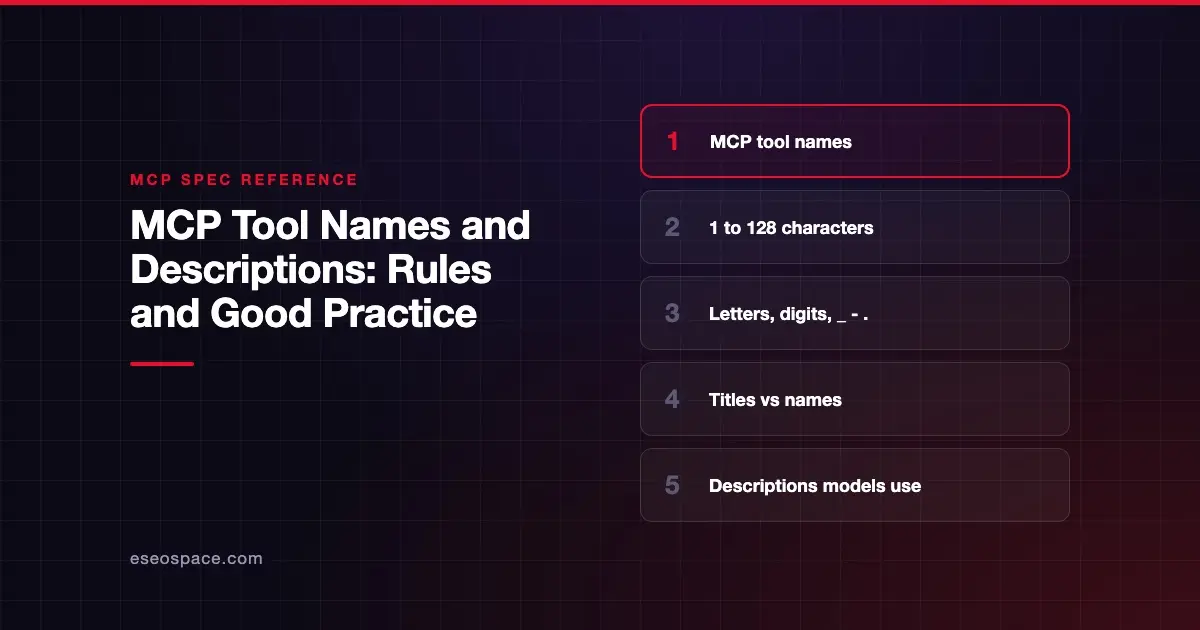
An MCP tool name is the programmatic ID a client uses to call a tool, like get_weather. The spec says it should be 1 to 128 characters long, case-sensitive, unique within the server, and made only of ASCII letters, digits, underscores, hyphens and dots. The title is the human display name, and the description is the text the AI model reads to decide when to use the tool.
Status in the 2026-07-28 spec: core. The naming rules are SHOULD-level guidance, first added in 2025-11-25.
This page covers the rules in the 2026-07-28 Tools page, checked on 28 October 2026, plus practical advice. We label which is which.
Key Takeaways
- Tool names should be 1 to 128 characters, case-sensitive, and use only A-Z, a-z, 0-9, underscore, hyphen and dot.
- Names should be unique within one server, but two servers can both have a
searchtool, so clients should disambiguate. - Use
titlefor people andnamefor code; the display order istitle, thenannotations.title, thenname. - The
descriptionis a hint to the model, so write it for a reader who has never seen your system. - On Streamable HTTP, the tool name is copied into the
Mcp-Nameheader, which is one reason header-safe names matter.
The rules for tool names
The 2026-07-28 Tools page lists these rules. All are SHOULD-level:
| Rule | Detail |
|---|---|
| Length | Between 1 and 128 characters, inclusive |
| Case | Treated as case-sensitive |
| Allowed characters | Uppercase and lowercase ASCII letters, digits, underscore, hyphen and dot |
| Not allowed | Spaces, commas or other special characters |
| Uniqueness | Unique within a server |
The spec's example valid names are getUser, DATA_EXPORT_v2 and admin.tools.list. So camelCase, snake_case and dotted namespaces all fit.
Why the rules exist
Before 2025-11-25, the spec said little about tool names. The 2025-11-25 changelog added "guidance on tool names" through SEP-986.
There are practical reasons. Names travel through many systems: AI provider APIs, logs, gateways and HTTP headers. A predictable character set means fewer surprises along the way.
The headers point is concrete in 2026-07-28. The Streamable HTTP transport requires an Mcp-Name header on every tools/call, holding the tool name. That page notes that tool and prompt names are "only SHOULD-constrained to header-safe characters." A name outside the safe set has to be Base64-encoded in the header. Sticking to the allowed characters avoids that step and keeps gateway logs readable.
How names, titles and descriptions fit together
A tool has three text fields with different jobs:
{
  "name": "get_weather",
  "title": "Weather Information Provider",
  "description": "Get current weather information for a location",
  "inputSchema": {
    "type": "object",
    "properties": {
      "location": { "type": "string", "description": "City name or zip code" }
    },
    "required": ["location"]
  }
}nameis for code. The 2026-07-28 schema says it is "intended for programmatic or logical use."titleis for people. The schema says it should be "easily understood, even by those unfamiliar with domain-specific terminology." Thetitlefield was added in 2025-06-18.descriptionis for the model. The schema says it "can be used by clients to improve the LLM's understanding of available tools. It can be thought of like a 'hint' to the model."
For display, the schema sets the order: title, then annotations.title, then name.
Name collisions across servers
Uniqueness is only per server. The spec gives the example of two servers that each expose a search tool. Clients or proxies that combine tools from several servers SHOULD use a disambiguation strategy, such as prefixing tool names with a server identifier.
The spec adds a warning. The server name from serverInfo is not guaranteed to be unique across servers and SHOULD NOT be relied on for disambiguation. Collisions are also a security concern, covered in MCP tool shadowing and name collisions.
Good practice for descriptions
The spec does not set rules for description content. The tips below are our editorial advice, drawn from what the spec says descriptions are for.
- Say what the tool does and when to use it. "Look up an order by order number. Use when the customer gives an order number."
- Say what it does not do. "Does not issue refunds." This helps the model choose between similar tools.
- Describe every argument. The spec's own examples put a
descriptionon each property, like "City name or zip code." - State limits and side effects. The spec's stateful-tools guidance suggests putting retention rules in the creation tool's description, for example "baskets expire after 24 hours of inactivity," so the model sees them.
- Keep it honest. A description that hides a side effect is a trust problem. Hidden instructions in descriptions are the core of tool poisoning.
The Learn MCP lesson on tool design puts these tips into practice.
What changed across spec versions
| Version | Change |
|---|---|
| 2024-11-05 | Tools have name and description; no naming rules (2024-11-05 Tools) |
| 2025-03-26 | annotations.title available as a display name |
| 2025-06-18 | Top-level title added so name can stay a programmatic ID |
| 2025-11-25 | Tool name guidance added (SEP-986); icons added |
| 2026-07-28 | Collision note added; Mcp-Name header carries the name on Streamable HTTP (changelog) |
Common mistakes
- Spaces in names. "Get Weather" breaks the character rule. Put the friendly version in
title. - Generic names. A tool called
runordo_actiontells the model nothing. Combined with collisions, it invites the wrong tool being called. - Relying on the server name to disambiguate. The spec says not to.
- Copying the name into the description. "get_weather gets weather" wastes the field. Explain inputs, outputs and limits.
- Changing names casually. Clients, prompts and logs may depend on a name. Treat a rename like an API change.
Next step
Tools are one of three server features. Read MCP resources explained next, or return to the MCP specification reference.
Frequently asked questions
How long can an MCP tool name be?
The spec says tool names should be between 1 and 128 characters, inclusive. This is SHOULD-level guidance, added in the 2025-11-25 spec.
Can MCP tool names contain spaces?
They should not. The allowed characters are ASCII letters, digits, underscore, hyphen and dot. Put a human-friendly name with spaces in the title field.
Are MCP tool names case-sensitive?
Yes. The spec says tool names should be considered case-sensitive, so getUser and getuser are different names.
What is the difference between a tool's name and title?
The name is the programmatic ID used in tools/call. The title is an optional display name for people. Clients show title first, then annotations.title, then name.
What happens if two servers have tools with the same name?
The spec says clients or proxies that combine servers should disambiguate, for example by prefixing tool names with a server identifier. They should not rely on the server's name, because it is not guaranteed to be unique.