



Blog
Telehealth App Development: Costs, Features, and Tech Stack
Key Takeaways
- Telehealth has evolved from a convenient add-on into a primary mode of care delivery for millions of patients worldwide.
- Building a custom telehealth app lets providers expand reach, improve patient outcomes, and open new revenue streams while controlling the experience.
- Sustained growth is driven by patient preference for convenience, provider efficiency, rural access, and lower cost of virtual visits.
- Core features include flawless HD video conferencing, end-to-end encryption for HIPAA, screen sharing, and smart appointment management.
- Successful telehealth development demands rigorous compliance, a secure and scalable tech stack, and a deep understanding of user needs.
The global healthcare landscape has shifted dramatically, and at the center of this transformation is the telehealth app. No longer just a convenient add-on, telehealth has become a primary mode of care delivery for millions of patients worldwide. From virtual primary care visits and mental health counseling to remote monitoring for chronic conditions, the demand for accessible, high-quality virtual care solutions is skyrocketing.
For healthcare providers, startups, and established enterprises, this presents a massive opportunity. Developing a custom medical app with robust telehealth capabilities can expand your reach, improve patient outcomes, and open new revenue streams. However, navigating the development process is complex. It involves rigorous compliance standards, sophisticated technology stacks, and a deep understanding of user needs.
This comprehensive guide will walk you through the end-to-end journey of telehealth app development. We will dissect the essential features that define a successful platform, break down the realistic costs involved, and recommend the technology stacks that will ensure your application is secure, scalable, and future-proof.
The Rise of Telehealth: Why Build Now?
Before diving into the "how," it is crucial to understand the "why." The adoption of telehealth is not a temporary trend; it is a fundamental restructuring of how healthcare is accessed and delivered.
Several factors are driving this sustained growth:
- Patient Preference: Patients now value convenience more than ever. The ability to see a doctor from home, avoiding travel time and waiting rooms, is a powerful incentive.
- Provider Efficiency: Telehealth allows providers to see more patients in less time, reduce no-show rates, and offer flexible hours.
- Rural Access: It bridges the gap for patients in underserved or rural areas who may lack access to specialists.
- Cost Savings: Virtual visits are generally less expensive to deliver than in-person appointments, reducing overhead costs for clinics and healthcare systems.
Building a proprietary telehealth app allows you to capitalize on these trends while maintaining control over the patient experience, data security, and your brand identity.
Essential Features of a Successful Telehealth App
A telehealth platform is more than just video conferencing software. To be effective, it must replicate the clinical workflow in a digital environment. Here are the must-have features for a competitive telehealth app.
1. High-Quality Video and Audio Conferencing
This is the core functionality. The video experience must be flawless.
- HD Quality: Grainy video or lagging audio can hinder diagnosis and frustrate users. High-definition (HD) video is the standard.
- Stability: The connection must remain stable even in low-bandwidth environments.
- Security: Video streams should be encrypted in transit and delivered through a vendor that signs a BAA. HIPAA does not specifically require end-to-end encryption, but it is a strong safeguard.
- Screen Sharing: Providers need the ability to share lab results, X-rays, or educational materials during the call.
2. Smart Appointment Management
Efficient scheduling is vital for maximizing provider utilization and patient satisfaction.
- Real-Time Availability: Patients should see a provider’s open slots in real-time.
- Automated Reminders: Reduce no-shows with automated SMS, email, or push notification reminders.
- Calendar Integration: Sync with providers' existing calendars (Google Calendar, Outlook) to prevent double-booking.
- Queue Management: For on-demand services, a virtual waiting room feature keeps patients informed of their wait time.
3. Secure User Authentication and Profiles
- Multi-Factor Authentication (MFA): Essential for protecting patient accounts.
- Patient Profiles: A dashboard where patients can manage their personal info, medical history, insurance details, and payment methods.
- Provider Profiles: Detailed bios including specialties, credentials, languages spoken, and patient reviews.
4. Electronic Health Record (EHR) Integration
A standalone app creates data silos. Integration is key.
- Data Sync: Patient data from the app should flow automatically into the provider’s EHR system.
- Clinical History Access: Providers should be able to view a patient's full medical history within the telehealth app interface during the visit.
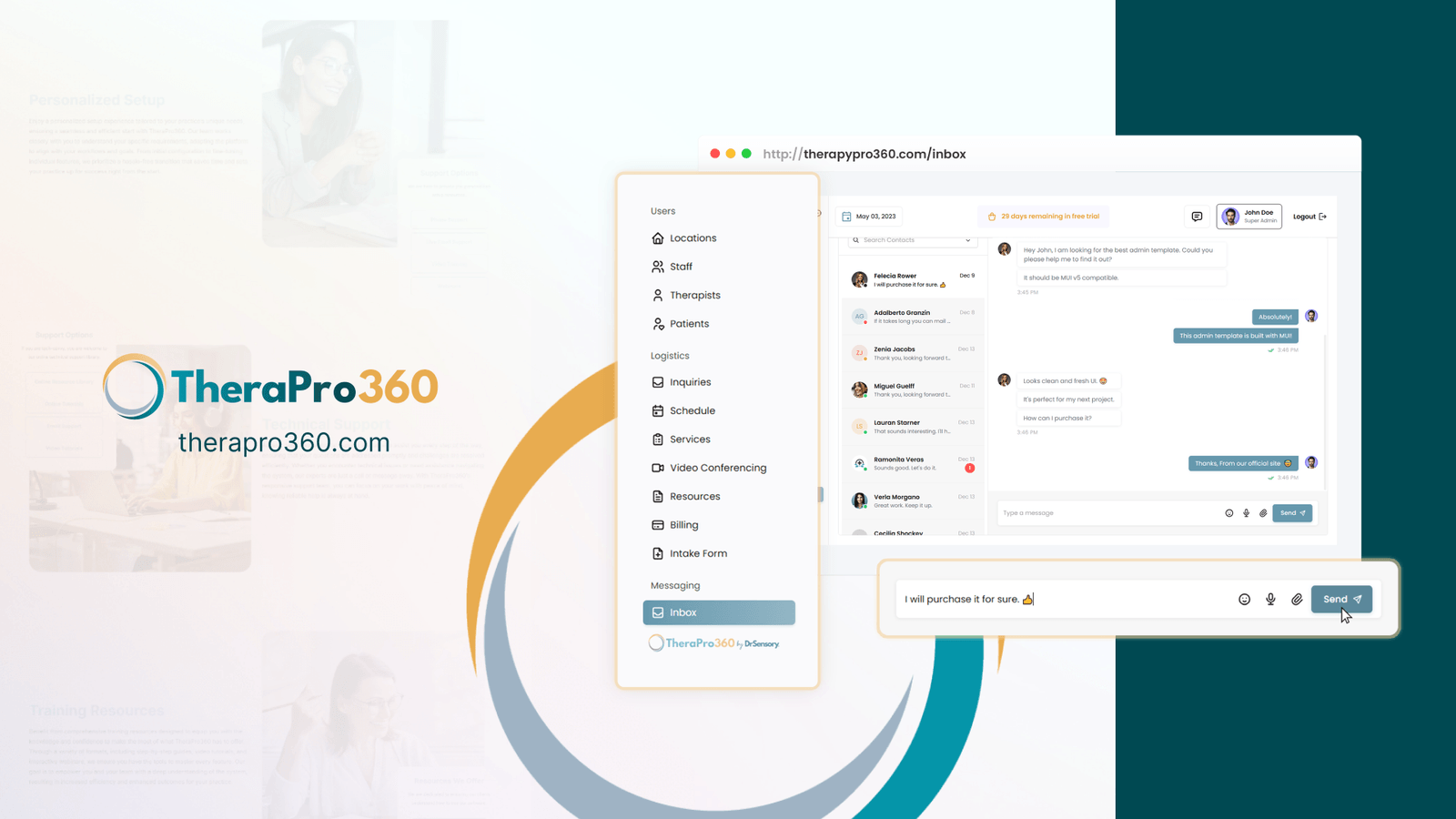
5. Secure Messaging (Chat)
Not every interaction requires a video call. Secure chat is perfect for follow-up questions, medication adjustments, or sharing documents.
- Asynchronous Communication: Allows providers to respond when they have time between appointments.
- File Sharing: Patients can upload photos (e.g., of a skin condition) or documents securely.
6. e-Prescribing (eRx)
Streamline the medication process by allowing providers to send prescriptions directly to a pharmacy.
- Pharmacy Locator: Let patients choose their preferred pharmacy.
- Drug Interaction Checks: Automated alerts for potential drug interactions or allergies.
7. Payment Gateway Integration
Monetize your services seamlessly.
- Multiple Payment Options: Support credit cards, digital wallets, and insurance verification.
- Transparent Billing: Show patients the cost of the visit upfront.
- Automated Invoicing: Generate and send receipts automatically after the consultation.
Advanced Features to Stand Out
To truly differentiate your medical app, consider these advanced features:
- AI-Powered Symptom Checker: A chatbot that gathers initial symptoms and triages patients to the appropriate level of care.
- Remote Patient Monitoring (RPM): Integration with wearable devices (like Apple Watch or Fitbit) to track vitals like heart rate or blood pressure in real-time.
- Multi-Language Support: Expand your reach by offering the app in multiple languages.
- Session Recording: (With consent) Recording sessions for clinical review or patient playback.
The Cost of Telehealth App Development
One of the most common questions is, "How much does it cost to build a telehealth app?" The answer varies significantly based on complexity, platform, and the development team's location.
Factors Influencing Cost
- Platform: Developing for both iOS and Android (native apps) costs more than building a cross-platform solution (using React Native or Flutter) or a web-based app.
- Feature Set: An MVP (Minimum Viable Product) with basic video calling and scheduling will be far cheaper than a full-featured platform with EHR integration and AI triage.
- Design Complexity: Custom, high-end UI/UX design requires more time and investment than using standard design components.
- Compliance: Ensuring HIPAA (USA), GDPR (Europe), or PIPEDA (Canada) compliance adds to the development and testing time.
- Integration: Connecting to third-party services (EHRs, payment gateways, e-prescription APIs) adds complexity.
Estimated Cost Breakdown
While every project is unique, here are rough estimates for different tiers of telehealth app development:
- Basic MVP ($40,000 - $80,000):
-
- Core features: Video calling, simple scheduling, basic profiles, payment processing.
- Platform: Cross-platform (iOS + Android) or Web only.
- Design: Standard UI kit.
- Timeline: 3-5 months.
- Mid-Level Custom App ($80,000 - $150,000):
-
- Features: MVP features plus secure chat, e-prescribing, push notifications, basic EHR integration.
- Platform: Native or robust cross-platform.
- Design: Custom UI/UX.
- Timeline: 5-8 months.
- Enterprise-Grade Platform ($150,000 - $300,000+):
-
- Features: Full suite including multi-provider support, deep EHR/EMR integration, AI features, RPM device integration, advanced analytics.
- Platform: Native iOS, Android, and Web applications.
- Design: Premium, fully custom branding and experience.
- Timeline: 9-12+ months.
It is important to remember that development is just the initial cost. You must also budget for ongoing maintenance, server costs (hosting), third-party API fees (e.g., video SDKs like Twilio or Vonage), and marketing.
Choosing the Right Tech Stack
The technology stack—the programming languages, frameworks, and tools used to build your app—determines its performance, scalability, and security.
1. Frontend Development (User Interface)
- Mobile (iOS): Swift is the standard for native iOS development. It offers high performance and seamless access to device features.
- Mobile (Android): Kotlin is the preferred language for modern Android development.
- Cross-Platform: React Native or Flutter are excellent choices for building both iOS and Android apps from a single codebase. They can save 30-40% on development time and cost while offering near-native performance.
- Web: React.js, Vue.js, or Angular are the top frameworks for building responsive web portals for patients and admin dashboards for providers.
2. Backend Development (Server-Side)
- Languages: Node.js (JavaScript), Python (Django/Flask), or Ruby on Rails are popular for their speed and large developer communities. Python is particularly strong if you plan to incorporate AI or data analysis.
- Database:
-
- PostgreSQL: A powerful, open-source relational database ideal for structured patient data.
- MongoDB: A NoSQL database that offers flexibility for unstructured data like chat logs.
- Cloud Hosting: AWS (Amazon Web Services), Google Cloud Platform (GCP), or Microsoft Azure. All three offer HIPAA-compliant services and robust security tools.
3. Third-Party APIs and SDKs
Building video and chat from scratch is incredibly difficult and expensive. It is standard practice to use reliable third-party APIs.
- Video & Audio:
-
- Twilio Video: A market leader offering robust, HIPAA-eligible video SDKs.
- Vonage (formerly TokBox): Another top contender for high-quality video integration.
- Zoom SDK: Allows you to embed Zoom’s familiar video technology into your app.
- Chat:
-
- PubNub: secure, real-time chat infrastructure.
- Sendbird: A feature-rich chat API with built-in moderation tools.
- Payments:
-
- Stripe: The industry standard for online payments, offering easy integration and robust security.
- Maps/Geolocation:
-
- Google Maps API: For pharmacy locators or verifying patient location (for state licensure compliance).
The Development Process: A Step-by-Step Guide
Developing a medical app requires a structured approach to ensure quality and compliance.
Phase 1: Discovery and Planning
- Market Research: Validate your idea. Who is your target audience? What problem are you solving that existing apps don't?
- Compliance Strategy: Consult with legal experts to understand the specific regulations (HIPAA, HITECH) that apply to your app.
- Feature Definition: Create a prioritized list of features for your MVP.
Phase 2: UI/UX Design
- User Flows: Map out the patient and provider journeys. How many clicks does it take to book an appointment?
- Wireframes: Create low-fidelity blueprints of the screens.
- Prototyping: Build a clickable high-fidelity prototype to test the look and feel before coding begins.
- Accessibility: Ensure the design is accessible to users with disabilities (WCAG compliance).
Phase 3: Development
- Backend Setup: Configure the server, database, and security protocols.
- API Integration: Connect the video, chat, and payment APIs.
- Frontend Coding: Build the user interface for mobile and web.
- Sprint Cycles: Use Agile methodology to build and review features in 2-week sprints.
Get a FREE Audit
We'll perform a comprehensive SEO, AEO, GEO & CRO audit of your website — completely free — and show you exactly how to outrank your competitors.
Don't have a site yet? Get in touch →
Phase 4: Quality Assurance and Testing
- Functional Testing: Does every button work? Do calls connect properly?
- Security Testing: Conduct penetration testing and vulnerability scans to ensure patient data is safe.
- Performance Testing: How does the app handle poor internet connections or high user traffic?
- Compliance Audit: A final check to ensure all HIPAA safeguards are in place.
Phase 5: Deployment and Launch
- App Store Submission: Submit your app to the Apple App Store and Google Play Store. Be prepared for their rigorous review process for medical apps.
- Soft Launch: Release the app to a small group of users to gather feedback and fix initial bugs.
- Marketing: Execute your go-to-market strategy.
Critical Considerations for Telehealth Apps
Security and Compliance (HIPAA)
This cannot be overstated. Your app must protect Protected Health Information (PHI).
- Data Encryption: Encrypt data in transit (using SSL/TLS) and at rest (AES-256).
- Access Control: Ensure only authorized personnel can access patient data.
- BAA: You must sign a Business Associate Agreement (BAA) with every third-party vendor (e.g., AWS, Twilio) that handles PHI.
User Experience (UX)
Healthcare can be stressful. Your app shouldn't be.
- Simplicity: The interface must be intuitive for users of all ages and tech-savviness.
- Onboarding: Make registration quick but secure.
- Trust: The design should convey professionalism and reliability.
Scalability
Your app needs to grow with your business.
- Server Architecture: Use scalable cloud infrastructure (like AWS Auto Scaling) to handle traffic spikes.
- Code Quality: maintain clean, documented code so new developers can easily work on the project.
Conclusion
Building a telehealth app is a significant investment of time, money, and effort, but the potential rewards are transformative. By creating a platform that offers high-quality virtual care, you are not just building a software product; you are building a modern healthcare institution.
Success lies in meticulous planning, a focus on security and compliance, and an unwavering commitment to the user experience. Whether you start with a simple MVP or a comprehensive platform, the key is to choose the right technology partners and development team who understand the nuances of the healthcare industry.
As technology continues to evolve, telehealth will only become more integral to our lives. By taking the steps to develop a robust medical app today, you are positioning your organization at the forefront of the future of care.
Frequently Asked Questions
What are the must-have features of a telehealth app?
Why is now a good time to build a telehealth app?
Why does telehealth video need to be HIPAA compliant?
What benefits does a telehealth app offer healthcare providers?
What makes telehealth app development complex?
Put this into action with eSEOspace
We help businesses grow with website development that actually performs. Explore the services behind this guide:
Get a FREE GEO/AEO/SEO Audit
We'll analyze your site's SEO, GEO, AEO & CRO — completely free — and show you exactly how to get found across Google and AI answers.
Don't have a site yet? Get in touch →
Great — your audit is on the way!
We'll send your free SEO/GEO/AEO/CRO audit within the next few hours. Where should we send it?
You're all set! ✓
Your free audit is being prepared — check your inbox in the next few hours. Talk soon!


On this page
- Key Takeaways
- The Rise of Telehealth: Why Build Now?
- Essential Features of a Successful Telehealth App
- Advanced Features to Stand Out
- The Cost of Telehealth App Development
- Choosing the Right Tech Stack
- The Development Process: A Step-by-Step Guide
- Critical Considerations for Telehealth Apps
- Conclusion
- Frequently Asked Questions






