0 entries
Microsoft 365 Copilot does not create new access rights. It reads what the signed-in user can already read, then surfaces that content in a chat answer, a summary, or a draft document. That single design decision is why most failed Copilot rollouts fail for the same reason: a tenant that quietly accumulated a decade of oversharing suddenly has a search interface pointed at it.
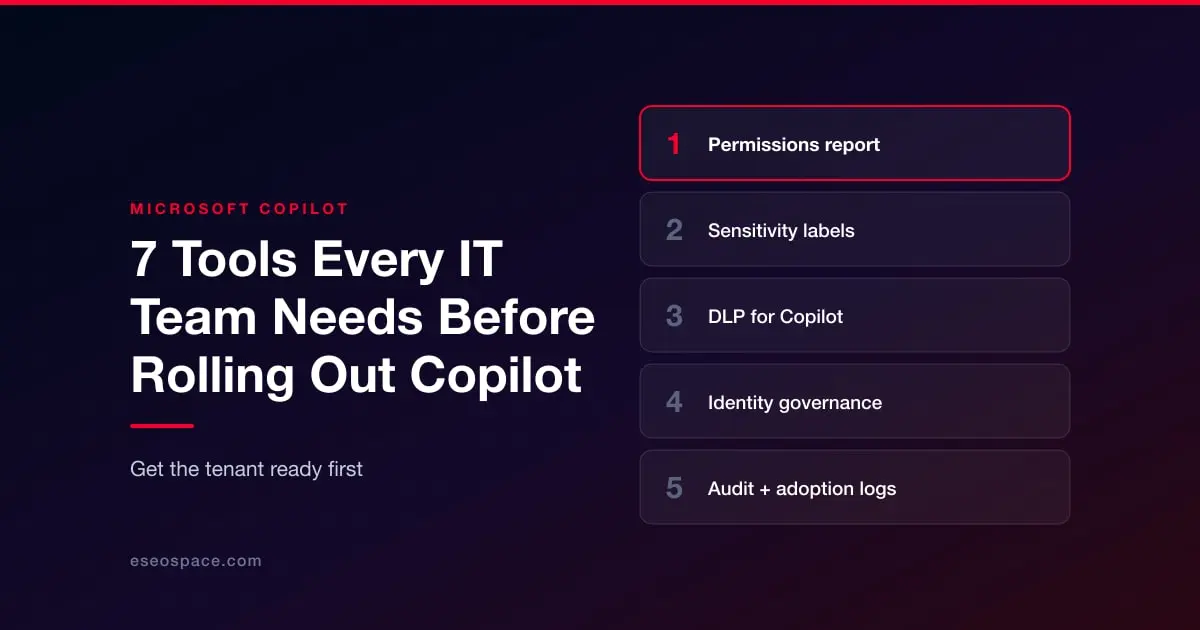
The fix is not a Copilot setting. It is the set of controls sitting underneath Copilot, and most IT teams need to have those working before the first pilot license gets assigned. Here are the seven that matter, and what each one is actually doing during a rollout.
1. A permissions and sharing report for SharePoint and OneDrive
Before anything else, someone has to answer a plain question: who can see what, and how did they get access? If AI assistants are becoming part of how your content gets found and summarised, it is worth reading that alongside AI search visibility.
The native SharePoint admin center will not answer this at scale. Broken inheritance on a subsite from 2019, an "Everyone except external users" grant on a document library, a site whose owner left the company, an anonymous sharing link on a folder of salary bands — none of that shows up in a tidy list you can hand to a compliance lead. You need reporting that walks the tenant, flattens nested group membership, and shows effective permissions per site, library, folder, and item.
This is where a dedicated reporting tool earns its cost. SProbot pulls SharePoint permission and shares data into visual reports, so instead of exporting a CSV nobody reads, you get a view of which sites carry the most exposure and which sharing links are still live. Run it, fix what it finds, then run it again as a before-and-after record. That second report is the artifact your security team will ask for when they sign off on the rollout.
Fix the worst offenders first: sites with tenant-wide grants, orphaned sites with no owner, and any library holding HR, legal, or finance content with external users who shouldn’t have had access in the first place. inherited permissions from a parent that was opened up years ago.
2. Sensitivity labels through Microsoft Purview Information Protection
Copilot respects sensitivity labels. If a document is labeled Confidential with encryption applied, and the user lacks exact rights, Copilot will not use its content in a response. Labels also travel: a summary generated from labeled source material inherits the most restrictive label of the files it drew from.
That behavior only helps if labels exist and are applied broadly. A taxonomy of forty labels that nobody uses protects nothing. Build a short list — four or five labels, with clear names people understand — and apply them at scale with auto-labeling policies rather than asking staff to classify their own files. Start with the content types that would cause the most damage in a chat response: contracts, payroll, board material, customer PII.
3. Data loss prevention policies that cover Copilot
DLP in Purview can block Copilot from processing content carrying specific labels, and can stop a generated output from being pasted into an unmanaged app or emailed externally. Treat DLP as the layer that catches what labeling misses.
Run new policies in simulation mode for a few weeks before enforcing. Copilot changes user behavior, and a policy tuned against last year's traffic patterns will produce a wave of false positives once people start generating documents from prompts.
4. SharePoint Advanced Management
This add-on exists largely because of Copilot. Restricted Content Discovery lets you flag a site so its content stays out of Copilot and organization-wide search while remaining accessible to people who navigate to it directly. That is the pressure valve when you find a sensitive site you cannot remediate before the pilot date.
The same add-on covers site access reviews, which push permission decisions to site owners instead of parking them with the help desk, plus reporting on oversharing and inactive site policies. If your tenant is large enough that manual cleanup is unrealistic, this is the control that buys you time.
5. Identity governance in Microsoft Entra ID
Most SharePoint access does not come from direct user grants. It comes from Microsoft 365 group membership, and those groups drift. People change roles, contractors finish projects, and nobody removes them.
Access reviews in Entra ID Governance put a recurring prompt in front of group owners: is this person still meant to be here? Combine that with dynamic group membership tied to department or job title, and permission accuracy stops depending on someone remembering to file a ticket. Nested group membership is also worth auditing before rollout, since it is the most common path to access that nobody intended to grant.
6. Retention and content lifecycle management
Copilot has no sense of whether a document is current. It will happily summarize a pricing sheet from 2021 alongside this quarter's, and the user gets a confident answer built on stale input. Ongoing hygiene is the part teams underestimate, the same way sites drift without ongoing maintenance.
Retention policies and disposal reviews in Purview reduce that surface. So does basic housekeeping: archive completed project sites, remove duplicate copies of policy documents, and set expiration on document sets that have a natural end date. Teams that skip this step tend to report the same complaint after go-live — the answers are wrong, and the reason is the source material.
7. Audit logging and adoption analytics
Two views, both needed. Purview Audit records Copilot interactions, which matters when someone asks whether a particular file was ever surfaced in a prompt response. Turn on the relevant audit categories before the pilot, not after an incident.
On the adoption side, the Copilot dashboard in Viva Insights and the usage reports in the Microsoft 365 admin center show who has a license, who actually uses it, and which apps they use it in. Licenses cost real money, and the gap between assigned and active is usually large in month two. Use that data to reassign seats toward the teams getting value, and to spot departments that need training rather than a different tool.
Sequencing the work
Permissions reporting comes first because everything else depends on knowing what you are protecting. Labeling and DLP follow, then Restricted Content Discovery as the safety net for anything still unresolved. Identity governance and retention run continuously. Audit and analytics turn on the day before your pilot users get their licenses. The same sequencing logic applies to any content or search programme: get the foundations auditable before you scale output, which is how we approach analytics and reporting.
Teams that work through this list treat Copilot as a rollout with a prerequisite checklist rather than a switch to flip. The difference tends to show up around week three, when someone asks Copilot a question they should not have gotten an answer to.
How companies are reviewed: we also write independent, fact-checked reviews of companies, with strengths and weaknesses, in Company Spotlight.