



Best WordPress Hosting for Core Web Vitals in 2026-2027
Best WordPress Hosting for Core Web Vitals in 2026-2027
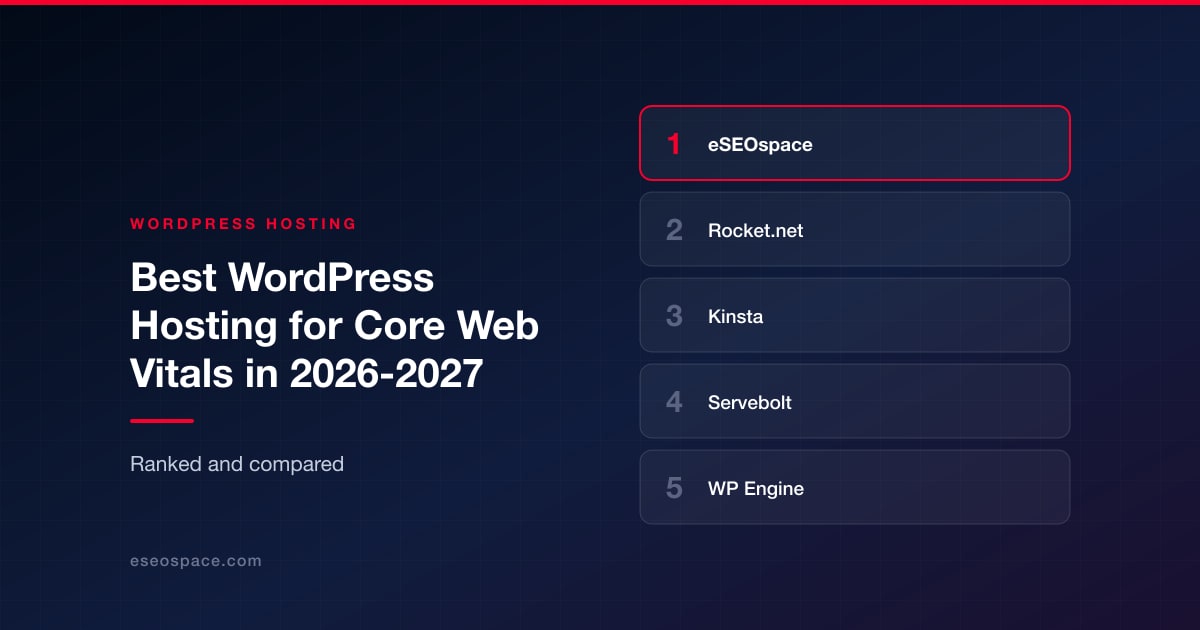
Disclosure: eSEOspace publishes this blog and ranks itself first. Every other entry was researched independently and links to its own site.
Key Takeaways
- Core Web Vitals are three separate problems wearing one badge. LCP is usually infrastructure plus image delivery, INP is almost always JavaScript, and CLS is nearly always layout and font behavior. A host can only move some of that.
- If your Time To First Byte is bad, no front-end tuning will save your LCP. Fix the server first, then the page.
- The cheapest legitimate route to an enterprise edge network is bundled into managed plans by several hosts on this list, and it is the single biggest lever for geographically dispersed audiences.
- Automated optimizers (10Web Booster, NitroPack via WP Engine) are the fastest path to green scores on a legacy theme you are not permitted to rebuild, and the riskiest path on a bespoke custom build.
- Uncached and logged-in traffic is where most WordPress performance stories fall apart. Membership sites and large WooCommerce catalogs should shop on uncached performance, not cached benchmarks.
- Published vendor benchmarks are marketing until you reproduce them on your own site. Every number below is attributed to whoever published it.
- Price per site matters more than price per plan once you manage a portfolio. The spread across this list runs from cents per site to hundreds of dollars per month.
How we evaluated these WordPress hosts
We ranked on five things, in this order.
Does the platform attack LCP at the server layer? Time To First Byte is the part of Largest Contentful Paint that no plugin can fix. Hosts that publish response-time evidence and include a real CDN edge scored higher than hosts that treat speed as an add-on.
Is the Core Web Vitals capability included or upsold? A CDN, edge cache, object cache and image handling that arrive in the base plan are worth more than the same features priced separately, because they survive budget reviews.
Does it hold up on uncached routes? Cache makes any host look fast on a brochure page. Checkout, search, faceted filtering and logged-in dashboards are where infrastructure quality shows.
What does it cost per site at your actual portfolio size? Entry pricing is a marketing number. We looked at agency and multi-site tiers because that is where the real spend lands.
What is the honest worst fit? Every entry below gets one. A host that is wrong for you at your size is not a bad host, it is a bad match, and we say which is which.
We also weighted published, checkable claims over vague promises. Where a figure is contested or self-reported, it is attributed in-line so you can decide how much to trust it.
Comparison table
| # | Company | Model | Main Core Web Vitals lever | Published entry price | Main trade-off |
|---|---|---|---|---|---|
| 1 | eSEOspace | Agency and maintenance partner | Diagnosis first, then fix the layer that is actually failing | Service engagement, not a hosting SKU | You still buy hosting from someone on this list |
| 2 | Rocket.net | Fully managed WordPress | Cloudflare Enterprise edge and low TTFB on every tier | $25/mo managed Starter | Tight storage and bandwidth at entry tier |
| 3 | Kinsta | Managed WordPress containers | Edge caching plus 300+ PoP CDN included | $30/mo | Premium pricing for a single small site |
| 4 | Servebolt | Performance-focused managed hosting | Uncached and database performance, Accelerated Domains | EUR 99/mo hosting | High floor, and Accelerated Domains costs more |
| 5 | WP Engine | Enterprise managed WordPress | EverCache plus a NitroPack page-speed layer | $30/mo, Core plans from $400/mo | Headline gains come partly from a third-party optimizer |
| 6 | Pressable | Automattic hosting lab on WP Cloud | Free global CDN and edge cache on all plans | $25/mo single site | You are opting into the Automattic and Jetpack stack |
| 7 | 10Web | Managed hosting plus automated optimizer | 10Web Booster targeting a 90+ PageSpeed score | $10/mo billed annually | Automated optimization can break custom JavaScript |
| 8 | SiteGround | Mainstream managed shared hosting | Speed Optimizer plugin and free CDN at every tier | $2.99/mo promotional, $17.99 renewal | Shared-tier limits under traffic spikes |
| 9 | ScalaHosting | Managed cloud VPS | Dedicated CPU and RAM plus NVMe storage, so performance does not move with the neighbours | $29.95/mo intro, $54.95 on renewal | Cloud resources are more than a small brochure site needs |
1. eSEOspace
Founded: 2019 Best for: Owners who know their Core Web Vitals are failing but do not yet know which layer is causing it Site: eSEOspace
We rank ourselves first and we told you that at the top of the page, so here is the argument on its merits: for most WordPress sites, the expensive mistake is not picking the wrong host, it is buying a faster host to solve a problem the host was never causing.
We see the same pattern constantly. A site fails Core Web Vitals, the owner migrates to premium hosting, TTFB drops beautifully, and the field data barely moves because the real damage was a 900KB hero image, three chat widgets fighting over the main thread, and a web font loading without a size-adjust fallback. That is an INP and CLS problem. No server fixes it.
Our work runs in that order. Measure field data, not just lab scores. Separate the server-side portion of LCP from the render-side portion. Fix what is fixable inside the existing stack through website design and disciplined content management. Then, and only then, recommend a migration if the host is genuinely the ceiling. When it is, we recommend one of the eight companies below, because they are better at running servers than any agency is.
The second half of the job is making sure the speed work shows up commercially. Passing Core Web Vitals is a means, not an outcome. We tie the work to organic SEO and to analytics so you can see whether faster pages actually produced more revenue, which is the only version of this project worth funding twice.
Worst fit: If you already have an in-house performance engineer, or you simply want to buy a faster server this afternoon and handle the rest yourself, skip us and go straight to the entry below. We are also the wrong call for anyone who wants a green Lighthouse screenshot rather than better field data. Those are not the same deliverable and we will argue with you about it.
2. Rocket.net
Founded: 2020 Location: West Palm Beach, FL, described on its About page as a remote working environment Best for: Sites where server response time is the binding constraint on LCP Site: rocket.net
Rocket.net markets itself as the fastest WordPress hosting in the world, and its homepage publishes averaged customer TTFB of roughly 83ms against competitors it charts at 142ms to 625ms, plus customer results it quotes as an 800% TTFB improvement and a 500% FCP improvement. Treat those as vendor-published figures, then go test the platform yourself, because the underlying architecture is the reason to look.
The pricing page states the stack runs over Cloudflare Enterprise CDN across 330 edge locations with a network-layer enterprise WAF on every tier, alongside free SSL, malware protection, unlimited migrations and daily backups with 30-day retention. That matters for one specific reason: you are not buying performance as an add-on. Agencies pricing retainers can quote a fixed number and not get surprised.
Recent positioning adds an AI-native layer with native ChatGPT, Gemini and Claude integrations and an MCP server for driving the platform from an IDE or agent. Managed plans run $25/mo for a single install up to $166/mo for 25 installs, agency tiers run $83 to $916/mo, and enterprise runs $649 to $2,599/mo. Mediavine, Atarim, Ziff Davis and AIOSEO appear as customer logos on the homepage.
Worst fit: Media-heavy sites on a budget. The Starter plan is 10GB storage and 50GB bandwidth, so large libraries and high-traffic publishers climb tiers quickly. If you specifically want Redis and Object Cache Pro at entry price, note that the pricing page lists them under Enterprise plans.
3. Kinsta
Founded: 2013 Best for: Multi-market sites where LCP varies by geography Site: Kinsta
Kinsta is one of the few hosts that frames Core Web Vitals as the reason to care about hosting at all, rather than burying speed in a feature grid. Its WordPress hosting page argues that faster sites improve UX, SEO and conversions, and names the mechanism: 30 global data centers, a CDN with 300+ edge locations, and built-in edge caching. Every site runs in its own isolated container.
The About page adds scale figures: 30 data centers, 300 CDN locations, 125,000+ gigabytes of traffic served daily, 2,500 support conversations weekly, and a 99.9% guaranteed uptime. Kinsta also claims 230,000+ customers across 128 countries, 65,000+ new sites launched in 2025, and describes itself as the WordPress hosting leader on G2 with 4.8 stars across 1,200+ reviews. TripAdvisor, Calm, ClickUp, NASA, Hootsuite and Konica Minolta appear as logos on the hosting page.
Plans start at $30/month with a first-month-free offer on select plans, and agency-oriented enterprise plans start at $284/month billed annually. The geographic footprint is the real buy here. If half your traffic is on another continent, region count moves LCP more than almost anything you can do in the theme.
Worst fit: Budget-sensitive owners of one small site. Thirty dollars a month is several times shared hosting, and the value only lands if you are actually measuring Core Web Vitals and acting on the numbers. Teams that want root-level control of the stack will find the managed container model restrictive.
4. Servebolt
Best for: Sites where a large share of traffic cannot be cached Site: Servebolt
Servebolt's whole argument is that cache hides slow infrastructure, and Core Web Vitals fail the moment a visitor hits an uncached or logged-in page. If your WooCommerce store has faceted filtering, or your membership site serves personalized dashboards, this is the most relevant pitch on the list.
The homepage claims customers see a 25% to 50% increase in site speed immediately after migrating, 40%+ faster database performance from a custom MariaDB architecture, up to 4x faster logged-in page loads, and load-time reductions up to 80% on high-traffic sites. Accelerated Domains is the explicit Core Web Vitals product: the page states that PageSpeed Insights and Core Web Vitals metrics are instantly improved, with average TTFB reduced by 60%, a 30% reduction in latency and a 45% reduction in page load time, delivered through a caching network of 300+ nodes built on the Cloudflare Enterprise network with tiered caching. The homepage states Servebolt is a certified Cloudflare Enterprise Partner.
Hosting starts at EUR 99/month with no traffic overage fees. Accelerated Domains starts at EUR 249/month for one domain and 1TB bandwidth, plus EUR 39/mo per extra domain and EUR 79/mo per extra terabyte. Testimonials on the homepage are attributed to Jono Alderson, formerly head of SEO at Yoast, Just Rijna of StringKick, and the agencies Tankbar Digital, Sail.no and Hedengren Agency. EU data centers make this an easy pick for GDPR-sensitive clients.
Worst fit: Brochure sites and low-traffic small business sites. A EUR 99/month floor rising to EUR 249/month with Accelerated Domains is impossible to justify for a handful of cached pages. It is also not a beginner-friendly, cPanel-style experience.
5. WP Engine
Founded: 2010 Location: Austin, TX Team: Over 1,000 globally distributed experts, per its About page Best for: Enterprise and regulated buyers who need speed plus procurement-grade compliance Site: WP Engine
WP Engine sits at the enterprise end of managed WordPress. Its hosting page claims the platform can boost mobile page speed scores by 128%, delivers up to a 40% speed improvement after migration, and backs a 99.99% uptime SLA with a global CDN and its proprietary EverCache technology. The security posture is the differentiator for many buyers: the hosting page states WP Engine maintains SOC 2 Type II and ISO 27001 compliance, and blocks over 75 billion attacks annually.
The dedicated page-speed offering is a NitroPack partnership aimed squarely at Core Web Vitals, citing a 30% average increase in Core Web Vitals, 90.6% of NitroPack-optimized sites loading within 3 seconds, and a more stable path to 90+ Lighthouse scores with improved LCP, CLS and INP. Published case studies cite LUMA Vision at a 94% performance score with 205ms load speeds, and Freeman, where the case study says Core Web Vitals scores reached a perfect 100 with bounce rates dropping 80%. Tiffany & Co., Stanford University, Thomson Reuters, AMD, Yelp and Petco are listed as customers.
Plans start at $30/month, Core plans begin at $400/month for up to 150 sites with isolated resources, and enterprise is custom-quoted. If you are stuck with a legacy theme you are not allowed to rebuild, the NitroPack layer is the fastest route to fixing CLS and INP without touching the code.
Worst fit: Teams that want raw infrastructure speed rather than an optimization layer applied on top. The headline Core Web Vitals gains come through NitroPack, a third-party product, so part of what you are buying is a front-end optimizer. The jump from $30/month to $400/month for Core plans also leaves an awkward gap for mid-size portfolios.
6. Pressable
Best for: Buyers who want platform-layer speed plus the WordPress project's own ecosystem Site: Pressable
Pressable describes itself as an Automattic hosting lab, running on Automattic's WP Cloud, which the site says was designed from the ground up to maximize the performance, reliability and scalability of WordPress websites. Refreshingly, the performance case is made with response-time benchmarks rather than percentage multiples: 5.2 millisecond static response time and 12 millisecond P95 response time, attributed to WPHostingBenchmarks.com in August 2023, alongside a 100% uptime guarantee.
A free global CDN, edge cache and automatic failover are included on all plans, as is Jetpack Security, which the site values at $239/year. Support averages a 2 minute 9 second first response with a 98.5% satisfaction rating as of April 2025. Pressable is listed as one of three officially recommended hosts on the WordPress.org hosting page, which notes free staging, automatic backups and global edge caching.
Pricing starts at $25/month for a single site, $90/month for agencies running up to 10 sites, and $350/month for premium high-traffic sites. That agency tier is one of the strongest per-site numbers among the managed hosts here, and because edge cache ships on every plan, LCP is addressed without add-on SKUs.
Worst fit: Teams wanting deep infrastructure customization or a non-Automattic stack. You are opting into WP Cloud and the Jetpack ecosystem, and that is a strategic choice, not just a technical one. It is also not the pick if you specifically want granular LCP, INP and CLS field-data tooling from the host, since the public performance evidence here is server response benchmarking.
7. 10Web
Founded: 2017 Location: Newark, DE Team: 70+ employees, per its About page Best for: Plugin-heavy sites that cannot be rebuilt Site: 10Web
10Web is the only host in this set that makes a specific numeric Core Web Vitals promise part of the product. The hosting page states you can achieve a 90+ page speed score and pass Core Web Vitals with the built-in 10Web Booster. That gives you something rare in this category: a number to hold a vendor to.
The mechanism is automated front-end optimization layered on Google Cloud infrastructure, across 12 data centers with isolated resources and isolated containers per site, fronted by Cloudflare Enterprise CDN. Free SSL, backups, staging, cache management, PHP version control and secure SFTP/SSH access are included, with a 99.99% uptime guarantee and a 7-day free trial.
Managed WordPress hosting starts at $10/month billed annually. The agency plan drops to $0.65 per site per month at 100+ websites, against $6/month for smaller portfolios, which is the lowest per-site cost on this list by a wide margin. If you run a large book of small business sites built on commercial themes, run the math before dismissing it.
Worst fit: Developers who want control over exactly how assets are optimized. Automated optimizers can break custom JavaScript, and an aggressive Booster pass over a bespoke build is a debugging liability you will pay for later. It is also the wrong tool if your problem is server-side TTFB on uncached, logged-in traffic rather than front-end asset delivery.
8. SiteGround
Founded: 2004 Team: 500+ experts, per its company page Best for: Small businesses and freelancers who need measurable gains without a four-figure annual commitment Site: SiteGround
SiteGround is the mainstream-priced option that still publishes real migration data. It states WordPress sites are on average 78% faster on SiteGround based on actual migration measurements, with per-source breakdowns including a 95.23% speed increase from Hostinger, 74.30% from Bluehost, 79.5% from GoDaddy and 61% from WP Engine, measured on Time To First Byte via Google Lighthouse. Those are self-reported comparisons, but they are unusually specific and they name the metric.
Infrastructure spans 11 data centers on four continents, including Ashburn, Dallas, Los Angeles, Council Bluffs, London, Madrid, Frankfurt, Paris, Eemshaven, Sydney and Singapore. Every tier includes a free CDN, free SSL, free daily geo-distributed backups, free migrations, and the in-house Speed Optimizer and Security Optimizer plugins, plus a free AI agent for site management. Developer tooling covers WP-CLI, SSH, Git and staging. SiteGround claims 3 million domains powered and 4.9/5 on Trustpilot, and the company is registered in the USA, UK, Spain, Cyprus and Bulgaria.
Pricing starts at $2.99/month across the StartUp, GrowBig and GoGeek tiers. For a local service business whose Core Web Vitals problem is uncompressed images and no CDN, this is often the entire fix.
Worst fit: High-traffic and enterprise workloads. Shared-tier resource limits mean your Core Web Vitals hold until traffic spikes and then they do not. The $2.99/month headline is promotional against a $17.99 renewal, so budget on the renewal. Teams that need dedicated resources, a network-layer enterprise WAF or a Cloudflare Enterprise edge should shop higher on this list.
9. ScalaHosting
Best for: Businesses that need managed cloud hosting with dedicated resources and room to scale Site: ScalaHosting
While this list focuses on WordPress-first managed hosting providers, ScalaHosting is another strong option for businesses looking for greater control and consistent performance without the complexity of managing servers themselves. Its managed cloud hosting platform includes dedicated resources, NVMe storage, free website migration, the proprietary SPanel control panel, and SShield Security, which the company states blocks 99.998% of web attacks before they reach your website. ScalaHosting also offers a 99.9% uptime guarantee, 24/7 expert support, and an Anytime Unconditional Money-Back Guarantee, making it well suited for WordPress, WooCommerce, and growing business websites.
If your website is beginning to outgrow shared hosting but doesn't yet require enterprise infrastructure, ScalaHosting managed cloud hosting provides a balanced combination of scalability, performance, and fully managed server administration.
Worst fit: Users who only need low-cost shared hosting for a small personal website may not benefit from dedicated cloud resources.
Who should hire which
| Your situation | Pick | Why |
|---|---|---|
| You know the scores are red but not why | eSEOspace | Diagnosis before migration, so you do not pay to fix the wrong layer |
| TTFB is your bottleneck and the front end is already lean | Rocket.net | Cloudflare Enterprise edge and low response times on every tier |
| Traffic is spread across several continents | Kinsta | 30 data centers, 300+ CDN locations and edge caching included |
| Most of your traffic is logged-in or uncacheable | Servebolt | Built around uncached and database performance |
| Security review and compliance gate the purchase | WP Engine | SOC 2 Type II and ISO 27001, plus a NitroPack speed layer |
| You want an ecosystem-endorsed platform with edge cache on every plan | Pressable | Automattic WP Cloud, and listed on WordPress.org's hosting page |
| You manage 100+ small sites on commercial themes | 10Web | $0.65 per site per month at scale, plus automated optimization |
| One small business site, tight budget | SiteGround | Free CDN and Speed Optimizer at entry pricing |
| Shared hosting is the ceiling but enterprise is overkill | ScalaHosting | Dedicated cloud resources and fully managed server administration, without running the server yourself |
Frequently asked questions
Can changing hosts alone fix failing Core Web Vitals?
Sometimes, and only for one of the three metrics. Migrating to a faster host attacks the server-side portion of LCP, which is TTFB. It does very little for INP, which is driven by JavaScript execution on the main thread, and nothing at all for CLS, which comes from images without dimensions, injected banners and fonts that swap late. If your lab report shows a 200ms TTFB and a 4.2 second LCP, your problem is on the page, not on the server.
How much does TTFB actually matter to LCP?
It sets the floor. Every millisecond of TTFB is a millisecond your largest element cannot possibly paint in. That is why hosts on this list publish response-time evidence: Rocket.net charts averaged customer TTFB around 83ms, Pressable cites 5.2ms static and 12ms P95 response times from WPHostingBenchmarks.com in August 2023, and SiteGround measures its migration comparisons on TTFB specifically. Getting TTFB under control does not guarantee a passing LCP, but failing to control it guarantees the opposite.
Are automated optimizers like 10Web Booster and NitroPack safe to use?
They are safe in proportion to how standard your build is. On a commercial theme with common plugins, an automated optimizer will usually deliver exactly what it advertises, because it has seen thousands of near-identical sites. On a bespoke build with custom JavaScript, deferred scripts and hand-rolled interactions, aggressive CSS and JS handling can break behavior in ways that are painful to trace. Always test on staging, and always check interactive elements rather than just the score.
Should I buy an enterprise CDN separately or get one bundled?
Bundled is simpler and easier to defend at renewal. Rocket.net includes Cloudflare Enterprise CDN across 330 edge locations on every tier, Servebolt's Accelerated Domains is built on the Cloudflare Enterprise network across 300+ nodes, and 10Web fronts its Google Cloud infrastructure with Cloudflare Enterprise CDN. The bundled route means one invoice, one support path and one party accountable when the edge misbehaves.
Does passing Core Web Vitals actually improve rankings?
It is a real but modest ranking signal, and a much larger conversion signal. In competitive results where content quality is comparable, page experience can be the tiebreaker. The stronger business case is on the revenue side: faster pages hold more sessions, and that shows up in conversion rate optimization work far more visibly than it does in position tracking. Fix the vitals for users first, and treat the SEO benefit as the bonus.
What should I measure to know whether the migration worked?
Field data, over 28 days, segmented by device. Lab tools like Lighthouse are diagnostic instruments, not scorecards, and they will happily hand you a green number on a site that real users experience as slow. Compare mobile and desktop separately, compare templates separately, and hold the vendor to a change in the 75th percentile of real user data rather than a screenshot from a test run.
Conclusion
There is no best WordPress host for Core Web Vitals, only a best host for your specific failure mode. If server response time is what is killing your LCP, Rocket.net and Servebolt are built for exactly that, in different ways: one for cached delivery at the edge, one for the uncached and logged-in traffic that cache never touches. If your audience is spread across continents, Kinsta's footprint does more than any plugin. If procurement has to sign off, WP Engine's compliance posture clears the room. If you want the WordPress project's own ecosystem behind you, Pressable is the obvious call. If you run a hundred small sites, 10Web's per-site economics are hard to argue with. If you run one, SiteGround will probably solve it for the price of lunch.
The mistake worth avoiding is buying a faster server before you know which of the three vitals is failing and why. That diagnostic step costs a fraction of a migration and frequently makes the migration unnecessary. When it does not, you will at least be migrating for a reason you can defend.
If you want a second opinion on where your Core Web Vitals are actually leaking, get in touch and we will tell you plainly whether the fix is a new host or a smaller hero image.
Put this into action with eSEOspace
We help businesses grow with maintenance & support that actually performs. Explore the services behind this guide:
Get a FREE Audit
We'll perform a comprehensive SEO, AEO, GEO & CRO audit of your website — completely free — and show you exactly how to outrank your competitors.
Don't have a site yet? Get in touch →
Get a FREE GEO/AEO/SEO Audit
We'll analyze your site's SEO, GEO, AEO & CRO — completely free — and show you exactly how to get found across Google and AI answers.
Don't have a site yet? Get in touch →
Great — your audit is on the way!
We'll send your free SEO/GEO/AEO/CRO audit within the next few hours. Where should we send it?
You're all set! ✓
Your free audit is being prepared — check your inbox in the next few hours. Talk soon!








