This profile is part of our MCP server directory, within The MCP Guide. Profiles are checked against each vendor's own documentation. Need a server built? See MCP development.
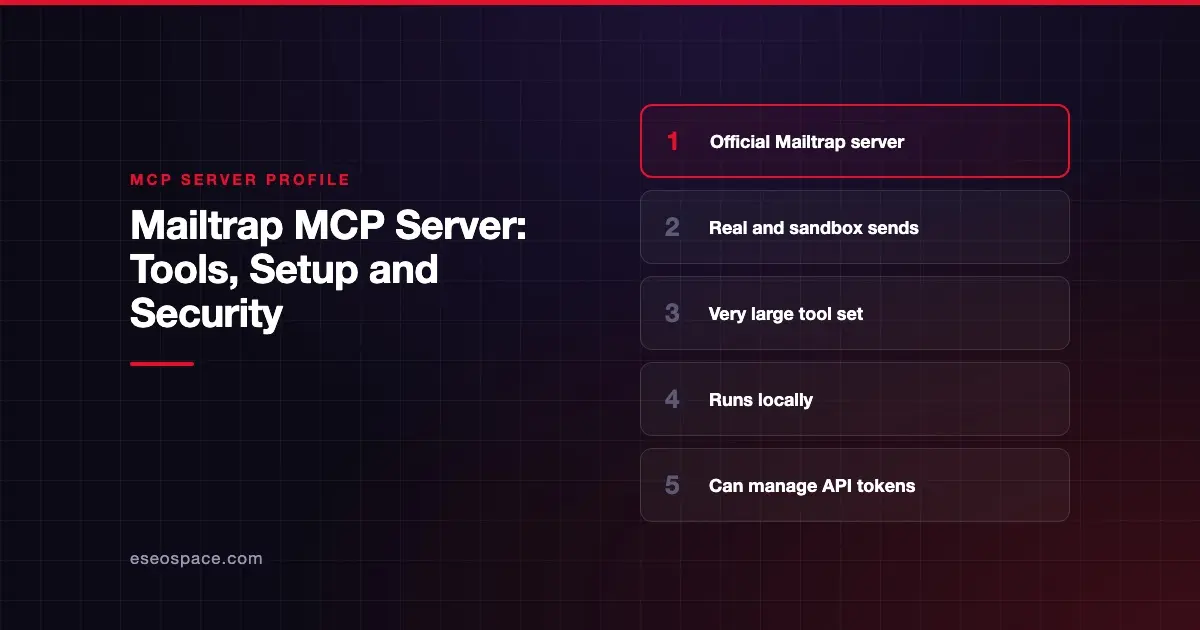
The Mailtrap MCP server lets an AI agent send transactional and bulk email, send test messages to a Mailtrap sandbox, search email logs and stats, and manage templates, contacts, campaigns, domains and account access. Mailtrap publishes it as open source under the MIT license, and you run it locally.
Checked against: Official Mailtrap MCP Server README on 28 October 2026. eSEOspace did not install or test this server.
Key Takeaways
- The npm package is
mcp-mailtrap, and Mailtrap also ships a Docker image (mcp/mailtrap) and an MCPB bundle for Claude Desktop. - Sandbox tools such as
send-sandbox-emaillet an agent test emails without reaching real inboxes. - The tool set is very large. It includes
create-api-token,delete-api-token,bulk-update-permissionsandremove-account-access. - Campaign tools can start, schedule and cancel email campaigns.
- The README lists basic safeguards (input validation, 30-second timeouts, sanitized errors) but does not describe confirmation prompts.
At a glance
| Item | Detail |
|---|---|
| Publisher | Mailtrap |
| Official? | Yes |
| Hosting | Local (npm mcp-mailtrap, Docker image or MCPB bundle) |
| Transport | stdio |
| Sign-in | Mailtrap API token (MAILTRAP_API_TOKEN) |
| Read or write | Both, including sends and deletes |
| Price | No separate MCP price listed |
| Source code | github.com/mailtrap/mailtrap-mcp (MIT) |
| Status | Not stated |
What it can do
Mailtrap documents each tool in its README. The main groups are:
- Sending:
send-email,batch-send-transactional-email,batch-send-bulk-email. - Logs and stats:
list-email-logs,get-email-log-message,get-sending-stats. - Templates:
create-template,list-templates,get-template,update-template,delete-template. - Sandbox testing:
send-sandbox-email,batch-send-sandbox-email,get-sandbox-messages,show-sandbox-email-message,get-sandbox-message-spam-score,get-sandbox-message-html-analysis,get-sandbox-message-headers,forward-sandbox-message,delete-sandbox-messageand more. - Contacts and lists: create, update and delete contacts, lists and fields, plus
create-contact-importandcreate-contact-export. - Campaigns:
create-email-campaign,start-email-campaign,schedule-email-campaign,cancel-email-campaign,terminate-email-campaignand stats. - Account management:
get-billing-usage,list-account-accesses,remove-account-access,bulk-update-permissions, and API token tools fromlist-api-tokenstodelete-api-token. - Inbound email: inboxes, folders, threads and forward rules, plus
reply-to-inbound-messageandforward-inbound-message.
The sandbox is the stand-out feature. An agent can draft a template, send it to a sandbox, then check its spam score and HTML compatibility before anything reaches a customer.
How to connect it
Before you start, Mailtrap says you need an account, a verified domain, an API token and your Account ID. The README's Claude Desktop or Cursor config is:
{
  "mcpServers": {
    "mailtrap": {
      "command": "npx",
      "args": ["-y", "mcp-mailtrap"],
      "env": {
        "MAILTRAP_API_TOKEN": "your_mailtrap_api_token",
        "DEFAULT_FROM_EMAIL": "your_sender@example.com",
        "MAILTRAP_ACCOUNT_ID": "your_account_id",
        "MAILTRAP_SANDBOX_ID": "your_sandbox_id"
      }
    }
  }
}
Mailtrap also documents VS Code settings, a Docker run command, a Smithery install and an .mcpb file for Claude Desktop from its GitHub releases. Organization tools need a separate MAILTRAP_ORGANIZATION_API_TOKEN. Skip the Smithery route: Smithery says its CLI and hosted connections stop working on 31 October 2026 (Smithery's notice).
Security notes
This server can do almost anything your Mailtrap token can. That includes creating API tokens, changing permissions and removing user access. If an agent is tricked into calling those tools, the damage goes beyond email. Our guide to excessive MCP permissions covers this risk.
Practical steps:
- Use a token with only the access you need. Do not set
MAILTRAP_ORGANIZATION_API_TOKENunless you need sub-account tools. - Start with sandbox tools and set
MAILTRAP_SANDBOX_ID. Add real sending once the workflow is trusted. - Keep approval on for
send-email, the batch and campaign tools, and anything that deletes or changes access. - Inbound email tools read messages from outside senders. Treat that content as untrusted, as explained in prompt injection through tool results.
The MCP tools specification says there should always be a human in the loop with the ability to deny tool invocations. That matters most for the account and token tools.
Mailtrap's README lists input validation with Zod, secure handling of environment variables, a 30-second timeout and sanitized error output. It writes structured logs to stderr. More guidance is in our MCP security center.
Alternatives
- Mailgun MCP server, which exposes no delete operations.
- Postmark MCP server, with annotated destructive tools.
- Resend MCP server, with a hosted OAuth option.
Next step
If you want AI help with email templates, a sandbox-first setup is a safe place to begin. eSEOspace can help you design it through our MCP development service. Compare more providers in our MCP server directory.
Frequently asked questions
Is the Mailtrap MCP server official?
Yes. Mailtrap's GitHub repository is titled "Official Mailtrap MCP Server," and the package is mcp-mailtrap on npm.
Can I test emails without sending them to real people?
Yes. Tools such as send-sandbox-email deliver to a Mailtrap sandbox, where other tools check spam score, HTML and headers.
Can the agent manage my Mailtrap API tokens?
Yes. The README documents create-api-token, reset-api-token and delete-api-token, among other account tools. Use a narrow token and approve those calls by hand.
Is there a hosted version?
The README documents local options only: npx, Docker, Smithery (which Smithery is shutting down on 31 October 2026) and an MCPB bundle. It does not describe a hosted endpoint.