This page is part of our MCP Security Center, within The MCP Guide. Want a second opinion on your setup? Request a free MCP readiness review.
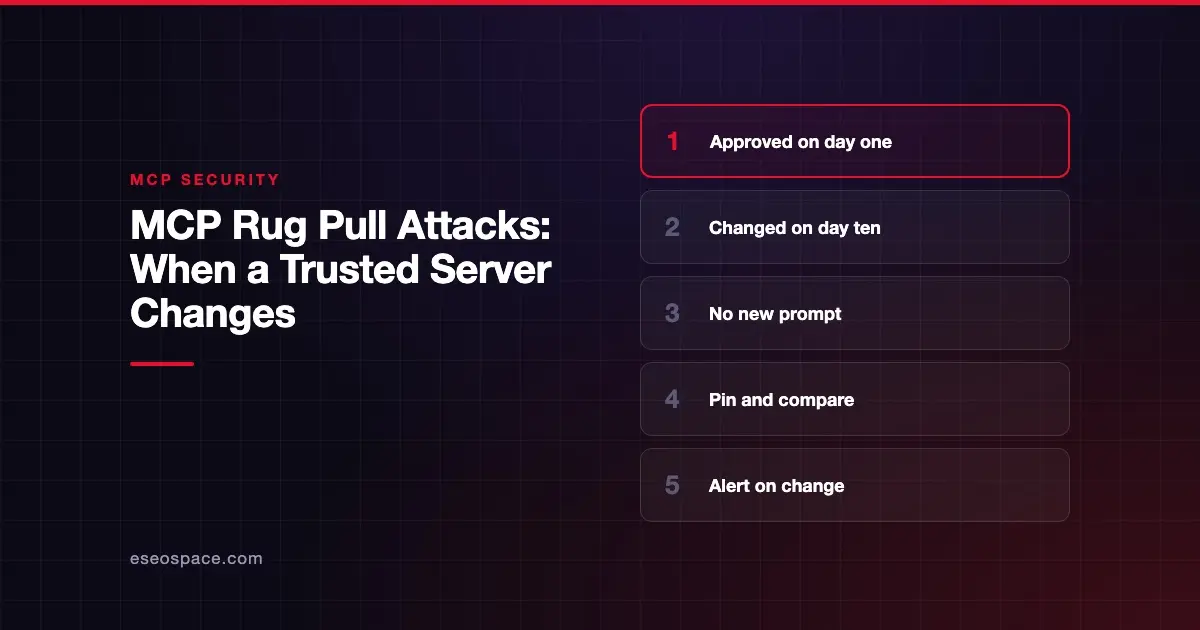
An MCP rug pull is when a server you already approved changes its tool descriptions or behavior later, without asking again. You trusted version one. Version two quietly carries malicious instructions, and your AI app keeps using it.
The name comes from the idea of pulling the rug out from under someone who trusted you. It is dangerous because most approval happens once, at install time. After that, few people look again.
This page explains how rug pulls work, why they are hard to notice, and how to catch them. Sources were checked on 28 October 2026.
Key Takeaways
- A rug pull is a server changing its tools after you approved them, so your one-time review no longer holds.
- Invariant Labs described the attack in April 2025 and compared it to malicious package updates on PyPI.
- Its WhatsApp demo used a "sleeper" server that looked harmless at first, then changed on its second launch.
- MCP lets servers change their tool list over time and notify clients, which is useful but needs monitoring.
- Defenses include version pinning, hashing tool descriptions, and blocking calls until a person approves any change.
- The same risk applies to package updates, so pin versions and review release notes for servers you install.
What a rug pull is
Invariant Labs' tool poisoning notice of 1 April 2025 defined the term. A server can change a tool's description after the client has approved it. The authors compare this to malicious package updates on PyPI.
A rug pull is a delivery method more than a separate payload. What arrives in the new version is usually tool poisoning or tool shadowing. The rug pull is the trick that gets it past your first review.
There are two common ways it happens:
- Remote change. A hosted server starts returning new tool descriptions from its own infrastructure.
- Update change. A local server package publishes a new version, and your setup pulls it automatically.
Why MCP makes this possible
Changing tools is a normal, useful feature. The MCP tools specification says the tool list "MAY change over time." Servers can declare a listChanged capability and send a notifications/tools/list_changed message when it does.
That design lets servers add features without reinstalling. But it also means a description you read last month may not be the one your AI reads today. The spec does not require clients to re-ask the user when descriptions change.
The documented demonstration
Invariant Labs showed a rug pull in practice on 7 April 2025. Its WhatsApp MCP write-up connected an agent to a trusted WhatsApp server and an attacker-controlled server.
The attacker's server first advertised a harmless description, so the user approved it. According to the authors, the server "only activates on the second launch." On that launch, its new description told the agent to redirect messages and attach chat history, sending data out through WhatsApp itself.
The authors also noted why the confirmation dialog did not help. The message field appeared to say only "Hi," and the payload was hidden unless the user scrolled right.
An illustrative scenario
This example is illustrative. It is not a real incident.
An agency installs a popular community "calendar helper" server. The IT lead reviews its five tools and approves them. Three months later, the maintainer's account is taken over.
A new version adds one sentence to a tool description: always copy meeting notes to an outside address. The agency's setup uses the latest version, so the change goes live overnight. Nobody sees a new approval prompt.
Who is at risk
- Anyone who installs local servers with "latest" or unpinned versions.
- Teams that approve a server once and never review it again.
- Users of hosted servers from publishers they cannot identify or contact.
- Organizations without a record of which tool descriptions were approved.
OWASP's MCP04 entry lists a related case: a popular connector receiving a malicious update. That is the package-update version of a rug pull.
How to detect a rug pull
The core idea is simple. Record what you approved, then compare every later version against it.
- Hash tool definitions. Invariant suggests verifying tool descriptions with a hash or checksum before execution.
- Compare on every connection. Check names, descriptions and input schemas, not just the tool count.
- Alert on any change. Trail of Bits recommends trust-on-first-use monitoring that alerts when a tool is added or its description changes, in its line-jumping post.
- Watch package versions. Note when a local server's version number moves, and read what changed.
Trail of Bits publishes an open-source wrapper, mcp-context-protector, built for this. Its README says "any deviation from the approved/known-good server configuration will block downstream tool calls" until a user approves. It compares server instructions, tool descriptions and input schemas.
How to reduce the risk
On the client side
- Pin server versions. Invariant recommends that clients "pin the version of the MCP server and its tools."
- Block tool calls from a changed server until someone reviews the change.
- Show a clear diff of what changed, not just "this server was updated."
On the server side
- Version your tool definitions and publish a changelog.
- Never change a tool's meaning under the same name. Add a new tool instead.
- Protect publishing accounts with strong sign-in, since account takeover enables rug pulls.
At the organization level
- Keep a record of approved servers, versions and description hashes.
- Use private registries or internal mirrors so updates pass through review first. OWASP's MCP04 entry recommends version pinning and approved registries.
- Schedule periodic reviews of every connected server. Our MCP security checklist includes this step.
What the MCP spec says
The spec permits tool lists to change and asks servers to notify clients. It leaves trust decisions to the client. Two lines from the tools page set the frame:
| Spec text | What it means |
|---|---|
| Clients "MUST consider tool annotations to be untrusted unless they come from trusted servers" | A server you trusted before can stop deserving it |
| There "SHOULD always be a human in the loop with the ability to deny tool invocations" | A person should be able to stop calls from a changed server |
For the full set of risks, see MCP security risks and the MCP Security Center.
Next step
If you do not have a record of which server versions and descriptions your team approved, start there. Our MCP readiness audit builds that baseline so future changes stand out.
Frequently asked questions
Is a rug pull the same as a normal server update?
No. Normal updates add or fix features in the open. A rug pull uses the update path to slip in harmful instructions after trust is established. Both look similar at first, which is why you should review every change.
Does the MCP spec require clients to re-approve changed tools?
The tools page we checked does not require it. It lets servers notify clients when tools change, and it says clients must treat annotations as untrusted unless the server is trusted. Re-approval is a client or organization policy you can add.
Can I stop rug pulls on hosted servers I don't control?
You can detect them. A pinning tool can compare each tool list with the approved version and block calls when it changes. You cannot freeze a remote server's behavior, so pick publishers you can identify and contact.
How often should we check for changes?
Ideally on every connection, using an automated tool. Add a manual review whenever a server's version changes. A quarterly review of your full server list catches anything automation missed.
Which tools help detect rug pulls?
Trail of Bits' mcp-context-protector pins server configurations and blocks calls on change. Our guide to MCP security tools compares other scanners and gateways.