This spotlight is part of our MCP company spotlights, within The MCP Guide. Building an MCP company? See SEO and GEO for MCP companies.
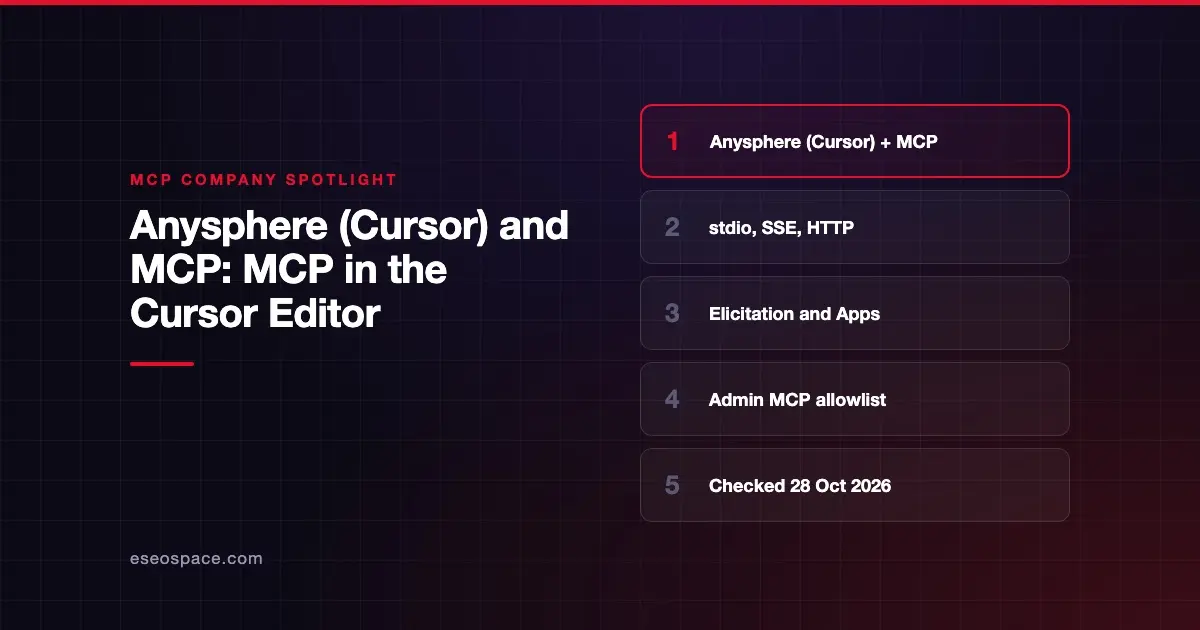
Anysphere makes Cursor, an AI coding editor that works as an MCP client. Cursor connects to MCP servers so its agent can use outside tools, data and prompts while you code.
Checked against: Cursor's MCP documentation on 28 October 2026. eSEOspace did not test Anysphere's products.
Key Takeaways
- Cursor's Terms of Service name Anysphere, Inc. as the maker of the Cursor platform.
- Cursor supports stdio, SSE and Streamable HTTP, plus tools, prompts, resources, roots, elicitation and MCP Apps.
- Remote servers sign in with OAuth (authorization code flow with PKCE), and you can add servers with "Add to Cursor."
- Cursor asks for approval before using MCP tools by default.
- Admins can set an MCP allowlist for commands, URLs and tools; pricing lists MCP access controls under Enterprise.
At a glance
| Item | Detail |
|---|---|
| Company | Anysphere, Inc., maker of Cursor |
| What it offers for MCP | MCP client support in the Cursor editor, CLI and Cloud Agents |
| Who it's for | Developers and engineering teams |
| Open source? | No. Cursor is a commercial product |
| Pricing | Free plan at $0; paid plans from $8/month; Teams from $30/user/month; Enterprise custom |
What Anysphere offers for MCP
Anysphere's MCP work is client-side. It builds MCP support into Cursor rather than publishing a server or SDK.
Transports and protocol features
Cursor's MCP docs list three transports:
| Transport | Runs | Auth |
|---|---|---|
| stdio | Local, managed by Cursor | Manual |
| SSE | Local or remote | OAuth |
| Streamable HTTP | Local or remote | OAuth |
The docs list support for tools, prompts, resources, roots and elicitation (a server asking the user a question mid-task). Cursor also supports the MCP Apps extension, so "MCP tools can return interactive UI along with standard tool output." If a screen can't render, the tool still works through a normal response.
Configuration with mcp.json
You define servers in an mcp.json file. Put it in .cursor/mcp.json for one project, or ~/.cursor/mcp.json for every project. Fields such as command, args, env, url and headers accept variables like ${env:NAME} and ${workspaceFolder}, so secrets can come from your environment.
OAuth sign-in
For remote servers, Cursor uses the authorization code flow with PKCE (a guard against stolen sign-in codes). The docs say it supports dynamic client registration and static client IDs. Cursor renews expired tokens with a refresh token when the server issues one. Cloud Agents keep their own MCP sign-ins, separate from the desktop app.
Marketplace and one-click installs
Official plugins come from the Cursor Marketplace. The docs say to "Click 'Add to Cursor' on a marketplace entry to install it and authenticate with OAuth." Community servers are listed on cursor.directory, and team admins can share servers through a team marketplace.
Who it's for
- Developers who want their coding agent to reach GitHub, databases, docs or design files through MCP.
- Engineering teams that need one approved list of servers for everyone.
- MCP server builders who want to test elicitation or MCP Apps in a coding client. Our MCP development team builds servers for clients like these.
Pricing
Cursor's pricing page lists, as of October 2026:
| Plan | Price |
|---|---|
| Free | $0/month |
| Plus | $8/month |
| Premium | $30/month |
| Super | $100/month |
| Ultra | $200/month |
| Teams | $30+/user/month |
| Enterprise | Custom |
The pricing page says Plus offers Grok models only. Premium adds third-party models "at API list price." Third-party model usage is billed separately. The only MCP line on the page is "Repository, model, and MCP access controls," listed under Enterprise.
Security and trust
The company says:
- Approval first. "Cursor asks for approval before using MCP tools by default." You can expand a tool's arguments before approving.
- Admin allowlist. In Team Settings, admins can approve stdio servers by command pattern and remote servers by URL pattern. They can also limit which tools run. Allowlisting approves a configuration but does not install anything.
- Network modes. Each local server can be set to Allow all, Allowlist, Deny all or No sandbox.
- Failure isolation. One failing server does not stop the others.
- Certifications. The site footer lists "SOC 2 | ISO27001 | ISO42001 | AIUC-1 Certified."
- Privacy mode. The pricing FAQ says that with privacy mode on, code data "is not used for training by us or our model providers."
Ownership note: Cursor's blog post Cursor is now a part of SpaceX (14 August 2026) says "Cursor has officially been acquired by SpaceX." The site footer still reads "© 2026 Anysphere, Inc." Check the current terms if ownership matters to your vendor review.
Alternatives
- Anthropic and MCP: Claude and Claude Code as MCP clients.
- Microsoft and MCP: VS Code with GitHub Copilot and Microsoft's Copilot products.
- Warp MCP: a terminal-based coding agent with MCP support.
You can also compare clients in AI apps that support MCP.
Next step
Start with one read-only server in a project-level mcp.json, and keep tool approvals on. For a team rollout, set the allowlist before anyone adds servers. See more companies in the MCP company directory.
Frequently asked questions
Is Anysphere the company behind Cursor?
Yes. Cursor's Terms of Service describe Anysphere, Inc. as the maker of the Cursor software platform. Cursor's blog also says Cursor was acquired by SpaceX in August 2026, and the footer still names Anysphere.
Which MCP features does Cursor support?
Cursor's docs list tools, prompts, resources, roots, elicitation and the MCP Apps extension. It supports stdio, SSE and Streamable HTTP transports.
Can Cursor use MCP on the free plan?
Cursor's MCP docs do not limit MCP to paid plans, and the Free plan is $0. Usage limits on agent requests apply, and the pricing page lists MCP access controls only under Enterprise.
Can my company block unapproved MCP servers in Cursor?
Yes. Admins can set an MCP allowlist in Team Settings by command pattern, URL pattern and tool. The pricing page lists MCP access controls under the Enterprise plan, so confirm your plan includes them.