This article is part of our Website Stack Guides: CMS, website builders, hosting and forms compared, with prices checked on vendor pages. Want to know where your site stands? Get a free 20–30 page website audit within 24 hours.
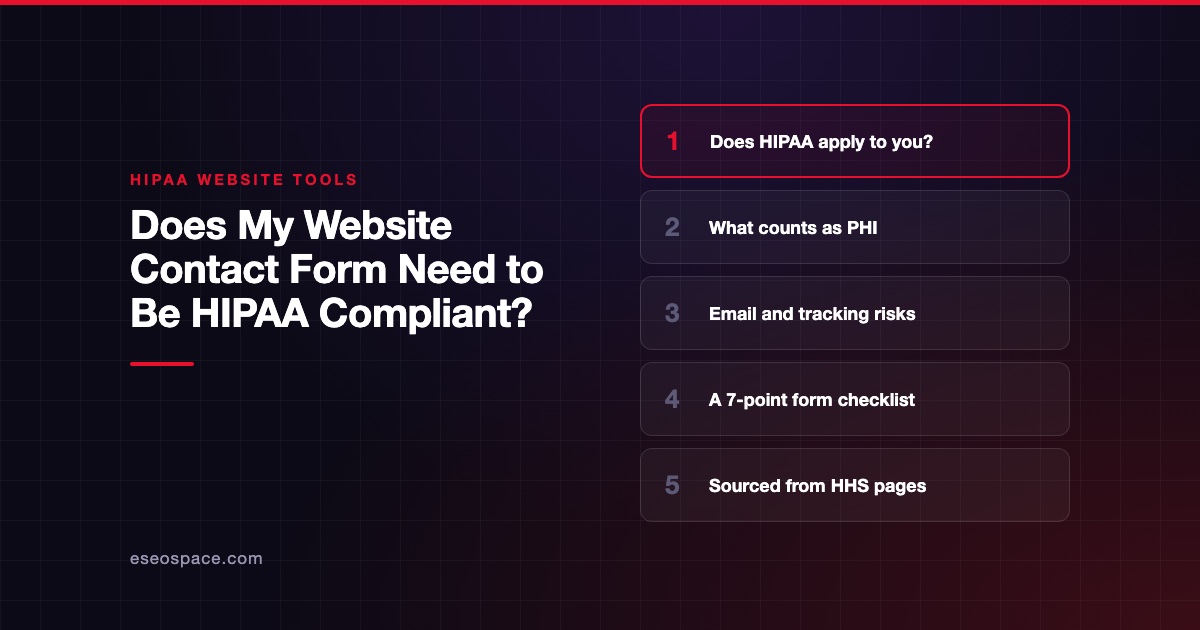
Your website contact form needs HIPAA safeguards if your practice is a HIPAA covered entity and the form collects health information about a person, such as a reason for visit, symptoms or an appointment request. If your practice is not a covered entity, or the form only collects information unrelated to anyone's health or care, HIPAA may not apply to it.
That is the short answer. The rest of this guide shows how to tell which side you are on, using only guidance from HHS. It is general information, not legal advice. If you are unsure, ask a healthcare attorney.
Key Takeaways
- HIPAA applies to covered entities and their business associates. HHS says providers are covered only if they send certain standard electronic transactions.
- A form that collects a person's identity plus anything about their health or care can create protected health information (PHI).
- If a form vendor stores or transmits PHI for you, it is a business associate, and you need a signed Business Associate Agreement (BAA) with it.
- Email notifications and tracking pixels are the two most common ways contact form data leaks.
- A BAA alone does not make your practice compliant. Your own safeguards still matter.
Step 1: Is your practice a covered entity?
HHS lists three kinds of covered entity: health care providers, health plans and health care clearinghouses. Its covered entities page says providers such as doctors, clinics, psychologists, dentists and chiropractors are covered "only if they transmit any information in an electronic form in connection with a transaction for which HHS has adopted a standard."
If you are unsure, ask your billing service or EHR vendor which electronic transactions you send. The same page says that if an entity is not a covered entity or business associate, it does not have to comply with the HIPAA Rules.
Do not guess on this: use HHS's covered entity decision tool linked from that page, or ask counsel. Other laws, such as state privacy laws, can still apply even if HIPAA does not.
Step 2: Does the form collect PHI?
HHS's Privacy Rule summary defines individually identifiable health information as information, "including demographic data", that relates to a person's past, present or future health, care or payment for care, and that identifies the person. It lists name, address and birth date as common identifiers.
When a covered entity holds or transmits that information in any form, electronic, paper or oral, it is PHI.
Apply that to typical form fields:
| Form field | Likely PHI on a covered provider's site? |
|---|---|
| Name and email only, "send me your newsletter" | Usually not health-related on its own, but check context |
| Name, phone, "I'd like to book an appointment" | Likely, because it relates to the person's care |
| Name, email, "reason for visit" or symptoms | Yes |
| Insurance provider and member ID | Likely, because it relates to payment for care |
| Job application on a clinic careers page | Generally not, it is not about health care |
The appointment example is not a stretch. HHS's online tracking guidance gives the case of someone typing their email address or reason for seeking care while making an appointment on a clinic's website, and treats that as individually identifiable health information.
Step 3: Who touches the data after "Submit"?
A form submission rarely stays in one place. It goes to the form vendor's servers, then often to an email inbox, a spreadsheet or a CRM.
HHS says a business associate is a person or company that creates, receives, maintains or transmits PHI on behalf of a covered entity. Its business associate guidance says you may share PHI with one only after getting "satisfactory assurances" in a written BAA.
HHS's cloud computing guidance adds that a cloud provider storing ePHI is a business associate even if the data is encrypted and the provider has no key. That covers most hosted form builders.
So you need a BAA with the form vendor, and with every other service the submission lands in. Our list of HIPAA-ready form builders names the plan at each vendor that includes a BAA.
The two leaks most practices miss
Email notifications
Many website forms email the full submission to the front desk. HHS's email FAQ says providers may email patients with reasonable safeguards, but it also says any transmission of ePHI must follow the Security Rule.
The simplest fix is to send a "you have a new submission" alert with no form contents, and have staff read the details inside the secure tool.
Tracking pixels and analytics
Analytics and ad pixels on the form page can capture what people type or select. HHS's tracking guidance says tracking vendors that receive PHI are business associates, and that a privacy policy notice alone does not permit sharing PHI with them.
One caution on that guidance: HHS notes that on 20 June 2024 a federal court in Texas vacated part of it. The vacated part covers cases where a technology connects an IP address with a visit to a public page about specific health conditions or providers. The examples about appointment and symptom forms remain on the page. Get advice on how this applies to your site.
Is SSL enough?
No. HTTPS encrypts data on its way to the server, which the Security Rule summary covers under transmission security. It does nothing about where the data is stored, who can read it or where it is emailed next.
The same summary says covered entities must assess risks to the confidentiality, integrity and availability of ePHI. Our post on SSL, contact forms and HIPAA explains the SSL piece in more depth.
A 7-point checklist for your contact form
- Confirm whether your practice is a covered entity.
- List every field on the form and mark which could be PHI.
- Remove fields you do not need. A general contact form rarely needs symptoms.
- Use a form vendor that signs a BAA on the plan you pay for, and keep the signed copy.
- Turn off full-content email notifications, or send them only through a service covered by a BAA.
- Remove or review tracking pixels on pages with health-related forms.
- Add a short line near the form asking visitors not to include medical details if they only want a callback.
If you are a therapist, our guide to whether your therapy website is HIPAA compliant goes further. For a build that handles all of this from the start, see our healthcare web design services, including sites for medical practices and therapy practices. To price the tools, see our HIPAA form builder pricing guide.
Frequently asked questions
Does a simple "contact us" form on a dentist's website need to be HIPAA compliant?
If the dental practice is a covered entity and the form collects anything about a person's care, such as an appointment request or a tooth problem, treat it as collecting PHI. If it only asks for a name and phone number with no health context, the risk is lower, but staff often receive health details anyway in the message box. Most practices are safer using a vendor that signs a BAA.
Can I just tell visitors not to submit health information?
It helps, but it is not a guarantee. People type symptoms into message boxes regardless. HHS's tracking guidance also says notices in a privacy policy do not, on their own, permit sharing PHI with a vendor.
Is a form builder with a BAA "HIPAA compliant"?
No vendor can make your practice compliant for you. A BAA means the vendor agrees to protect PHI it handles for you. Your practice still needs its own safeguards, policies and risk analysis. This is not legal advice.
What if my practice does not bill insurance?
You may not be a covered entity. HHS says providers are covered only if they send standard electronic transactions. Check with HHS's decision tool or an attorney, and remember that state privacy laws may still apply.