This page is part of our MCP specification reference, a plain-English guide to the Model Context Protocol spec (version 2026-07-28), within The MCP Guide. Building a server? See MCP development.
Status in the 2026-07-28 spec: core
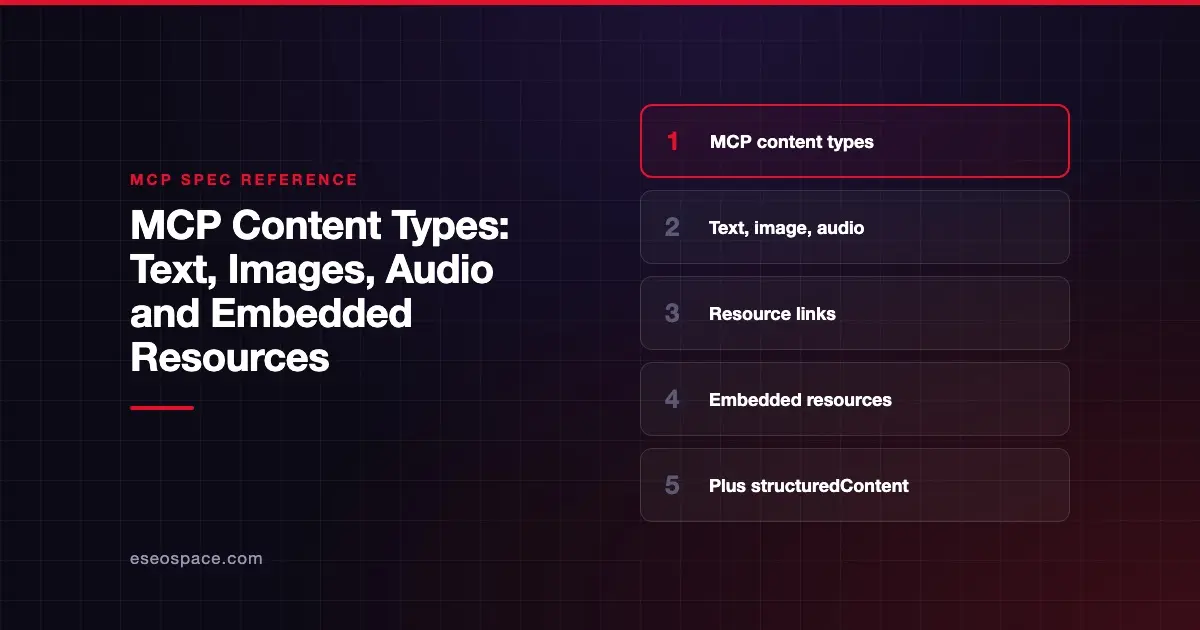
MCP content types are the standard shapes a server uses to send information back to an AI app. A tool result can hold one or more content blocks of five types: text, image, audio, resource links and embedded resources. Each block has a type field that tells the client how to handle it.
These blocks are defined on the tools page of the 2026-07-28 spec, and the same building blocks appear in prompts and resources. This page walks through each type with an example, then covers annotations, structured output and what changed over time.
Key Takeaways
- A tool result's
contentarray can mix text, image, audio, resource link and embedded resource blocks. - Images and audio are sent as base64 data with a
mimeType. - Resource links point to data by URI. Embedded resources include the data inline.
- All content types accept optional annotations for audience, priority and last-modified time.
- Machine-readable results go in
structuredContent, ideally with a text copy for older clients.
Why content types exist
AI apps need to know what they are receiving. A block of text goes into the model's context. An image might be shown to the user, passed to a vision model, or both. A link to a large file should not be pasted into the conversation in full.
Standard content types let any server talk to any client without custom parsing. They also let clients decide how much to show the user and how much to give the model.
The five content types
The spec says tool results may contain "multiple content items of different types" in the content field.
| Type | type value | Carries | Typical use |
|---|---|---|---|
| Text | text | A text string | Answers, summaries, error explanations |
| Image | image | Base64 data + mimeType | Charts, screenshots, generated images |
| Audio | audio | Base64 data + mimeType | Recordings, generated speech |
| Resource link | resource_link | A uri, name and optional details | Pointing to a file the client can fetch |
| Embedded resource | resource | A full resource object with text or binary content | Including a file's contents inline |
Text and image
{ "type": "text", "text": "Tool result text" }{
"type": "image",
"data": "base64-encoded-data",
"mimeType": "image/png",
"annotations": { "audience": ["user"], "priority": 0.9 }
}Audio looks like image, with an audio MIME type such as audio/wav.
Resource link vs embedded resource
A resource link points at data without including it. This example is from the spec:
{
  "type": "resource_link",
  "uri": "file:///project/src/main.rs",
  "name": "main.rs",
  "description": "Primary application entry point",
  "mimeType": "text/x-rust"
}
The spec notes that resource links returned by tools "are not guaranteed to appear in the results of a resources/list request."
An embedded resource includes the content itself, inside a resource object with its URI and MIME type. Servers that embed resources "SHOULD implement the resources capability." Use links for large or optional data and embedding for small, essential content. Our guide to MCP resources explains URIs and reading.
Annotations
Every content type supports optional annotations. The resources page defines three:
audience: who the content is for,"user","assistant"or both.priority: a number from 0.0 to 1.0. One means "effectively required," zero means "entirely optional."lastModified: an ISO 8601 timestamp.
Annotations are hints. A client might show an image only to the user, or drop low-priority blocks when the model's context is full.
Structured content
Content blocks are "unstructured" output meant for people and models. For data that code should read, tools can also return structuredContent, a JSON value that matches the tool's outputSchema. The spec says that, for backwards compatibility, a tool returning structured content "SHOULD also return the serialized JSON in a TextContent block." Our guide to structured tool output goes deeper.
What changed across spec versions
| Version | Content change |
|---|---|
| 2024-11-05 | Text, image and embedded resource content in tool results (tools page) |
| 2025-03-26 | Audio content added "joining the existing text and image content types" (changelog) |
| 2025-06-18 | Resource links added to tool results; structured tool output added (changelog) |
| 2026-07-28 | structuredContent may be any JSON value, not only an object (changelog) |
The deprecated Sampling feature also defines model-specific blocks, tool_use and tool_result, for tool calls inside a sampling request. Those are not tool-result content types. See MCP sampling.
Client support varies
The spec defines the types. Each AI app decides what it renders. For example, Anthropic's guide to building servers for Claude lists "text and image-based tool results" and text and binary resources as supported (checked 28 October 2026). Always test each content type in the clients your users rely on, and include a text fallback.
Common mistakes
- Returning only an image. Some clients or models may not handle it. Add a short text description.
- Wrong or missing
mimeType. Clients use it to decide how to decode and display data. - Embedding huge files. Large embedded resources fill the model's context. Use a resource link instead.
- Assuming a resource link is listed. Links from tools may not appear in
resources/list. - Structured content with no text copy. Older clients may only read the
contentarray. - Putting secrets in content. Anything in a content block may reach the model, the user and logs. See secrets and credential leakage in MCP.
Next step
Content blocks describe what a tool returns. For tools that need a full interactive screen instead, read the MCP Apps extension, or start with MCP tools explained. All spec topics are listed in the MCP specification reference.
Frequently asked questions
What content types does MCP support?
As of the 2026-07-28 spec, tool results support text, image, audio, resource link and embedded resource content. Tools can also return machine-readable structuredContent alongside them.
How are images sent in MCP?
As base64-encoded data in an image block, with a mimeType such as image/png. Optional annotations can mark the image as meant for the user, the model or both.
What is the difference between a resource link and an embedded resource?
A resource link gives a URI the client can fetch later. An embedded resource includes the content inline in the result. Links suit large or optional data, while embedding suits small, essential content.
When was audio added to MCP?
Audio content was added in the 2025-03-26 spec revision, joining the existing text and image types.
Can a tool return several content blocks at once?
Yes. The content field is an array, and the spec says it can hold multiple items of different types, such as text plus an image plus a resource link.