This article is part of our MCP Guide: what the Model Context Protocol is, how to use it safely, and how to choose servers, tools and help. Want a second opinion on your setup? Request a free MCP readiness review.
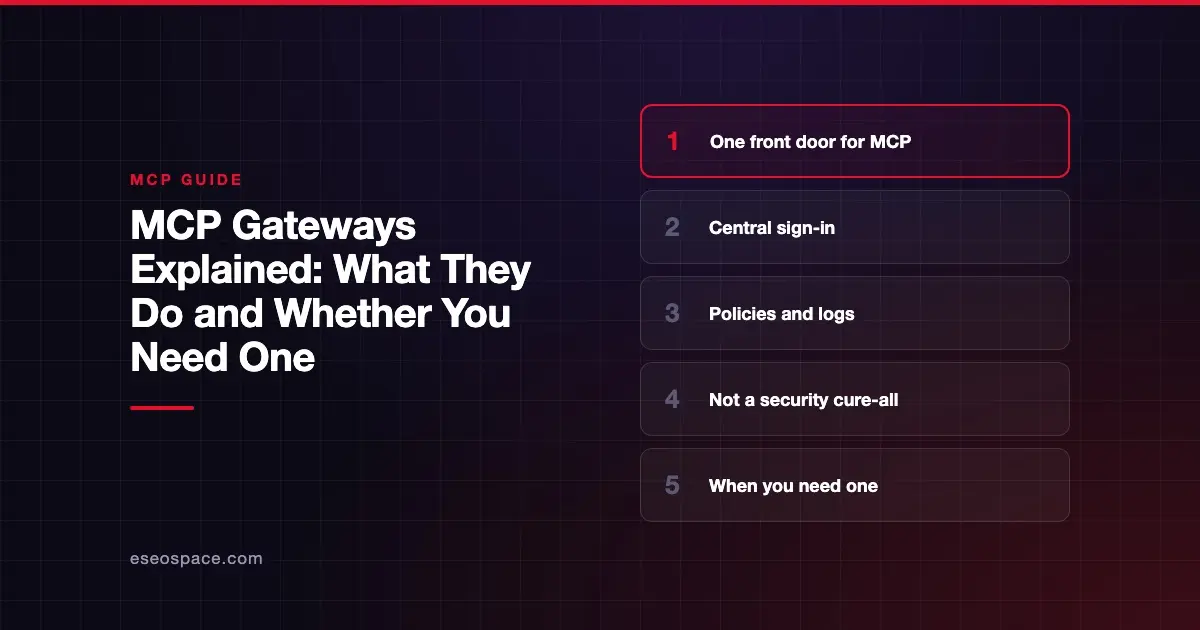
An MCP gateway is a single front door between your AI apps and your MCP servers. Instead of every app connecting to every server on its own, all traffic passes through one controlled point. That point handles sign-in, decides who can use which tools, and keeps a log of every call.
You do not need a gateway to use MCP. One person with two servers is fine without one. But once a team has many users, many servers and real business data, a gateway becomes the simplest way to keep control.
This guide explains what gateways do, how the main vendors describe their products, and how to decide whether you need one yet. Vendor claims are attributed and were checked against each vendor's docs on 28 October 2026.
Key Takeaways
- An MCP gateway is a proxy that sits between AI clients and MCP servers, giving you one place for access control, credentials and logging.
- Gateways are not part of the MCP spec itself; they are products and open-source projects built around it.
- Common features include central sign-in, tool allowlists, credential injection, audit logs and turning existing APIs into MCP tools.
- Options range from open-source projects (Docker, Microsoft, IBM ContextForge) to managed cloud services (AWS, Cloudflare, Kong).
- A gateway reduces risk but does not stop prompt injection or fix a badly built server on its own.
- Most small teams can wait; companies with many users, regulated data or many servers usually benefit sooner.
What an MCP gateway does
Without a gateway, each AI app holds its own connection to each MCP server. Ten users and eight servers can mean dozens of separate sign-ins, keys and settings. Nobody has one view of what is connected.
A gateway puts one layer in the middle. Users connect their AI app to the gateway's address. The gateway then routes each request to the right server.
Docker's MCP Gateway docs describe the flow plainly: the gateway "injects any required credentials, applies security restrictions, and forwards the request to the server."
The core jobs
| Job | What it means for you |
|---|---|
| Single endpoint | Users add one address instead of many servers |
| Central sign-in | Access runs through your identity provider, not per-server keys |
| Tool curation | Admins choose which tools each group can see |
| Credential handling | Users never see the API keys behind each server |
| Logging and tracing | One record of who called which tool, and when |
| API translation | Existing REST APIs or functions become MCP tools |
| Isolation | Servers run in containers or sandboxes with limited access |
Not every gateway does all of these. Compare features against your needs, not a vendor's longest list.
How it fits the MCP spec
The MCP spec does not define a "gateway." But it anticipates the pattern. The tools specification notes that "clients or proxies that aggregate tools from multiple servers" may hit naming clashes. Two servers might both offer a search tool, so a good gateway renames or prefixes them.
The spec also has firm rules that a gateway must respect. The MCP security best practices warn about "confused deputy" problems in proxy servers. They require a proxy to show its own consent screen for each client before forwarding sign-ins. The spec also bans "token passthrough," so a gateway should use separate credentials for each downstream server.
Ask any gateway vendor how they meet these two rules. For the background, see MCP authentication and OAuth 2.1.
The main types of MCP gateway
Gateways come in a few shapes. Here is how the leading options describe themselves in their own docs.
Container-based, run it yourself
Docker MCP Gateway. Docker calls it its "open source solution for orchestrating Model Context Protocol (MCP) servers." According to Docker, it runs servers "in isolated Docker containers with restricted privileges, network access, and resource usage." It also includes "built-in logging and call-tracing." Docker notes that the gateway as part of Docker AI Governance is "an invite-only feature."
Kubernetes-native, run it yourself
Microsoft MCP Gateway. The Microsoft MCP Gateway repository describes a reverse proxy and control plane for MCP servers on Kubernetes. It manages server lifecycle (deploy, update, delete) and supports Entra ID sign-in with role-based access. It is MIT-licensed. The README says the current version requires MCP 2026-07-28 clients.
Open-source registry and proxy
IBM ContextForge. ContextForge's docs describe it as an open-source registry and proxy that "federates tools, agents, and APIs into one endpoint." It can wrap REST and gRPC services as MCP tools and supports Agent2Agent (A2A) integration. It offers OpenTelemetry tracing and an admin UI, under the Apache 2.0 license.
Managed cloud services
Amazon Bedrock AgentCore Gateway. AWS's documentation calls it "a fully managed AI gateway." AWS says it converts APIs, Lambda functions and existing services into MCP tools, and handles both inbound and outbound authentication. It also offers semantic tool search, so agents can find the right tool among many.
Cloudflare MCP server portals. Cloudflare's docs say a portal "centralizes multiple Model Context Protocol (MCP) servers onto a single HTTP endpoint." Sign-in runs through Cloudflare Access policies. Admins can choose, rename or hide tools, and Access logs each tool request.
Kong AI Gateway. Kong's AI Gateway docs say you can "turn existing APIs into tools an AI agent can discover and call over Model Context Protocol." Kong also describes OAuth2-scoped tool calls, so "write actions can require tighter access than read actions," plus OpenTelemetry metrics for MCP traffic.
For a side-by-side comparison with pricing, see our list of the best MCP gateways.
What a gateway does not do
A gateway is a strong control, but it is not a cure-all. Be clear about its limits.
- It does not stop prompt injection. If a tool returns a malicious email, the AI model still reads it. Approvals and tool separation still matter. See MCP security risks.
- It does not fix a badly built server. If a server mishandles data, routing it through a gateway does not change that.
- It adds a dependency. If the gateway goes down, every connected tool goes with it. Plan for uptime.
- It needs upkeep. Policies, tool lists and versions must be maintained, like any other security system.
Do you need an MCP gateway?
Use these signals to decide.
You can probably wait if
- A small group uses MCP, and they rely on a few well-known servers.
- No server touches regulated or highly sensitive data.
- Your AI apps already offer admin controls you can use. For example, Claude Code lets admins set allowlists and denylists of MCP servers through managed settings.
You likely need one if
- Many users connect to many servers, and nobody has a full picture.
- You must prove who accessed what, for audits or clients.
- You want sign-in through your identity provider for every MCP tool.
- You want to expose internal APIs as MCP tools without building each server by hand.
- You have found unapproved "shadow" servers in use.
A simple decision table
| Your situation | Suggested approach |
|---|---|
| Solo user or small team, public tools | No gateway; use client settings and good habits |
| Growing team, some private data | Client-level allowlists plus logging; review a gateway |
| Many teams, regulated data or audits | Gateway with SSO, tool policies and exportable logs |
| You want to expose many internal APIs to AI | Gateway with API-to-MCP translation |
If you are weighing whether to build MCP servers yourself or use a managed platform, build vs buy covers that choice.
Questions to ask a gateway vendor
- Which MCP spec version do you support, and how fast do you adopt new ones?
- How do you handle sign-in with our identity provider?
- Do you follow the spec's per-client consent rule for proxies and avoid token passthrough?
- Can we hide, rename or restrict tools by group?
- What exactly is logged, and can we export logs to our own tools?
- Can it run in our own cloud or network if we need it to?
- What happens to our tools if the gateway is down?
Next step
Ready to compare products? Our guide to the best MCP gateways for business lists the main options with pricing, strengths and trade-offs.
Frequently asked questions
Is an MCP gateway the same as an API gateway?
They are related but not the same. An API gateway manages ordinary API traffic. An MCP gateway understands MCP messages, so it can filter tools, handle MCP sign-in and log tool calls. Some vendors, like Kong, add MCP features to an existing API or AI gateway.
Is an MCP gateway part of the MCP standard?
No. The spec defines clients, servers and the messages between them. Gateways are products built around it. The spec does mention "proxies that aggregate tools" and sets rules that proxies must follow.
Can a gateway turn my existing API into an MCP server?
Several can. AWS, Kong and IBM ContextForge all describe converting existing APIs into MCP tools in their docs. Check how well the result fits your API before relying on it.
Will a gateway slow down my AI tools?
Any extra hop adds some delay. How much depends on the product and where it runs. Ask the vendor for figures and test with your own workloads before rolling out widely.
Are there free MCP gateways?
Yes. Docker's MCP Gateway, Microsoft's MCP Gateway and IBM ContextForge are open source. You still pay for the servers you run them on and the time to maintain them.
Can a small business skip the gateway?
Usually, yes, at first. Start with a short list of trusted servers, least-privilege access and logging. Our MCP for small business guide helps you decide when to add more.